
1. Танилцуулга
Худалдан авалт хийсэнд баярлалааasing the plplaaoo Cordless Table Lamp. Энэхүү гарын авлага нь таны шинэ l-ийг аюулгүй, үр дүнтэй ажиллуулахад шаардлагатай мэдээллийг агуулдагamp. Хэрэглэхийн өмнө үүнийг сайтар уншиж, цаашид лавлах зорилгоор хадгална уу.
2. Аюулгүй ажиллагааны заавар
- l-г бүү илamp ус эсвэл хэт их чийг.
- Хэмжээг задлах эсвэл өөрчлөхөөс зайлсхийamp, учир нь энэ нь баталгааг хүчингүй болгож, аюулгүй байдалд эрсдэл учруулж болзошгүй.
- Цэнэглэхдээ зөвхөн дагалдаж ирсэн USB Type-C кабелийг ашиглана уу.
- l-г хадгалamp away from heat sources and direct sunlight to prevent battery damage.
- l-г баталгаажуулна ууamp хазайлгахаас сэргийлж тогтвортой, тэгш гадаргуу дээр байрлуулна.
- Энэ лamp зөвхөн дотор ашиглах зориулалттай.
3. Багцын агуулга
Таны багцад бүх зүйл байгаа эсэхийг шалгана уу:
- 1 x Cordless Table Lamp
- 1 x USB Type-C цэнэглэгч кабель

4. Бүтээгдэхүүн дууссанview
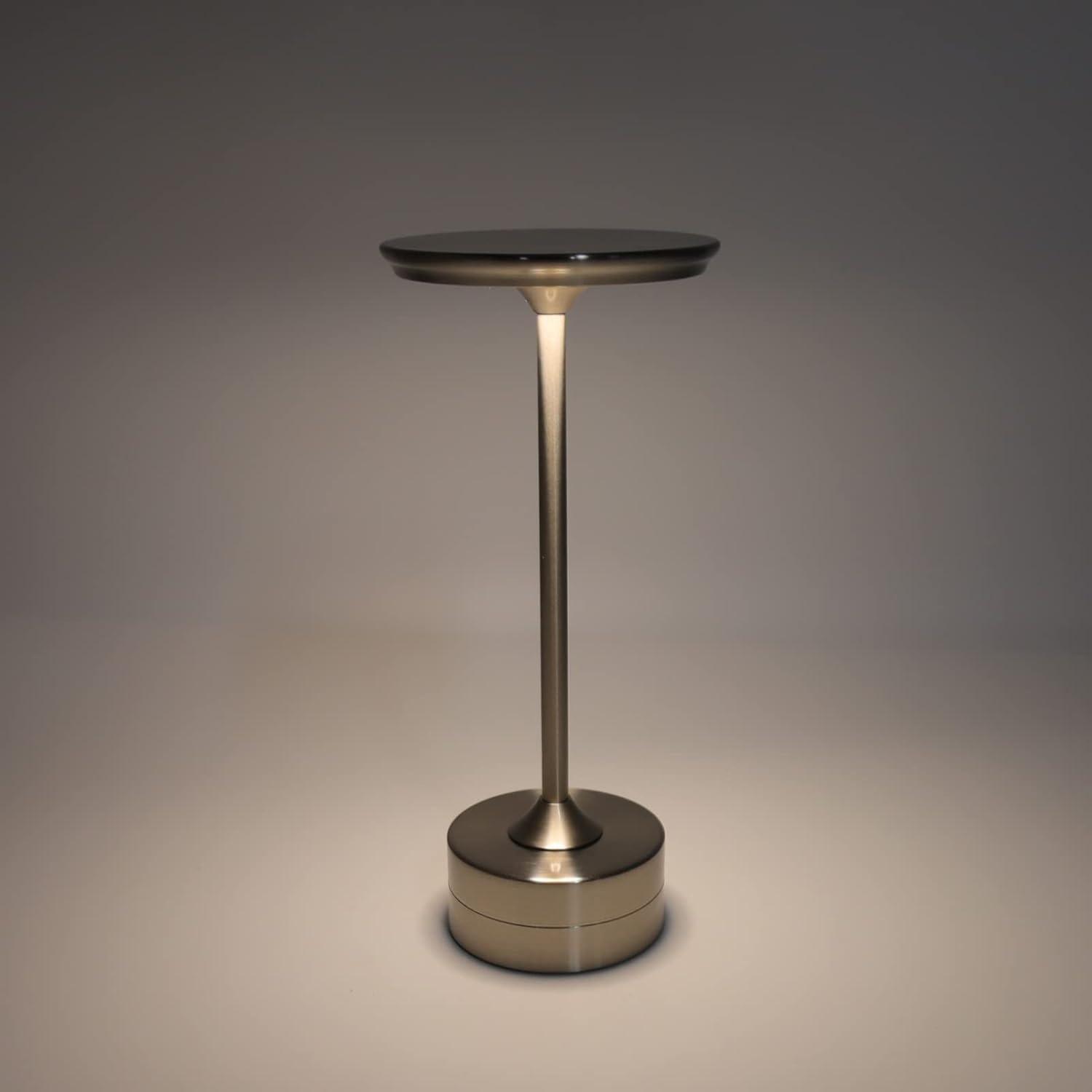
The plplaaoo Cordless Table Lamp features a sleek design with a durable iron, aluminum, and acrylic construction. It includes a built-in 2000mAh rechargeable lithium battery, offering 10-15 hours of working time on a full charge. The lamp provides three light sources: white light, warm light, and ordinary light, with adjustable brightness up to 150lm.


5. Тохиргоо
Анхны цэнэглэлт
Эхний хэрэглээний өмнө l-г бүрэн цэнэглэamp. Connect the provided USB Type-C cable to the charging port on the lamp's base and plug the other end into a compatible USB power adapter (not included).
- Locate the USB Type-C charging port on the base of the lamp.
- Insert the USB Type-C cable into the lampцэнэглэх порт.
- Connect the USB-A end of the cable to a standard USB power adapter (e.g., phone charger, computer USB port).
- The charging indicator (if present) will show the charging status. Allow several hours for a full charge.
6. Ашиглалтын заавар
Асаах/унтраах, гэрэлтүүлгийн тохируулга
Лamp features both a bottom switch and a top touch control for operation.
- Доод унтраалга: Flip the switch on the bottom of the lamp to the 'ON' position to enable the touch control function.
- Top Touch Control: Gently touch the top surface of the lamp to cycle through the three light modes: white light, warm light, and ordinary light. Continue touching to adjust brightness levels within each mode.
- l-г унтраахын тулдamp, either cycle through all light modes until it turns off via touch control, or flip the bottom switch to the 'OFF' position.


7. Засвар үйлчилгээ
- Цэвэрлэгээ: l-г арчинаamp Зөөлөн, хуурай даавуугаар арчина. Зүлгүүрийн цэвэрлэгч эсвэл уусгагч хэрэглэж болохгүй.
- Хадгалах: Удаан хугацаагаар ашиглаагүй тохиолдолд лamp in a cool, dry place. Ensure the battery is partially charged before storage to prolong its lifespan.
- Батерейны арчилгаа: Батерейны ашиглалтын хугацааг уртасгахын тулд батерейг байнга бүрэн дуусгахаас зайлсхий.amp гэрлийн гаралт мэдэгдэхүйц бүдэгрэх үед.
8. Алдаа засах
| Асуудал | Боломжит шалтгаан | Шийдэл |
|---|---|---|
| Lamp асахгүй байна. | Battery is depleted. Bottom switch is off. | l-г цэнэглэamp using the USB Type-C cable. Ensure the bottom switch is in the 'ON' position. |
| Гэрэл бүдэг эсвэл анивчдаг. | Батерей бага. | l-г цэнэглэamp. |
| Cannot change light mode/brightness. | Bottom switch is off. Touch control malfunction. | Ensure the bottom switch is 'ON'. Try restarting the lamp by turning the bottom switch off and on again. |
| Lamp төлбөр авдаггүй. | Faulty cable or adapter. Charging port issue. | Try a different USB Type-C cable and power adapter. Ensure the cable is fully inserted. |
9. Техникийн үзүүлэлтүүд
| Онцлог | Дэлгэрэнгүй |
|---|---|
| Загвар | B0D2LG61MQ |
| Материал | Iron, Aluminum, Acrylic |
| Өндөр | Ойролцоогоор 28.5 см / 11.2 инч |
| Диаметр | Ойролцоогоор 13 см / 5.1 инч |
| Жин | Approx. 0.66 kg / 23.4 oz |
| Баригдсан батерей | Литийн 2000мА цаг |
| Гэрлийн эх үүсвэр | White light, Warm light, Ordinary light (3 levels brightness) |
| Хамгийн их гэрэлтүүлэг | 150 лм |
| Цэнэглэх арга | USB Type-C |
| Хяналт | Bottom switch, Top touch control |

10. Баталгаат хугацаа ба дэмжлэг
This product is covered by a standard manufacturer's warranty. For specific warranty details, please refer to the product packaging or contact the retailer where you purchased the item. For technical support or inquiries, please visit the official plplaaoo store or contact customer service.