
1. Танилцуулга
This manual provides detailed instructions for the operation and maintenance of your Luoran Kids MP3 Player, Model M4S. Please read this manual thoroughly before using the device to ensure proper functionality and to understand its features, including parental controls, media playback, and connectivity options.
2. Багцын агуулга
Бүх зүйл багцад байгаа эсэхийг шалгана уу:
- Luoran Kids MP3 Player M4S
- USB-C кабель
- Утастай чихэвч
- Силикон хайрцаг
- Хэрэглэх заавар (энэ баримт бичиг)
3. Төхөөрөмж дууссанview
The Luoran M4S features a 4.0-inch IPS display with full touchscreen functionality, housed within a metal frame and tempered glass back. It is designed for ease of use and durability.

Зураг: урд ба хажуу view of the Luoran M4S MP3 Player, displaying its user interface and physical buttons.
3.1 Физик шинж чанарууд
- Цахилгаан товч: Төхөөрөмжийг асаах/унтраах болон дэлгэц түгжих зориулалттай хажуу талд байрладаг.
- Дууны товчлуурууд: Аудио гаралтын түвшинг тохируулна уу.
- USB-C порт: Цэнэглэх, өгөгдөл дамжуулах зориулалттай.
- 3.5 мм чихэвчний залгуур: Утастай чихэвч эсвэл чихэвч холбох зориулалттай.
- MicroSD картны үүр: Хадгалах багтаамжийг өргөжүүлэх зорилгоор.

Зураг: Нарийвчилсан view of the device's construction, highlighting the metal frame, tempered glass back, and port locations.
4. Тохиргоо
4.1 Анхдагч асаалттай
- Дэлгэц гэрэлтэх хүртэл Power товчийг дараад барина уу.
- Хэл болон бүс нутгаа сонгохын тулд дэлгэцэн дээрх зааврыг дагана уу.
4.2 Setting Up Parental Controls
Upon first use, you will be prompted to set a password for Parental Management. This password is crucial for controlling app access and installation. Please remember this password.

Image: Parental Management password entry screen.
4.3 Wi-Fi-д холбогдож байна
- руу шилжих Тохиргоо > Сүлжээ ба Интернет > Wi-Fi.
- Wi-Fi-г асаах/унтраах On.
- Жагсаалтаас хүссэн Wi-Fi сүлжээгээ сонгоно уу.
- Сүлжээний нууц үг асуувал оруулаад товшино уу Холбох.
4.4 Шилжүүлэх Files
Та хөгжим, видео болон бусад зүйлийг дамжуулах боломжтой files to the device using the included USB-C cable. Connect the device to a computer, and it will appear as a removable storage device. Alternatively, files can be transferred via Wi-Fi using compatible applications.
4.5 Installing and Managing Applications
The device comes with pre-installed applications such as Spotify Kids, Spotify, Amazon Music, Audible, and HiBy Music. New application installations require approval through the Parental Controls system.

Image: Application Management interface, allowing parents to enable or disable specific applications.
5. Ашиглалтын заавар
5.1 Хөгжим тоглуулах
The device supports various music formats, including MP3, WAV, FLAC, APE, OGG, M4A, AAC, WMA, and MP2. Music can be organized and played by title, folder, artist, or album.
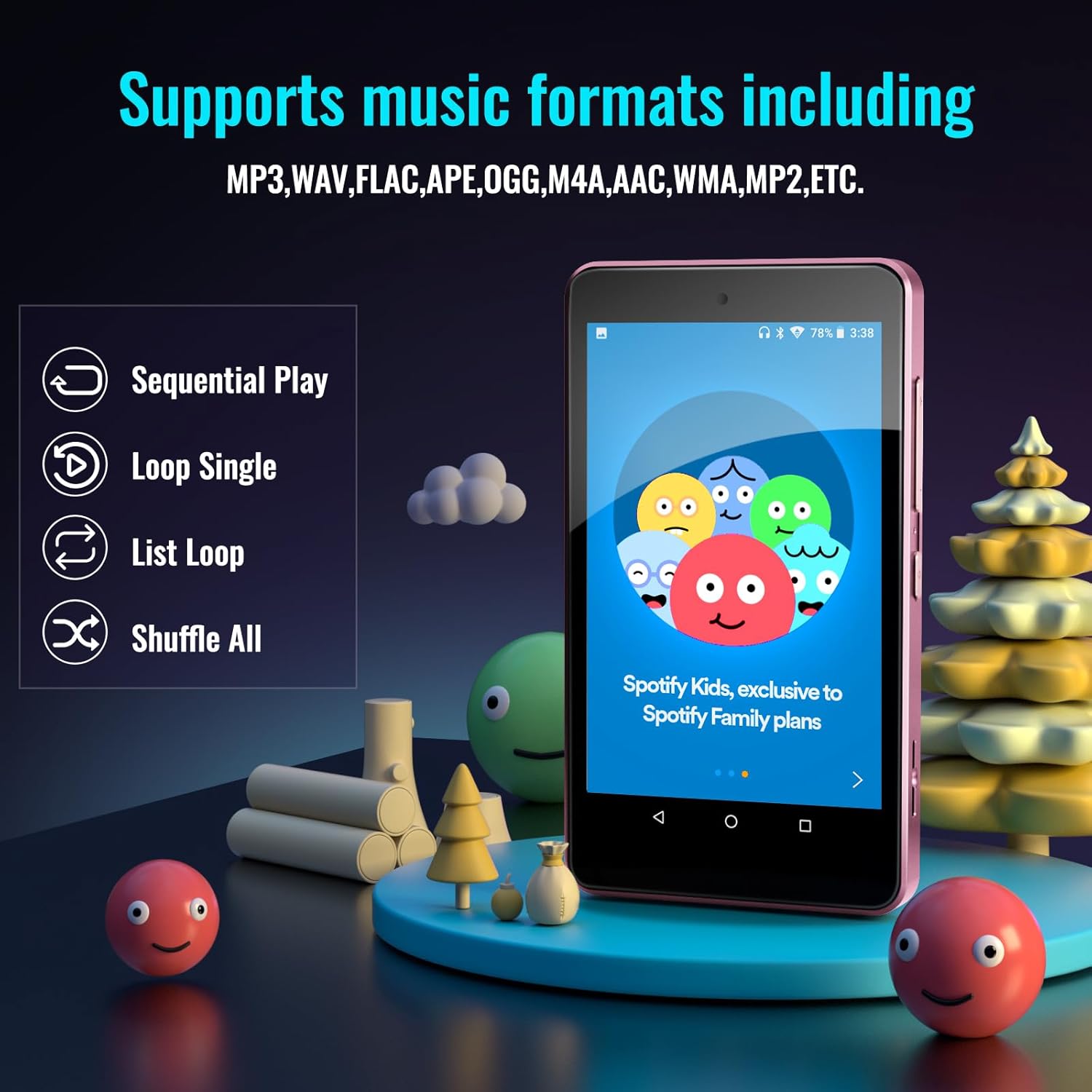
Image: Music playback options and supported formats displayed on the device screen.
5.2 Видео тоглуулах
The 4.0-inch IPS screen allows for video playback. Supported video formats can be played through the pre-installed video player application.
5.3 Bluetooth холболт
The player features Bluetooth for connecting to external audio devices such as earphones, headphones, speakers, and car stereos. It provides fast pairing and stable connections.

Image: The device demonstrating Bluetooth connectivity with wireless earbuds.
5.4 Expandable Storage
The device includes 16GB of internal memory and supports external storage expansion up to 256GB via a microSD card slot. It is compatible with SDXC and SDHC cards.

Image: Illustrates the expandable memory feature with a microSD card being inserted.
5.5 Батерейны удирдлага
The built-in 1500mAh battery provides approximately 50 hours of music playback on a 2-hour full charge. The device includes a standby power-saving feature to optimize battery life. Charge the device using the provided USB-C cable.
6. Parental Controls Features
The Parental Controls system allows for comprehensive management of the device's usage:
- Хэрэглээний удирдлага: Block or unblock any installed application.
- Application Installation Control: New app installations require parental approval via the set password.
- Auto ON/OFF Time: Set specific times for the device to automatically turn on or off, controlling screen time.

Image: Parental Controls screen, detailing options for managing applications and device usage.

Image: Parental Management settings, showing options for automatic power control and app installation permissions.
7. Техникийн үзүүлэлтүүд
| Онцлог | Дэлгэрэнгүй |
|---|---|
| Загварын нэр | M4S |
| Бүтээгдэхүүний хэмжээс | 0.39 x 2.4 x 4.25 инч |
| Зүйлийн жин | 4.9 унц |
| Дэлгэцийн хэмжээ | 4 инч |
| Дэлгэцийн төрөл | IPS |
| Санах ойн хадгалах багтаамж | 16 ГБ (256 ГБ хүртэл өргөтгөх боломжтой) |
| Холболтын технологи | Bluetooth, WiFi |
| Онцлог шинж чанарууд | Bluetooth and WiFi, Parental Controls |
| Батерей | 1 Лити Полимер батерей (дагсан) |
| Тохиромжтой төхөөрөмжүүд | Earphones, Headphones |
| Хэвлэл мэдээллийн төрөл | SDHC, SDXC, memory card |
8. Алдаа засах
If you encounter issues with your Luoran M4S MP3 Player, consider the following:
- Төхөөрөмж асахгүй байна: Төхөөрөмж бүрэн цэнэглэгдсэн эсэхийг шалгана уу. USB-C кабелиар дамжуулан тэжээлийн эх үүсвэрт холбоно уу.
- Дэлгэц хариу өгөхгүй байна: Try restarting the device by holding the power button. If unresponsive, a hard reset may be necessary (refer to support for instructions).
- Applications not working or missing: Verify Wi-Fi connectivity. For missing or upgrading applications, contact the Luoran Team for APK files and installation steps.
- Forgotten Parental Control password: It is critical to remember the password or PIN codes set for parental controls. If forgotten, contact Luoran support for assistance.
- Bluetooth холболттой холбоотой асуудлууд: Ensure Bluetooth is enabled on both the player and the external device. Try unpairing and re-pairing the devices.
9. Дэмжлэг ба баталгаа
For technical assistance, missing components, or issues with application installation, please contact the Luoran Team. They aim to respond within 12 hours.
For specific warranty information regarding your Luoran M4S MP3 Player, please refer to the product packaging or contact Luoran customer support directly. Keep your purchase receipt as proof of purchase.
Important Reminder: Please write down and remember any passwords or PIN codes you set for the device, especially for Parental Controls, as access may be restricted if forgotten.