
STRONG SRT32HG6733C
STRONG SRT32HG6733C 32-inch HD Android Smart TV User Manual
Model: SRT32HG6733C
Танилцуулга
This manual provides essential information for the setup, operation, and maintenance of your STRONG SRT32HG6733C 32-inch HD Android Smart TV. Please read these instructions carefully before using the product to ensure proper functionality and safety.
Хайрцагт юу байна
Савыг задлахдаа доор жагсаасан бүх зүйл байгаа бөгөөд сайн нөхцөлд байгаа эсэхийг шалгаарай.
- STRONG SRT32HG6733C TV Unit
- Remote control with voice recognition
- 2 x AAA батерей
- Хэрэглэгчийн гарын авлага (энэ баримт бичиг)

Image: The STRONG SRT32HG6733C TV unit with its central stand, remote control, and included accessories.
Тохиргоо
1. Тавиурыг бэхлэх
Carefully place the TV screen-down on a soft, clean surface to prevent scratches. Align the central stand with the mounting holes on the bottom of the TV. Secure the stand using the provided screws. Ensure the stand is firmly attached before proceeding.

Зураг: Ар талд view of the TV showing the central stand attachment points and various input ports.
2. Цахилгааныг холбох
Plug the power cord into the TV's power input, then into a wall outlet. The TV will enter standby mode.
3. Анхны тохиргоо болон сүлжээний холболт
Upon first power-on, the TV will guide you through the initial setup process. This includes language selection, country, and network connection. For optimal Smart TV functionality, connect to your Wi-Fi network. You can also connect via an Ethernet cable for a stable wired connection.

Image: The TV screen displaying connectivity options, highlighting Wi-Fi and Bluetooth symbols.
Ашиглалтын заавар
Үндсэн функцууд
- Асаах/унтраах: Алсын удирдлага эсвэл ТВ дээрх цахилгаан товчийг дарна уу.
- Сувгийн сонголт: Use the CH+/- buttons or the number pad on the remote.
- Дууны хяналт: Use the VOL+/- buttons.
- Оролтын эх сурвалж: Press the SOURCE button to select between HDMI, AV, DVB-T/T2, DVB-C, DVB-S/S2 inputs.
Ухаалаг ТВ-ийн онцлогууд (Google TV)
Your TV runs on Google TV, providing access to a wide range of applications and services.
- Үндсэн дэлгэц: Access your favorite apps, movies, and shows directly from the customizable home screen.
- Стриминг програмууд: Pre-installed apps include Netflix, Prime Video, YouTube, and Disney+. Additional apps can be downloaded from the Google Play Store.
- Google Туслах: Use the voice recognition remote to control your TV, search for content, and get information by pressing the Google Assistant button and speaking your command.
- Google Cast: Stream content from your compatible smartphone or tablet directly to the TV.

Image: The TV screen showing the Google TV interface with icons for Netflix, YouTube, Prime Video, Disney+, and other streaming services.

Image: A user holding the voice-controlled remote, with a visual representation of Google Assistant responding to a voice command on the TV screen.
Холболт
ТВ нь гадаад төхөөрөмжүүдийг холбоход зориулсан янз бүрийн порттой:
- HDMI портууд (x2): Connect Blu-ray players, game consoles, or other HDMI-enabled devices.
- USB порт (x1): Медиа тоглуулах files (photos, videos, music) from a USB storage device.
- Ethernet (RJ45) порт: Утастай интернет холболтын хувьд.
- Antenna (ANT in) / Satellite (SAT in) Inputs: Connect your terrestrial or satellite antenna for live TV.
- CI үүр: Шифрлэгдсэн сувгуудыг тайлахын тулд нөхцөлт хандалтын модулиуд (CAM)-д зориулагдсан.
- SPDIF гаралт: Дижитал аудио гаралтыг дууны самбар эсвэл гэрийн театрын системд гаргах зориулалттай.
- AV-д: Нийлмэл видео болон стерео аудио ашиглан хуучин төхөөрөмжүүдийг холбоход зориулагдсан.
- Чихэвчний гаралт: Чихэвч холбох.

Зураг: Дэлгэрэнгүй ар тал view of the TV highlighting all available input and output ports, including AV in, HDMI, USB, Ethernet, S/PDIF, ANT in, SAT in, CI slot, and Headphone output.
Видео: Товч танилцуулгаview demonstrating the TV's use in a mobile setting, such as a camper van, showing its compact size and clear display for entertainment on the go.
Засвар үйлчилгээ
ТВ цэвэрлэх
Дэлгэцийг цэвэрлэхийн тулд зөөлөн, хөвөнгүй даавуугаар зөөлөн арчина. Зөрүүд тэмдгийн хувьд бага зэрэг dampen the cloth with water or a screen-cleaning solution. Avoid using harsh chemicals or abrasive materials. Clean the TV casinхуурай, зөөлөн даавуугаар арчина.
Програм хангамжийн шинэчлэлтүүд
Your Android TV may receive software updates periodically. Ensure your TV is connected to the internet to receive these updates. Updates can improve performance, add new features, and enhance security. You can check for updates manually in the TV's settings menu.
Алдааг олж засварлах
| Асуудал | Боломжит шийдэл |
|---|---|
| Хүч чадалгүй | Check if the power cord is securely plugged into the TV and the wall outlet. Ensure the outlet is functional. |
| Зураг байхгүй ч дуу чимээ байна | Зөв оролтын эх үүсвэр сонгогдсон эсэхийг шалгана уу. Гадны төхөөрөмжүүдийн кабелийн холболтыг шалгана уу. |
| Дуу алга, гэхдээ зураг байна | Дууны түвшин болон дууг хаах төлөвийг шалгана уу. Гадаад чанга яригч ашиглаж байгаа бол аудио кабель зөв холбогдсон эсэхийг шалгаарай. |
| Алсын удирдлага ажиллахгүй байна | Батерейг солих. Алсын удирдлага болон ТВ-ийн IR мэдрэгчийн хооронд ямар ч саад бэрхшээл байхгүй эсэхийг шалгаарай. |
| Wi-Fi-д холбогдох боломжгүй байна | Чиглүүлэгч асаалттай, ажиллаж байгаа эсэхийг шалгаарай. Wi-Fi нууц үгээ дахин оруулна уу. ТВ болон чиглүүлэгчийг хоёуланг нь дахин асааж үзнэ үү. |
| Smart TV apps are slow or unresponsive | Check your internet connection speed. Close unused applications. Restart the TV. |
Үзүүлэлтүүд
| Онцлог | Дэлгэрэнгүй |
|---|---|
| Загварын дугаар | SRT32HG6733C |
| Дэлгэцийн хэмжээ | 32 инч (81 см) |
| Дэлгэцийн технологи | LED |
| Шийдвэр | HD бэлэн (1366 x 768p) |
| Үйлдлийн систем | Google TV |
| Холболт | Wi-Fi, Bluetooth, 2x HDMI, 1x USB, Ethernet (RJ45), AV In, SPDIF, ANT in, SAT in, CI Slot |
| Тохируулагч | DVB-T/T2, DVB-C, DVB-S/S2 (HEVC 265 codec) |
| Онцлог шинж чанарууд | Google Assistant, Google Cast, Dolby Audio |
| Хэмжээ (W x D x H) | 71.8 x 22.3 x 45.2 см (тастангийн хамт) |
| Оруулсан бүрэлдэхүүн хэсгүүд | TV, Voice Remote, 2x AAA Batteries, Manual |
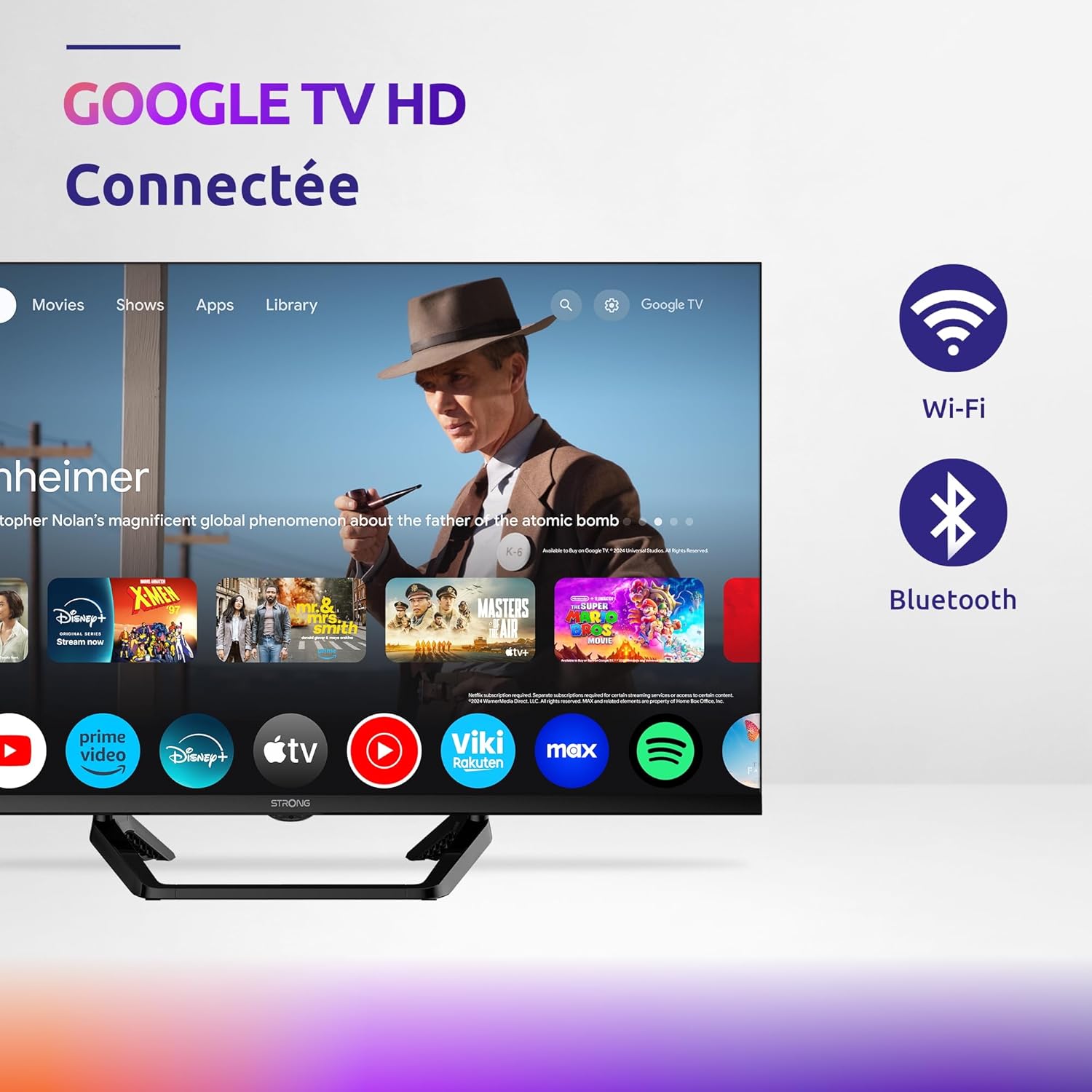
Image: Diagram showing the dimensions of the STRONG SRT32HG6733C TV, including width, height, and depth with the central stand.
Баталгаат болон дэмжлэг
This product comes with a manufacturer's warranty of 24 months. For warranty claims or technical support, please refer to the contact information provided on the official STRONG webсайт эсвэл таны худалдан авалтын баримт бичиг.
For frequently asked questions and additional resources, visit the STRONG Brand Store.


Images: Icons representing warranty information and frequently asked questions.
Холбогдох баримт бичиг - SRT32HG6733C
 |
EDISION OS мини хурдан гарын авлага: Онцлогууд, дагалдах хэрэгсэл, суурилуулалт EDISION OS мини дижитал хиймэл дагуулын хүлээн авагчийн онцлог, дагалдах хэрэгсэл, урд болон хойд хэсгийг багтаасан дэлгэрэнгүй гарын авлага. viewс, суурилуулах алхамууд, алсын удирдлагын функцууд, аюулгүй байдлын зааварчилгаа, устгах заавар. |
 |
GTMEDIA GT Combo User Manual: Features, Setup, and Troubleshooting Comprehensive user manual for the GTMEDIA GT Combo set-top box, covering its main features, technical specifications, safety instructions, connection guide, remote control operation, startup, software upgrades, and troubleshooting tips. |
 |
STRONG SRT 24HC4023 LED ТВ хэрэглэгчийн гарын авлага STRONG SRT 24HC4023 LED зурагтын тохиргоо, суурилуулалт, ажиллагаа, цэсний тохиргоо, медиа тоглуулах, алдааг олж засварлах, техникийн үзүүлэлтүүдийг хамарсан цогц хэрэглэгчийн гарын авлага. Аюулгүй байдлын зааварчилгаа болон лицензийн мэдээллийг багтаасан болно. |
 |
Televes H30Crystal: Messgerät für professionelle Installationen Entdecken Sie das Televes H30Crystal, ein tragbares Antennenmessgerät mit optischen Messfunktionen für die Analyse von Glasfasernetzen. Vielseitig und erweiterbar für DVB-S/S2, DVB-T/T2, DVB-C und analoge Kanäle. |
 |
STRONG SRT 32HC4043 LED ТВ хэрэглэгчийн гарын авлага User manual for the STRONG SRT 32HC4043 LED TV with DVB-T2/C/S2, providing detailed instructions on setup, operation, features, troubleshooting, and technical specifications. |
 |
Televes H30Evolution Spectrum Analyzer - Professional Field Strength Meter The Televes H30Evolution is a compact, lightweight, and robust field strength meter designed for installation, maintenance, and troubleshooting of analogue and digital networks (DVB-S/S2, DVB-T/T2, DVB-C). Features include multiscreen remote control, real-time digital processing, and wireless connectivity. |
Ask a question about this manual
Ask about setup, troubleshooting, compatibility, parts, safety, or missing instructions. Manuals+ will review the question and use this page’s manual context to help answer it.