
Бүтээгдэхүүн дууссанview
This manual provides detailed instructions for the assembly, operation, and maintenance of your PayLessHere Office Computer Gaming Chair. Designed for ergonomic comfort and versatility, this chair features a breathable mesh back, adjustable height, 360-degree swivel, and lumbar support, making it suitable for both office work and gaming.
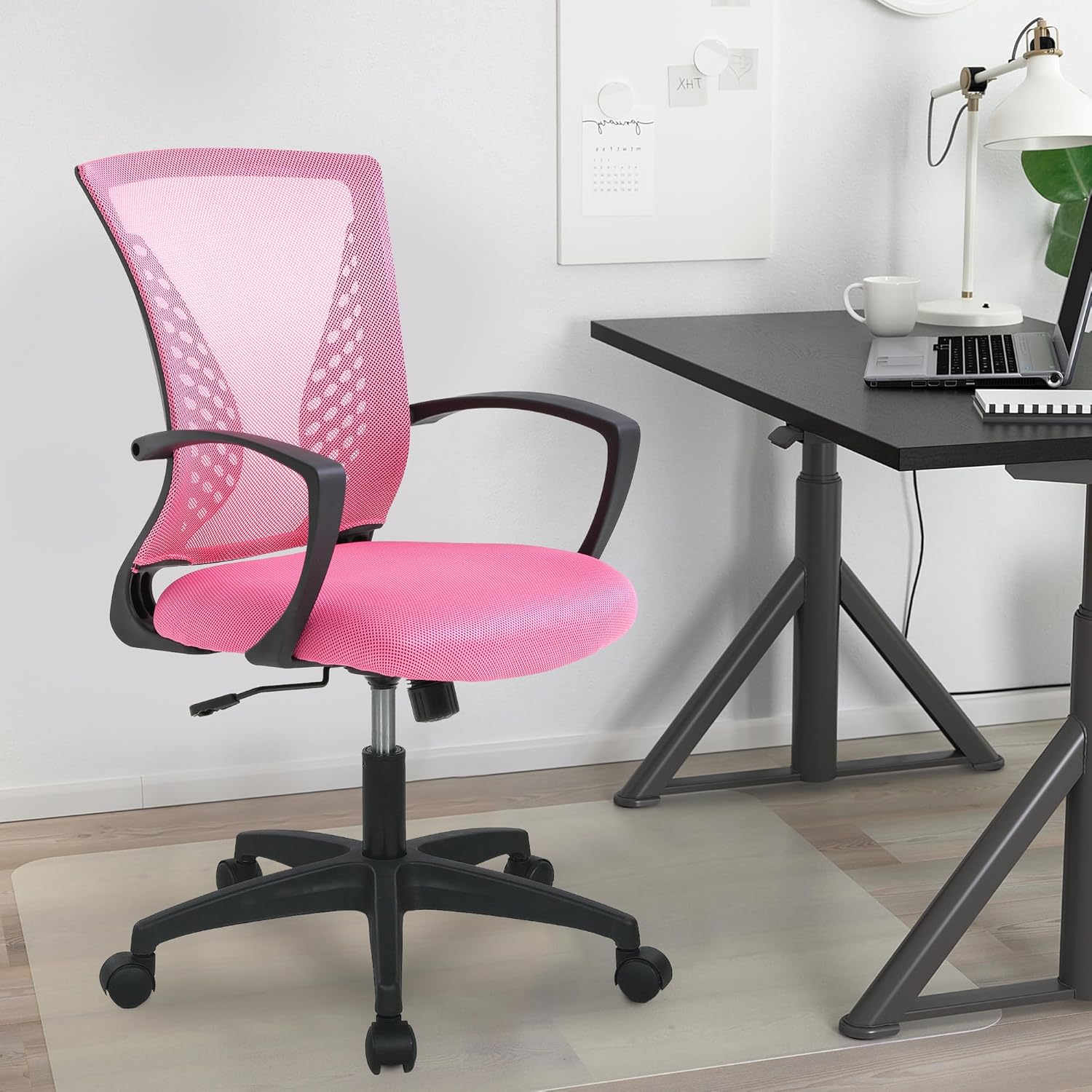
Image: The PayLessHere Office Computer Gaming Chair in pink, set up in a home office environment.
Аюулгүй байдлын мэдээлэл
Do not exceed the maximum weight capacity of 250 pounds. Ensure the chair is properly assembled and stable before use.
Always follow assembly instructions carefully. Keep small parts away from children. Regularly inspect the chair for loose screws or damaged components and tighten or replace as necessary.
Багцын агуулга
Угсарч эхлэхийн өмнө бүх бүрэлдэхүүн хэсгүүд байгаа эсэхийг шалгана уу:
- Chair Backrest (1)
- Суудлын дэр (1)
- Гарын түшлэг (2)
- Хийн өргөгч цилиндр (1)
- Оддын суурь (1)
- Кастер дугуй (5)
- Механизмын хавтан (1)
- Screws and Allen Wrench (1 set)
Угсрах заавар
Follow these steps to assemble your PayLessHere Office Computer Gaming Chair:
Алхам 1: Кастеруудыг сууринд холбоно
Insert the five caster wheels into the holes at the end of each leg of the star base. Push firmly until they click into place.

Image: Close-up of the chair's star base and caster wheels, highlighting 360-degree rotation and floor protection.
Step 2: Insert Gas Lift Cylinder
Place the gas lift cylinder into the center hole of the assembled star base. Do not remove the red cap from the gas lift until instructed.

Зураг: Нарийвчилсан view of the chair's components, including the certified gas rod (lift cylinder).
Step 3: Attach Mechanism Plate to Seat
Механизмын хавтанг суудлын дэрний доод талд байрлах шурагны нүхнүүдтэй зэрэгцүүл. Механизмын урд хэсэг нь суудлын урд хэсэг рүү харсан эсэхийг шалгаарай. Өгөгдсөн Аллен эрэг чангалах түлхүүр ашиглан боолтоор бэхлээрэй.
Алхам 4: гарын түшлэгийг бэхлэнэ
Attach the armrests to the sides of the seat cushion using the designated screws. Pay attention to the 'L' (left) and 'R' (right) markings on the armrests.
Step 5: Connect Backrest to Seat
Align the backrest with the attachment points on the seat cushion or mechanism plate. Secure with screws.
Step 6: Assemble Seat to Base
Carefully place the assembled seat (with mechanism and armrests) onto the gas lift cylinder. The tapered end of the gas lift should fit securely into the mechanism plate.
Ассемблейн видео
Video: A demonstration of the adjustable features of the office chair, including height and swivel, for home comfort.
Ашиглалтын заавар
Familiarize yourself with the chair's adjustable features for optimal comfort:
Өндөр тохируулга
To adjust the seat height, pull the lever located under the right side of the seat upwards. While seated, lift your weight slightly to raise the chair, or remain seated to lower it. Release the lever to lock the height.

Image: Diagram illustrating the height adjustment lever and 360-degree swivel function of the chair.
Tilt and Recline Function
The chair features a reclining backrest. To activate the tilt, pull the lever (often the same as the height adjustment lever, or a separate one) outwards. To lock the backrest in an upright position, push the lever inwards. The tension of the tilt can be adjusted by rotating the round knob located under the front of the seat.
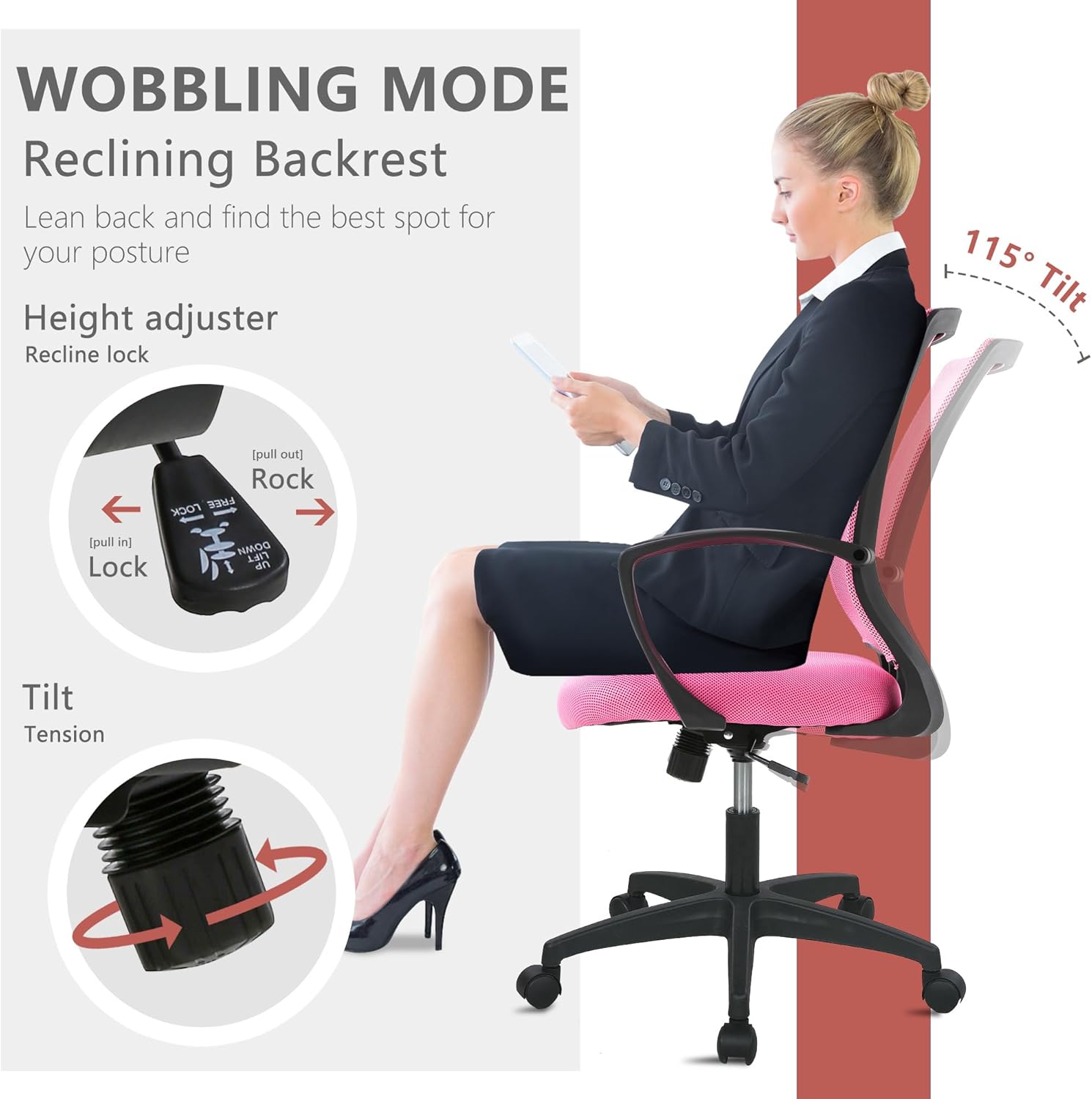
Image: Illustration of the chair's wobbling mode, showing the reclining backrest and the tilt tension adjustment knob.
Эргэдэг функц
The chair is designed to swivel 360 degrees, allowing for easy movement and access to different areas of your workspace without needing to reposition the entire chair.
Засвар үйлчилгээ
Proper maintenance will extend the life of your chair:
- Цэвэрлэгээ: For mesh and fabric surfaces, use a soft cloth with mild soap and water. Avoid harsh chemicals. For the plastic and metal parts, wipe with a damp даавуу.
- Шалгалт: Бүх шураг, боолтыг нягт байгаа эсэхийг шалгахын тулд үе үе шалгана. Тогтвортой байдал, аюулгүй байдлыг хангахын тулд шаардлагатай бол дахин чангална.
- Кастерууд: Keep caster wheels clean from hair and debris to ensure smooth rolling.
Алдааг олж засварлах
Хэрэв та сандалдаа ямар нэгэн асуудал тулгарвал дараах нийтлэг асуудал, шийдлүүдийг үзнэ үү.
| Асуудал | Боломжит шалтгаан | Шийдэл |
|---|---|---|
| Сандал өндрөө тохируулдаггүй | Gas lift lever not engaged or gas lift faulty. | Ensure the lever is fully pulled up/down. If issue persists, contact customer support for gas lift replacement. |
| Сандал ганхаж байна | Суларсан эрэг эсвэл тэгш бус шал. | Бүх угсралтын боолтыг шалгаж, чангална уу. Сандал хавтгай, тэгш гадаргуу дээр байгаа эсэхийг шалгаарай. |
| Дугуйнууд жигд өнхрдөггүй | Debris in casters or damaged wheels. | Remove any hair or debris from the caster wheels. If damaged, replace casters. |
| Нурууны түшлэг нь налуу биш эсвэл түгжигддэггүй | Хазайлтын механизм түгжигдсэн эсвэл хэт өндөр хүчдэлтэй байна. | Pull the tilt lever outwards to unlock. Adjust the tilt tension knob to a lower setting. |
Үзүүлэлтүүд
| Онцлог | Дэлгэрэнгүй |
|---|---|
| Брэнд | PayLessHere |
| Загварын нэр | Office Computer Gaming Chair |
| Өнгө | Ягаан |
| Бүтээгдэхүүний хэмжээ (D x W x H) | 23"D x 22"W x 40"H |
| Суудлын гүн | 17 инч |
| Зүйлийн жин | 21 фунт |
| Материал | Mesh (Back), Foam (Seat) |
| Арын хэв маяг | Торны ар тал |
| Онцлог шинж чанарууд | Cushion Availability, Ergonomic, Rolling, Adjustable Height, Swivel |
| Тавилгын суурийн хөдөлгөөн | Эргэдэг |
| Хэвтэж буй байрлалын тоо | 2-ээс 5 хүртэл |
| Хамгийн их жингийн багтаамж | 250 pounds (as per safety information) |
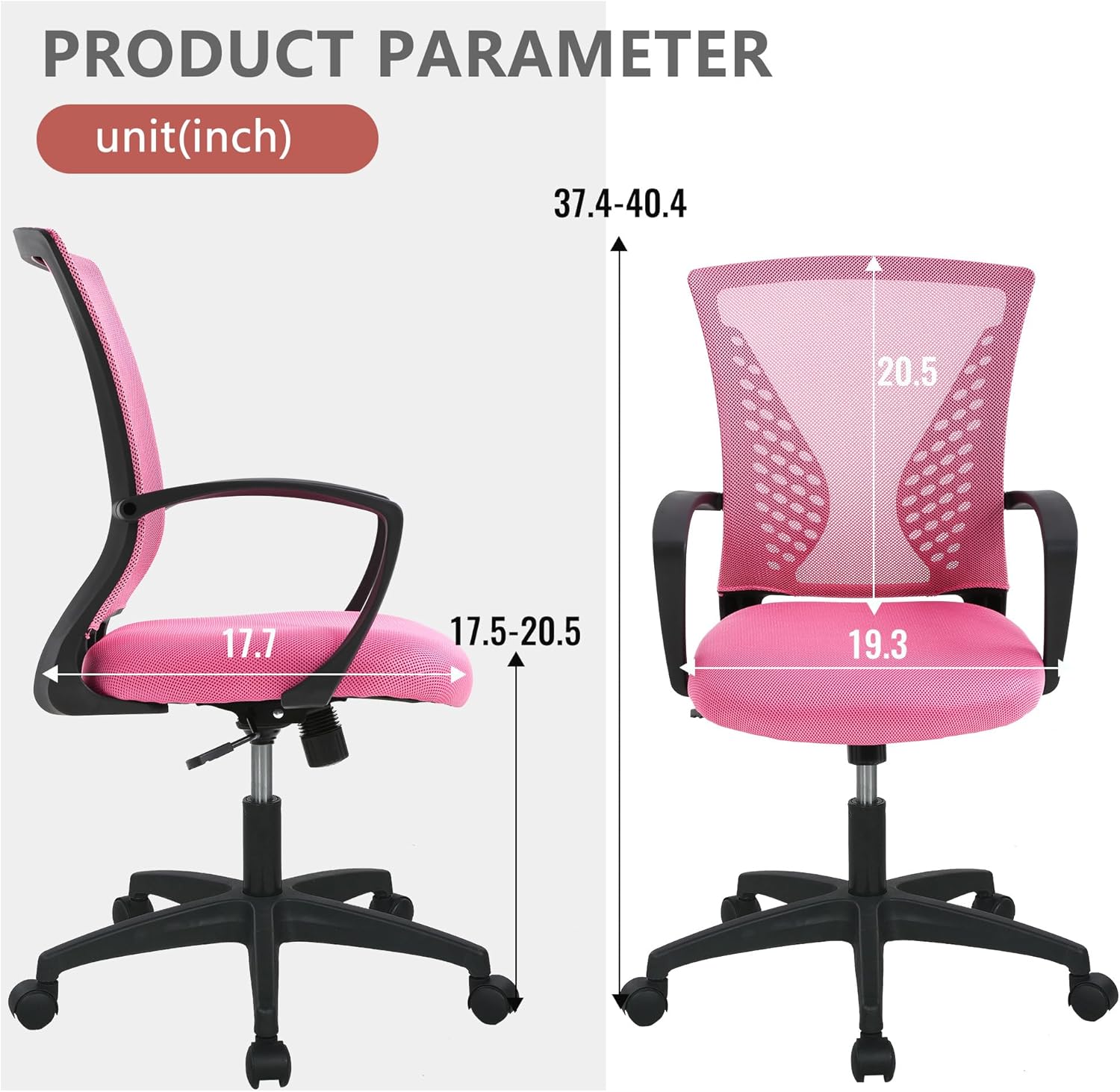
Image: Detailed product parameter diagram showing chair dimensions in inches.
Баталгаат болон дэмжлэг
For warranty information, technical support, or to order replacement parts, please contact PayLessHere customer service through the retailer where the product was purchased. Keep your purchase receipt for warranty claims.