
BSP D9
BSP D9 Game Controller User Manual
Загвар: D9
1. Танилцуулга
The BSP D9 Game Controller is a versatile gaming accessory designed for a wide range of devices, including iPhone, iPad, Android phones and tablets, PC, Nintendo Switch, and PlayStation consoles. It features advanced Hall Effect joysticks and triggers for precise control, along with programmable back buttons for enhanced gameplay. This manual provides detailed instructions for setting up, operating, maintaining, and troubleshooting your D9 Game Controller.
2. Бүтээгдэхүүн дууссанview
The D9 Game Controller is engineered for comfort and performance, offering a stretchable design to accommodate various device sizes. Key features include:
- Hall Effect Joysticks болон Triggers: Provides high precision and durability, reducing drift issues.
- Програмчлагдах Буцах Товчнууд (M1/M2): Customize functions for quick access to complex commands.
- Stretchable Design: Supports device lengths from 130mm to 280mm (5-11 inches) and thickness up to 13mm.
- Олон платформын нийцтэй байдал: Works with iOS, Android, PC, PS3, PS4, and Nintendo Switch.
- Турбо функц: Adjustable auto-fire settings for various buttons.
2.1. Хянагчийн зохион байгуулалт

Image: BSP D9 Game Controller with a tablet, demonstrating its use with Call of Duty Mobile. This image highlights the controller's ergonomic design and how it holds a tablet.

Image: Detailed diagram of the BSP D9 Game Controller's buttons and indicators. This includes the Cross Key, L1/R1, L2/R2, Select, Home, Start, Turbo, A/B/X/Y buttons, Status Indicator, Charging Indicator, Left Stick/L3, Right Stick/R3, and programmable M1/M2 back buttons.

Image: Illustration explaining the Hall Effect Triggers and Joysticks. It highlights 0.1mm accuracy for triggers and features like no latency, no dead zone, long lift, and precision control for joysticks, ensuring smooth and accurate input.
3. Тохиргоо ба холболт
Before first use, ensure the controller is fully charged. Connect the provided USB cable to the controller's charging port and a power source.
3.1. Device Compatibility and Mounting

Image: Diagram illustrating the stretchable design of the BSP D9 Game Controller. It shows support for device lengths from 130-280mm (5-11 inches) and a thickness of 13mm. The image also indicates compatibility with iPhone 15 series and support for silicon & clear phone cases.
The D9 controller features a stretchable design to securely hold your smartphone or tablet. Gently pull the two halves of the controller apart to extend the central bracket. Insert your device into the bracket, ensuring it is centered and stable. The controller supports devices with lengths between 130mm and 280mm and a maximum thickness of 13mm. Extra silicone pads are included for optimal fit and protection.
3.2. Төхөөрөмжүүдэд холбогдож байна
The controller supports various connection modes. Refer to the specific pairing instructions for your device type:
- iOS Devices (iPhone/iPad):
- Хянагчийг асаана уу.
- Go to Bluetooth settings on your iOS device.
- Select "D9 Gamepad" or similar from the list of available devices to pair.
- Android төхөөрөмжүүд:
- Хянагчийг асаана уу.
- Андройд төхөөрөмж дээрээ Bluetooth-г идэвхжүүлнэ үү.
- хайх "D9 Gamepad" and pair.
- PC:
- Connect via USB cable or Bluetooth (if your PC has Bluetooth).
- For Bluetooth, go to PC Bluetooth settings and pair with "D9 Gamepad".
- Nintendo Switch/PS3/PS4:
- Specific pairing instructions may vary. Generally, put the console into pairing mode and then activate the controller's pairing mode (often by holding a specific button combination).

Image: Visual representation of the BSP D9 Game Controller's broad compatibility. It shows support for streaming & cloud gaming services like PS Remote Play, Xbox Game Pass, Steam Link, Rainway, NVIDIA GeForce NOW, Moonlight, and Arcade. It also lists direct play support for iOS games (Genshin Impact, Call of Duty Mobile, Diablo Immortal, Minecraft, Roblox) and Android games (Call of Duty Mobile, Diablo Immortal, Minecraft, NBA, Asphalt).
4. Ашиглалтын заавар
4.1. Үндсэн удирдлага
Familiarize yourself with the controller's buttons and their standard functions:
- Зүүн/Баруун Joysticks: Хөдөлгөөн болон камерын удирдлага.
- D-Pad (Хөндлөн товчлуур): Чиглэлийн оролт.
- A/B/X/Y товчлуурууд: Action buttons, typically for jumping, interacting, etc.
- L1/R1 (Мөрний товч): Common for aiming, firing, or menu navigation.
- L2/R2 (Триггерүүд): Analog input for acceleration, braking, or precise shooting.
- SELECT/START/HOME Buttons: Menu navigation, pausing, or system functions.
4.2. Macro Programming Function (M1/M2)

Image: Instructions for the Macro Programming Function on the BSP D9 Game Controller. It shows how to set and cancel macros for the M1 and M2 back buttons, allowing users to combine A/B/X/Y/L1/L2/R1/R2/Cross key inputs into a single button press.
The D9 controller features two programmable back buttons (M1 and M2) that can be customized to perform complex key combinations, enhancing your in-game operation and potentially prolonging the life of other buttons.
How to Set a Macro:
- Press "SELECT + M1" key for 2 seconds until the LED indicator light flashes quickly.
- Press the key combination you want to set for the macro (e.g., "A + B + X + Y").
- Then press the "M1" key again. The LED light will remain on, indicating that the setting is complete.
- After setting, pressing "M1" will automatically execute the programmed key combination. (This setting also applies to "M2".)
How to Cancel a Macro:
- Press "SELECT + M1" key for 2 seconds until the LED indicator light flashes quickly.
- Press "M1" to clear the macro programming button. (Note: Do not press other buttons at this time). The LED light will remain on to confirm the clearing.
4.3. Турбо функц
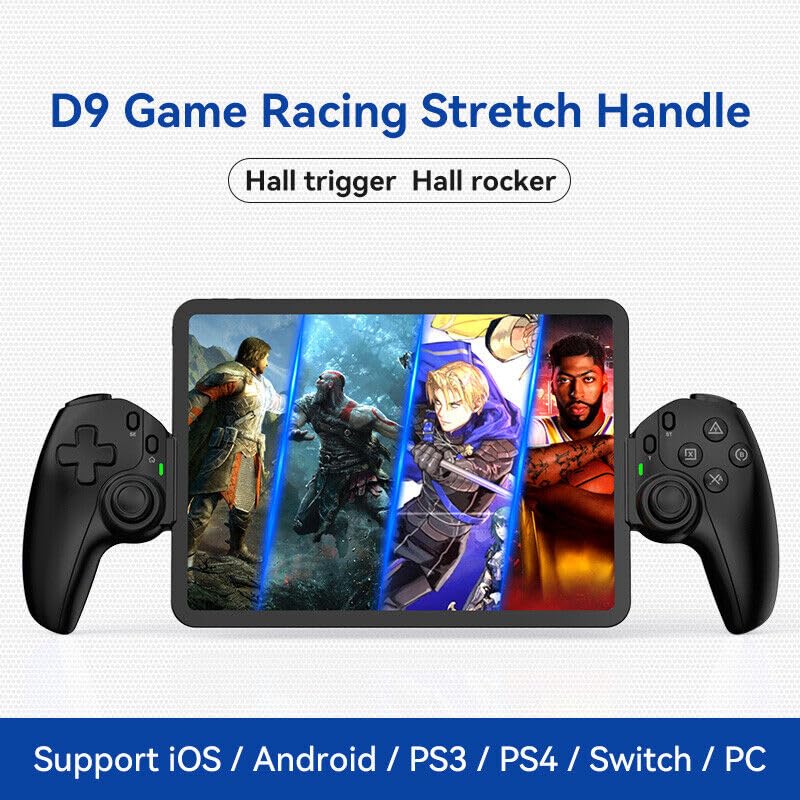
Image: The D9 Game Racing Stretch Handle, highlighting its Hall trigger and Hall rocker features. This image serves as a general product shot.

Image: Explanation of the Turbo Function on the BSP D9 Game Controller. It shows that A/B/X/Y/L1/L2/R1/R2 buttons can be set with turbo function, offering three adjustable turbo speeds: 8 shoots/s, 15 shoots/s, and 25 shoots/s.
The Turbo function allows you to set automatic rapid firing for specific buttons (A/B/X/Y, L1/L2, R1/R2). There are three adjustable turbo speeds: 8 shots/second, 15 shots/second, and 25 shots/second.
How to Set Turbo:
- Press and hold the button you wish to apply Turbo to (e.g., A button).
- While holding the button, press the "TURBO" button once to activate the lowest speed.
- Press the "TURBO" button again (while still holding the action button) to cycle through the speeds.
- Release both buttons when the desired speed is set.
How to Clear Turbo:
- Press and hold the button with Turbo enabled.
- Press the "TURBO" button until the Turbo function is deactivated (usually indicated by a specific LED flash or cessation of rapid firing).
5. Засвар үйлчилгээ
- Цэвэрлэгээ: Удирдлагыг арчихын тулд зөөлөн, хуурай даавуу ашиглаарай. Зөрүүд бохирдлыг бага зэрэг арчинаampдаавуугаар усаар. Хүчтэй химийн бодис, зүлгүүрийн цэвэрлэгч хэрэглэхээс зайлсхий.
- Хадгалах: Удирдагчийг нарны шууд тусгал, хэт температураас хол, сэрүүн, хуурай газар хадгална.
- Батерейны арчилгаа: Зайны ашиглалтын хугацааг уртасгахын тулд хянагчийг ойр ойрхон бүрэн цэнэглэхээс зайлсхий. Удаан хугацаагаар ашиглаагүй байсан ч тогтмол цэнэглээрэй.
- Харьцуулах: Дотоод эд ангиудыг гэмтээж болзошгүй тул хянагчийг унагаах эсвэл хүчтэй цохилтод өртөхөөс зайлсхий.
6. Алдаа засах
| Асуудал | Боломжит шалтгаан | Шийдэл |
|---|---|---|
| Хянагч асахгүй байна. | Батерей бага. | Хянагчийг дор хаяж 30 минут цэнэглээрэй. |
| Хянагч нь Bluetooth-ээр холбогдоогүй байна. | Төхөөрөмж дээр Bluetooth идэвхжээгүй байна; хянагч хослуулах горимд байхгүй байна; хөндлөнгийн оролцоо. | Ensure Bluetooth is on. Put controller in pairing mode. Move closer to the device. Restart both controller and device. |
| Товчлуур эсвэл joystick нь хариу өгөхгүй байна. | Програм хангамжийн алдаа; физик гэмтэл; батерей бага байна. | Recharge the controller. Restart the controller. If problem persists, contact customer support. |
| Macro function not working. | Буруу програмчлалын алхамууд. | Review "Macro Programming Function" section and re-program carefully. |
| Төхөөрөмж хянагч дотор багтахгүй байна. | Device dimensions exceed supported range. | Check your device's length and thickness against the supported range (130-280mm length, 13mm thickness). |
7. Техникийн үзүүлэлтүүд
- Загвар: D9
- Холболт: Bluetooth, Wired (USB)
- Тохиромжтой платформууд: iOS, Android, PC, PS3, PS4, Nintendo Switch
- Дэмжигдсэн төхөөрөмжийн урт: 130mm - 280mm (5 - 11 inches)
- Supported Device Thickness: 13 мм хүртэл
- Joysticks/Triggers: Холл эффект
- Онцлог шинж чанарууд: Programmable Back Buttons (M1/M2), Turbo Function
- Үйлдвэрлэгч: ShenZhen ShanWan Technology Co., Ltd.
- ASIN: B0DBR2SZZ6
8. Баталгаат хугацаа ба дэмжлэг
For warranty information and technical support, please refer to the official BSP webсайт эсвэл худалдагчтайгаа холбогдоно уу. Худалдан авалтын баримтаа баталгаат нэхэмжлэлд зориулж худалдан авалтын баталгаа болгон хадгална уу.
Үйлдвэрлэгч: ShenZhen ShanWan Technology Co., Ltd.
Холбогдох баримт бичиг - D9
 |
GameSir G8 Galileo Type-C утастай хөдөлгөөнт тоглоомын удирдлагын гарын авлага Энэхүү баримт бичигт GameSir G8 Galileo Type-C утастай хөдөлгөөнт тоглоомын удирдлага, тохиргоо, товчлуурын функц, тохируулга, аюулгүй байдлын урьдчилан сэргийлэх заавар, техникийн үзүүлэлтүүдийг багтаасан болно. |
 |
GameSir G8+ MFi хянагчийн хэрэглэгчийн гарын авлага - Тохиргоо ба ашиглалтын гарын авлага GameSir G8+ MFi хянагчийн хэрэглэгчийн гарын авлагад Hall Effect Joysticks болон Triggers, MFi гэрчилгээ, утастай холболт, програмчлагдах товчлуурууд зэрэг функцуудыг дэлгэрэнгүй харуулсан болно. GameSir аппликейшнаар дамжуулан төхөөрөмжийн зохион байгуулалт, үндсэн үйлдлүүд, дэвшилтэт функцууд, товчлуурын хослолууд, стикер/триггерийн тохируулга, тохируулгын талаар мэдэж аваарай. Аюулгүй байдлын урьдчилан сэргийлэх арга хэмжээ болон тохирлын мэдээллийг багтаасан болно. |
 |
GameSir G7 SE утастай хянагчийн хэрэглэгчийн гарын авлага болон онцлогууд GameSir G7 SE утастай хянагчийн талаарх цогц гарын авлагад багцын агуулга, төхөөрөмжийн зохион байгуулалт, дууны хяналт, буцах товчлуурын тохиргоо, стикер болон триггерийн тохируулга, мөн GameSir Nexus програм хангамжаар дамжуулан тохируулах талаар дурдсан болно. |
 |
GameSir T4 Cyclone тоглоомын хянагчийн хэрэглэгчийн гарын авлага GameSir T4 Cyclone тоглоомын хянагчийн дэлгэрэнгүй гарын авлага, түүний онцлог шинж чанарууд, тохиргоо, холболтын сонголтууд (Bluetooth болон утастай), товчлуурын функцууд, RGB гэрэлтүүлэг, компьютер болон гар утасны тоглоомд зориулсан эргономик дизайны талаар дэлгэрэнгүй мэдээлэл. |
 |
BIGBIG WON GALE Wireless Game Controller хэрэглэгчийн гарын авлага, гарын авлага BIGBIG WON GALE Wireless Game Controller-ийн хэрэглэгчийн дэлгэрэнгүй гарын авлага. PC, Switch, iOS болон Android-д хэрхэн холбогдох, газрын зураг дээрх товчлуурууд, турбо функцуудыг ашиглах, тохируулга хийх болон бусад зүйлсийг мэдэж аваарай. |
 |
Flydigi Vader 3 Pro Game Controller User Manual User manual for the Flydigi Vader 3 Pro Game Controller, covering features like the innovative force-switchable trigger, Flydigi Space Station customization, connection methods for PC, Switch, and Android/iOS devices, basic operations, specifications, appearance, and a Q&A section. |
Ask a question about this manual
Ask about setup, troubleshooting, compatibility, parts, safety, or missing instructions. Manuals+ will review the question and use this page’s manual context to help answer it.