
1. Бүтээгдэхүүн дууссанview
The QRD Wireless Controller (Model: US-T5-JB02) is a high-performance replacement controller designed for Nintendo Switch, Switch Pro, Lite, and OLED models. It features advanced technologies such as Hall Effect joysticks for precise, drift-free control, dual vibration motors for immersive feedback, and a 6-axis gyroscope for accurate motion sensing. This controller also includes programmable back buttons and customizable LED backlighting, enhancing your gaming experience.
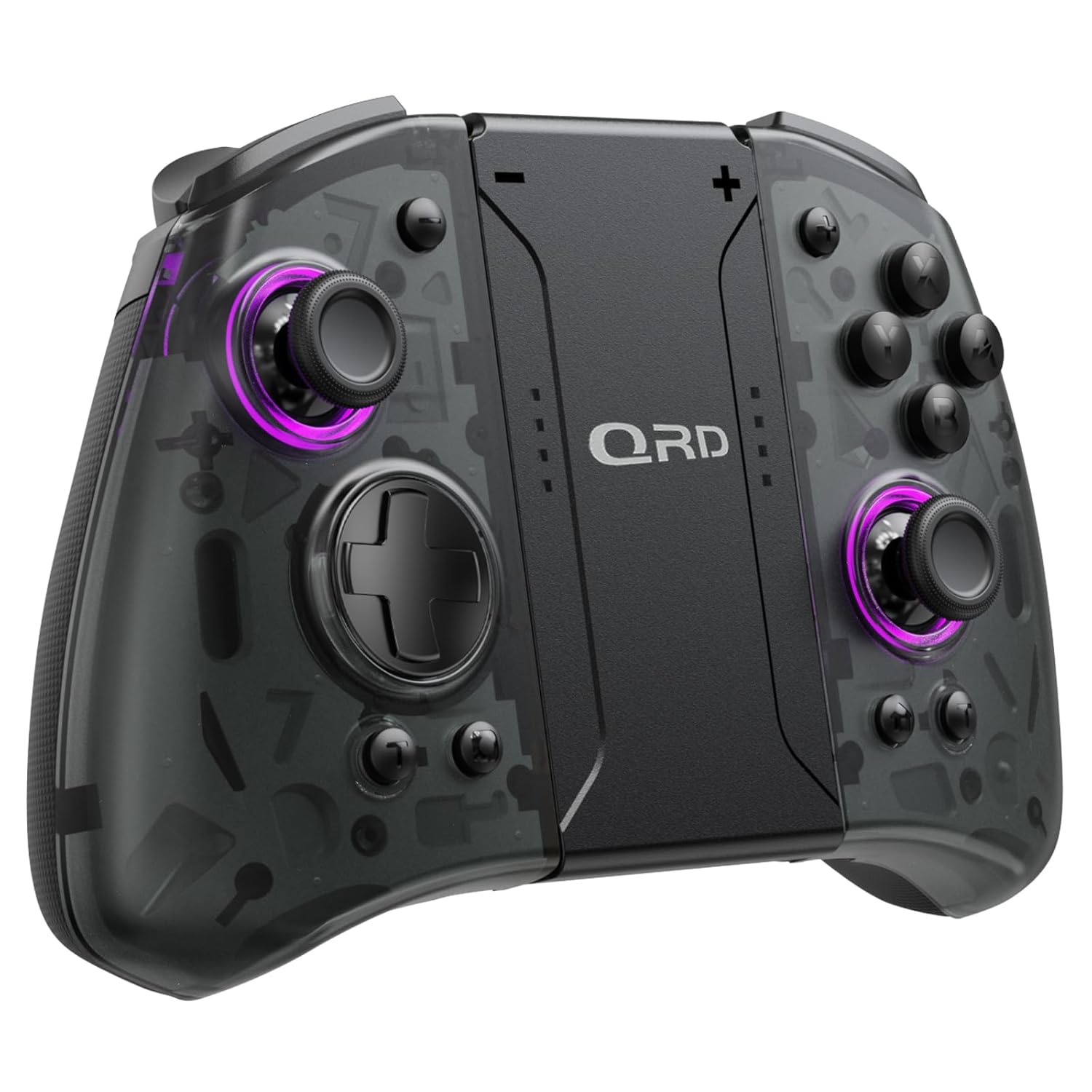
Зураг 1.1: Урд view of the QRD Wireless Controller, showcasing түүний эргономик дизайн, товчлуурын зохион байгуулалт.
2. Үндсэн шинж чанарууд
- Wireless Bluetooth 5.3 Connectivity: Ensures stable, lag-free connection for seamless gameplay.
- Hall Effect Joysticks: Provides 360° precise, drift-free control and extended lifespan.
- Хос чичиргээт мотор: Offers 3 levels of adjustable vibration for enhanced tactile feedback.
- 6-Axis Gyroscope Motion Sensing: Enables accurate tilt detection for precise aiming and movement in compatible games.
- Програмчлагдах боломжтой буцах товчлуурууд: Customize controls with single or multiple mappings for efficient combo execution.
- Турбо функц: Товчлууруудыг хурдан дарах боломжийг олгодог.
- LED арын гэрэлтүүлэг: Features 8 different colors with static, breathing, and flashing modes for personalized aesthetics.
- Батерейны урт наслалт: Up to 10 hours of uninterrupted gameplay on a single charge (2 hours charging time).
- Эргономик дизайн: Comfortable grip for extended gaming sessions, includes a screenshot function.

Image 2.1: Diagram highlighting key features such as Bluetooth 5.3, Dual Vibration, 6-Axis Gyro, Turbo, Macro Back Paddles, and Colorful Options.

Image 2.2: Illustration demonstrating the Hall Effect Joysticks, emphasizing drift-free and accurate control.
3. Тохиргоо ба холболт
3.1 Nintendo Switch-тэй анх удаа хослуулах
- Ensure your Nintendo Switch console is powered on and updated to the latest system version.
- НҮҮР Цэснээс "Хянагч" > "Бариул/Дарааллыг өөрчлөх"-г сонгоно уу.
- On the QRD Wireless Controller, press and hold the HOME товчлуур (usually located in the center) for 3-5 seconds until the LED indicators start flashing rapidly.
- Once the controller is successfully paired, the corresponding player LED(s) on the controller will light up solid.
- The controller can also be connected by sliding it into the Nintendo Switch Dock while the console is attached.
3.2 Reconnecting the Controller
To reconnect a previously paired controller, simply press the HOME товчлуур once. The controller will automatically attempt to connect to the last paired console.
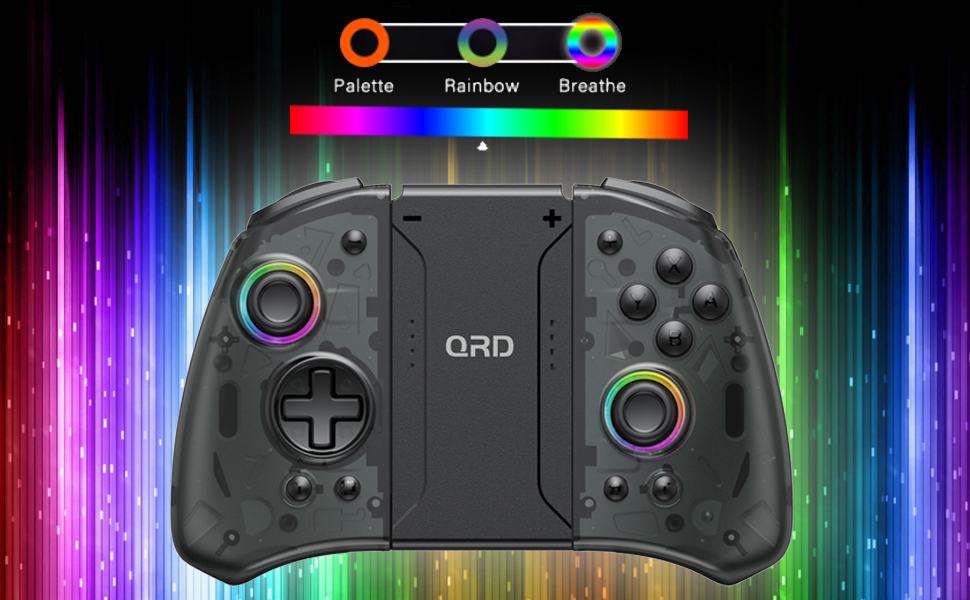
Image 3.1: Visual representation of controller compatibility with Nintendo Switch and Switch OLED models. Note: Not compatible with Switch Lite.
4. Ашиглалтын заавар
4.1 Товчлуурын байршил
Хянагчийн товчлуурын зохион байгуулалттай танилцана уу:
- Зүүн жолоодлогын хэрэгсэл: Хөдөлгөөний хяналт.
- Баруун жолоодлогын хэрэгсэл: Камер эсвэл чиглүүлэгчийн удирдлага.
- D-Pad: Чиглэлийн оролт.
- A/B/X/Y товчлуурууд: Үйлдлийн товчлуурууд.
- Зүүн/Ор товчлуурууд: Мөрний товчлуурууд.
- ZL/ZR товчлуурууд: Триггер товчлуурууд.
- HOME товчлуур: Returns to the HOME Menu, powers on/off the controller.
- Дэлгэцийн зургийн товчлуур: Дэлгэцийн агшинг авдаг.
- +/- Товчлуур: Plus and Minus buttons for in-game functions.
- M1/M2 (Back Buttons): Programmable macro buttons.
4.2 Чичиргээний эрчимийг тохируулах
The controller supports 3 levels of vibration intensity. To adjust, press and hold the Турбо товч дараа нь товчийг дарна уу D-Pad Up or D-Pad Down to cycle through intensity levels (Low, Medium, High, Off).
4.3 Turbo Function Setup
To set a button to Turbo mode:
- -г удаан дар Турбо товч.
- While holding Turbo, press the desired action button (e.g., A, B, X, Y, L, R, ZL, ZR). The button will now continuously register input when held down.
- To clear Turbo for a specific button, repeat the process. To clear all Turbo settings, press and hold the Турбо товч 5 секундын турш.
4.4 Programming Back Buttons (Macro)
The M1 and M2 back buttons can be programmed to execute a sequence of button presses (macro). Each macro can store up to 16 button presses.
- -г удаан дар M1 or M2 button you wish to program.
- While holding the M button, press the SET товч (refer to manual diagram for location, typically a small button on the back). The indicator light will flash slowly.
- Enter the desired sequence of button presses (e.g., A, B, X, Y, D-Pad directions).
- дээр дарна уу SET товч again to save the macro. The indicator light will stop flashing.
- To clear a macro, press and hold the programmed M button and then press the SET товч хоёр удаа.
4.5 LED арын гэрэлтүүлгийн тохируулга
The controller features customizable RGB lighting. To cycle through modes and colors:
- дээр дарна уу LED товчлуур (refer to manual diagram for location) to change between static color, breathing, and flashing modes.
- In static mode, press the LED товчлуур repeatedly to cycle through the 8 available colors.

Image 4.1: Display of the controller's LED backlight options, including Palette (static colors), Rainbow, and Breathe modes.
5. Цэнэглэх ба зайны ашиглалтын хугацаа
The QRD Wireless Controller is equipped with a built-in rechargeable Lithium Polymer battery. A 2.5m USB-C cable is included for charging.
- Connect the USB-C end of the cable to the controller's charging port and the USB-A end to a power source (e.g., Nintendo Switch Dock, USB wall adapter, computer USB port).
- Бүрэн цэнэглэхэд ойролцоогоор 2 цаг зарцуулдаг.
- Бүрэн цэнэглэснээр 10 цаг тасралтгүй тоглох боломжтой.
- The LED indicators on the controller will show charging status and battery level.
6. Засвар үйлчилгээ
To ensure the longevity and optimal performance of your QRD Wireless Controller, follow these maintenance guidelines:
- Цэвэрлэгээ: Удирдлагыг арчихын тулд зөөлөн, хуурай даавуу ашиглаарай. Зөрүүд бохирдлыг бага зэрэг арчинаampАлчуурыг усаар норгоно. Хүчтэй химийн бодис, уусгагч эсвэл зүлгүүрийн цэвэрлэгч хэрэглэхээс зайлсхий.
- Хадгалах: Хянагчийг сэрүүн, хуурай газар, нарны шууд тусгал, хэт өндөр температур, өндөр чийгшилээс хол хадгална уу.
- Харьцуулах: Avoid dropping the controller or subjecting it to strong impacts. Do not disassemble the controller, as this may void the warranty and cause damage.
- Цэнэглэж байна: Do not leave the controller charging for excessively long periods after it is fully charged.
7. Алдаа засах
| Асуудал | Боломжит шалтгаан | Шийдэл |
|---|---|---|
| Хянагч холбогдоогүй байна. | Батерей бага байна; Хослуулагдаагүй байна; Интерференц. | Charge the controller; Re-pair the controller following Section 3.1; Move closer to the console or away from other wireless devices. |
| Тоглоомын үеэр оролтын саатал эсвэл холболт тасарсан. | Wireless interference; Distance from console; Low battery. | Ensure no strong wireless signals are nearby; Reduce distance to console; Charge the controller. |
| Joysticks drift or are unresponsive. | Calibration issue; Physical debris. | Go to Switch System Settings > Controllers and Sensors > Calibrate Control Sticks. Clean around the joystick base. |
| Товчнууд хариу өгөхгүй байна. | Stuck button; Software glitch. | Ensure buttons are not physically stuck. Try resetting the controller (if a reset button is present, otherwise power cycle). |
| Чичиргээ ажиллахгүй байна. | Vibration setting off; Game does not support vibration. | Adjust vibration intensity (Section 4.2). Verify game compatibility. |
8. Техникийн үзүүлэлтүүд
| Онцлог | Дэлгэрэнгүй |
|---|---|
| Загварын дугаар | US-T5-JB02 |
| Холболт | Bluetooth 5.3 |
| Тохиромжтой байдал | Nintendo Switch, Switch Pro, Switch OLED |
| Жойстикийн төрөл | Холл эффект |
| Чичиргээ | Dual Motors, 3 adjustable levels |
| Хөдөлгөөний хяналт | 6 тэнхлэгт гироскоп |
| Програмчлагдах товчлуурууд | Yes (Back Buttons) |
| Зайны төрөл | Лити полимер |
| Цэнэглэх хугацаа | Ойролцоогоор 2 цаг |
| Тоглох цаг | 10 цаг хүртэл |
| Цэнэглэх порт | USB-C |
| Хэмжээ | 7.95 x 5.51 x 2.36 инч (ойролцоогоор) |
| Жин | 12.35 унц (ойролцоогоор) |
9. Баталгаат хугацаа ба дэмжлэг
9.1 Баталгаат хугацааны мэдээлэл
QRD products are manufactured with high-quality materials and undergo rigorous testing. This product comes with a standard manufacturer's warranty against defects in materials and workmanship. Please refer to the product packaging or the official QRD webбаталгаат хугацааны тодорхой нөхцөл, хугацааг сайтаас авна уу.
9.2 Хэрэглэгчийн дэмжлэг
For technical assistance, troubleshooting, or warranty claims, please contact QRD Customer Support. Have your product model number (US-T5-JB02) and purchase information ready when contacting support.
- Онлайн дэмжлэг: Visit the official QRD website for FAQs, updated manuals, and support contact forms.
- Имэйл тусламж: [Insert QRD Support Email Address Here - if available, otherwise omit]
- Утасны дэмжлэг: [Insert QRD Support Phone Number Here - if available, otherwise omit]
We are committed to providing excellent customer service and ensuring your satisfaction with QRD products.