The Walfront WSB7020R is an integrated Human Machine Interface (HMI) and Programmable Logic Controller (PLC) system designed for industrial control applications. It features a 7-inch TFT LCD display, a powerful 32-bit ARM9 processor, and is compatible with FX3U series PLCs. This all-in-one unit offers efficient control, monitoring, and programming capabilities for various automation scenarios.
Figure 1: Walfront HMI PLC All-in-One unit. This image highlights key features such as space-saving design, simplified wiring, timing lock, floating point support, sensitive touch, and accuracy.
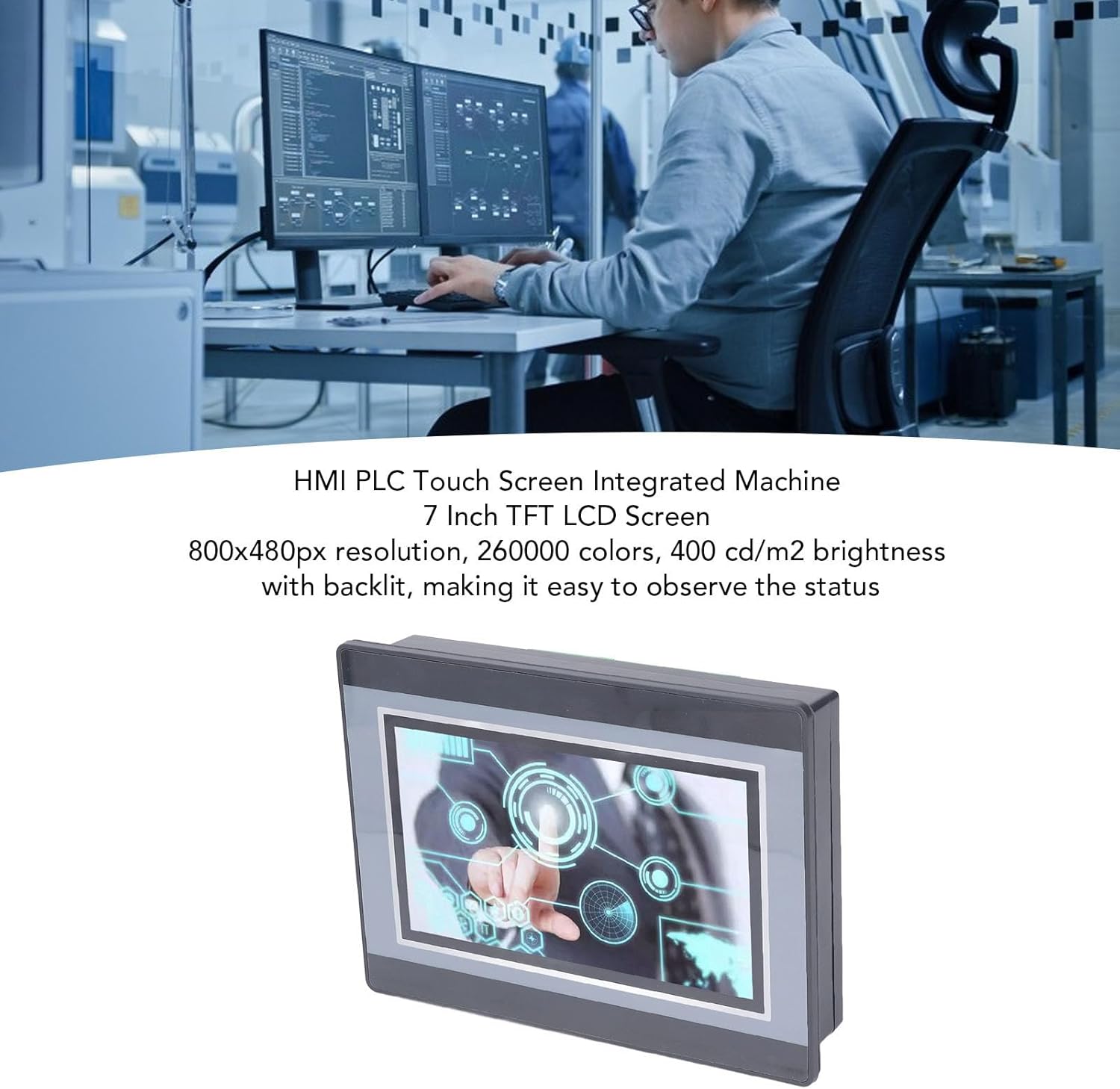
Figure 2: An engineer utilizing the HMI PLC Touch Screen Integrated Machine in a workspace. The display features an 800x480px resolution, 260,000 colors, and 400 cd/m2 brightness with backlighting for clear status observation.
2. Техникийн үзүүлэлтүүд
Онцлог
Тодорхойлолт
Загвар
WSB7020R
Материал
ABS
Хэмжээ (L x W x H)
Ойролцоогоор 202 x 148 x 51 мм (7.95 x 5.83 x 2.01 инч)
Figure 3: Detailed dimensions of the Walfront HMI PLC unit, showing length, width, and height measurements in both millimeters and inches.
3. Суурилуулалт ба тохиргоо
The Walfront WSB7020R HMI PLC is designed for straightforward installation into industrial control panels.
3.1. Савыг задлах
Carefully unpack the HMI PLC unit and verify that all components are present:
1 x HMI PLC Unit (Model WSB7020R)
4 x Суурилуулалтын эрэг
4 x Fixing Brackets
3.2. Самбар суурилуулах
Prepare an opening in your control panel with dimensions of approximately 190 x 135 mm (7.48 x 5.31 in).
Insert the HMI PLC unit into the prepared opening from the front of the panel.
From the rear of the panel, attach the four fixing brackets to the sides of the HMI PLC unit.
Secure the unit by tightening the four installation screws through the brackets. Ensure the unit is firmly seated and stable.
3.3. утас
Connect power and I/O wiring according to your system's requirements. Refer to the detailed wiring diagrams in the comprehensive electronic manual for specific connections. Ensure all connections are secure and comply with local electrical codes.
4. Ажиллагаа ба програмчлал
This section outlines the basic steps for operating and programming your Walfront HMI PLC unit.
4.1. Асаах
Once installed and wired, apply power to the unit. The 7-inch TFT LCD display will illuminate, and the system will boot up.
4.2. HMI Programming
To develop or modify the Human Machine Interface (HMI) program:
Суулгах HMI Studio 5.1 таны компьютер дээрх програм хангамж.
Connect your computer to the HMI PLC unit using a USB male-to-male cable.
Ашиглах HMI Studio 5.1 to create or edit your HMI project.
Download the HMI program to the unit via the USB connection.
4.3. PLC Programming
For programming the Programmable Logic Controller (PLC) functionality:
Install either GX Developer or GX Works2 таны компьютер дээрх програм хангамж.
Connect your computer to the HMI PLC unit.
Use the chosen software to develop, download, and debug your PLC program.
The download speed for PLC programs is 38.4Kbps.
Жич: Monitoring writing is not supported by the PLC programming software for this unit.
Figure 4: The HMI PLC unit's display, emphasizing its 4-wire industrial resistive touch screen with 4H hardness. The text also highlights its low power consumption, fast running speed, stable performance, and direct programmability, downloadability, debuggability, and monitorability using software (monitoring writing not supported).
Figure 5: Wide application range of the HMI PLC unit, including Printing, Chemical Industry, Plastic, Building Materials, Home Furnishings, Packing, Textile, Food, and Metallurgy, demonstrating its flexibility in industrial automation control scenarios.
5. Засвар үйлчилгээ
Regular maintenance ensures the longevity and optimal performance of your HMI PLC unit.
Цэвэрлэгээ: Use a soft, dry cloth to clean the display and exterior. Avoid abrasive cleaners or solvents that could damage the screen or casing.
Байгаль орчны нөхцөл: Ensure the unit operates within its specified temperature and humidity ranges to prevent damage.
Програм хангамжийн шинэчлэлтүүд: Periodically check the Walfront official webгүйцэтгэлийг сайжруулах эсвэл функц нэмэх боломжтой програм хангамжийн шинэчлэлтүүдийг үзэх сайт.
Verify the USB cable connection is secure and functional.
Ensure the correct programming software (HMI Studio 5.1 for HMI, GX Developer/GX Works2 for PLC) is installed and configured properly.
Check for driver issues on your computer.
PLC Program Not Executing Correctly:
Review your PLC program logic for errors.
Ensure the program has been successfully downloaded to the unit.
Check I/O connections for proper wiring.
For further assistance, please refer to the detailed electronic manual or contact Walfront customer support.
7. Баталгаат хугацаа ба дэмжлэг
7.1. Баталгаат хугацааны мэдээлэл
This Walfront HMI PLC unit comes with a manufacturer's warranty for 90 хоног худалдан авсан өдрөөс эхлэн. Энэхүү баталгаа нь хэвийн ашиглалтын үед материал болон хийцийн согогийг хамарна. Энэ нь буруу ашиглалт, осол, зөвшөөрөлгүй өөрчлөлт, эсвэл зохисгүй суурилуулалтаас үүдэлтэй хохирлыг хамрахгүй.
7.2. Хэрэглэгчийн дэмжлэг
If you encounter any issues not covered in this manual or require further technical assistance, please contact Walfront customer support. Refer to the product packaging or the official Walfront webхамгийн сүүлийн үеийн холбоо барих мэдээллийг авах сайт.
Please have your product model (WSB7020R) and purchase details ready when contacting support.
Ask a question about this manual
Ask about setup, troubleshooting, compatibility, parts, safety, or missing instructions. Manuals+ will review the question and use this page’s manual context to help answer it.