
1. Танилцуулга
The MiBOXER K3S Rotating Wheel Remote provides intuitive control over LED lighting systems, allowing for precise adjustment of both color temperature and brightness. Utilizing 2.4GHz wireless technology, this remote ensures stable and responsive operation. Its ergonomic design facilitates easy handling and accurate adjustments, making it suitable for various lighting applications.
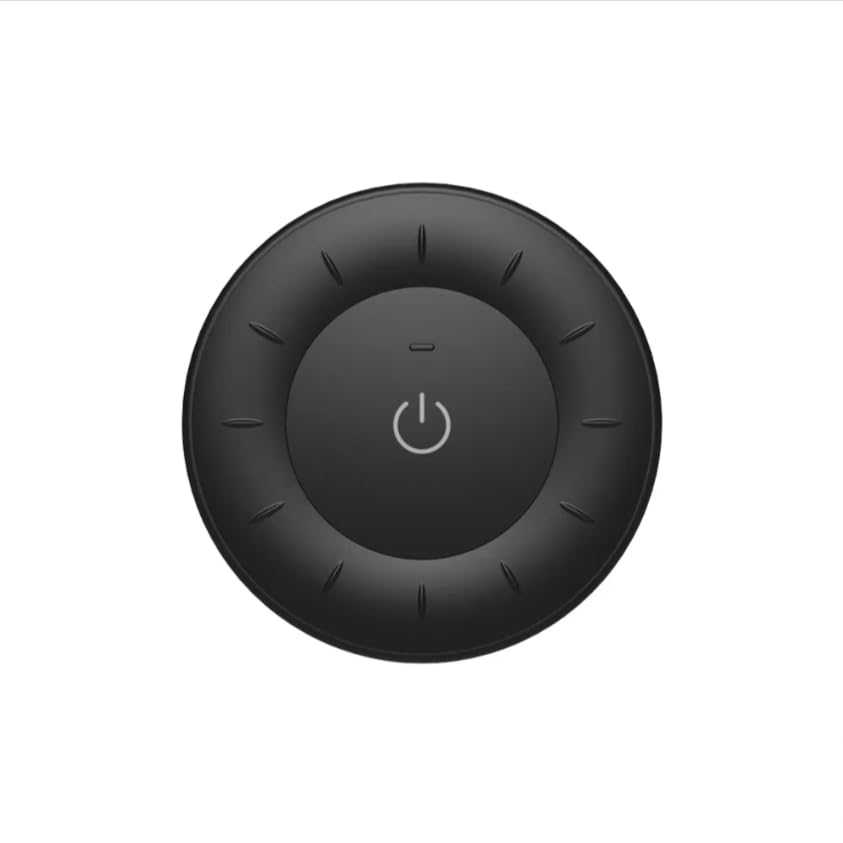
Image 1.1: MiBOXER K3S Rotating Wheel Remote (Black)
This image displays the MiBOXER K3S remote control in black, highlighting its circular design and central power button.
2. Бүтээгдэхүүний онцлог
- Adjustable Brightness & Color Temperature: Allows fine-tuning of lighting intensity and warmth.
- Rotating Wheel Design: Provides smooth and intuitive control for easy adjustments.
- 2.4GHz утасгүй технологи: Ensures stable, interference-free connectivity with compatible devices.
- Эргономик дизайн: Барьж, ажиллуулахад эвтэйхэн.
- Multi-Environment Compatibility: Suitable for various settings including homes, offices, and commercial spaces.
3. Багцын агуулга
Багцыг нээхдээ бүх бүрэлдэхүүн хэсгүүд байгаа эсэхийг шалгана уу:
- MiBOXER K3S эргэдэг дугуйтай алсын удирдлага
- Хэрэглэгчийн гарын авлага
Note: CR2032 battery is purchased separately and is not included in the package.
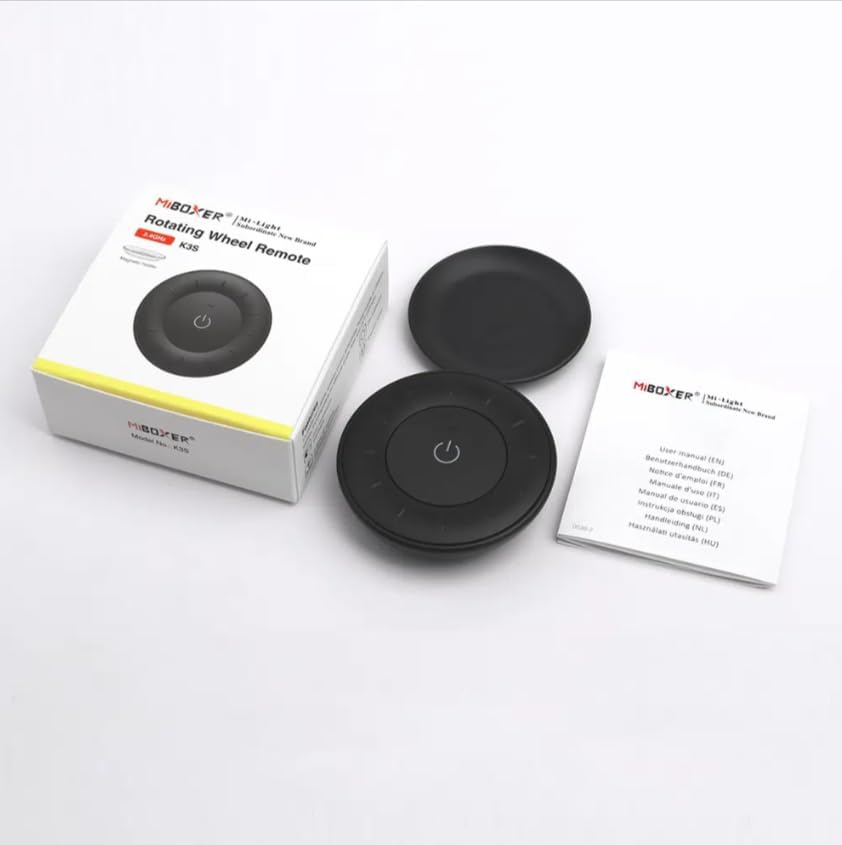
Image 3.1: Package Contents Overview
This image shows the MiBOXER K3S remote, its packaging box, and the included user manual, laid out on a surface.
4. Бүтээгдэхүүний бүдүүвч

Image 4.1: Remote Control Components
This diagram illustrates the main components of the MiBOXER K3S remote, including the ON/OFF button, brightness/color temperature rotating wheel, and the battery compartment with Link/Unlink button.
- ON/OFF товч: Central button to power the connected light on or off.
- Brightness / Color Temperature Rotating Wheel: The outer ring used to adjust brightness by default. Long press the ON/OFF button for 3 seconds to switch to color temperature adjustment mode.
- Link / Unlink Button: Located inside the battery compartment, used for pairing the remote with compatible lighting devices.
5. Тохиргоо
5.1 Батерей суурилуулах
- Алсын удирдлагын ар талд байгаа зайны тасалгааг ол.
- Зайны тасалгааны тагийг нээ.
- Зөв туйлшралыг (+/-) баталгаажуулж, нэг CR2032 батерейг оруулна уу.
- Зайны тасалгааны тагийг сайтар хаа.
Image 5.1: Battery Installation Area
This image shows the underside of the remote, indicating the location for the CR2032 battery and the Link/Unlink button.
5.2 Linking / Unlinking the Remote
The K3S remote uses 2.4GHz RF wireless technology to communicate with compatible MiBOXER lighting devices.
Linking Procedure:
- Ensure the light fixture you wish to control is powered off.
- Гэрлийн төхөөрөмжийг асаана уу.
- Within 3 seconds of powering on the light, press the "Link/Unlink" button (located inside the battery compartment) on the K3S remote гурван удаа.
- The light should flash three times slowly, indicating successful linking.
Unlinking Procedure:
- Ensure the light fixture you wish to unlink is powered off.
- Гэрлийн төхөөрөмжийг асаана уу.
- Within 3 seconds of powering on the light, press the "Link/Unlink" button (located inside the battery compartment) on the K3S remote таван удаа.
- The light should flash ten times quickly, indicating successful unlinking.
6. Ашиглалтын заавар
6.1 Асаах/унтраах
- Төвийг дарна уу ⏻ (ON/OFF) button once to turn the connected light on or off.
6.2 Гэрэлт байдлыг тохируулах
- By default, rotating the outer wheel adjusts the brightness of the light.
- Гэрэлтүүлгийг нэмэгдүүлэхийн тулд цагийн зүүний дагуу эргүүлнэ үү.
- Rotate counter-clockwise to decrease brightness.
6.3 Өнгөний температурыг тохируулах
- To switch to color temperature adjustment mode, удаан дар the central ⏻ (ON/OFF) button for 3 seconds.
- Once in color temperature mode, rotate the outer wheel to adjust the color temperature.
- Rotate clockwise for cooler (bluer) light.
- Rotate counter-clockwise for warmer (yellower) light.
- To switch back to brightness adjustment, long press the ⏻ (ON/OFF) button for another 3 seconds.
7. Техникийн үзүүлэлтүүд
| Загварын нэр | K3S |
| Брэнд | MiBOXER |
| Холболтын технологи | 2.4G RF утасгүй |
| Хяналтын төрөл | Гэрэлт байдал, өнгөний температур |
| Хамгийн их хүрээ | 30 метр |
| Зайны төрөл | CR2032 (purchased separately) |
| Хэмжээ (диаметр x өндөр) | Ø60mm x 15mm (approx.) |
| Weight (Gross Weight per box) | 0.05 KGS (approx.) |

Image 7.1: Remote Control Dimensions
This diagram provides the physical dimensions of the MiBOXER K3S remote, showing a diameter of 60mm and a thickness of 15mm (or 19.5mm with the base).
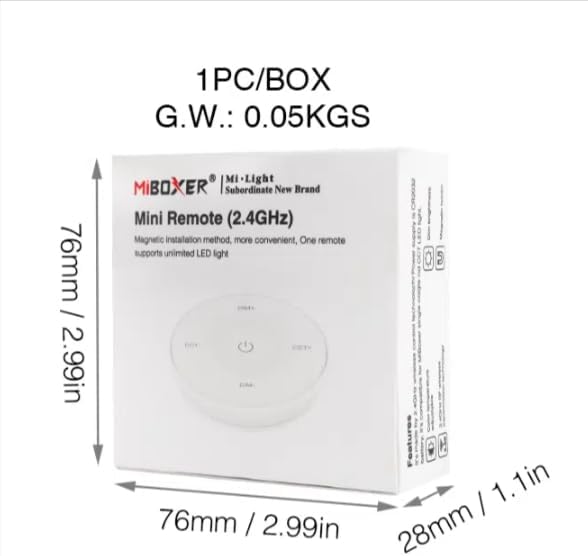
Image 7.2: Packaging Dimensions
This image displays the dimensions of the product packaging, indicating it is 76mm x 76mm x 28mm with a gross weight of 0.05 KGS.
8. Засвар үйлчилгээ
- Алсын удирдлагыг зөөлөн, хуурай даавуугаар арчиж цэвэр байлгаарай.
- Avoid exposing the remote to moisture, extreme temperatures, or direct sunlight.
- If the remote is not used for an extended period, remove the battery to prevent leakage.
- Replace the battery when the remote's performance degrades or it stops responding.
9. Алдаа засах
| Асуудал | Боломжит шалтгаан | Шийдэл |
|---|---|---|
| Алсын удирдлага хариу өгөхгүй байна | Батерей бага эсвэл цэнэггүй | CR2032 батерейг солино уу. |
| Light not linking | Incorrect linking procedure or light not compatible | Ensure the light is powered on within 3 seconds of pressing the link button. Verify light compatibility with MiBOXER 2.4G RF remotes. |
| Хязгаарлагдмал хүрээ | Саад бэрхшээл эсвэл хөндлөнгийн оролцоо | Reduce distance between remote and light. Remove obstructions. Avoid areas with strong 2.4GHz interference. |
| Brightness/Color Temp adjustment not working | Алсын удирдлага буруу горимд байна | Long press the ON/OFF button for 3 seconds to switch between brightness and color temperature adjustment modes. |
10. Баталгаат хугацаа ба дэмжлэг
The product comes with a manufacturer's warranty. For specific warranty details and duration, please refer to the documentation included with your purchase or contact MiBOXER customer support.
For technical support or inquiries, please visit the official MiBOXER webсайт эсвэл харилцагчийн үйлчилгээний хэлтэстэй холбогдоно уу.
Үйлдвэрлэгч: Мибоксер