
1. Танилцуулга
This manual provides detailed instructions for the installation, operation, and maintenance of your Junsun 10-inch Touch Screen Car Radio Stereo. Please read this manual thoroughly before using the product to ensure proper functionality and safety. This unit is designed to enhance your driving experience with advanced features and connectivity.
2. Холбогдох загварууд
This Junsun car radio stereo is specifically designed for the following vehicle models:
- Jeep Compass (2010-2016)
- Jeep Patriot (2010-2016)

Image: Comparison of the car dashboard before and after installing the Junsun 10-inch car radio, showing seamless integration.
3. Үндсэн шинж чанарууд
- Android 13 систем: Experience smooth and fast operation with the latest Android 13 operating system, providing a comfortable and convenient user experience.
- Утасгүй CarPlay ба Android Auto: Connect your iPhone or Android phone wirelessly or via wired connection to access contacts, notifications, messages, map navigation, and music directly on the car radio display.
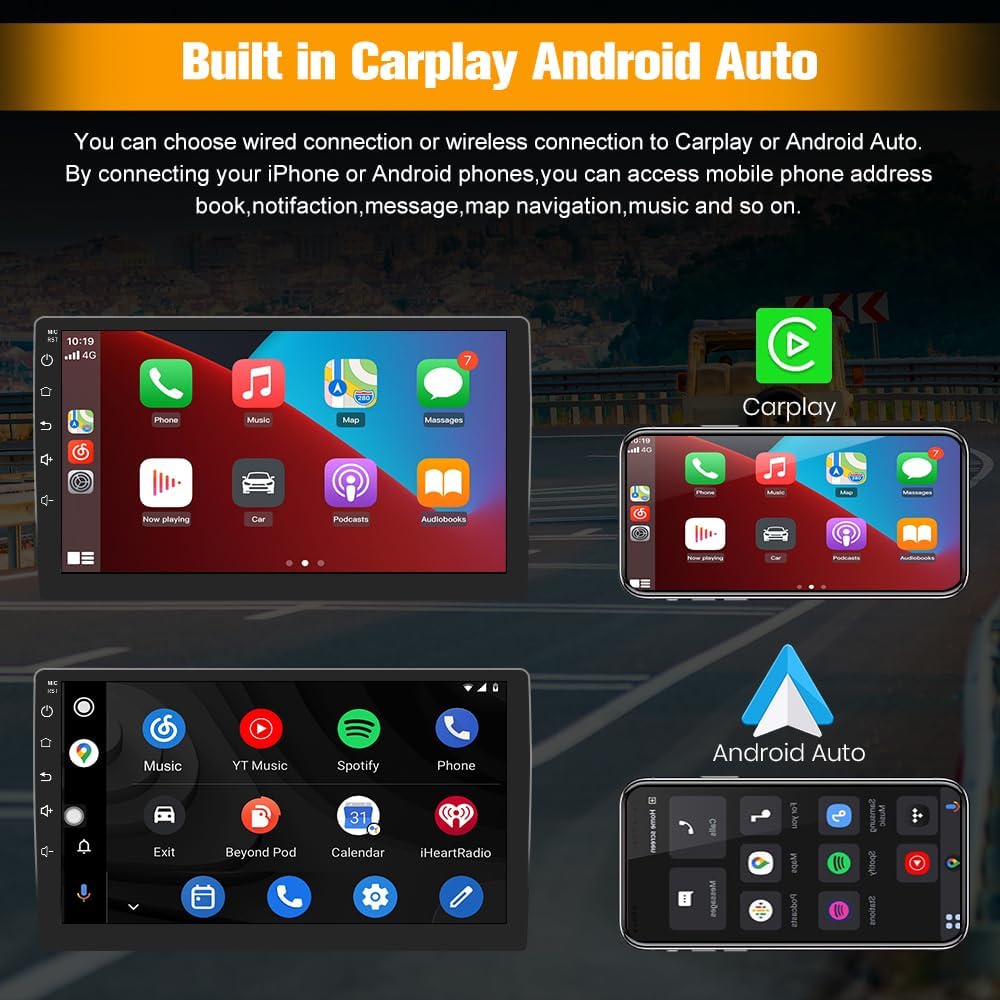
Image: Demonstrates the user interfaces for Apple CarPlay and Android Auto on the Junsun car radio screen.
- GPS Navigation & WiFi Connect: Supports online maps and allows installation or deletion of Android applications from the Application Store, similar to a smartphone. Connect to WiFi for GPS navigation anywhere.

Image: A map showing GPS navigation with estimated travel time and distance on the car radio display.
- Bluetooth: Fast pairing with your phone for hands-free calls. An external microphone ensures clear voice pickup, and car speakers provide precise audio for the person on the other end.
- FM/AM радио: Features digital display for precise tuning, providing access to news, music, and live weather broadcasts.
- Жолооны хүрдний удирдлага: Easily toggle between radio stations and adjust volume levels using your vehicle's steering wheel buttons, enhancing driving safety and convenience.

Image: Illustrates how steering wheel controls can be used to manage functions on the Junsun car radio, with an on-screen display of button mapping.
- Дэлгэц хуваах: Utilize the split-screen display for simultaneous navigation and live traffic updates, allowing for safe and efficient multitasking.
- Reversing Image (Backup Camera Support): Ар талыг хангадаг view and parking assistance when the reverse gear is engaged.
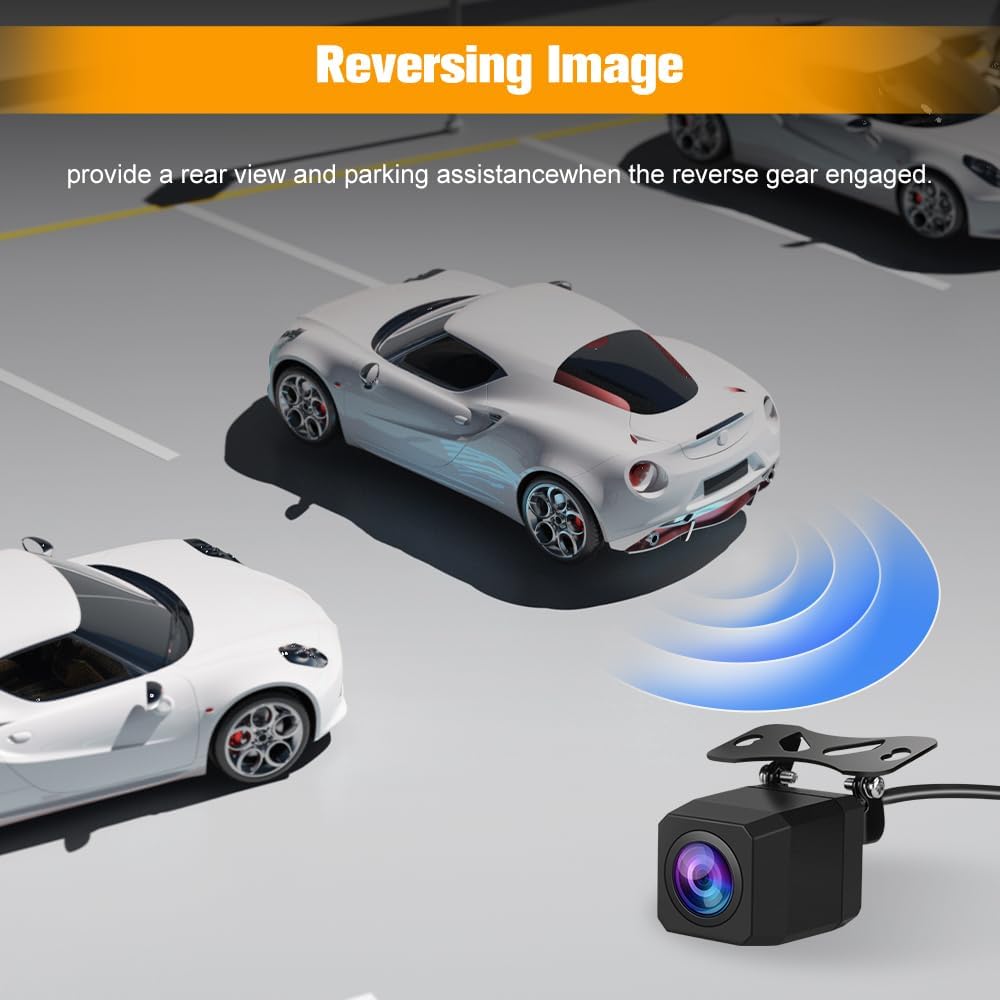
Image: A visual representation of a car using a backup camera, with the rearview displayed on the car radio screen, showing parking guidelines.
- Суурилагдсан DSP: Digital Sound Processor for enhanced audio quality and customization.
4. Багцын агуулга
Бүх бүрэлдэхүүн хэсгүүд таны багцад байгаа эсэхийг шалгана уу:
- Junsun 10-inch Car Radio Unit
- Зааварчилгааны гарын авлага
- Цахилгаан кабель
- RCA кабель
- Гадаад микрофон
- Canbus декодлогч
- Суулгах хэрэгслийн багц
- Антен холбогч кабель
- USB кабель (x2)
- RCA Cable for Rear Camera Connection
- GPS модуль

Image: A layout of all items included in the product package, such as the main unit, cables, tools, and accessories.
5. Суулгах заавар
Professional installation is recommended. Ensure the vehicle's power is disconnected before starting installation.
5.1. Суулгахаас өмнөх үе шатууд
- Carefully remove the existing console panel from your dashboard.
- Disconnect the wiring from your existing radio and air conditioning controls.
- Unscrew the vents and AC controls from the original panel.
- Attach the vents and AC controls to your new Junsun unit's panel.
5.2. Утасны холболт
The unit comes with pre-wired harnesses. Match the pin configuration to your vehicle's wiring. For audio functionality, ensure the correct white connector is plugged in based on your vehicle's ampилүү амьдралтай байдал.
- Үгүй Ampамь нас: Connect the white cap labeled "NO AMP" from the unit to the corresponding white capped end in your vehicle's wiring.
- -тай Amplifier (Alpine or Infinity system): Connect the white cap labeled "WITH AMP" from the unit to the corresponding white capped end in your vehicle's wiring.

Image: Detailed wiring diagram illustrating the connection points for the Junsun car radio, specifically highlighting the white connectors for vehicles with and without an ampнастан.
5.3. Backup Camera Installation (Optional)
If installing a backup camera, connect the RCA cable from the camera to the designated input on the car radio. Ensure the camera's power and signal wires are correctly connected to the vehicle's reverse light circuit for automatic activation.
5.4. Эцсийн чуулган
Carefully route all wires and secure the new unit into the dashboard. Ensure all connections are firm before reassembling the console panel.
6. Үйл ажиллагаа
6.1. Үндсэн навигаци
The unit features a 10-inch touchscreen for intuitive control. Tap icons to open applications and swipe to navigate menus.
6.2. CarPlay / Android Auto
To use CarPlay or Android Auto, connect your smartphone via USB or wirelessly. Follow the on-screen prompts to establish the connection. Once connected, your phone's compatible apps will appear on the radio display.
6.3. GPS навигаци
Access the pre-installed navigation app or download your preferred map application from the app store. Ensure a stable WiFi connection for online maps. The GPS module provides accurate positioning.
6.4. Bluetooth функцууд
Pair your phone via Bluetooth settings to make hands-free calls or stream audio. Access your phonebook and call history directly from the unit.
6.5. Radio (FM/AM)
Select the Radio application. Use the digital tuner to find and save your favorite FM and AM stations. Utilize steering wheel controls for quick station changes and volume adjustments.
6.6. Split-Screen Mode
To activate split-screen, long-press the recent apps button or follow the specific instructions within the Android 13 interface to run two applications simultaneously.
7. Засвар үйлчилгээ
- Цэвэрлэгээ: Дэлгэц болон төхөөрөмжийг цэвэрлэхдээ зөөлөн, хуурай даавуу ашиглаарай. Зүлгүүрийн цэвэрлэгч эсвэл уусгагч бодисоос зайлсхий.
- Програм хангамжийн шинэчлэлтүүд: Periodically check for software updates through the unit's settings to ensure optimal performance and access to new features.
- Байгаль орчны нөхцөл: Төхөөрөмжийг хэт өндөр температурт эсвэл нарны шууд тусгалд удаан хугацаагаар байлгахаас зайлсхий.
8. Алдаа засах
8.1. Эрчим хүчгүй
- Check all wiring connections, especially the main power harness.
- Verify vehicle fuses are intact and not blown.
- Ensure the correct wiring harness adapter is used and properly connected.
8.2. No Audio Output
- Confirm the white connector for amplifier/non-amplifier systems is correctly plugged in (refer to Section 5.2).
- Чанга яригчийн холболтыг шалгана уу.
- Adjust volume levels and equalizer settings.
8.3. Товчлуурууд хариу өгөхгүй байна
- Системийг дахин эхлүүлнэ үү.
- Бие махбодийн ямар нэгэн саад тотгор байгаа эсэхийг шалгана уу.
- If the issue persists, contact customer support for potential software or hardware diagnosis.
8.4. Radio Presets Resetting
- Ensure the constant power (memory) wire is correctly connected to a continuous 12V source.
- This issue may indicate a power interruption to the unit's memory.
8.5. Poor Bluetooth Call Quality
- Ensure the external microphone is properly installed and positioned.
- Бусад электрон төхөөрөмжүүдийн хөндлөнгийн оролцоог шалгана уу.
- Adjust microphone sensitivity settings if available.
9. Техникийн үзүүлэлтүүд
| Онцлог | Дэлгэрэнгүй |
|---|---|
| Зүйлийн жин | 5.3 фунт |
| Багцын хэмжээ | 15.43 x 13.03 x 7.36 инч |
| Дэлгэцийн хэмжээ | 10 инч |
| Үйлдлийн систем | Android 13 |
| Санах ойн хадгалах багтаамж | 64 ГБ |
| Холболтын технологи | Bluetooth, WiFi |
| Онцлог шинж чанарууд | Wireless CarPlay, Android Auto, GPS Navigation, FM/AM Radio, Steering Wheel Control, Split-Screen, Built-in DSP |
| Суурилуулах төрөл | Хяналтын самбарын бэхэлгээ |
| Тээврийн хэрэгслийн үйлчилгээний төрөл | SUV (Jeep Compass, Jeep Patriot) |
10. Баталгаат хугацаа ба дэмжлэг
10.1. Баталгаат хугацааны мэдээлэл
This product comes with a 1-year manufacturer's warranty from the date of purchase. Please retain your proof of purchase for warranty claims. The warranty covers manufacturing defects but does not cover damage caused by improper installation, misuse, or accidents.
10.2. Хэрэглэгчийн дэмжлэг
For technical assistance, troubleshooting, or warranty inquiries, please contact Junsun customer support. Our team is available to help you with any questions or issues you may encounter.
Имэйл: Junsun-US@outlook.com

Image: Junsun customer support contact details, including an email address for inquiries.