
Танилцуулга
Худалдан авалт хийсэнд баярлалааasing the Andoer Digital Camera H12. This manual provides detailed instructions for the proper use and maintenance of your camera. Please read this manual thoroughly before using the camera to ensure optimal performance and longevity.
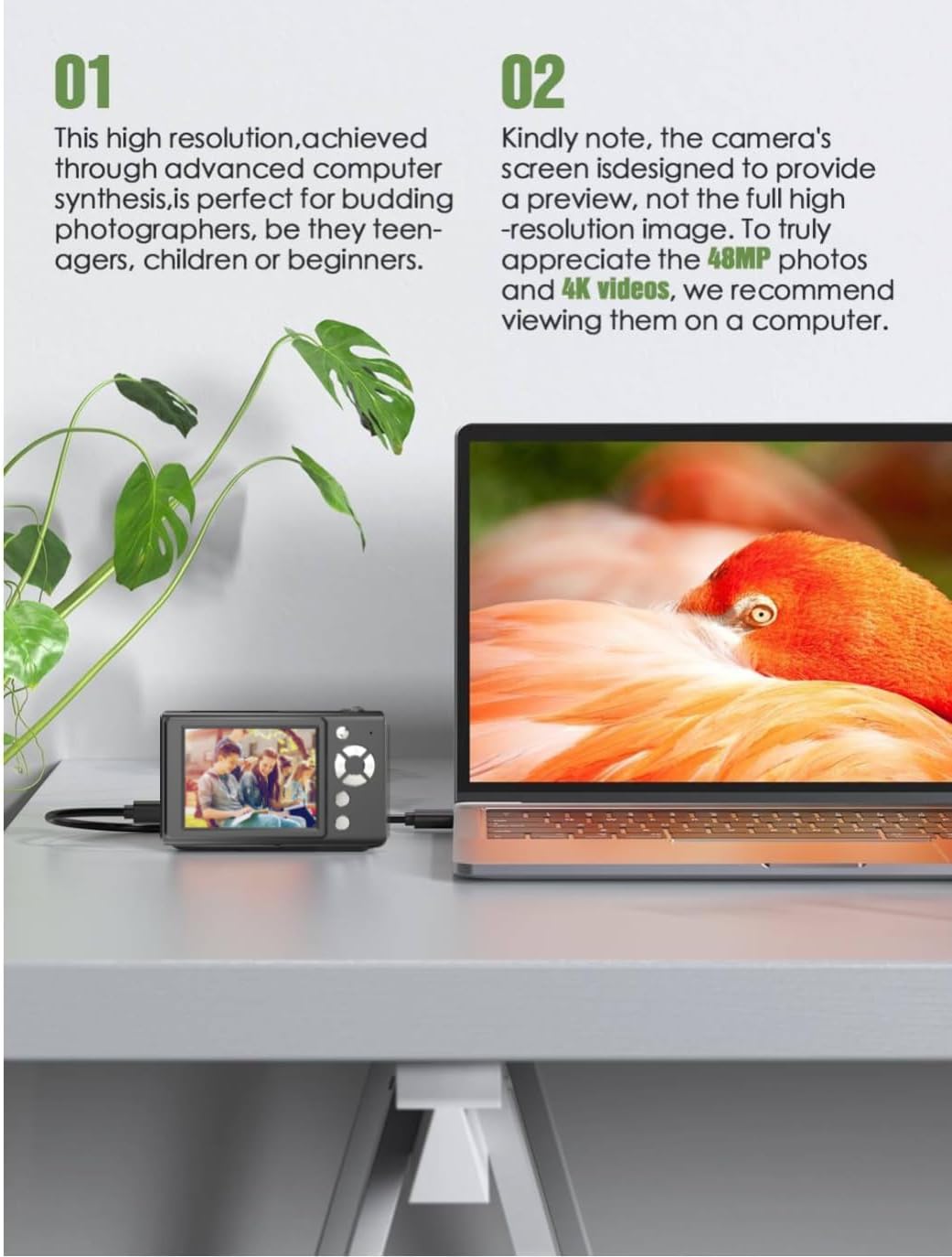
The Andoer H12 is a compact digital point-and-shoot camera featuring 1080P video recording, 48MP photo resolution, 16x digital zoom, autofocus, and an anti-shake function. It is designed for ease of use, making it suitable for various users.
Багцын агуулга
Бүх зүйл байгаа эсэхийг шалгахын тулд хайрцгийг задлахдаа багцын агуулгыг шалгана уу:
- 1 x Andoer Digital Camera H12
- 1 x USB кабель (Type-C)
- 1 х Бугуйн оосор
- 1 х 32 ГБ санах ойн карт
- 1 х карт уншигч
- 1 х хэрэглэгчийн гарын авлага
Тохиргоо
1. Батерейг цэнэглэж байна
The camera is equipped with a built-in 3.7V 700mAh lithium battery. Before first use, fully charge the battery.
- Connect the included Type-C USB cable to the camera's USB port.
- USB кабелийн нөгөө үзүүрийг USB тэжээлийн адаптер (дагаагүй) эсвэл компьютерийн USB порт руу холбоно уу.
- The charging indicator light will illuminate. Once charging is complete, the indicator light will change or turn off.
Жич: A full charge typically takes approximately 2-3 hours. Do not use the camera while it is charging.
2. Санах ойн картыг оруулах
The camera supports TF (MicroSD) cards up to 128GB. A 32GB memory card is included in the package.
- Камерын хажуу талд байгаа санах ойн картны үүрийг олоорой.
- Gently insert the TF card into the slot with the metal contacts facing the front of the camera until it clicks into place.
- To remove the card, gently push it in again until it springs out.

3. Бугуйн оосорыг бэхлэх
Attach the included wrist strap to the camera for added security and to prevent accidental drops.
- Thread the thin loop of the wrist strap through the strap eyelet on the camera body.
- Pass the larger end of the strap through the thin loop and pull tight to secure it.
Ашиглалтын заавар
1. Асаах/унтраах
- Асаахын тулд дэлгэц гэрэлтэх хүртэл асаах товчийг удаан дарна уу.
- Унтраахын тулд дэлгэц унтрах хүртэл асаах товчийг дахин дараад барина уу.
- The camera features an auto power-off function (off/3 mins/5 mins) which can be configured in the settings.
2. Зураг авах
- Камераа асаана уу. Камер нь ихэвчлэн зургийн горимд эхэлдэг.
- Frame your shot using the 2.8-inch IPS display.
- Press the shutter button halfway down to activate autofocus. The camera will recognize and track subjects.
- Once focus is achieved (indicated by a green frame), press the shutter button fully to take the picture.

3. Видео бичлэг хийх
- Switch to video mode (refer to the camera's on-screen interface for the mode switch button).
- Press the shutter button to start recording. A red indicator or timer will appear on the screen.
- Бичлэгийг зогсоохын тулд Хөшигний товчийг дахин дарна уу.
The camera supports 1080P and 720P video resolutions in AVI format. Loop recording can be set for 3, 5, or 10 minutes.
4. Томруулах функц
Use the zoom buttons (usually marked 'W' for Wide and 'T' for Telephoto) to adjust the 16x digital zoom. This allows you to magnify distant subjects.

5. LED Fill Light
The camera features a built-in ring LED fill light with three lighting modes to assist in low-light conditions.
- Цагаан гэрэл: Bright, even, and soft illumination.
- Халуун цагаан гэрэл: Pure natural light, soft and comfortable.
- Шар гэрэл: Warm color adjustment for a warm atmosphere.
Access and cycle through these modes via the camera's menu or a dedicated button (refer to the on-screen interface).

6. Бусад функцууд
- Селфи цаг хэмжигч: Options for off, 2s, 5s, or 10s delay before taking a photo.
- Тасралтгүй зураг авалт: Хурдан цуврал зураг аваарай.
- Чичиргээний эсрэг: Helps reduce blur caused by camera movement.
- Шүүлтүүрийн эффектүүд: Various built-in filters to enhance your photos.
- Тоглоомууд: Includes 4 simple games for entertainment.
- MP3 тоглуулах: Download MP3 music to the memory card and play it through the camera.

Засвар үйлчилгээ
- Камерын их биеийг цэвэрлэх: Камерын биеийг зөөлөн, хуурай даавуугаар арчих. Зөрүүд шороонд бага зэрэг dampдаавууг усаар арчиж хатаана. Химийн цэвэрлэгч хэрэглэхээс зайлсхий.
- Линз болон дэлгэцийг цэвэрлэх: Use a specialized lens cleaning cloth or brush to gently remove dust and smudges. Do not use abrasive materials or excessive force.
- Хадгалах: When not in use for extended periods, store the camera in a cool, dry place away from direct sunlight and extreme temperatures. Remove the memory card if not in use.
- Батерейны арчилгаа: Avoid fully discharging the battery frequently. Charge the battery regularly, even if the camera is not in use, to maintain battery health.
- Усны эсэргүүцэл: Энэ камер нь усанд тэсвэртэй биш. Avoid exposure to water, rain, or high humidity.
Алдааг олж засварлах
| Асуудал | Боломжит шалтгаан | Шийдэл |
|---|---|---|
| Камер асахгүй байна. | Батерей дууссан эсвэл цэнэглэгдээгүй байна. | Charge the camera battery fully using the provided USB cable. |
| Зураг авах/видео бичих боломжгүй. | Memory card is full, not inserted correctly, or corrupted. | Check if the memory card is inserted correctly. Delete unnecessary files or replace the memory card. Format the card if necessary (this will erase all data). |
| Зургууд бүдэг байна. | Autofocus failed, camera shake, or dirty lens. | Ensure autofocus is engaged. Hold the camera steady or use the anti-shake function. Clean the lens with a soft cloth. |
| Дэлгэц хоосон эсвэл царцсан байна. | System error or temporary malfunction. | Press and hold the power button for 10 seconds to force a shutdown, then restart the camera. If the issue persists, contact customer support. |
| Шилжүүлэх боломжгүй fileкомпьютерт. | Incorrect cable connection or driver issue. | Ensure the USB cable is securely connected. Try a different USB port or computer. Use the included card reader to transfer fileсанах ойн картнаас шууд. |
Үзүүлэлтүүд
| Онцлог | Дэлгэрэнгүй |
|---|---|
| Загварын нэр | H12 |
| Дэлгэц | 2.8 инчийн IPS LCD |
| Фото зургийн нягтрал | Up to 48MP (48M, 40M, 24M, 20M, 18M, 16M, 12M, 10M, 8M, 5M, 3M, 2M, 1M) |
| Фото зургийн формат | JPG |
| Видеоны нягтрал | 1080P, 720P |
| Видео формат | AVI |
| Дижитал томруулах | 16X |
| Автомат фокус | Yes (Contrast Detection, 9 points) |
| Зураг тогтворжуулах | Оптик |
| Мэдрэгчийн төрөл | CMOS (1/4 инч) |
| Хадгалах | TF card, max. 128GB (32GB included) |
| Батерей | Built-in Lithium Battery (3.7V 700mAh) |
| Цэнэглэх интерфейс | USB Type-C |
| Селфи таймер | Off/ 2s/ 5s/ 10s |
| Автомат унтраалт | Off/ 3 mins/ 5 mins |
| Давталтын бичлэг | 3 mins/ 5 mins/ 10 mins |
| Суулгасан онцлогууд | LED Fill Light (3 modes), Filter Effects, 4 Games, MP3 Playback |
| Бүтээгдэхүүний хэмжээ | 103 x 31 x 65 мм |
| Бүтээгдэхүүний жин | 149g (camera body) / 260g (item weight including packaging/accessories) |
| Усны эсэргүүцлийн түвшин | Усанд тэсвэртэй биш |
Баталгаат хугацааны мэдээлэл
The Andoer Digital Camera H12 comes with a 1 жилийн баталгаат хугацаа худалдан авсан өдрөөс. Энэхүү баталгаа нь ердийн ашиглалтын үеийн үйлдвэрлэлийн согог, доголдлыг хамарна. Энэ нь буруу ашиглалт, осол, зөвшөөрөлгүй засвар, байгалийн гамшгийн улмаас учирсан хохирлыг хамрахгүй.
Баталгаат заргад зориулж худалдан авалтаа нотлох баримтаа үлдээнэ үү.
Хэрэглэгчийн дэмжлэг
If you encounter any issues or have questions not covered in this manual, please contact Andoer customer support. You can typically find support contact information on the official Andoer webсайт эсвэл жижиглэн худалдаалагчаар дамжуулан.
Нэмэлт тусламж авахыг хүсвэл зочилно уу Andoer Store on Amazon.