
Танилцуулга
Thank you for choosing the CREATE Speaker Retro. This portable Bluetooth speaker combines a classic retro design with modern audio technology, offering versatile connectivity and powerful sound. This manual will guide you through the setup, operation, and maintenance of your new speaker to ensure optimal performance and longevity.

Image: The CREATE Speaker Retro, highlighting its elegant retro aesthetic and compact form factor.
Аюулгүй байдлын чухал заавар
- Бүтээгдэхүүнийг хэрэглэхийн өмнө бүх зааврыг анхааралтай уншина уу.
- Энэ гарын авлагыг цаашид лавлах зорилгоор хадгална уу.
- Do not expose the speaker to water or excessive moisture. This product is ус нэвтэрдэггүй.
- Радиатор, халаалтын төхөөрөмж, зуух болон бусад төхөөрөмж (үүнд). ampөргөгч) дулаан үүсгэдэг.
- Зөвхөн үйлдвэрлэгчээс заасан хавсралт/дагалдах хэрэгслийг ашиглана уу.
- Аянгын шуурганы үеэр эсвэл удаан хугацаагаар ашиглаагүй үед энэ төхөөрөмжийг цахилгааны залгуураас салга.
- Бүх үйлчилгээг мэргэшсэн үйлчилгээний ажилтнуудад шилжүүлээрэй.
Багцын агуулга
The CREATE Speaker Retro package includes:
- CREATE Speaker Retro Portable Bluetooth Speaker (1 unit)
- USB-C цэнэглэгч кабель
- Хэрэглэгчийн гарын авлага (энэ баримт бичиг)
Controls and Ports Overview
Чанга яригчийн удирдлага болон холболтын портуудтай танилцана уу:

Зураг: Нарийвчилсан view чанга яригчийн дээд удирдлагын самбарын.
- Эзлэхүүний товчлуур: Нийт дууны түвшинг тохируулна.
- Басс бариул: Басс түвшинг тохируулна.
- Гурвалсан товчлуур: Гурав дахины түвшинг тохируулна.
- Оролт сонгогч шилжүүлэгч: Toggles between AUX, Bluetooth (BT), and USB input modes.
- Эрчим хүч солих: Чанга яригчийг АСААХ/УНТРААХ.
- AUX оролт (3.5мм): For connecting external audio devices via an audio cable.
- USB порт: USB дискийг тоглуулах зориулалттай.
- DC-IN 5V Port: Чанга яригчийг цэнэглэхэд зориулагдсан.
- Заагч гэрэл: Тэжээлийн төлөв, цэнэглэлтийн төлөв болон Bluetooth холболтын төлөвийг харуулна.
Тохиргоо
1. Илтгэгчийг цэнэглэх
Before first use, fully charge the speaker. Connect the provided USB-C charging cable to the DC-IN 5V port on the speaker and the other end to a compatible USB power adapter (not included) or a computer's USB port. The indicator light will show the charging status. A full charge takes approximately 4-5 hours.
- Цэнэглэж байна: Indicator light glows (color may vary).
- Бүрэн цэнэглэгдсэн: Indicator light turns off or changes color.
2. Асаах/унтраах
To power on the speaker, flip the Цахилгаан унтраалга to the "ON" position. To power off, flip the switch to the "OFF" position.
Ашиглалтын заавар
1. Bluetooth горим
The speaker features Bluetooth 5.2 for wireless audio streaming with a range of up to 10 meters.
- Чанга яригчийг асаах.
- -г тохируулах Оролтын сонгогчийн шилжүүлэгч to "BT/AUX" and then ensure it's in Bluetooth mode (indicator light will blink, indicating pairing mode).
- Ухаалаг утас, таблет эсвэл бусад Bluetooth идэвхжүүлсэн төхөөрөмж дээрээ Bluetooth-г асаагаад боломжтой төхөөрөмжүүдийг хайгаарай.
- Select "CREATE Speaker Retro" from the list.
- Once paired, the indicator light will stop blinking and remain solid. You can now play music wirelessly.
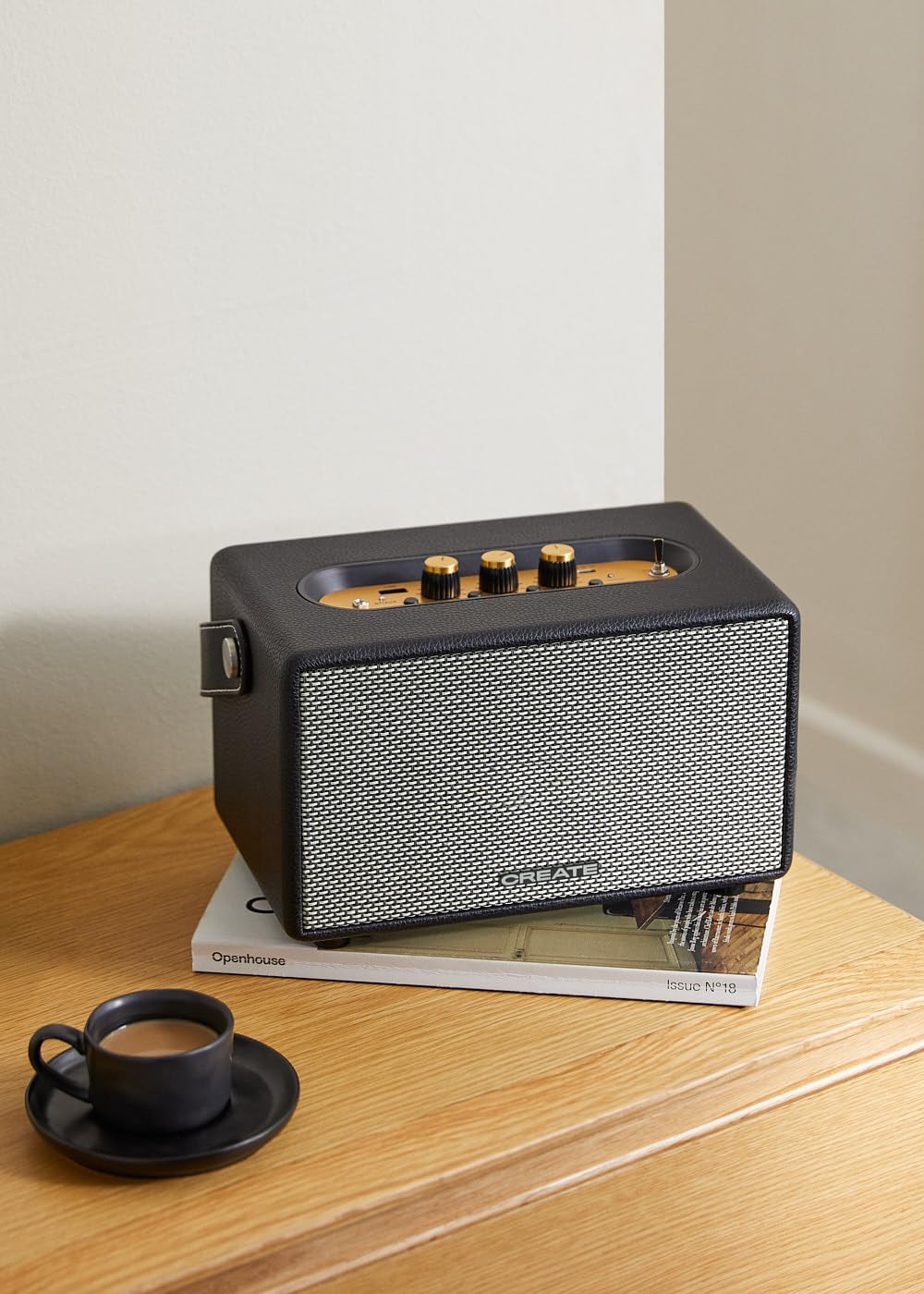
Image: Connecting to the speaker via Bluetooth from a mobile device.
2. USB Playback Mode
Аудио тоглуулах fileUSB флаш дискнээс шууд.
- Чанга яригчийг асаах.
- Аудио агуулсан USB флаш дискийг оруулна уу files руу USB порт.
- -г тохируулах Оролтын сонгогчийн шилжүүлэгч to "USB". The speaker will automatically begin playing music from the USB drive.

Image: Inserting a USB drive for direct audio playback.
3. AUX оролтын горим
3.5 мм аудио кабель ашиглан гадаад аудио төхөөрөмжийг холбоно уу.
- Чанга яригчийг асаах.
- 3.5 мм-ийн аудио кабелийн нэг үзүүрийг (дагалдахгүй) холбоно уу AUX оролт чанга яригч дээрх порт.
- Connect the other end of the cable to the headphone jack or audio output of your external device (e.g., MP3 player, laptop).
- -г тохируулах Оролтын сонгогчийн шилжүүлэгч to "AUX". The speaker will now play audio from your connected device.
4. Дууг тохируулах
Аудио туршлагыг нарийн тохируулахын тулд удирдлагын самбар дээрх тусгай товчлууруудыг ашиглаарай:
- -г эргүүл Эзлэхүүний товчлуур to increase or decrease the overall sound level.
- -г эргүүл Басс товчлуур to adjust the low-frequency sounds.
- -г эргүүл Гурвалсан товчлуур to adjust the high-frequency sounds.
Засвар үйлчилгээ
Цэвэрлэгээ
To clean the speaker, use a soft, dry cloth. Do not use abrasive cleaners, waxes, or solvents as they may damage the finish. Avoid spraying liquids directly onto the speaker.
Хадгалах
When not in use for extended periods, store the speaker in a cool, dry place away from direct sunlight and extreme temperatures. Ensure the speaker is fully charged before storing to preserve battery health.
Батерейны арчилгаа
The speaker is equipped with a built-in rechargeable battery. To maximize battery life:
- Байнга зайгаа бүрэн цэнэглэхээс зайлсхий.
- Recharge the battery regularly, even if the speaker is not used often.
- Do not expose the speaker to temperatures above 45°C (113°F) or below 0°C (32°F).
Алдааг олж засварлах
If you encounter any issues with your CREATE Speaker Retro, please refer to the following common problems and solutions:
| Асуудал | Боломжит шалтгаан | Шийдэл |
|---|---|---|
| Чанга яригч асахгүй байна. | Батерей дуусч байна. | Charge the speaker for 4-5 hours using the USB-C cable. |
| Чанга яригчаас ямар ч чимээ алга. | Дууны түвшин хэт бага байна; оролтын горим буруу байна; төхөөрөмж зөв холбогдоогүй байна. | Increase volume. Ensure the correct input mode (BT, USB, AUX) is selected. Reconnect Bluetooth device or AUX cable. |
| Bluetooth хослол амжилтгүй боллоо. | Чанга яригч нь хослуулах горимд байхгүй байна; төхөөрөмж хүрээнээс гарсан байна; хөндлөнгийн оролцоо байна. | Ensure speaker is in Bluetooth pairing mode (blinking indicator). Move device closer to speaker (within 10m). Turn off other Bluetooth devices. |
| USB тоглуулах ажиллахгүй байна. | Incorrect input mode; USB drive not formatted correctly or no compatible files. | Ensure "USB" input mode is selected. Check USB drive for compatible audio files (e.g., MP3). Try a different USB drive. |
| Play/Pause button not responding. | Potential hardware issue or software glitch. | Restart the speaker. If the issue persists, contact customer support. (Note: A user review mentioned this issue.) |
Үзүүлэлтүүд
| Загварын нэр | SPEAKER RETRO |
| Загварын дугаар | 181643_452174 |
| Хэмжээ (D x W x H) | 17 x 26 x 15 см |
| Жин | 2.5 кг |
| Max. Speaker Output Power | 40 Вт |
| Аудио гаралтын горим | Стерео (2.0 суваг) |
| Холболтын технологи | Bluetooth 5.2, USB, AUX (3.5mm) |
| Bluetooth хүрээ | 10 метр хүртэл |
| Зайны багтаамж | 3000 мАч |
| Зайны ашиглалт | 5 хүртэл цаг (ашиглалтаас хамаарч) |
| Цэнэглэх хугацаа | Ойролцоогоор 4-5 цаг |
| Хяналтын арга | Touch (knobs and switches) |
| Өнгө | Хар |
| Усны хамгаалалттай | Үгүй |
Баталгаат болон дэмжлэг
Баталгаат хугацааны мэдээлэл
The CREATE Speaker Retro comes with a standard manufacturer's warranty. Please retain your proof of purchase for warranty claims. The warranty covers defects in materials and workmanship under normal use. It does not cover damage caused by misuse, accidents, unauthorized modifications, or exposure to water.
For specific warranty terms and conditions, please refer to the warranty card included with your product or contact CREATE customer service.
Хэрэглэгчийн дэмжлэг
If you have any questions, require technical assistance, or need to report an issue that cannot be resolved using the troubleshooting guide, please contact CREATE customer support.
You can find more information and contact details on the official CREATE website or through their Amazon brand store: