
1. Танилцуулга
This manual provides essential instructions for the proper installation, operation, and maintenance of your TPZ t10b 10.1" Android 14 Tablet Protective Case. Please read this guide thoroughly to ensure optimal use and longevity of your product.
2. Бүтээгдэхүүн дууссанview
2.1 Тохиромжтой байдал
This protective case is specifically designed for the TPZ t10b 10.1" Android 14 Tablet. To confirm your tablet model, navigate to 'Settings' > 'About tablet' on your device. Ensure your tablet model matches for a perfect fit and full access to all functions.
2.2 Гол онцлогууд
- Дээд зэрэглэлийн материал: Constructed from high-quality leather for a professional appearance and durable protection.
- Business Folio Design: Features an elegant and sleek folio style suitable for various environments.
- Нэгдсэн стенд: Гар ашиглахгүй байх боломжийг олгоно viewing in landscape mode, ideal for media consumption or typing.
- Гар оосор: Provides a secure grip for convenient tablet use on the go.
- Бүх талын хамгаалалт: Designed to be shockproof, anti-slip, and offer comprehensive protection against drops and scratches.
- Усанд тэсвэртэй: Offers protection against splashes and spills.

Зураг 2.1: Урд ба хойд view of the TPZ t10b tablet protective case, showcasing түүний гоёмсог дизайн.

Image 2.2: The tablet case in stand mode, highlighting precise cutouts for speakers, cameras, ports, and buttons.

Image 2.3: Graphic illustrating the all-round protection and drop resistance features of the tablet case.
3. Тохиргоо ба суурилуулалт
To install your tablet into the protective case:
- Gently align your TPZ t10b tablet with the case's interior frame.
- Press the tablet firmly but carefully into the case, ensuring all edges are securely seated within the protective frame.
- Verify that all ports, buttons, and camera lenses are correctly aligned with the case's cutouts for unobstructed access.
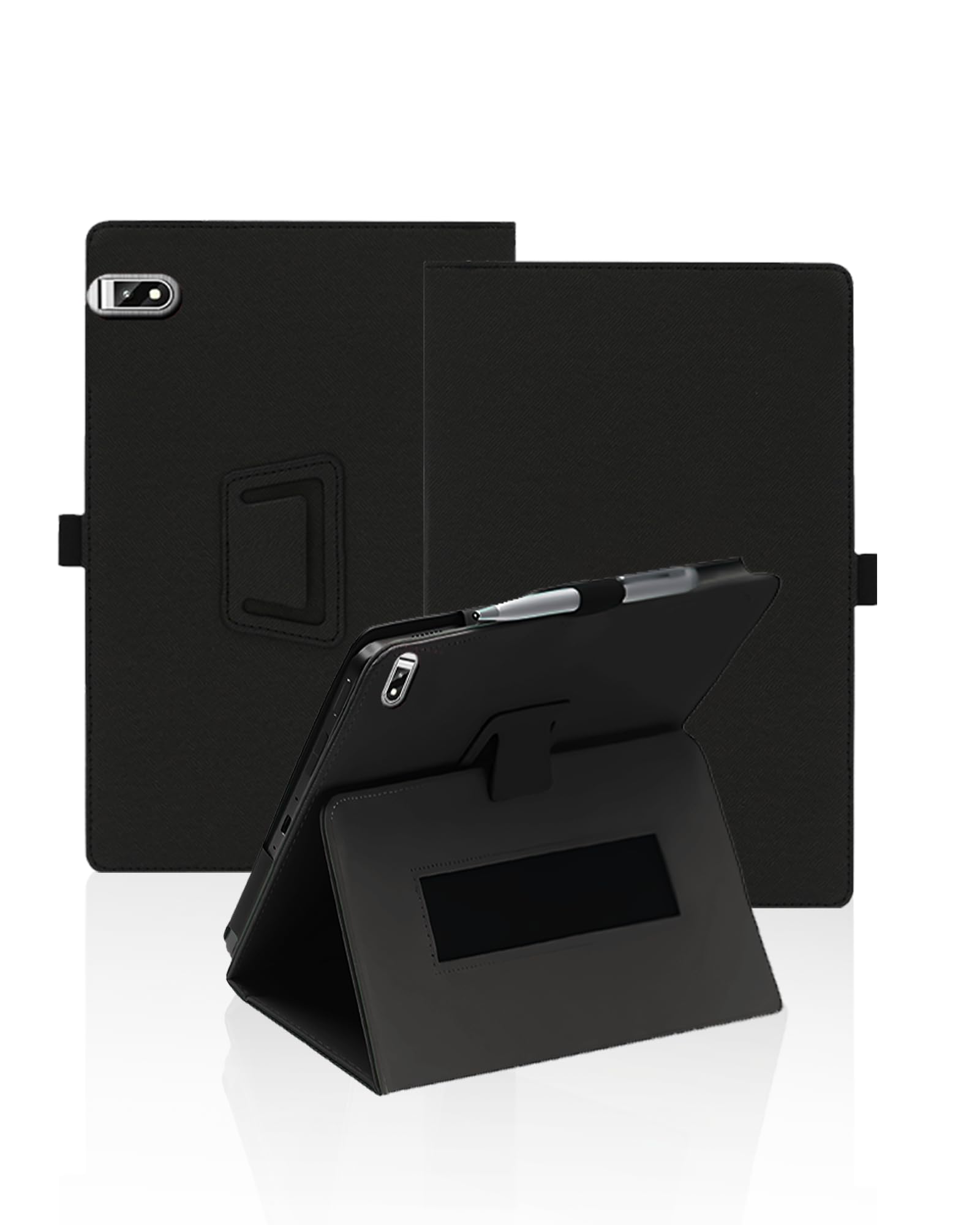
Image 3.1: The TPZ t10b tablet securely installed in its protective case, demonstrating the integrated stand function.
4. Ашиглалтын заавар
4.1 Нэгдсэн стенд ашиглах
The case features an integrated stand for hands-free viewing. To activate the stand:
- Open the front cover of the case.
- Fold the cover back along the designated creases to form a triangular support structure.
- Place the tablet's edge into the groove on the inside of the cover to secure it in an upright, landscape viewбайрлал.
4.2 Гар оосор ашиглах
For enhanced portability and a secure grip, utilize the integrated hand strap:
- Locate the elastic hand strap on the back interior of the case.
- Slide your hand through the strap to achieve a firm, one-handed grip on your tablet, reducing the risk of accidental drops while moving.
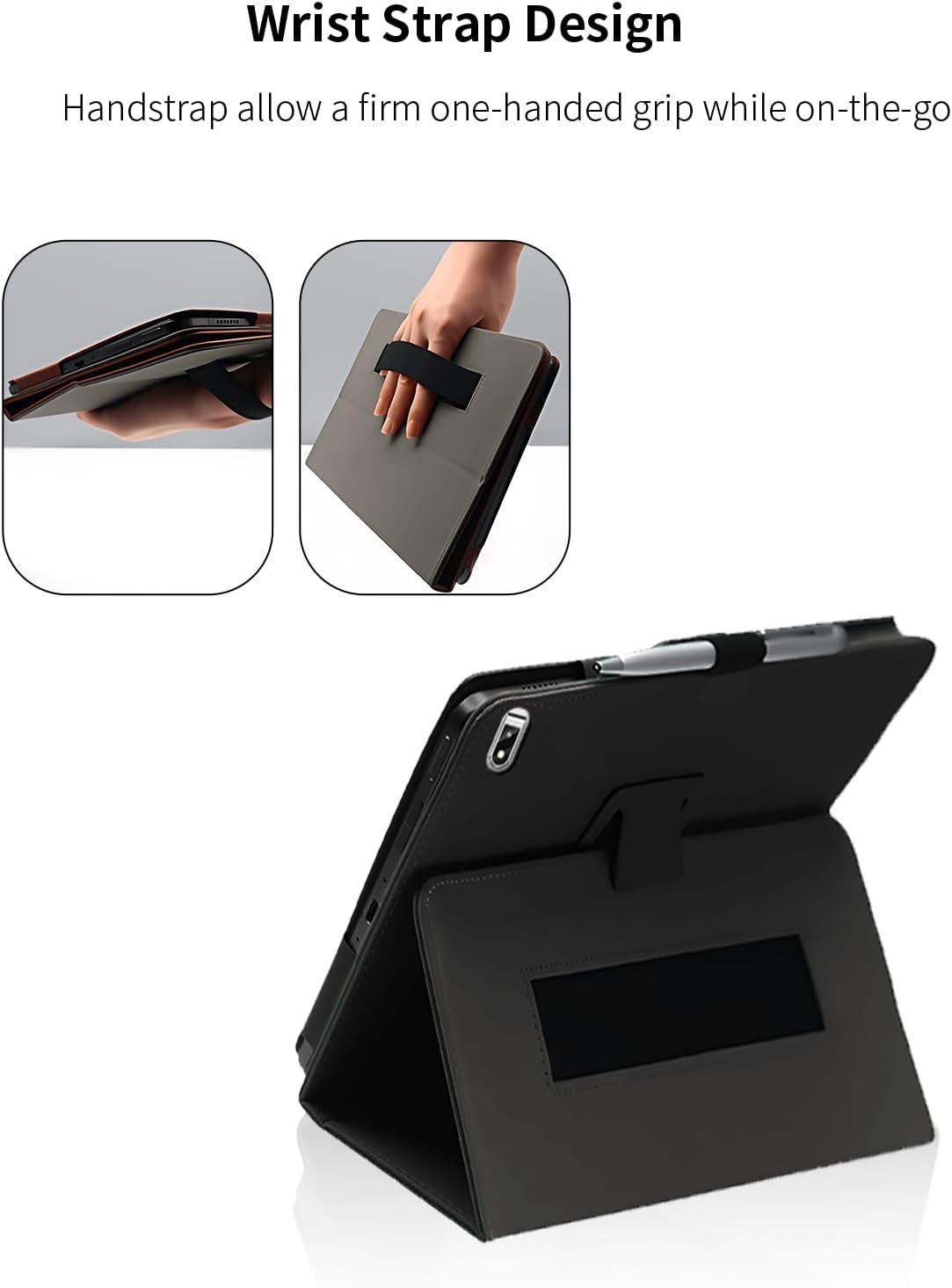
Image 4.1: A hand securely holding the tablet case using the integrated wrist strap, demonstrating comfortable one-handed operation.
5. Засвар үйлчилгээ, арчилгаа
5.1 Цэвэрлэгээ
To clean your protective case:
- Гаднах гадаргууг зөөлөн арчиж, damp даавуу. Зөрүүд толбыг арилгахын тулд зөөлөн савангийн уусмал хэрэглэж, дараа нь цэвэрхэн арчиж болно.amp даавуу.
- Материалыг гэмтээж болзошгүй тул түрэмгий химийн бодис, зүлгүүрийн цэвэрлэгч эсвэл уусгагч хэрэглэхээс зайлсхий.
- Ensure the case is completely dry before reinserting your tablet.
5.2 Ерөнхий арчилгаа
- Avoid prolonged exposure to direct sunlight or extreme temperatures, which can cause material degradation.
- Do not over-bend the stand mechanism to prevent damage.
- While the case offers water resistance, it is not fully waterproof. Avoid submerging the case or exposing it to heavy rain.

Image 5.1: The water-resistant surface of the tablet case with water droplets, being wiped clean with a cloth.
6. Алдаа засах
Хэрэв та таблетынхаа гэртэй холбоотой асуудалтай тулгарвал дараахь зүйлийг анхаарч үзээрэй.
- Тохиромжтой асуудлууд: Double-check that your tablet is indeed the TPZ t10b 10.1" Android 14 model. An incorrect model will not fit properly.
- Зогсоолын тогтворгүй байдал: Ensure the stand is folded correctly and the tablet is seated firmly in the groove. Uneven surfaces may affect stability.
- Access to Ports/Buttons: Confirm the tablet is fully seated and aligned within the case. If issues persist, remove and reinsert the tablet carefully.
For further assistance, please refer to the support information provided with your purchase.
7. Техникийн үзүүлэлтүүд
- Бүтээгдэхүүний хэмжээс (L x W x H): 0.1 x 0.1 x 0.1 cm (1 x 1 x 1 millimeters)
- Барааны жин: 100 грамм
- Брэнд: ерөнхий
- Өнгө: Хар
- Формат хүчин зүйл: Кейс
- Онцлог шинж чанарууд: Anti-shock, Anti-slip, Full Protection, Robust
- Тохиромжтой загварууд: TPZ t10b
- Үйлдвэрлэгч: ktion_pro
8. Баталгаат хугацаа ба дэмжлэг
Specific warranty details for this product may vary depending on the retailer and region of purchase. Please refer to the documentation included with your product or contact the seller directly for information regarding warranty coverage and support services.
For any product-related inquiries or technical assistance, please reach out to the seller or manufacturer through the contact information provided at the time of purchase.