
1. Бүтээгдэхүүн дууссанview
The QRD Junior E5 Wireless Controller is a compact and versatile gaming controller designed for a wide range of platforms, including Nintendo Switch, Switch Lite, Switch OLED, PC (Windows), Mac, iOS, and Android devices. Its ergonomic design and advanced features provide an enhanced gaming experience.

Зураг 1.1: Урд view of two QRD Junior E5 Wireless Controllers.

Image 1.2: Back and front views of the QRD Junior E5 Wireless Controller, highlighting its design.
2. Багцын агуулга
- QRD Junior E5 Wireless Controller (2 units for this package)
- USB-C цэнэглэгч кабель
- Хэрэглэгчийн гарын авлага (энэ баримт бичиг)
3. Тохиргоо ба холболт
3.1 Хянагчийг цэнэглэх
Before first use, fully charge the controller. Connect the provided USB-C cable to the controller's charging port and the other end to a USB power source (e.g., console, PC, or USB wall adapter). The indicator lights will show charging status and turn off when fully charged.
3.2 Nintendo Switch руу холбогдох нь
- On the Nintendo Switch HOME Menu, select Хянагч нар > Бариул/Захиалга өөрчлөх.
- -г удаан дар Нүүр хуудас товчлуур on the QRD Junior E5 controller for 3-5 seconds until the indicator lights start flashing rapidly.
- Once connected, the corresponding player indicator light(s) on the controller will remain solid.
3.3 Connecting to PC (Windows/Mac)
The controller supports both wireless Bluetooth and wired USB-C connections for PC and Mac.
3.3.1 Wireless Bluetooth Connection
- Ensure your PC/Mac has Bluetooth enabled.
- On your PC/Mac, go to Bluetooth settings and search for new devices.
- -г удаан дар Нүүр хуудас товчлуур on the QRD Junior E5 controller for 3-5 seconds until the indicator lights start flashing rapidly.
- Select "QRD Controller" or similar from the list of available devices to pair.
- The controller supports X оролт for PC games.
3.3.2 Утастай USB-C холболт
Connect the controller to your PC/Mac using the provided USB-C cable. The controller will be automatically recognized, and no driver installation is required.
3.4 Connecting to iOS/Android Devices
- Enable Bluetooth on your iOS/Android device.
- -г удаан дар Нүүр хуудас товчлуур on the QRD Junior E5 controller for 3-5 seconds until the indicator lights start flashing rapidly.
- хайх "QRD Controller" or similar in your device's Bluetooth settings and pair.
4. Ашиглалтын зааварчилгаа ба онцлогууд
4.1 Үндсэн удирдлага
The QRD Junior E5 controller features standard button layouts including A/B/X/Y buttons, D-pad, Left/Right joysticks, L/R/ZL/ZR triggers, Home button, and +/- buttons.
4.2 TURBO функц
The TURBO function allows for continuous or automatic rapid firing of buttons. This feature can be customized for different games and play styles.
- To set TURBO: Press and hold the desired action button (e.g., A) and then press the TURBO товчлуур once. The button will now continuously fire when held.
- To set Auto-TURBO: Press and hold the desired action button and then press the TURBO товчлуур a second time. The button will automatically fire without being held.
- To clear TURBO: Press and hold the desired action button and then press the TURBO товчлуур гурав дахь удаагаа.
- TURBO хурдыг тохируулах: дээр дарна уу TURBO товчлуур болон Up/Down D-pad simultaneously to cycle through speeds: 8 times/sec, 15 times/sec, 25 times/sec.

Image 4.1: Illustration of the Turbo function for rapid actions in games.
4.3 6-Axis Gyro Motion Sensor
The controller is equipped with an advanced 6-axis gyro motion sensor, allowing for precise viewpoint and tilt operations in compatible games. Tilt, turn, and twist the controller to interact with game environments dynamically.

Image 4.2: Demonstrating the 6-Axis Gyro motion sensor capability.
4.4 Adjustable Vibration Feedback
Dual vibration motors provide immersive haptic feedback. The vibration intensity can be adjusted to suit personal preference and game requirements.
- Vibration modes: 0% (no vibration), 30% (weak), 70% (medium), and 100% (strong).
- To adjust vibration: Press the Чичиргээний товчлуур (if present, or a combination like TURBO + Left/Right joystick click) to cycle through intensity levels. Refer to the quick start guide for specific button combinations.

Image 4.3: Visual representation of the adjustable vibration feature.
5. Засвар үйлчилгээ, арчилгаа
- Хянагчийг хуурай, хэт өндөр температураас хол байлга.
- Удирдлагыг зөөлөн, хуурай даавуугаар цэвэрлээрэй. Хүчтэй химийн бодис эсвэл зүлгүүрийн материал бүү ашиглаарай.
- Хянагчийг унагаах эсвэл хүчтэй цохилтод өртөхөөс зайлсхий.
- Хянагчийг ашиглаагүй үедээ гэмтээхээс сэргийлж аюулгүй газар хадгална уу.
6. Алдаа засах
6.1 Хянагч холбогдоогүй байна
- Хянагч бүрэн цэнэглэгдсэн эсэхийг шалгаарай.
- Verify Bluetooth is enabled on your device (Switch, PC, Mac, iOS, Android).
- Make sure the controller is in pairing mode (indicator lights flashing rapidly).
- Холбогдохыг оролдож буй хянагч болон төхөөрөмжөө хоёуланг нь дахин эхлүүлээд үзээрэй.
- Хэрэв та Switch-д холбогдож байгаа бол "Change Grip/Order" дэлгэц дээр байгаа эсэхээ шалгаарай.
- For PC/Mac, try a wired USB-C connection to rule out Bluetooth issues.
6.2 Оролтын саатал эсвэл хариу өгөхгүй товчлуурууд
- Ensure the controller is within range of the connected device.
- Бусад утасгүй төхөөрөмжүүдийн хөндлөнгийн оролцоог шалгана уу.
- Confirm the controller is fully charged. Low battery can affect performance.
- Хянагч болон тоглоом/төхөөрөмжийг дахин ачаална уу.
6.3 Vibration Not Working or Incorrect
- Check the vibration settings on the controller (refer to section 4.4) to ensure it's not set to 0%.
- Таны тоглож буй тоглоом чичиргээний хариу үйлдлийг дэмжиж байгаа эсэхийг шалгаарай.
- Хянагчийн програм хангамж шинэчлэгдсэн эсэхийг шалгаарай (хэрэв байгаа бол үйлдвэрлэгчийнхийг шалгана уу). webсайт).
7. Техникийн үзүүлэлтүүд
| Загвар | Junior E5 |
| Брэнд | QRD |
| Холболт | Wireless Bluetooth, Wired USB-C |
| Тохиромжтой байдал | Nintendo Switch, Switch Lite, Switch OLED, PC (Windows), Mac, iOS, Android |
| Оролтын горимууд | X-input (PC), Switch-input (Nintendo Switch) |
| Онцлог шинж чанарууд | 6-Axis Gyro Motion Sensor, Adjustable Vibration, TURBO Function |
| Хэмжээ (ойролцоогоор) | 5 x 3.31 x 2.13 инч (12.7 x 8.4 x 5.4 см) |
| Жин (ойролцоогоор) | 1.06 фунт (0.48 кг) |
| Батерей | 2 Nonstandard Battery batteries required (internal, rechargeable) |

Image 7.1: Physical dimensions of the QRD Junior E5 Wireless Controller.
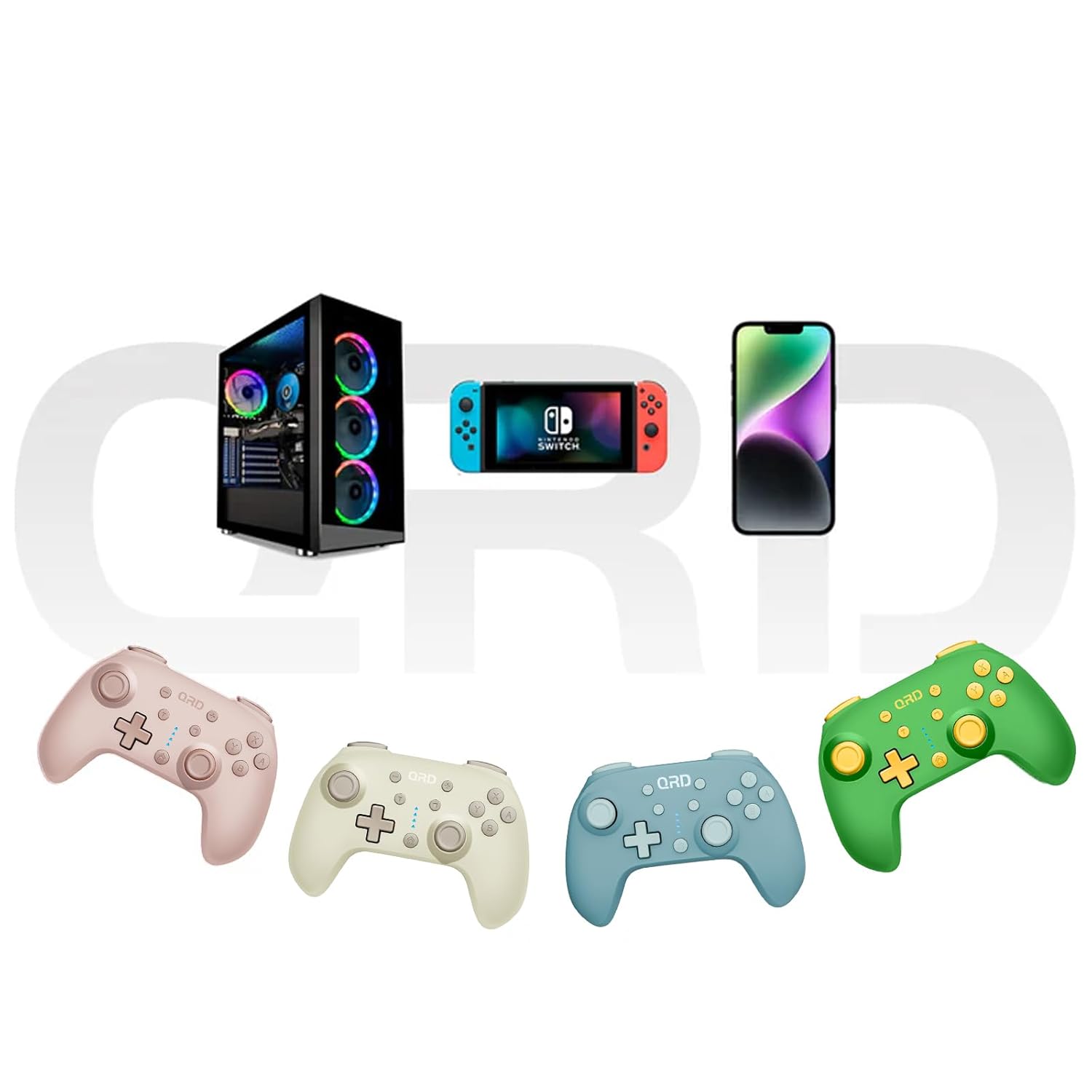
Image 7.2: Multi-platform compatibility of the QRD Junior E5 Wireless Controller.
8. Баталгаат хугацаа ба дэмжлэг
QRD products are designed for reliability and performance. For warranty information, technical support, or service inquiries, please refer to the contact information provided with your purchase or visit the official QRD webсайт. Баталгаат заргад зориулж худалдан авалтаа нотлох баримтаа үлдээнэ үү.
Нэмэлт дэмжлэг авахыг хүсвэл зочилж болно QRD Store on Amazon.