
Танилцуулга
Thank you for choosing the SWOFY D26 MP3 Player. This device combines advanced audio and video playback capabilities with the versatility of the Android 13 operating system, offering a comprehensive portable entertainment experience. This manual provides essential information for setting up, operating, and maintaining your device.
Бүтээгдэхүүн дууссанview
Гол онцлогууд
- Android 13 үйлдлийн систем: Powered by an MTK 8-core chip for fast and smooth operation.
- Урьдчилан суулгасан програмууд: Includes Spotify, Deezer, Amazon Music, and access to the Play Store.
- Өндөр нарийвчлалтай аудио: Powerful audio decoding chip for original sound quality, supporting MP3, WAV, FLAC, APE, OGG, M4A, AAC, WMA, and more.
- 4.7-inch HD Touchscreen: Full touch display with HiFi sound module for clear visuals, supporting RM, RMVB, FLV, MP4, DAT, MKV, MPG, MOV, TS video formats without conversion.
- Bluetooth 5.0 & Wi-Fi: Stable and fast two-way Bluetooth connection for headphones/speakers, and Wi-Fi for online streaming and app downloads.
- Том хадгалах сан: 160GB (32GB ROM + 128GB TF card) internal storage, expandable up to 1TB via external storage.
- Батерейны урт наслалт: 2500 mAh battery providing up to 50 hours of music playback or 8 hours of video playback.
Багцын агуулга
The SWOFY D26 MP3 Player package typically includes the following items:
- SWOFY D26 MP3 Player (160GB)
- USB цэнэглэгч кабель
- Утастай чихэвч
- Хамгаалалтын хайрцаг
- Дэлгэц хамгаалагч
- Хэрэглэгчийн гарын авлага (энэ баримт бичиг)

Image: Contents of the SWOFY D26 MP3 Player package.
Тохиргоо
1. Төхөөрөмжийг цэнэглэж байна
Before first use, fully charge your SWOFY D26 MP3 Player. Connect the provided USB cable to the device's charging port and the other end to a USB power adapter (not included) or a computer's USB port. The battery indicator on the screen will show charging status. A full charge provides approximately 50 hours of music playback or 8 hours of video playback.
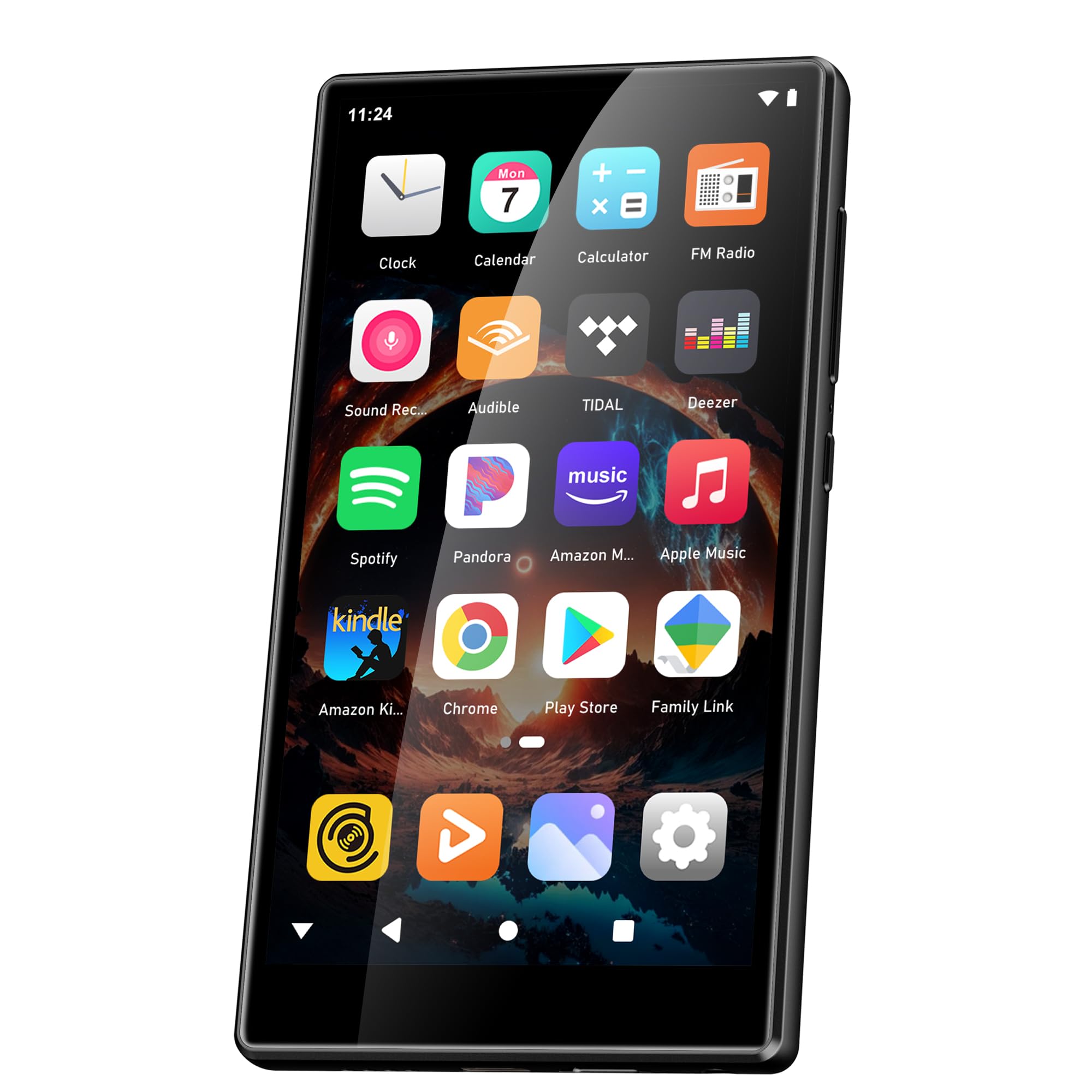
Image: Battery capacity and estimated usage times.
2. Асаах/унтраах
- Асаахын тулд: Дэлгэц гэрэлтэх хүртэл цахилгаан товчийг (ихэвчлэн хажуу талд) дарж барина уу.
- Унтраахын тулд: Press and hold the Power button, then select "Power Off" from the options that appear on the screen.
- Дахин эхлүүлэхийн тулд: Асаах товчийг удаан дарж, сонголтуудаас "Дахин эхлүүлэх"-ийг сонгоно уу.
3. Анхны тохиргоо
Эхний удаа асаахад дэлгэцэн дээрх зааврыг дагаж төхөөрөмжөө тохируулна уу:
- Хэлний сонголт: Өөрийн дуртай хэлээ сонгоно уу.
- Wi-Fi холболт: Connect to a Wi-Fi network to enable internet access for app downloads and streaming.
- Google бүртгэл: Sign in with your Google account to access the Google Play Store and synchronize data.
4. Санах ойн өргөтгөл
The device comes with 160GB of storage (32GB ROM + 128GB TF card). You can expand the storage further by inserting a microSD card (up to 1TB) into the designated slot.

Image: Device screen showing app icons and storage capacity details.
Ашиглалтын заавар
1. Мэдрэгчтэй дэлгэц дээр навигаци хийх
The SWOFY D26 features a responsive 4.7-inch HD touchscreen.
- Товш: To open an app, select an item, or confirm an action.
- Шудрах: Жагсаалтуудыг гүйлгэхийн тулд үндсэн дэлгэцүүдийн хооронд шилжих эсвэл аппликейшнууд дотор навигаци хийнэ үү.
- Чимхэх: Зургийг томруулж, жижигрүүлэхийн тулд эсвэл web хуудаснууд.

Image: The 4.7-inch HD touchscreen in operation.
2. Хөгжим тоглуулах
The device supports various music formats including MP3, WAV, FLAC, APE, OGG, M4A, AAC, WMA.
- Орон нутгийн хөгжим: Хөгжим шилжүүлэх files to the device's internal storage or microSD card via USB. Use the pre-installed music player app to browse and play your library.
- Дамжуулах үйлчилгээ: Open pre-installed apps like Spotify, Deezer, or Amazon Music. Log in to your accounts to stream music.
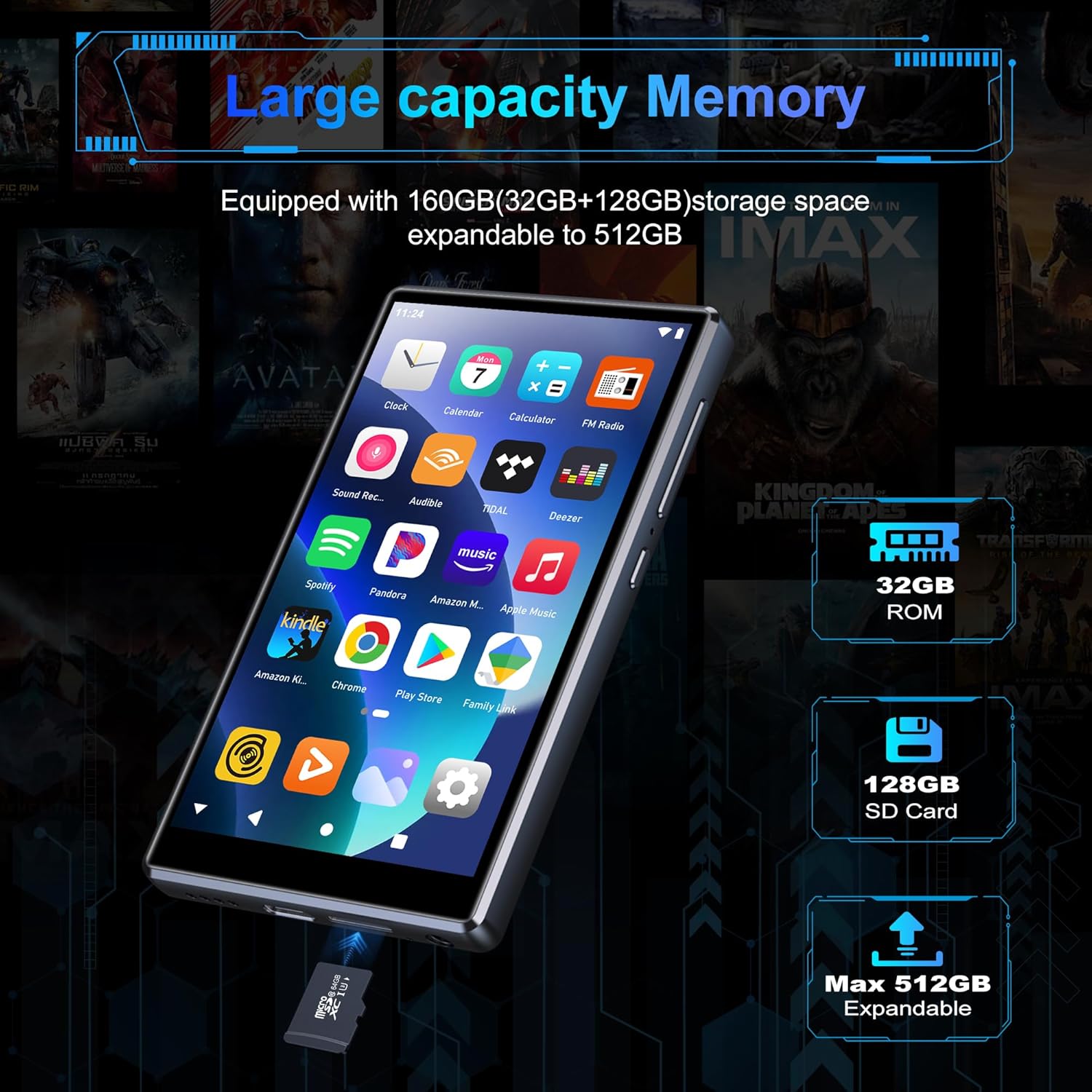
Image: Pre-installed popular applications on the device.
3. Видео тоглуулах
The SWOFY D26 supports video formats such as RM, RMVB, FLV, MP4, DAT, MKV, MPG, MOV, TS directly, without requiring conversion. Use the default video player app to watch your videos.
4. Bluetooth холболт
Connect your device to Bluetooth headphones, speakers, or other compatible devices using Bluetooth 5.0.
- руу оч Тохиргоо > Холбогдсон төхөөрөмжүүд > Bluetooth.
- Bluetooth-г асаах/унтраах On.
- Таны Bluetooth дагалдах хэрэгсэл хослох горимд байгаа эсэхийг шалгаарай.
- Хослуулах боломжтой төхөөрөмжүүдийн жагсаалтаас дагалдах хэрэгслээ сонгоно уу.
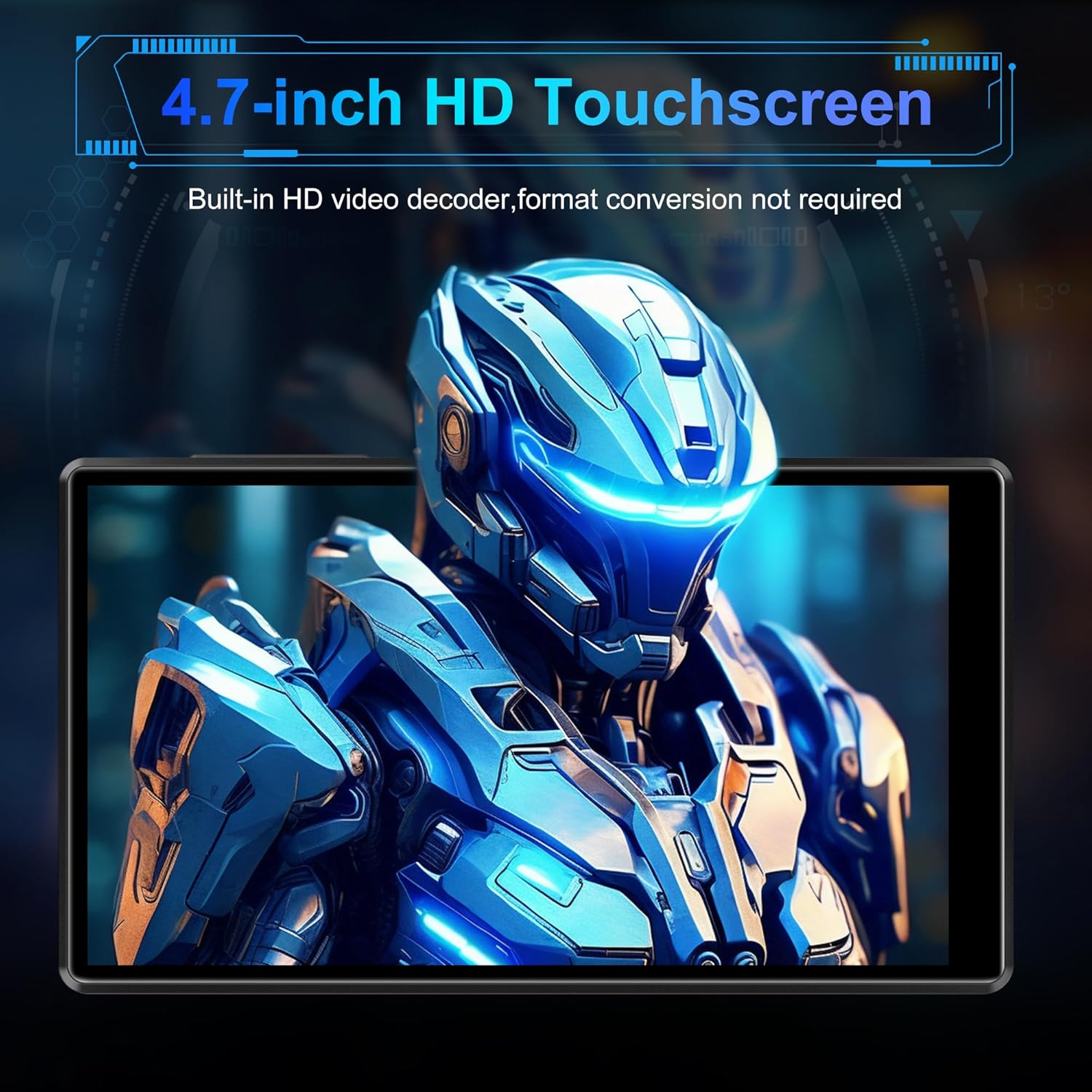
Image: Bluetooth connectivity with wireless earbuds.
5. Wi-Fi холболт
Connect to a Wi-Fi network to access the internet for streaming, app downloads, and web үзэх.
- руу оч Тохиргоо > Сүлжээ ба интернет > Wi-Fi.
- Wi-Fi-г асаах/унтраах On.
- Жагсаалтаас хүссэн Wi-Fi сүлжээгээ сонгоод нууц үгээ оруулна уу.
6. Програм суулгах
Utilize the Google Play Store to download and install additional applications.
- Ensure you are connected to Wi-Fi and logged into your Google account.
- -г нээнэ үү Play Store апп.
- хайх the desired app and follow the on-screen instructions to install it.
7. File Дамжуулах
Connect the SWOFY D26 to a computer using the provided USB cable to transfer music, videos, and other files.
- Төхөөрөмжийг компьютерт холбоно уу.
- On the device, swipe down from the top of the screen to open the notification panel.
- Tap the "USB charging this device" notification, then select "File шилжүүлэх" эсвэл "MTP".
- Your device will appear as a removable drive on your computer, allowing you to drag and drop files.
Засвар үйлчилгээ
Цэвэрлэгээ
Төхөөрөмжийн дэлгэц болон их биеийг цэвэрлэхдээ зөөлөн, хөвөнгүй даавуу ашиглаарай. Хүчтэй химийн бодис эсвэл зүлгүүрийн материал хэрэглэхээс зайлсхий.
Програм хангамжийн шинэчлэлтүүд
Хамгийн сайн гүйцэтгэл болон хамгийн сүүлийн үеийн функцуудад хандах эрхийг хангахын тулд програм хангамжийн шинэчлэлтүүдийг үе үе шалгаж байгаарай.
- Төхөөрөмж Wi-Fi-д холбогдсон эсэхийг шалгана уу.
- руу оч Тохиргоо > Систем > Системийн шинэчлэл.
- Боломжтой шинэчлэлтүүдийг татаж авах, суулгахын тулд дэлгэцэн дээрх зааврыг дагана уу.
Батерейны арчилгаа
Батерейны ашиглалтын хугацааг уртасгахын тулд:
- Хэт их температураас зайлсхий.
- Зайг байнга бүрэн шавхаж болохгүй.
- Төхөөрөмж бүрэн цэнэглэгдсэний дараа цэнэглэгчийг салга.
Алдааг олж засварлах
Төхөөрөмж асахгүй байна
- Батерейг цэнэглэсэн эсэхийг шалгаарай. Төхөөрөмжийг цэнэглэгч рүү дор хаяж 30 минутын турш холбоно уу.
- Асаах товчийг 10-15 секундын турш дарж дахин асаана уу.
Wi-Fi/Bluetooth-д холбогдож чадахгүй байна
- Ensure Wi-Fi/Bluetooth is enabled in Settings.
- Төхөөрөмжөө дахин эхлүүлээд дахин холбогдохыг оролдоно уу.
- For Wi-Fi, verify the password and ensure the router is working correctly.
- For Bluetooth, ensure the accessory is in pairing mode and within range.
Аппликейшнүүд гацаж эсвэл хөлдөж байна
- Програмыг хаагаад дахин нээнэ үү.
- Аппликейшний кэшийг цэвэрлэх: Очих Тохиргоо > Програмууд > [Аппын нэр] > Хадгалах сан болон кэш > Кэшийг цэвэрлэх.
- Төхөөрөмжийг дахин эхлүүлнэ үү.
- Хэрэв асуудал хэвээр байвал програмыг устгаад дахин суулгах талаар бодож үзээрэй.
Аудио чанар муу
- Check the volume settings on the device and any connected audio accessories.
- Дууг баталгаажуулна уу files нь гэмтээгүй.
- Try different headphones or speakers.
Үзүүлэлтүүд
| Загварын нэр | D26 |
| Үйлдлийн систем | Android 13 |
| Процессор | MTK 8 цөмт |
| Дэлгэц | 4.7-inch HD Touchscreen (LCD) |
| Дотоод санах ой | 160GB (32GB ROM + 128GB TF Card) |
| Өргөтгөх боломжтой хадгалах сан | Up to 1TB (Micro SD) |
| RAM | 4 ГБ |
| Зайны багтаамж | 2500 мАч |
| Хөгжим тоглуулах цаг | 50 цаг хүртэл |
| Видео тоглуулах хугацаа | 8 цаг хүртэл |
| Холболт | Bluetooth 5.0, Wi-Fi, USB |
| Дэмжигдсэн аудио форматууд | MP3, WAV, FLAC, APE, OGG, M4A, AAC, WMA |
| Дэмжигдсэн видео форматууд | RM, RMVB, FLV, MP4, DAT, MKV, MPG, MOV, TS |
| Онцлог шинж чанарууд | Built-in speaker, Equalizer, FM Radio, Voice Recorder |
| Тохиромжтой төхөөрөмжүүд | Bluetooth headphones, Personal computer, Bluetooth speakers |
Баталгаат хугацааны мэдээлэл
Specific warranty details for the SWOFY D26 MP3 Player may vary by region and retailer. Please refer to the warranty card included with your purchase or visit the official SWOFY website for comprehensive warranty terms and conditions. Information regarding spare parts availability and software update guarantees is not provided in the product specifications.
Дэмжлэг
For further assistance, technical support, or inquiries regarding your SWOFY D26 MP3 Player, please visit the official SWOFY webсайт эсвэл харилцагчийн үйлчилгээний хэлтэстэй холбогдоно уу.
Үйлдвэрлэгч: SWOFY