
Танилцуулга
Thank you for choosing the XINDADA F7 Ultra Smart Watch. This manual provides essential information to help you set up, operate, and maintain your device. Please read these instructions carefully before use to ensure optimal performance and longevity of your smartwatch.
1. Тохиргоо
1.1 Багцын агуулга
- 1 x F7 Ultra Smart Watch
- 1 x USB Wireless Magnetic Charging Cable
- 1 х хэрэглэгчийн гарын авлага
1.2 Ухаалаг цагийг цэнэглэх
Before first use, fully charge your F7 Ultra Smart Watch. Connect the USB wireless magnetic charging cable to a power source and attach the magnetic end to the charging points on the back of the watch. The watch will indicate charging status on its screen.
1.3 Програм суулгах, холбох
- -г татаж авах RDFit application from your smartphone's app store (compatible with Android 4.4 and above, and iOS 9.0 and above).
- Ухаалаг утсан дээрээ Bluetooth идэвхжсэн эсэхийг шалгаарай.
- Open the RDFit app and follow the on-screen instructions to search for and connect to your F7 Ultra Smart Watch via Bluetooth 5.0.
- Ухаалаг утас болон цагны аль алинд нь холбох хүсэлтийг баталгаажуулна уу.
2. Ашиглалтын заавар
2.1 Үндсэн навигаци
- Сэрэхийн тулд өсгөх: Lift your wrist to automatically activate the screen.
- Cover to Turn Off Screen: Place your palm over the screen to turn it off.
- Үргэлж асаалттай дэлгэц (AOD): Configure this mode in the watch settings for continuous time display.
- Тал Лamp: Utilize the side lamp feature for illumination in low-light conditions.
2.2 Гол онцлогууд
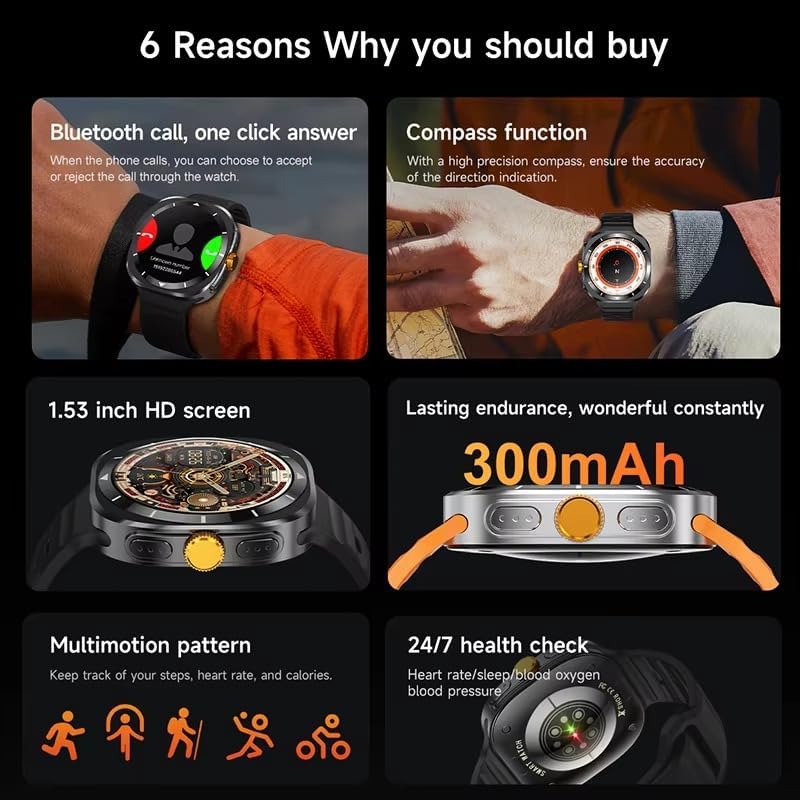
This image illustrates several key features of the F7 Ultra Smart Watch, including its Bluetooth call capability, compass function, 1.53-inch HD screen, 300mAh battery, various sports modes, and continuous health monitoring.
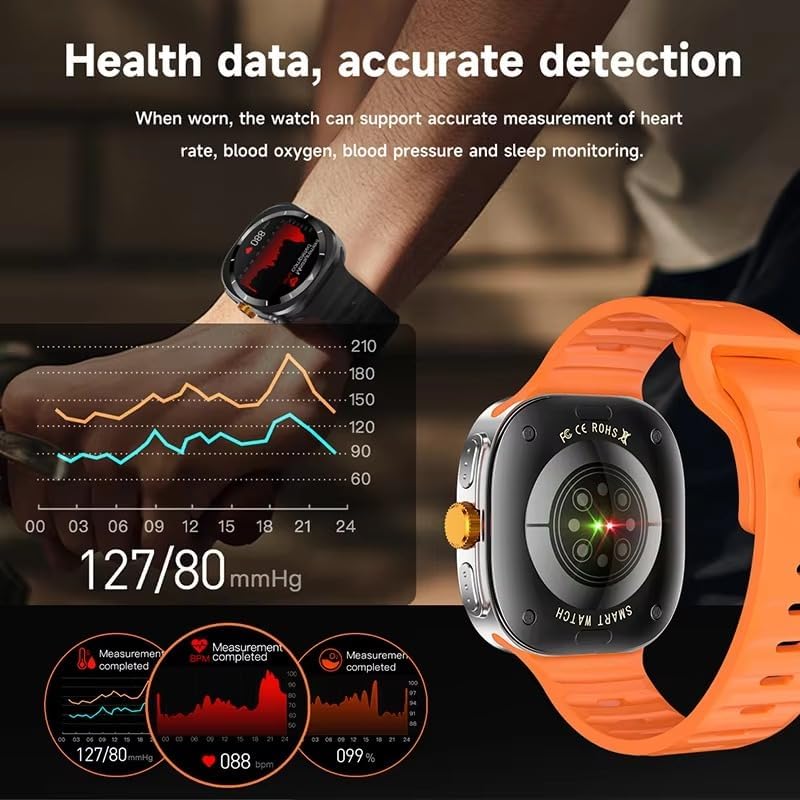
The watch provides accurate health data detection, including real-time heart rate, blood oxygen, and blood pressure monitoring, as shown with graphical representations.

Expand your exercise routine with multiple sports modes such as mountaineering, basketball, and running, each with precise record-keeping to help achieve fitness goals.

The GPS motion track feature accurately records your position during outdoor activities, enhancing safety and providing meaningful data for your adventures.
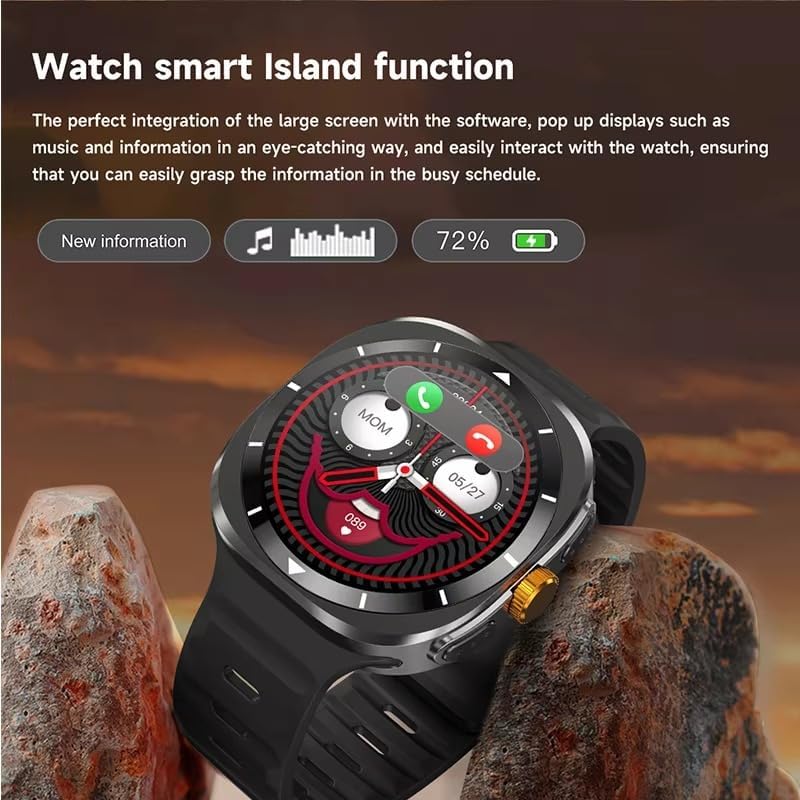
The Smart Island function integrates seamlessly with the large screen, providing eye-catching pop-up displays for new information, music controls, and battery status, allowing easy interaction even during a busy schedule.
- Bluetooth дуудлага: Answer or reject calls directly from your watch when connected to your phone.
- Луужингийн функц: Utilize the high-precision compass for accurate direction indication.
- Эрүүл мэндийн хяналт: Track heart rate, blood pressure, blood oxygen, and sleep patterns 24/7.
- Спортын горимууд: Access 156 sports algorithms, including mountaineering, basketball, and running, with GPS motion tracking.
- Smart Island Function: Experience dynamic pop-up notifications for calls, music, and other information.
- NFC Door Access: Use your watch for convenient NFC-enabled door access.
- Мэдэгдэл: Receive app notifications directly on your wrist.
- Music & Camera Control: Remotely control music playback and your smartphone camera.
- Хэрэглээ: Features include weather updates, 'Find My Phone', password protection, calculator, split screen, quick widgets, Alipay, QR code, Qibla finder, and AI voice assistant.
2.3 Хэлний дэмжлэг
The F7 Ultra Smart Watch supports multiple languages, including Chinese, English (default), Russian, Spanish, German, Italian, French, Portuguese, Polish, Dutch, Greek, Turkish, Romanian, Japanese, Traditional Chinese, Hebrew, Czech, Slovak, Hungarian, Arabic, Indonesian, Korean, Vietnamese, Thai, Persian, Ukrainian, Malay, and Burmese.
3. Засвар үйлчилгээ
3.1 Усны эсэргүүцэл
The watch has an IP67 waterproof rating, meaning it is resistant to splashes and brief immersion in water. It is not suitable for swimming, diving, or high-pressure water activities. Avoid exposing the watch to hot water or steam.
3.2 Цэвэрлэгээ
Цаг болон оосорыг зөөлөн, хуурай даавуугаар тогтмол арчина. Шаардлагатай бол бага зэрэг чийгтэй даавуугаар арчина.amp даавуу, дараа нь сайтар хатаана. Химийн хатуу бодис, зүлгүүрийн материал ашиглахаас зайлсхий.
3.3 Батерейны арчилгаа
To prolong battery life, avoid extreme temperatures. Charge the watch using only the provided magnetic charging cable. Do not attempt to replace the battery yourself.
4. Алдаа засах
- Цаг асахгүй байна: Цаг бүрэн цэнэглэгдсэн эсэхийг шалгаарай. Үүнийг дор хаяж 30 минутын турш цэнэглэгчтэй холбоно уу.
- Утастай холбох боломжгүй: Make sure Bluetooth is enabled on both devices. Restart both the watch and your phone. Ensure the RDFit app is open and running.
- Эрүүл мэндийн буруу мэдээлэл: Цагийг хэт бариу эсвэл хэт сул биш, бугуйндаа сайн зүүж байгаарай. Цагны арын хэсэгт мэдрэгчийг цэвэрлэ.
- Мэдэгдэл хүлээж аваагүй: Check app notification settings on your phone and within the RDFit app to ensure they are enabled for the watch.
- Батерейны богино хугацаа: Reduce screen brightness, disable unnecessary features, and limit background app refresh.
5. Техникийн үзүүлэлтүүд
| Дэлгэцийн хэмжээ | 1.54 inch HD large screen |
| Дэлгэцийн нягтрал | 360 x 360 пиксел |
| Хэмжээг үзэх | 47 x 45 x 12.5 мм |
| Bluetooth хувилбар | Bluetooth 5.0 |
| Нэгдсэн чип | Jerry 7012F6 |
| Ус үл нэвтрэх түвшин | IP67 |
| Цэнэглэх төрөл | Утасгүй соронзон цэнэглэгч |
| Зайны багтаамж | 300 мАч |
| Цэсийн хэв маяг | 5 төрөл |
| Тохиромжтой байдал | Android 4.4 ба түүнээс дээш, iOS 9.0 ба түүнээс дээш |
| Хамтрагч програм | RDFit |
6. Баталгаат хугацаа ба дэмжлэг
For warranty information and technical support, please refer to the documentation provided with your purchase or contact XINDADA customer service. Keep your purchase receipt for any warranty claims. This user manual is included in the product package for your convenience.