
1. Танилцуулга
This manual provides essential instructions for the safe operation, setup, maintenance, and troubleshooting of your ARRIS WPL C24-1 RC Rock Crawler. Please read this manual thoroughly before using the product to ensure proper function and longevity.

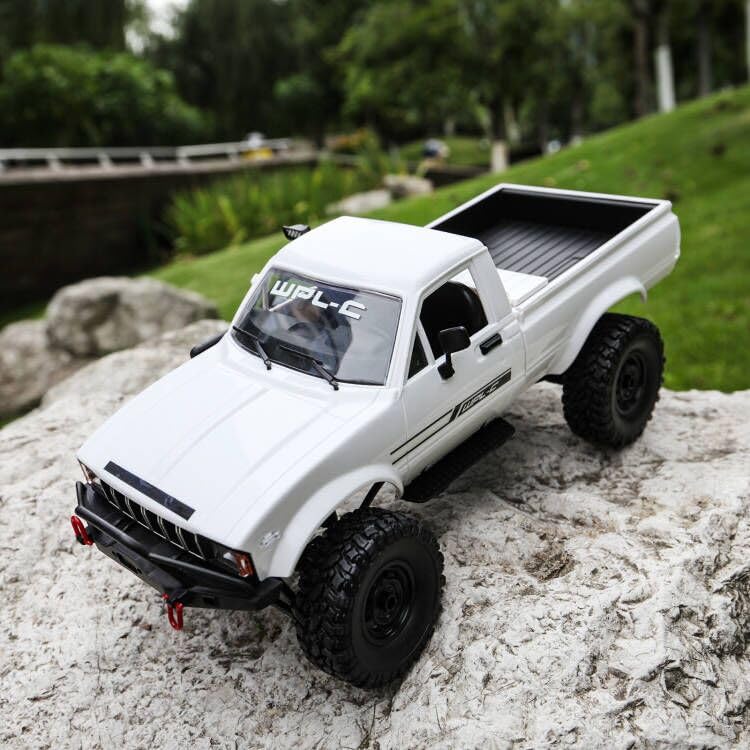
Image: The ARRIS WPL C24-1 RC Rock Crawler, showcasing its detailed design and robust tires.
2. Аюулгүй байдлын мэдээлэл
Always operate the RC vehicle in a safe and responsible manner. Failure to follow these safety guidelines may result in injury or damage to the product or property.
- Гар, үс, сул хувцас зэргийг хөдөлгөөнт хэсгүүдээс хол байлга.
- Do not operate near people, pets, or obstacles.
- Avoid operating in wet conditions or near water unless the product is specifically designed for it.
- Ensure batteries are charged correctly and handled with care.
- 15-аас доош насны хэрэглэгчдэд насанд хүрэгчдийн хяналт тавихыг зөвлөж байна.
3. Багцын агуулга
Доор жагсаасан бүх зүйл таны багцад байгаа эсэхийг шалгаарай.
- ARRIS WPL C24-1 RC Rock Crawler (1 unit)
- Remote Control Transmitter (1 unit)
- Rechargeable Battery (1 unit, 7.4V 500mAh)
- Цэнэглэгч кабель (1 ширхэг)
- Хэрэглэх заавар (энэ баримт бичиг)
4. Тохируулах гарын авлага
4.1. Тээврийн хэрэгслийн батарейг цэнэглэх
The vehicle battery (7.4V 500mAh) requires charging before first use. A full charge takes approximately 2 hours and provides about 30 minutes of operation.
- Locate the battery compartment on the underside of the RC crawler.
- Connect the rechargeable battery to the provided charging cable.
- Plug the charging cable into a suitable USB power source (e.g., computer USB port, USB wall adapter).
- The indicator light on the charging cable will show the charging status (refer to charger instructions for specific light patterns).
- Once fully charged, disconnect the battery from the charger and install it into the vehicle's battery compartment.
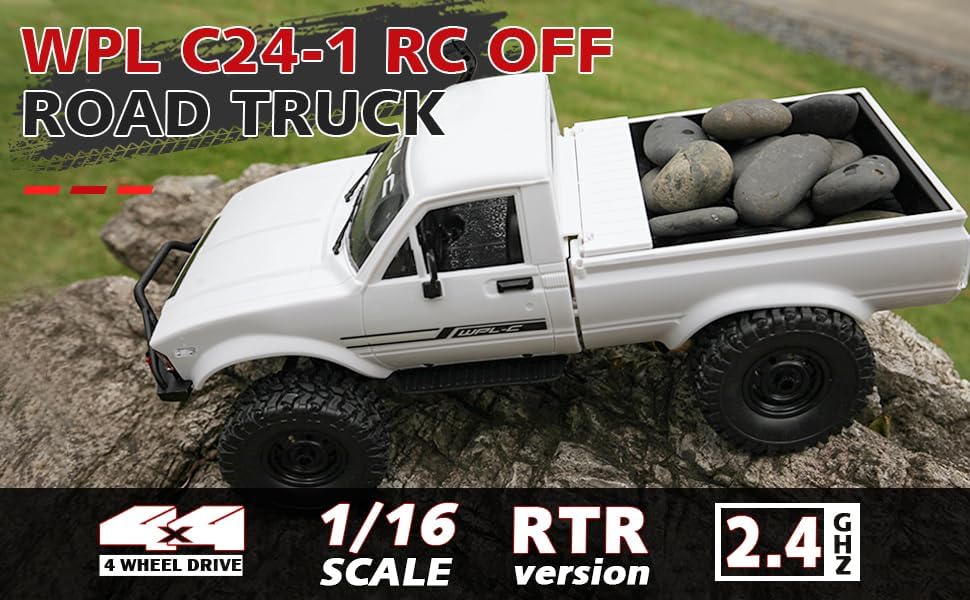
Image: Underside of the RC crawler, highlighting the battery and chassis components.
4.2. Алсын удирдлагатай батерейг суурилуулах
The remote control requires 1 C battery (included). Ensure correct polarity when installing.
- Алсын удирдлагын ар талд байгаа зайны тагийг нээнэ үү.
- Insert the C battery according to the polarity markings (+/-).
- Зайны тагийг сайтар хаа.
4.3. Алсын удирдлагыг хослуулах
The RC crawler and remote control are typically pre-paired. If re-pairing is necessary:
- Turn on the RC crawler using the switch located on the chassis.
- Алсын удирдлагыг асаана уу.
- The indicator light on the remote control should stop flashing and remain solid, indicating a successful connection.
- If the connection fails, turn both devices off and repeat the process.
5. Ашиглалтын заавар
5.1. Үндсэн удирдлага
- тохируулагч гох: Урагшлахын тулд тат, тоормослох/ухрахын тулд түлх.
- Жолооны хүрд: Turn left to steer left, turn right to steer right.
- Засварын тохируулга: Use the trim dials on the remote to fine-tune steering and throttle if the vehicle pulls to one side or moves without input.
5.2. Жолоо барих зөвлөмж
The ARRIS WPL C24-1 is designed for off-road crawling. Its 4WD system and independent suspension allow it to navigate various terrains.
- For optimal crawling, use slow and controlled throttle inputs.
- Experiment with steering angles to overcome obstacles.
- The vehicle features highlight LED lights for improved visibility in low-light conditions.

Image: The RC crawler navigating a challenging rocky path, demonstrating its off-road capabilities.

Image: The RC crawler traversing sandy terrain, showcasing its 4WD design.
6. Засвар үйлчилгээ
6.1. Цэвэрлэгээ
After each use, especially in dusty or dirty conditions:
- Use a soft brush or compressed air to remove dirt and debris from the chassis, wheels, and suspension.
- Зар сурталчилгаагаар биеэ арчинаamp даавуу. Химийн хатуу бодис хэрэглэж болохгүй.
- Ensure no moisture enters electronic components.
6.2. Батерейны арчилгаа ба хадгалалт
- Ашиглаагүй үедээ тээврийн хэрэгслээс батерейг үргэлж салгаж байгаарай.
- Батерейг нарны шууд тусгал, хэт температураас хол, сэрүүн, хуурай газар хадгална.
- Батерейг хэт цэнэглэж, цэнэггүй болгож болохгүй.
6.3. Component Inspection
Regularly inspect the following components for wear or damage:
- Wheels and tires for damage or excessive wear.
- Suspension components (shocks, springs, linkages).
- Steering mechanism for smooth operation.
- All screws and fasteners for tightness.
7. Алдаа засах
| Асуудал | Боломжит шалтгаан | Шийдэл |
|---|---|---|
| Тээврийн хэрэгсэл хариу өгөхгүй байна. | Low vehicle battery; Low remote control battery; Not paired. | Charge vehicle battery; Replace remote control battery; Re-pair remote control. |
| Тээврийн хэрэгсэл удаан эсвэл тогтмол бус хөдөлдөг. | Low vehicle battery; Obstruction in drivetrain; Motor issue. | Charge vehicle battery; Clear obstructions; Contact support if motor issue persists. |
| Жолооны хүрд тогтворгүй эсвэл хариу үйлдэл үзүүлэхгүй байна. | Steering trim incorrect; Damaged servo; Obstruction. | Adjust steering trim; Inspect servo for damage; Clear obstructions. |
| Богино үйл ажиллагааны хүрээ. | Interference; Low remote control battery. | Move to an area with less interference; Replace remote control battery. |
8. Бүтээгдэхүүний техникийн үзүүлэлтүүд
| Онцлог | Дэлгэрэнгүй |
|---|---|
| Загварын дугаар | WPL C24-1 |
| Брэнд | ARRIS |
| Масштаб | 1:16 |
| Бүтээгдэхүүний хэмжээс | 12.2 x 5.78 x 4.44 инч |
| Зүйлийн жин | 2.4 фунт |
| Материал | ABS + металл |
| Мотор | 180 сойзтой мотор |
| Батерей (машин) | 7.4V 500mAh (included) |
| Цэнэглэх хугацаа | Ойролцоогоор 2 цаг |
| Ашиглалтын хугацаа | Ойролцоогоор 30 минут |
| Алсын удирдлагын давтамж | 2.4 GHz |
| Хяналтын зай | 35 метрээс дээш |
| Хамгийн их хурд | 20 км/цаг |
| Санал болгож буй нас | 15 жил ба түүнээс дээш |
Зураг: хажуу тал view of the RC crawler with key dimensions indicated.

Зураг: Нарийвчилсан view of the RC crawler's chassis, showing components like the motor, suspension, and drive shafts.
9. Баталгаат хугацаа ба дэмжлэг
ARRIS products are manufactured to high-quality standards. For warranty information or technical support, please refer to the official ARRIS webсайтад зочлох эсвэл худалдан авалтын платформоор дамжуулан хэрэглэгчийн үйлчилгээтэй холбогдоно уу.
Худалдан авалтын баримтаа аливаа баталгаат нэхэмжлэлийг худалдан авсан баримт болгон хадгална уу.
Нэмэлт тусламж авахыг хүсвэл зочилно уу ARRIS Store on Amazon.


