
1. Танилцуулга
Thank you for choosing the JUNJIEUNVO B36 Wireless Over-Ear Headphones. These headphones are designed to provide a superior audio experience with comfort and convenience. Featuring Bluetooth connectivity, premium materials, and intuitive controls, the B36 headphones are suitable for various scenarios including travel, learning, sports, and casual listening. Please read this manual carefully to ensure proper use and maintenance of your new headphones.

Image: B36 Wireless Over-Ear Headphones in a red/rose gold finish, showcasing the premium mesh fabric and silver metal accents.
2. Багцын агуулга
Дараах зүйлсийн багцад байгаа эсэхийг шалгана уу.
- JUNJIEUNVO B36 Wireless Over-Ear Headphones
- USB цэнэглэгч кабель
- Хэрэглэгчийн гарын авлага

Image: Product packaging displaying the B36 model and key features, including Hi-Res Audio and stereo sound.
3. Бүтээгдэхүүний онцлог
- Утасгүй холболт: Features Bluetooth technology for seamless pairing with your devices, providing a cable-free listening experience.
- Дээд зэрэглэлийн дизайн: Elegant rose gold pink finish with luxurious mesh fabric headband and polished silver metal accents for sophisticated style.
- Тав тухтай байдал: Over-ear design with soft cushioned earpads and adjustable headband ensures comfortable extended wear.
- Зөн совингийн удирдлага: Easy-access buttons on the earcup for convenient volume adjustment, track selection, and call management.
- Зөөврийн бүтэц: Sleek and lightweight construction with rotating earcups for easy storage and transport.

Image: Headphones highlighting STEREO SOUND with 360° surround sound and HD calls.
4. Тохиргоо
4.1 Чихэвчийг цэнэглэх
Before first use, fully charge your B36 headphones. A full charge takes approximately 2 hours.
- USB цэнэглэгч кабелийн жижиг үзүүрийг чихэвчний цэнэглэх порт руу холбоно уу.
- USB цэнэглэгч кабелийн том үзүүрийг USB тэжээлийн эх үүсвэрт (жишээ нь, компьютерын USB порт, USB ханын адаптер) холбоно уу.
- Заагч гэрэл нь цэнэглэлтийн төлөвийг харуулна (жишээ нь: цэнэглэж байгааг улаанаар, бүрэн цэнэглэгдсэнийг цэнхэрээр).
Чухал: Use a standard 5V/0.2A charging head. Avoid high-power or fast-charging plugs without a corresponding power charging cable to prevent overheating and fire hazards.
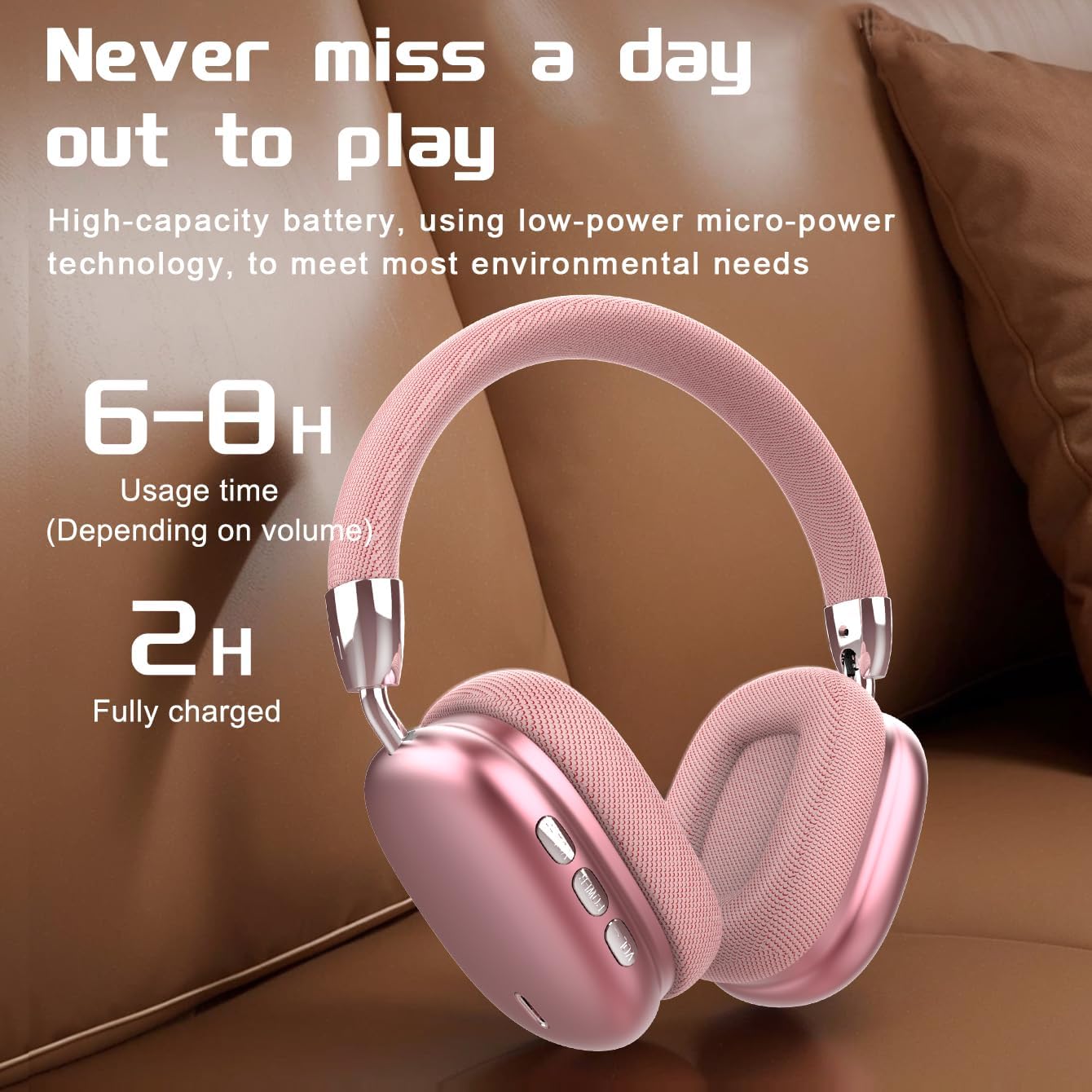
Image: Visual representation of battery life, indicating 6-8 hours of usage and 2 hours for a full charge.
4.2 Асаах/унтраах
- Асаах: Заагч гэрэл анивчих хүртэл Асаах товчийг ойролцоогоор 3 секундын турш дарна уу.
- Унтраах: Заагч гэрэл унтрах хүртэл Power товчийг ойролцоогоор 3 секунд дарна уу.
4.3 Bluetooth холболт
The B36 headphones use Bluetooth 5.0 for stable wireless connection up to 33 feet (10 meters).
- Чихэвч бүрэн цэнэглэгдсэн, унтарсан эсэхийг шалгаарай.
- Press and hold the Power button for about 5-7 seconds until the indicator light flashes red and blue alternately, indicating pairing mode.
- Төхөөрөмж дээрээ (ухаалаг утас, таблет, компьютер) Bluetooth-г идэвхжүүлж, шинэ төхөөрөмж хайх.
- Select "B36" from the list of available devices.
- Once connected, the indicator light on the headphones will turn solid blue or flash slowly.

Image: Headphones positioned near a laptop and smartphone, illustrating compatibility with various Bluetooth-enabled devices.
5. Ашиглалтын заавар
The B36 headphones feature intuitive on-ear controls for easy management of audio and calls.
5.1 Хөгжим тоглуулах
- Тоглуулах/түр зогсоох: Press the Multi-function button (often marked with a play/pause icon) once.
- Дараагийн дуу: Дууг нэмэгдүүлэх (+) товчийг удаан дар.
- Өмнөх бичлэг: Дууг багасгах (-) товчийг удаан дар.
- Дууг нэмэгдүүлэх: Дууг нэмэгдүүлэх (+) товчийг богино хугацаанд дарна уу.
- Дууг багасгах: Дууг багасгах (-) товчийг богино хугацаанд дарна уу.
5.2 Дуудлагын удирдлага
- Дуудлагад хариулах/дуусах: Multi-function товчийг нэг удаа дарна уу.
- Дуудлагаас татгалзах: Олон үйлдэлт товчлуурыг 2 секундын турш барина уу.
- Сүүлийн дугаарыг дахин залгах: Олон үйлдэлт товчийг хоёр удаа дарна уу.

Image: A person wearing the B36 headphones, illustrating their suitability for various daily activities.
6. Засвар үйлчилгээ
6.1 Цэвэрлэгээ
- Чихэвчийг зөөлөн, хуурай даавуугаар арчина.
- Зүлгүүрийн цэвэрлэгч, архи, химийн уусгагчийг бүү ашигла.
- Цэнэглэх портыг тоос, хог хаягдалгүй байлга.
6.2 Хадгалалт
- Чихэвчийг нарны шууд тусгал, хэт температураас хол, сэрүүн, хуурай газар хадгална.
- When not in use for extended periods, charge the lithium battery at least once every two months to maintain battery health.
- Эвхэгддэг загвар нь авсаархан хадгалах боломжийг олгодог.

Image: Headphones on a soft surface, emphasizing the ergonomic design for comfortable, long-term wear.
7. Алдаа засах
If you encounter issues with your B36 headphones, please refer to the following common solutions:
- Чихэвч асахгүй: Чихэвч бүрэн цэнэглэгдсэн эсэхийг шалгаарай.
- Төхөөрөмжтэй хослуулах боломжгүй: Make sure Bluetooth is enabled on your device and the headphones are in pairing mode (flashing red and blue). Try turning Bluetooth off and on again on your device.
- Дуу алга: Check the volume level on both the headphones and your connected device. Ensure the headphones are properly paired.
- Дууны чанар муу/тасралтгүй холболт: Move closer to your connected device to ensure you are within the Bluetooth range (33 feet/10 meters). Avoid obstacles between the headphones and the device.
- Цэнэглэх асуудал: Ensure the charging cable is securely connected and the power source is working. Use a standard 5V/0.2A charger.
Хэрэв асуудал хэвээр байвал хэрэглэгчийн тусламжтай холбогдоно уу.
8. Техникийн үзүүлэлтүүд
| Онцлог | Тодорхойлолт |
|---|---|
| Загварын нэр | В36 |
| Холболтын технологи | Утасгүй (Bluetooth) |
| Утасгүй холбооны технологи | Bluetooth 5.0 |
| Bluetooth хүрээ | 33 Фут (10 метр) |
| Чихний байрлал | Чихний дээгүүр |
| Дуу чимээний хяналт | Идэвхгүй дуу чимээг арилгах |
| Давтамжийн хариу үйлдэл | 20 Гц |
| Мэдрэмж | 102 дБ |
| Эсэргүүцэл | 32 Ом |
| Аудио драйверын хэмжээ | 40 миллиметр |
| Цэнэглэх хугацаа | 2 цаг |
| Зүйлийн жин | 310 грамм (10.9 унц) |
| Материал | Металл, Хуванцар, Дээд зэрэглэлийн торон даавуу |
| Хяналтын төрөл | Wireless (On-ear Controls, Touch) |
| Усны эсэргүүцлийн түвшин | Усанд тэсвэртэй биш |

Image: The B36 headphones displayed in three available colors: black, red (pink), and silver.
9. Аюулгүй байдлын урьдчилан сэргийлэх арга хэмжээ
Please observe the following safety precautions to ensure safe operation and prolong the lifespan of your headphones:
- The charging cable current of the device is 0.2A. Please do not use a high-power charging head for charging. If you use a fast-charging plug head, please equip yourself with a corresponding power charging cable to avoid overheating and catching fire.
- If a product with a lithium battery is not used for a long time, please make sure to charge it at least once every two months.
- The product has a shelf life of one year.
- Чихэвчийг хэт өндөр температур, чийгшил эсвэл шингэн зүйлд бүү байлга.
- Чихэвчийг унагах эсвэл хүчтэй цохилтонд оруулахаас зайлсхий.
- Чихэвчийг задлах, өөрчлөхийг бүү оролд. Энэ нь баталгааг хүчингүй болгоно.
10. Баталгаат хугацаа ба дэмжлэг
The JUNJIEUNVO B36 Wireless Over-Ear Headphones come with a standard manufacturer's warranty. Please refer to your purchase documentation for specific warranty terms and conditions. For technical support, troubleshooting assistance, or warranty claims, please contact the seller or JUNJIEUNVO customer service through the platform where you purchased the product.


