
1. Танилцуулга
This manual provides essential information for the safe and efficient use of your BOOX Go 7 ePaper Tablet. Please read it thoroughly before operating the device and retain it for future reference.

Figure 1.1: BOOX Go 7 ePaper Tablet
2. Аюулгүй байдлын мэдээлэл
- Төхөөрөмжийг хэт өндөр температур, нарны шууд тусгал, өндөр чийгшилд бүү тавь.
- Төхөөрөмжийг унагах эсвэл хүчтэй нөлөөнд оруулахаас зайлсхий.
- Цэнэглэхийн тулд зөвхөн өгсөн USB кабелийг ашиглана уу.
- Keep the device away from water and liquids, despite its water-repellent features.
- Төхөөрөмжийг өөрөө задлах, засах гэж бүү оролдоорой. Эрх бүхий үйлчилгээний ажилтантай холбоо барина уу.
3. Багцын агуулга
Бүх зүйл багцад байгаа эсэхийг шалгана уу:
- BOOX Go 7 ePaper Tablet
- USB кабель
- Түргэн эхлүүлэх гарын авлага (бүс нутгаас хамаарч өөр өөр байж болно)

Figure 3.1: BOOX Go 7 Package Contents
4. Төхөөрөмж дууссанview
4.1 Физик бүрэлдэхүүн хэсгүүд
Familiarize yourself with the main components of your BOOX Go 7 tablet:
- E Ink Screen: 7-inch monochrome display with 300 ppi resolution.
- Урд гэрэл: Adjustable illumination for reading in various lighting conditions.
- Хуудас эргүүлэх товчлуурууд: Ergonomically designed buttons for easy navigation.
- USB-C порт: Цэнэглэх, өгөгдөл дамжуулах зориулалттай.
- Цахилгаан товч: Дээд ирмэг дээр байрладаг.
- Суурилагдсан микрофон: Аудио оролтын хувьд.
- Суурилуулсан хос чанга яригч: Аудио гаралтын хувьд.

Figure 4.1: Page-Turn Buttons and Water-Repellent Protection
5. Тохиргоо
5.1 Анхны цэнэглэлт
Before first use, fully charge your BOOX Go 7 tablet. Connect the provided USB-C cable to the device and a compatible power adapter (not included) or a computer's USB port. The charging indicator will show the charging status.
5.2 Асаах/унтраах
- Асаахын тулд: Press and hold the Power button until the BOOX logo appears.
- Унтраахын тулд: Асаах товчийг удаан дараад, дэлгэцэн дээрх сонголтуудаас "Унтраах"-ыг сонгоно уу.
- Унтах/сэрэхийн тулд: Power товчийг товч дарна уу.
5.3 Сүлжээний холболт (Wi-Fi)
- From the home screen, swipe down from the top to access the Quick Settings panel.
- Wi-Fi-г идэвхжүүлэхийн тулд Wi-Fi дүрс дээр дарна уу.
- Wi-Fi тохиргоог нээхийн тулд Wi-Fi дүрс дээр товшоод удаан дарна уу.
- Жагсаалтаас хүссэн сүлжээгээ сонгоод нууц үгээ оруулна уу.
- Холбогдсоны дараа Wi-Fi дүрс нь амжилттай холболтыг илтгэнэ.
6. Ашиглалтын заавар
6.1 Үндсэн навигаци
- Мэдрэгчтэй дэлгэц: Tap, swipe, and pinch to navigate menus, open applications, and interact with content.
- Хуудас эргүүлэх товчлуурууд: Use the physical buttons on the side to turn pages in documents and books.
6.2 Reading Documents and Books
The BOOX Go 7 supports various document formats. Open your desired file from the library. Use the page-turn buttons or swipe gestures to navigate through pages. Adjust font size, contrast, and frontlight settings for optimal reading comfort.
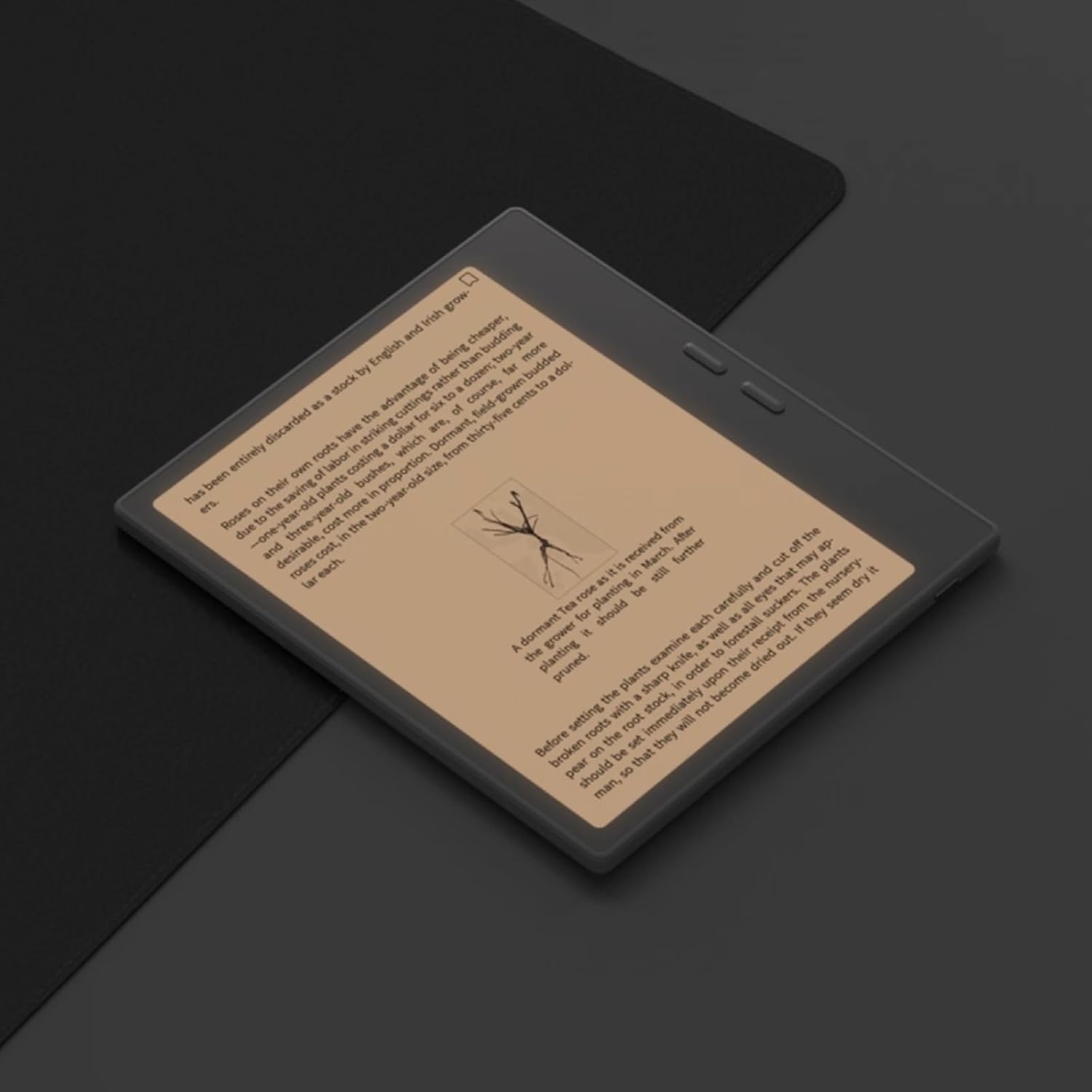
Figure 6.1: Reading with Frontlight
6.3 Using Android Applications
As an Android 13 device, the BOOX Go 7 allows installation of various applications from the Google Play Store. Navigate to the App Store, search for your desired application, and install it. Note that some applications may not be fully optimized for ePaper displays.

Figure 6.2: Various Android Applications on BOOX Go 7
6.4 Note-Taking and Drawing
Utilize the stylus (if included or purchased separately) for note-taking, sketching, and annotating documents. The device offers various templates and tools for creative and organizational tasks.

Figure 6.3: Stylus Use for Note-Taking

Figure 6.4: Handwriting to Text Conversion
7. Засвар үйлчилгээ
7.1 Төхөөрөмжийг цэвэрлэх
Use a soft, lint-free cloth to gently wipe the screen and body of the device. Do not use harsh chemicals, abrasive cleaners, or excessive moisture.
7.2 Програм хангамжийн шинэчлэлтүүд
Regularly check for and install software updates to ensure optimal performance and access to new features. Connect to Wi-Fi and navigate to Тохиргоо > Систем > Системийн шинэчлэл боломжтой шинэчлэлтүүдийг шалгахын тулд.
8. Алдаа засах
- Төхөөрөмж асахгүй байна: Төхөөрөмж цэнэглэгдсэн эсэхийг шалгана уу. Үүнийг тэжээлийн эх үүсвэрт холбоод дахин оролдоно уу.
- Дэлгэц хариу өгөхгүй байна: Perform a soft reset by holding the Power button for 10-15 seconds.
- Wi-Fi холболтын асуудал: Verify your Wi-Fi password and router settings. Try restarting your router and the device.
- Програмууд гацаж байна: Ensure applications are updated to their latest versions. Clear the app's cache or reinstall if issues persist.
9. Техникийн үзүүлэлтүүд
| Брэнд | BOOK |
| Загварын нэр | 7 руу яв |
| Хадгалах багтаамж | 64 ГБ |
| Дэлгэцийн хэмжээ | 7 инч |
| Дэлгэцийн дээд нягтрал | 300 Pixels per inch |
| Үйлдлийн систем | Android 13 |
| Өнгө | Хар (Хар) |
| Суулгасан RAM хэмжээ | 4 ГБ |
| Онцлог шинж чанарууд | USB OTG support, Expandable storage, Stylus support |
| Загварын жил | 2025 |
| Зайны төрөл | Лити-ион |
| Зайны энергийн агуулга | 8.8 ватт-цаг |
| Процессорын брэнд | Qualcomm |
| Процессорын тодорхойлолт | Qualcomm Snapdragon |
| Камер | Камер байхгүй |
| Мэдрэгчийн төрөл | Гироскоп |
| Item Dimensions (LxWxT) | 15.6L x 0.6W x 13.7T centimeters |
| Оролтын арга | Touchscreen with stylus |
| График картын тодорхойлолт | Нэгдсэн |
| Тохиромжтой төхөөрөмжүүд | Зүүг |
| Дэлгэцийн төрөл | Цахим бэх |
| Дэлгэцийн нягтрал | 1280 x 800 пиксел |
| Харьцаа | 16:10 |
| Техник хангамжийн холболт | USB |
| Утасгүй технологи | Bluetooth, Wi-Fi (802.11ax) |
| Нийт USB портууд | 1 |

Figure 9.1: BOOX Go 7 Energy Label (EPREL холбоос)
10. Баталгаат хугацааны мэдээлэл
The BOOX Go 7 ePaper Tablet comes with a 2 жилийн хязгаарлагдмал баталгаат хугацаа. This warranty covers manufacturing defects under normal use. For specific terms and conditions, please refer to the warranty card included in your package or contact customer support.
The standard return policy allows for returns within 30 days of purchase for refund or replacement.
11. Дэмжлэг
For technical assistance, troubleshooting, or warranty claims, please contact BOOX customer service. You can find support resources and submit inquiries through the official BOOX help center.
- Програм хангамжийн шинэчлэлтүүд: BOOX commits to at least 3 years of firmware updates for each product.
- Үүл хадгалах сан: 10 GB of free cloud storage is provided for each user.
- Хариу өгөх хугацаа: Customer inquiries are typically responded to within 24 hours.
Дэлгэрэнгүй мэдээллийг эндээс авна уу BOOX Brand Store on Amazon.