
1. Танилцуулга
This manual provides detailed instructions for the installation, operation, and maintenance of your Alomejor Electric Scooter Controller Kit. This kit is specifically designed for the MI4 electric scooter model, enhancing its performance with a 36V 350W motor controller and a clear LCD display dashboard.
The kit includes essential components for upgrading or replacing your scooter's control system, ensuring seamless integration and optimal functionality.
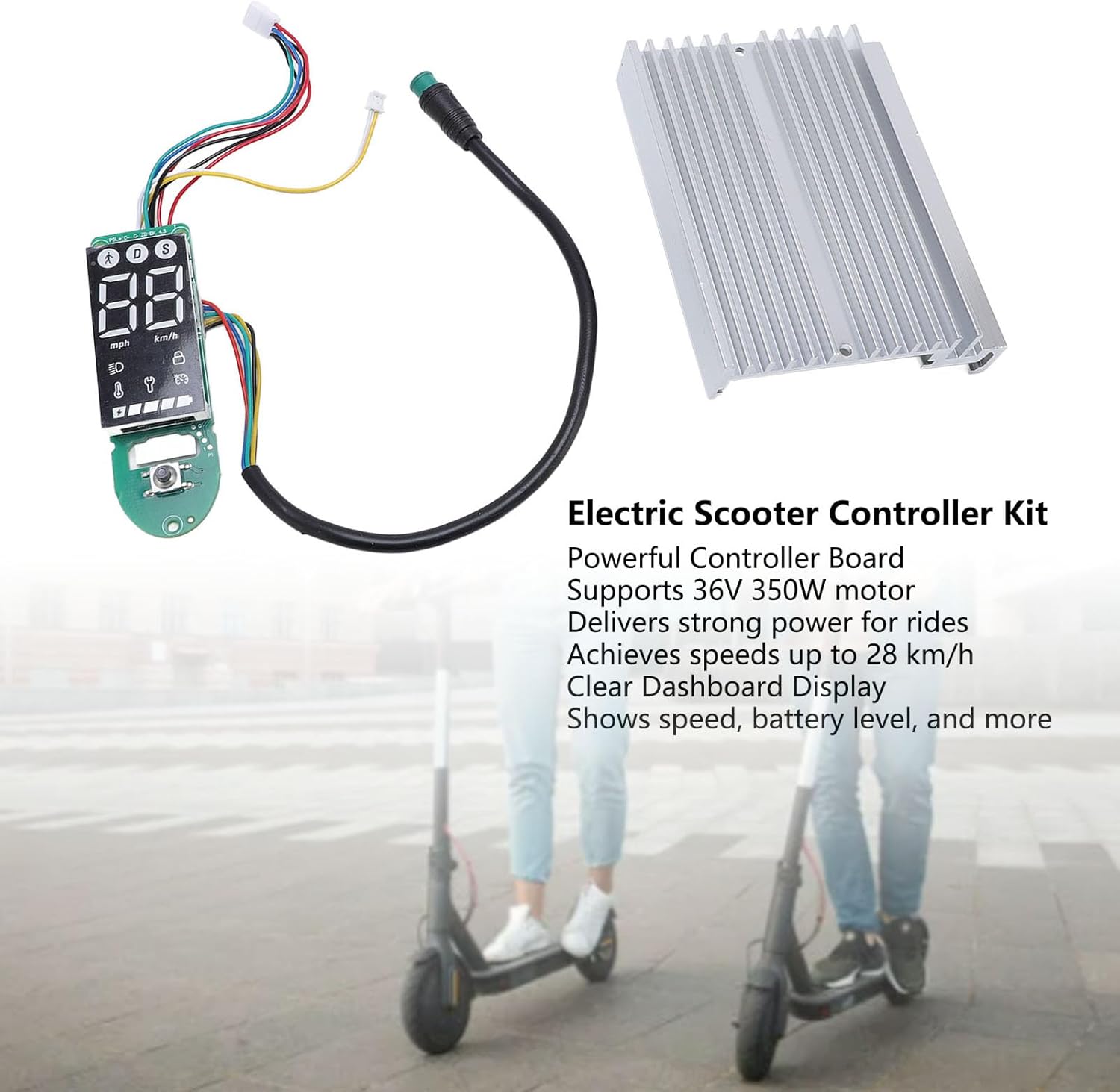
Зураг 1.1: Дууслааview of the Alomejor Electric Scooter Controller Kit, including the controller board, LCD display, and heat sink, shown with electric scooters in the background.
Багцын агуулга:
- 1 x Electric Scooter Controller
- 1 x LCD Display Dashboard
2. Аюулгүй байдлын мэдээлэл
Before proceeding with installation or operation, please read and understand all safety instructions. Failure to follow these instructions may result in injury, damage to the product, or damage to your electric scooter.
- Мэргэжлийн суурилуулалтыг санал болгож байна: If you are not familiar with electric scooter electronics, it is highly recommended to seek professional assistance for installation.
- Эрчим хүчийг салгах: Always ensure the electric scooter's power is completely off and the battery is disconnected before attempting any installation, removal, or maintenance.
- Зөв ботьtage: This kit is designed for 36V systems. Do not use it with other voltage системүүд.
- Усанд өртөхөөс зайлсхийх: Keep the controller and display away from water and moisture to prevent electrical shorts and damage.
- Аюулгүй холболтууд: Богино холболтоос урьдчилан сэргийлэхийн тулд бүх цахилгаан холболтыг найдвартай, зөв тусгаарласан эсэхийг шалгаарай.
3. Тохиромжтой байдал ба суурилуулалт
3.1 Тохиромжтой байдал
This Electric Scooter Controller Kit is precisely designed for the MI4 electric scooter model. Its components ensure a perfect fit and seamless integration with your scooter's existing system, providing optimal performance and reliability.

Зураг 3.1: The controller kit components, highlighting their specific design for MI4 electric scooters to ensure compatibility.
3.2 Суурилуулалтын үйл явц
The installation of this electric scooter controller kit is designed to be straightforward, facilitating convenient replacements and maintenance. Follow these general steps for installation:
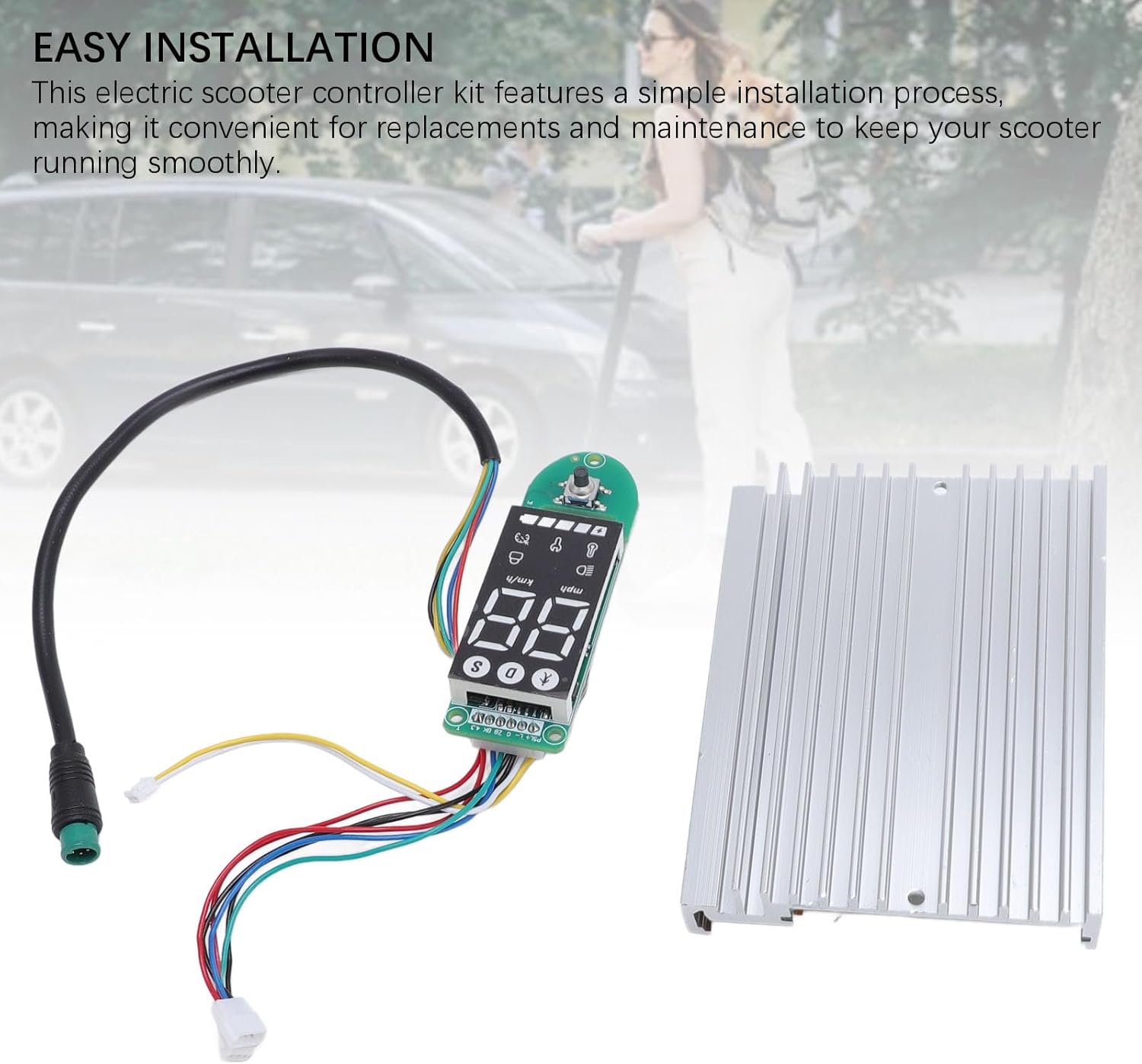
Зураг 3.2: The controller and dashboard components, emphasizing the ease of installation for replacement or upgrade.
- Скутер бэлтгэх: Ensure the electric scooter is powered off and the battery is disconnected. Remove any covers or panels necessary to access the existing controller and dashboard wiring.
- Remove Old Components (if replacing): Carefully disconnect all wires from the old controller and dashboard. Note the position and color of each wire for correct re-connection.
- Шинэ хянагч суулгах: Mount the new controller board in the designated compartment. Connect the motor wires, battery wires, and other accessory wires (e.g., brake, throttle) to the new controller. Refer to your scooter's specific wiring diagram if available.
- Install New Dashboard: Connect the dashboard display to the controller using the provided cable. Secure the dashboard in its housing on the handlebars.
- Аюулгүй утас: Ensure all connections are firm and wires are routed safely, away from moving parts or pinch points.
- Туршилтын функц: Reconnect the battery and power on the scooter. Verify that the display lights up, shows correct information, and the motor responds to throttle input.
- Дахин угсрах: Once functionality is confirmed, reattach all covers and panels.
4. Ашиглалтын заавар
The LCD display dashboard provides real-time information about your scooter's status, allowing for effortless monitoring during operation.
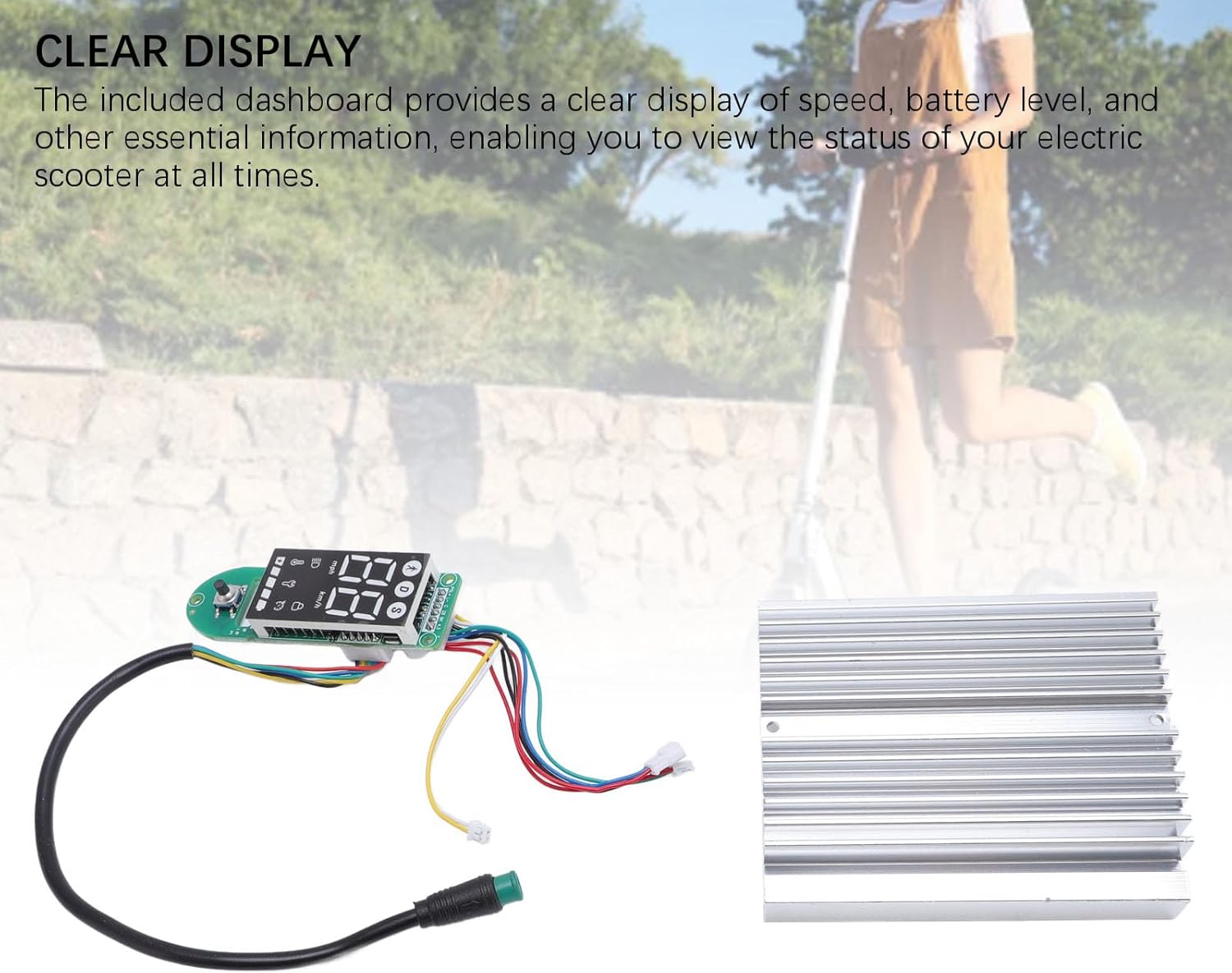
Зураг 4.1: The LCD display dashboard, showing its clear interface for monitoring scooter status.
4.1 Асаах/унтраах
- Асаахын тулд: Press and hold the power button on the dashboard until the display illuminates.
- Унтраахын тулд: Дэлгэц унтрах хүртэл цахилгаан товчийг дахин дараад барина уу.
4.2 Дэлгэцийг ойлгох
The LCD dashboard provides the following key information:
- Хурд: Displays current riding speed (km/h or mph).
- Батерейны түвшин: Үлдсэн батерейны цэнэгийг харуулна.
- Mode/Gear: Shows the current riding mode or speed gear.
- Урд гэрэл заагч: Illuminates when the scooter's headlights are active.
- Bluetooth/Connectivity: May indicate connection status if applicable.
Refer to your MI4 scooter's specific user manual for detailed explanations of all dashboard icons and functions.
5. Засвар үйлчилгээ
Proper maintenance ensures the longevity and optimal performance of your electric scooter controller kit. The components are crafted from durable aluminum alloy and PCB, designed for robust performance.

Зураг 5.1: The controller and dashboard, highlighting their construction from robust aluminum alloy and PCB for enhanced durability.
- Цэвэрлэгээ: Use a soft, dry cloth to wipe down the display and controller housing. Avoid using harsh chemicals or abrasive materials.
- Шалгалт: Бүх утаснуудын холболтыг найдвартай, зэврэлт, эвдрэлээс хамгаалахын тулд үе үе шалгаж байгаарай.
- Байгаль орчныг хамгаалах: Store your scooter in a dry environment, away from extreme temperatures and direct sunlight, to protect the electronic components.
- Нөлөөлөлөөс зайлсхийх: Protect the controller and display from physical impacts, which can damage internal components.
6. Алдаа засах
If you encounter issues with your controller kit, refer to the following common problems and solutions:
- Дэлгэц асахгүй байна:
- Зайны холболт болон цэнэгийн түвшинг шалгана уу.
- Ensure the dashboard cable is securely connected to the controller.
- Scooter Not Responding to Throttle:
- Verify all motor and throttle connections to the controller.
- Check for any error codes displayed on the dashboard (refer to your scooter's manual for code meanings).
- Inaccurate Speed/Battery Reading:
- Ensure all sensor wires are correctly connected.
- A full power cycle (turn off, disconnect battery, reconnect, turn on) may resolve temporary glitches.
Байнга гарч болзошгүй асуудлуудын хувьд хэрэглэгчийн дэмжлэг эсвэл мэргэшсэн техникчтэй холбогдоно уу.
7. Техникийн үзүүлэлтүүд
The Alomejor Electric Scooter Controller Kit provides robust power and reliable performance for your MI4 electric scooter.
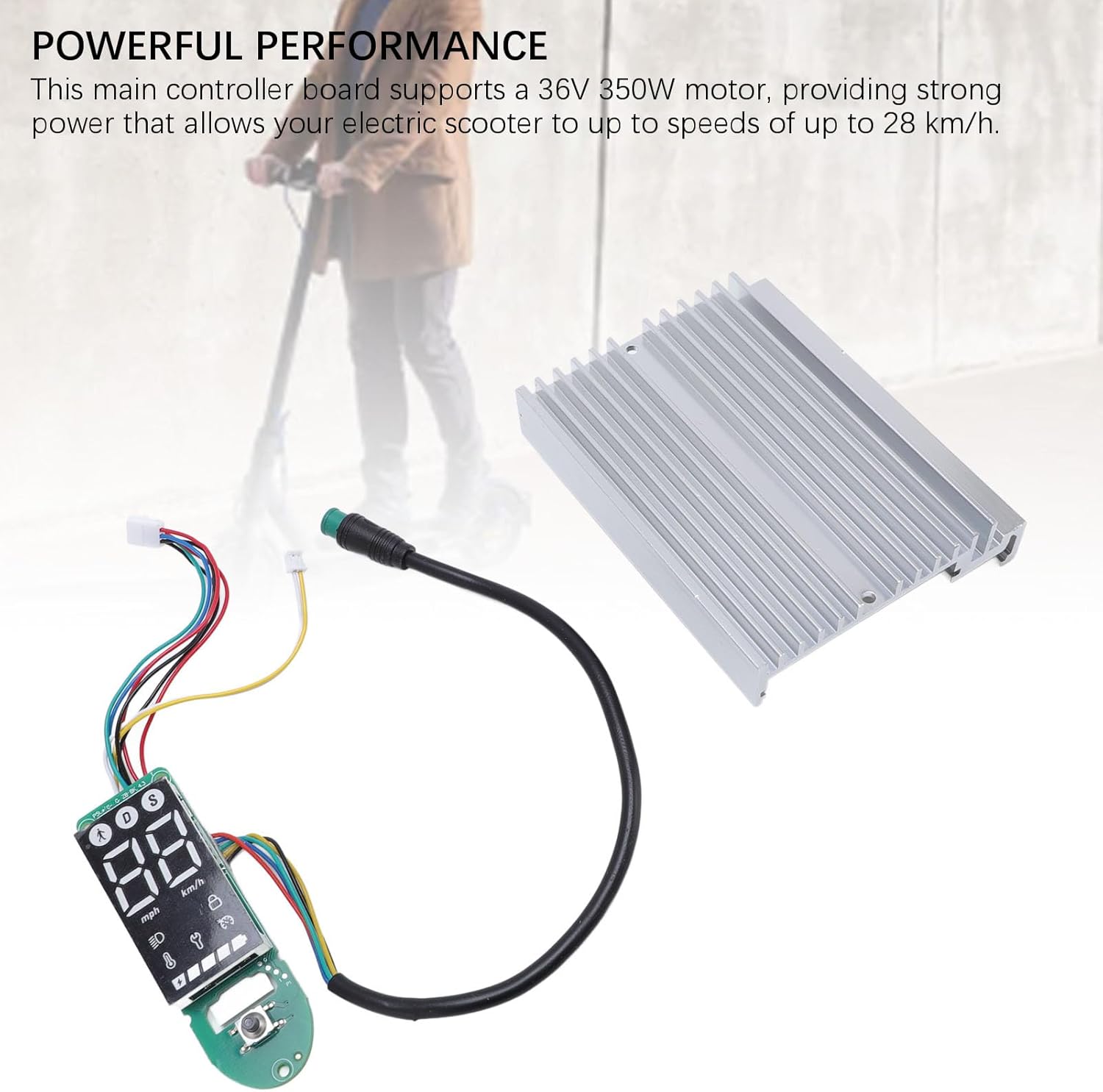
Зураг 7.1: The controller kit, illustrating its capability to deliver powerful performance for electric scooters.
| Онцлог | Тодорхойлолт |
|---|---|
| Зүйлийн төрөл | Electric Scooter Dashboard and Controller |
| Өргөдөл | For MI4 electric scooter |
| Моторын дэмжлэг | 36V 350W |
| Хамгийн их хурд | 28 км / цаг хүртэл |
| Материал | Aluminum Alloy + PCB |
| Багцын хэмжээ (L x W x H) | 7.09 x 5.12 x 1.57 инч |
| Багцын жин | 167 грамм |
| Брэнд | Аломежор |
| Загварын нэр (Дотоод) | Alomejorzhvy51os3n |
8. Баталгаат хугацаа ба дэмжлэг
This product comes with a standard manufacturer's warranty. Please refer to the product packaging or the seller's terms and conditions for specific warranty details and duration.
Техникийн дэмжлэг, алдааг олж засварлах тусламж эсвэл баталгаат хугацааны нэхэмжлэлийн талаар худалдагч эсвэл үйлдвэрлэгчтэй шууд холбогдоно уу. Худалдан авалтын баримтаа худалдан авалтын нотолгоо болгон хадгална уу.