Танилцуулга
This manual provides essential information for setting up, operating, maintaining, and troubleshooting your Thunderobot Zero 18 Pro 5070 Ti Gaming Laptop. Please read this guide thoroughly to ensure optimal performance and longevity of your device.
Хайрцагт юу байна
Савлахдаа доор жагсаасан бүх зүйл байгаа эсэхийг шалгаарай.
- THUNDEROBOT Zero Laptop
- Эрчим хүчний адаптер
- Хэрэглэгчийн гарын авлага (энэ баримт бичиг)
- Баталгаат карт
If any items are missing or damaged, contact your retailer or Thunderobot customer support immediately.
Тохиргоо
Анхны асаалт
- Connect the power adapter to the laptop's power input port and then to a wall outlet.
- Зөөврийн компьютерын тагийг нээ.
- Зөөврийн компьютераа асаахын тулд цахилгаан товчийг дарна уу.
- Windows 11 Home-ийн тохиргоог дуусгахын тулд дэлгэцэн дээрх зааврыг дагана уу.
Дагалдах төхөөрөмжүүдийг холбох
Utilize the available ports to connect external devices such as a mouse, keyboard, external display, or other accessories. Refer to the "Connectivity (Ports)" section for port details.
Ашиглалтын заавар
Асаах/унтраах
- To power on: Press the power button located on the keyboard deck.
- To shut down: Click the Start button, then Power, and select "Shut down".
- To restart: Click the Start button, then Power, and select "Restart".
- To sleep: Close the laptop lid or click the Start button, then Power, and select "Sleep".
Keyboard and RGB Lighting
The laptop features a full-size keyboard with per-key customizable RGB backlighting and a dedicated numeric keypad.
- Per-Key RGB Backlight: Customize individual key lighting through the AI Intelligent Control Center software.
- Функцийн товчлуурууд: -г ашиглана уу Fn key in combination with other keys for various functions (e.g., volume control, screen brightness, keyboard backlight adjustment).
- Performance Mode Switching: Dedicated keys (Fn+Space) allow for quick toggling between performance profiles.
- One-Click Cooling: A dedicated key (often near the numeric keypad) can activate maximum cooling. Ensure cooling mode is exited before using the first three keys to switch modes.
Дэлгэцийн онцлог
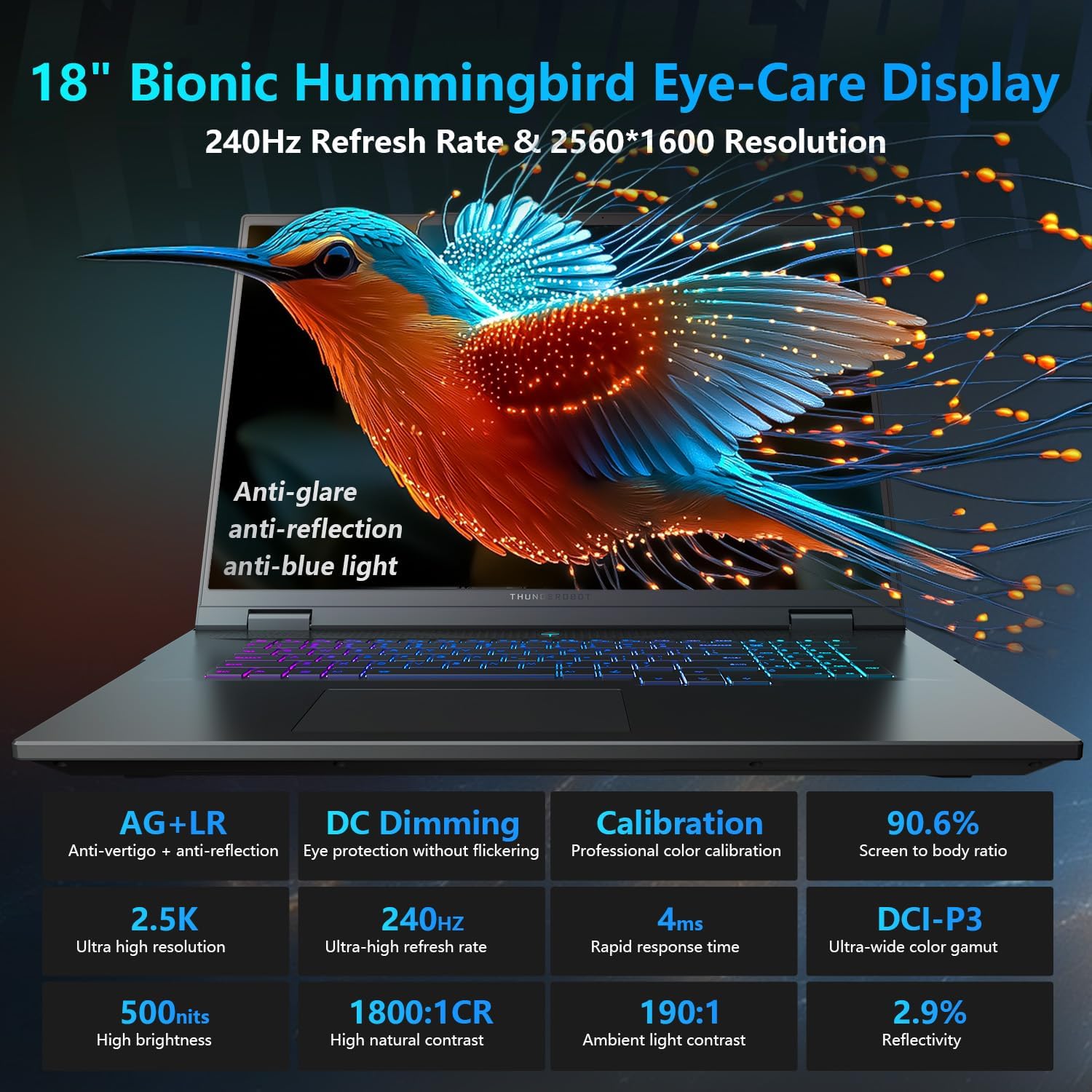
The 18-inch QHD+ (2560x1600) Bionic Hummingbird Eye-Care display offers a 240Hz refresh rate and 4ms response time for clear and fluid visuals. It includes anti-glare, anti-reflection, and anti-blue light technologies for eye comfort.

Connectivity (Ports)
The laptop is equipped with various ports for extensive connectivity:
- 3 x Superspeed USB Type-A ports
- 2 x Superspeed USB Type-C ports (including Thunderbolt 5 support)
- 1 x HDMI port (HDMI 2.1)
- 1 x RJ-45 Ethernet port
- 1 x Audio Port (3.5mm)
- UHS-II SD карт уншигч
- Wi-Fi 6E for high-speed wireless internet
- Bluetooth for wireless peripheral connections

Хөргөлтийн систем
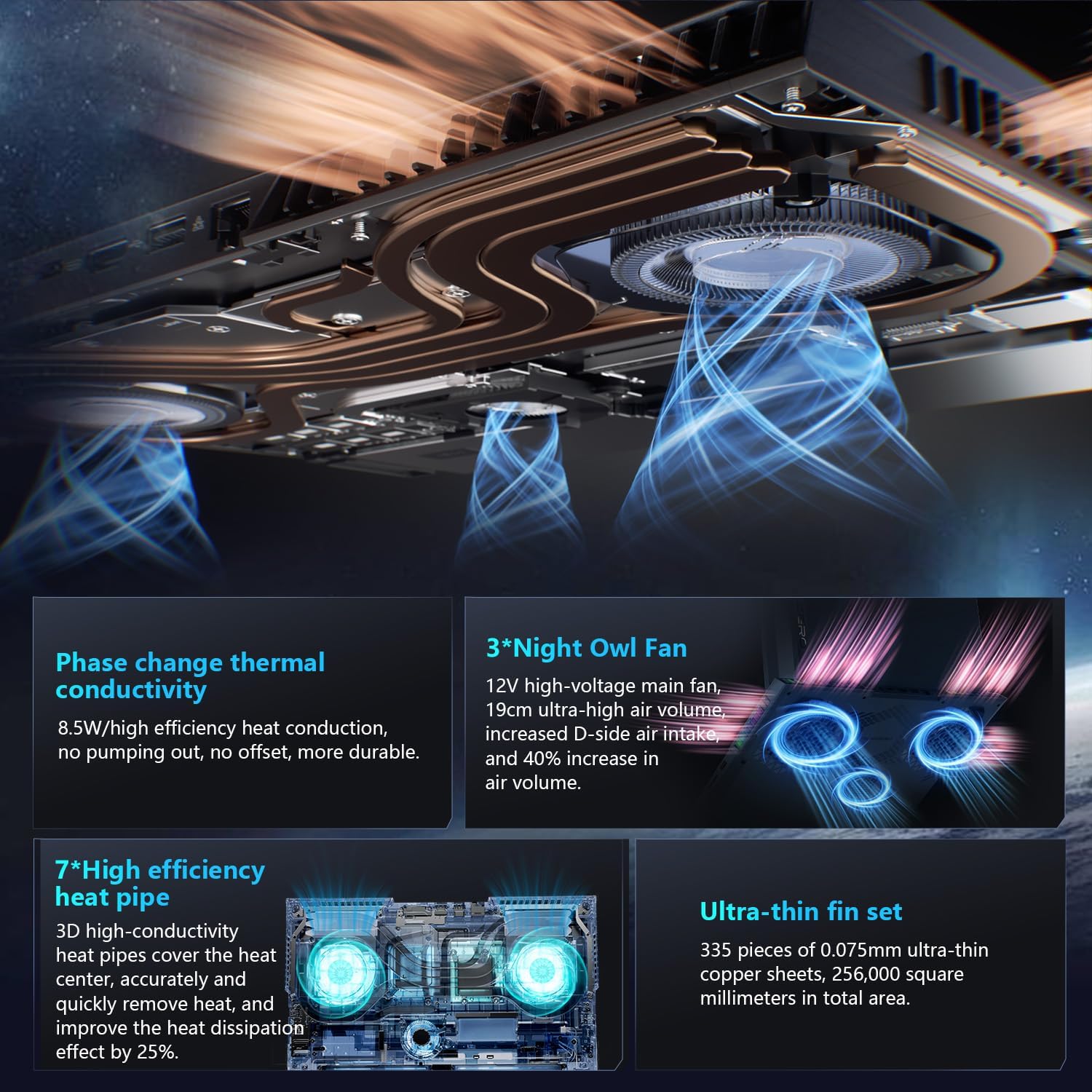
The advanced cooling system features 3 Night Owl fans, 7 high-efficiency heat pipes, and 338 ultra-thin copper fins to ensure optimal thermal management during intensive use, allowing for 270W super performance release.
AI Intelligent Control Center
The AI Intelligent Control Center software allows for comprehensive system management, including performance tuning, intelligent light adjustment, and personalized customization. This includes monitoring CPU/GPU temperatures and fan speeds.
- Гүйцэтгэлийн тохируулга: Adjust power settings for quiet, balanced, or turbo modes.
- Intelligent Light Adjustment: Customize keyboard, strip, and logo RGB lighting effects.
- Системийн хяналт: View real-time CPU and GPU status.
Note: System mode switching in Control Center requires the device to be connected to a power source.
Засвар үйлчилгээ
Зөөврийн компьютерээ цэвэрлэх
- Дэлгэц: Зөөлөн, хөвөнгүй даавууг хөнгөн хэрэглээрэй dampусаар эсвэл дэлгэц цэвэрлэгчээр дүүргэнэ. Химийн хүчтэй бодисоос зайлсхий.
- Гар болон явах эд анги: Гадаргууг зөөлөн даавуугаар арчина. Ан цав дахь тоосыг шахсан агаараар арчина.
- Агааржуулалт: Periodically clean the cooling vents with compressed air to prevent dust buildup, which can affect performance.
Батерейны арчилгаа
- Байнга зайгаа бүрэн цэнэглэхээс зайлсхий.
- Зөөврийн компьютерээ удаан хугацаагаар ашиглаагүй бол сэрүүн, хуурай газар хадгална уу.
- For optimal battery health, avoid extreme temperatures.
Програм хангамжийн шинэчлэлтүүд
Regularly check for and install operating system updates (Windows Update) and driver updates (via Thunderobot's official website or the AI Intelligent Control Center) to ensure system stability and performance.
Алдааг олж засварлах
| Асуудал | Боломжит шалтгаан | Шийдэл |
|---|---|---|
| Зөөврийн компьютер асахгүй байна. | No power, discharged battery, or hardware issue. |
|
| Дэлгэц хоосон эсвэл хар байна. | Display settings, external monitor connected, or hardware issue. |
|
| Ашиглалтын явцад хэт халалт. | Blocked vents, high performance settings, or dust buildup. |
|
| Wi-Fi холболтын асуудал. | Wi-Fi disabled, driver issues, or router problems. |
|
For further assistance, please contact Thunderobot customer support.
Үзүүлэлтүүд
| Онцлог | Дэлгэрэнгүй |
|---|---|
| Загварын нэр | Zero 18 Pro |
| Процессор | Intel Core Ultra 9 275HX (24 Cores, 24 Threads, up to 5.40GHz) |
| График | NVIDIA GeForce RTX 5070 Ti (8 GB GDDR6 Dedicated) |
| RAM | 32 ГБ DDR5 (4800 МГц) |
| Хадгалах | 2 TB PCIe M.2 SSD |
| Дэлгэц | 18-inch QHD+ (2560x1600) 240Hz Bionic Hummingbird Eye-Care Display |
| Үйлдлийн систем | Windows 11 Нүүр хуудас |
| Холболт | Wi-Fi 6E, Bluetooth, 3x USB-A, 2x USB-C (Thunderbolt 5), HDMI 2.1, RJ-45, Audio Port |
| Гар | Per-Key RGB Backlit, Numeric Keypad |
| Хэмжээ (LxWxH) | 16.04 x 11.78 x 1.41 инч |
| Зүйлийн жин | 15 фунт |
| Эрчим хүчний эх үүсвэр | АС ба зай |
Баталгаат болон дэмжлэг
Every Thunderobot laptop includes a 12 сарын баталгаат хугацаа, offering expert support, thorough diagnostics, and genuine parts if a repair is needed. Additionally, a 90 хоногийн баталгаат хугацаа is provided on all warranty replacement parts, ensuring hassle-free repairs. Your complete satisfaction is our commitment.
For technical support, warranty claims, or service inquiries, please visit the official Thunderobot website or contact their customer service department. Keep your purchase receipt and serial number handy for faster service.