
1. Танилцуулга
Thank you for choosing the VCHICS 3D Holographic Fan PD42-P65. This device is designed to create stunning 3D visual effects for advertising, displays, and events. This manual provides essential information for the safe and efficient use of your holographic fan, including setup, operation, maintenance, and troubleshooting.
2. Аюулгүй байдлын мэдээлэл
Please read all safety warnings and instructions carefully before installation and operation.
- Суурилуулалт: Ensure the device is securely mounted in a location where it cannot be easily accessed or struck by people or objects.
- Эрчим хүчний хангамж: Use only the provided power adapter. Ensure the power source matches the voltagтөхөөрөмжид тавигдах шаардлага.
- Хөдөлгөөнт хэсгүүд: The fan blades rotate at high speed. БИТГИЙ touch the blades while the device is operating or connected to power. Keep hands, hair, and loose clothing away from the fan.
- Агааржуулалт: Хэт халалтаас урьдчилан сэргийлэхийн тулд төхөөрөмжийн эргэн тойронд хангалттай агааржуулалтыг хангана. Агааржуулалтын нүхийг хааж болохгүй.
- Байгаль орчин: Avoid exposing the device to water, moisture, extreme temperatures, or direct sunlight.
- Засвар үйлчилгээ: Цэвэрлэх, засвар үйлчилгээ хийхээс өмнө цахилгааныг салга.
- Хүүхдүүд: Хүүхэд хүрэхгүй газар хадгалах. Энэ бол тоглоом биш.
3. Багцын агуулга
Бүх бүрэлдэхүүн хэсгүүд багцад байгаа эсэхийг шалгана уу:
- VCHICS 3D Holographic Fan Unit
- Эрчим хүчний адаптер
- Алсын удирдлага
- Суурилуулах тоног төхөөрөмж
- Хэрэглэгчийн гарын авлага

Image 3.1: The VCHICS 3D Holographic Fan unit, its remote control, and the product packaging box.
4. Тохируулах заавар
4.1 Угсралт ба суурилуулалт
The VCHICS 3D Holographic Fan requires assembly before use. Follow these steps for proper installation:
- Баглаа задлах: Сав баглаа боодолоос бүх бүрэлдэхүүн хэсгүүдийг болгоомжтой арилгана.
- Хутга угсрах: Attach the fan blades to the central motor unit. Ensure they are securely fastened according to the included assembly diagram.
- Байршлыг сонгох: Select a suitable mounting location. The fan should be installed at a height where the rotating blades are out of reach.
- Суурилуулалт: Use the provided mounting hardware to securely fix the fan unit to a wall or ceiling. Ensure the mounting surface can support the weight of the device.
- Эрчим хүчний холболт: Connect the power adapter to the fan unit and then plug it into a power outlet.
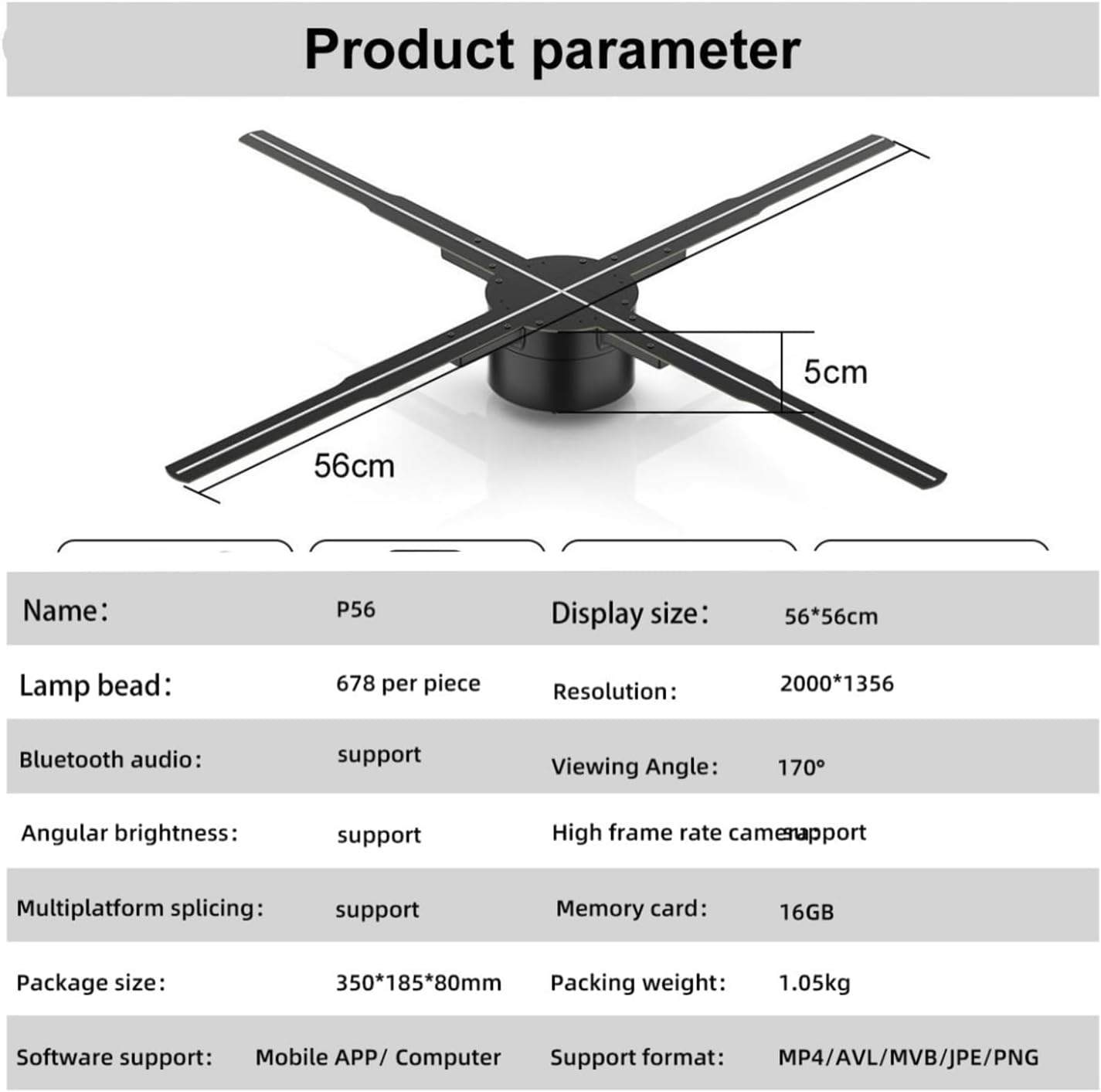
Image 4.1: The VCHICS 3D Holographic Fan unit, illustrating its approximate dimensions of 56cm in width and 5cm in height.
4.2 Content Preparation and Upload
The holographic fan supports various media formats for display. You can upload images, videos, or logos. For creating 3D images, contact customer service for assistance.
- Дэмжигдсэн форматууд: MP4, AVL, MVB, JPE, PNG.
- Програм хангамжийн дэмжлэг: Content can be managed via a Mobile APP or Computer software.
- Санах ойн карт: The device includes a 16GB memory card for storing content.
Refer to the specific Mobile APP or Computer software instructions for detailed steps on uploading and managing your display content.
5. Ашиглалтын заавар
The VCHICS 3D Holographic Fan can be controlled via a remote control or a dedicated mobile application/computer software.
5.1 Асаах/унтраах
- Асаах: Once connected to power, the fan will typically enter a shutdown state. Use the remote control or app to initiate startup.
- Эхлэх дараалал: The fan blades will begin to rotate, and after a brief initialization period, the holographic effect will appear.
- Унтраах: Use the remote control or app to shut down the device. The blades will slow down and stop.
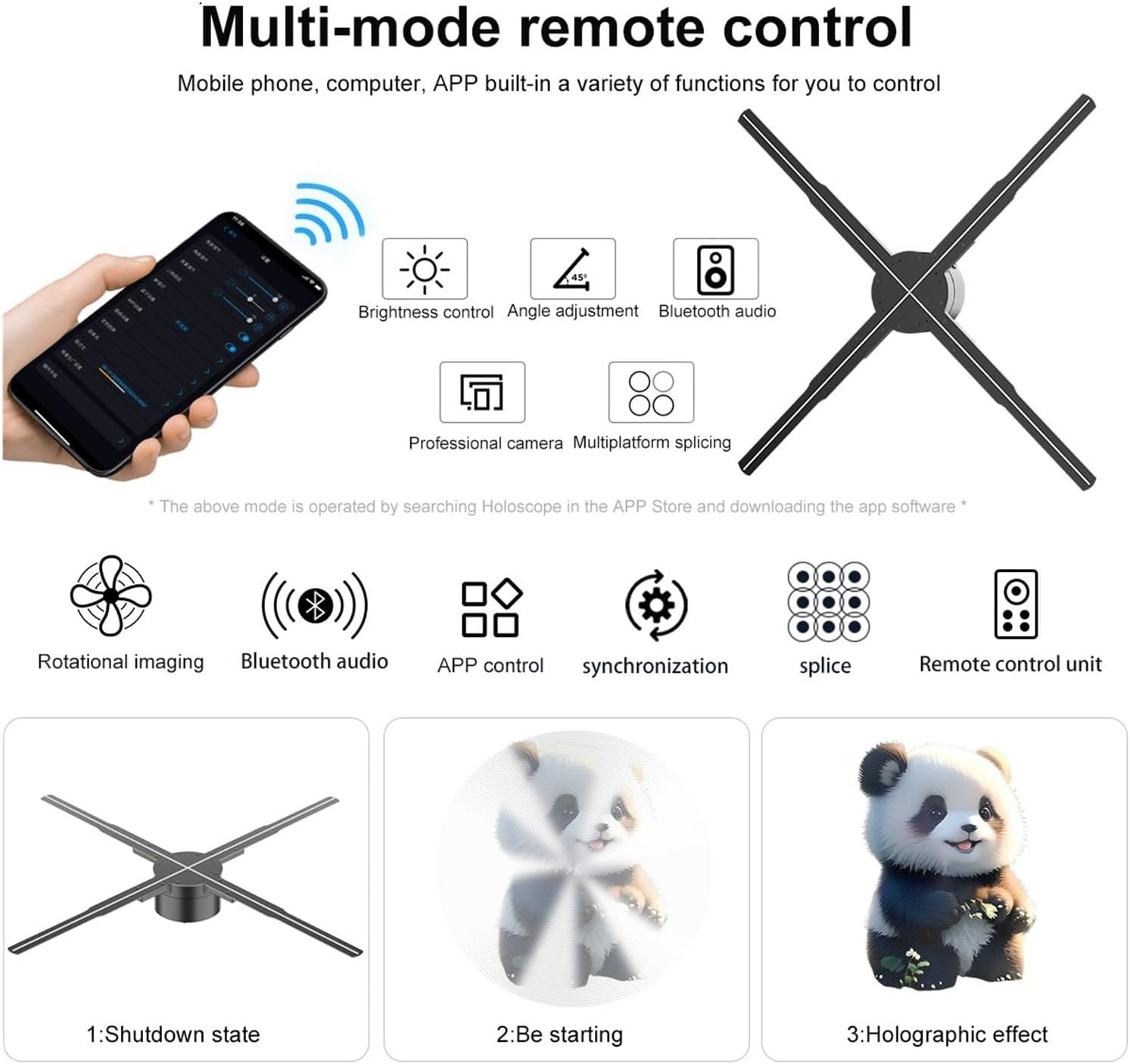
Image 5.1: Illustration of multi-mode control options via mobile phone app and remote, depicting the shutdown state, starting sequence, and the final holographic effect.
5.2 Remote Control and App Functions
The remote control and mobile application offer various functions for managing the display:
- Гэрэлтүүлгийн хяналт: Adjust the intensity of the LED display.
- Өнцгийн тохируулга: Modify the display angle for optimal viewing.
- Bluetooth Аудио: Connect to external Bluetooth speakers for synchronized audio.
- Агуулгын сонголт: Choose from uploaded videos, animations, or images.
- Multiplatform Splicing: If using multiple units, control their synchronization for a larger display.

Image 5.2: The VCHICS 3D Holographic Fan demonstrating its Bluetooth audio capability by connecting to an external Bluetooth speaker, enhancing the 3D visual experience with sound.
5.3 Multi-Unit Splicing
For larger display areas, multiple VCHICS 3D Holographic Fan units can be synchronized to create a seamless, expansive holographic image. This feature is supported by the device and can be configured through the control software.

Зураг 5.3: Хуучинample of multiple VCHICS 3D Holographic Fans being spliced together to create a larger, continuous holographic display, showcasing a shark image.
6. Засвар үйлчилгээ
Regular maintenance ensures the longevity and optimal performance of your VCHICS 3D Holographic Fan.
- Цэвэрлэгээ: Disconnect the power before cleaning. Use a soft, dry cloth to wipe the fan blades and housing. Do not use liquid cleaners or abrasive materials.
- Тоос арилгах: Periodically check for dust accumulation on the blades and motor unit. Use compressed air or a soft brush to gently remove dust.
- Хадгалах: If storing the device for an extended period, ensure it is clean, dry, and stored in its original packaging or a protective case in a cool, dry place.
7. Алдаа засах
If you encounter issues with your VCHICS 3D Holographic Fan, refer to the following common problems and solutions:
| Асуудал | Боломжит шалтгаан | Шийдэл |
|---|---|---|
| Сэнс асахгүй байна | No power supply; Loose connection | Check power adapter connection; Ensure power outlet is functional. |
| No holographic image | Incorrect content format; Fan not fully started | Verify content format (MP4, AVL, MVB, JPE, PNG); Allow fan to complete startup sequence. |
| Image flickering or distorted | Damaged content file; Loose blade connection | Re-upload content; Check if blades are securely attached. |
| Алсын удирдлага ажиллахгүй байна | Dead batteries; Obstruction | Replace remote control batteries; Ensure no objects are blocking the signal path. |
| Bluetooth audio not connecting | Speaker not in pairing mode; Distance too far | Ensure Bluetooth speaker is in pairing mode; Reduce distance between fan and speaker. |
Хэрэв эдгээр шийдлүүдийг туршиж үзсэний дараа асуудал хэвээр байвал хэрэглэгчийн дэмжлэгтэй холбогдоно уу.
8. Техникийн үзүүлэлтүүд
The following table details the technical specifications of the VCHICS 3D Holographic Fan PD42-P65:
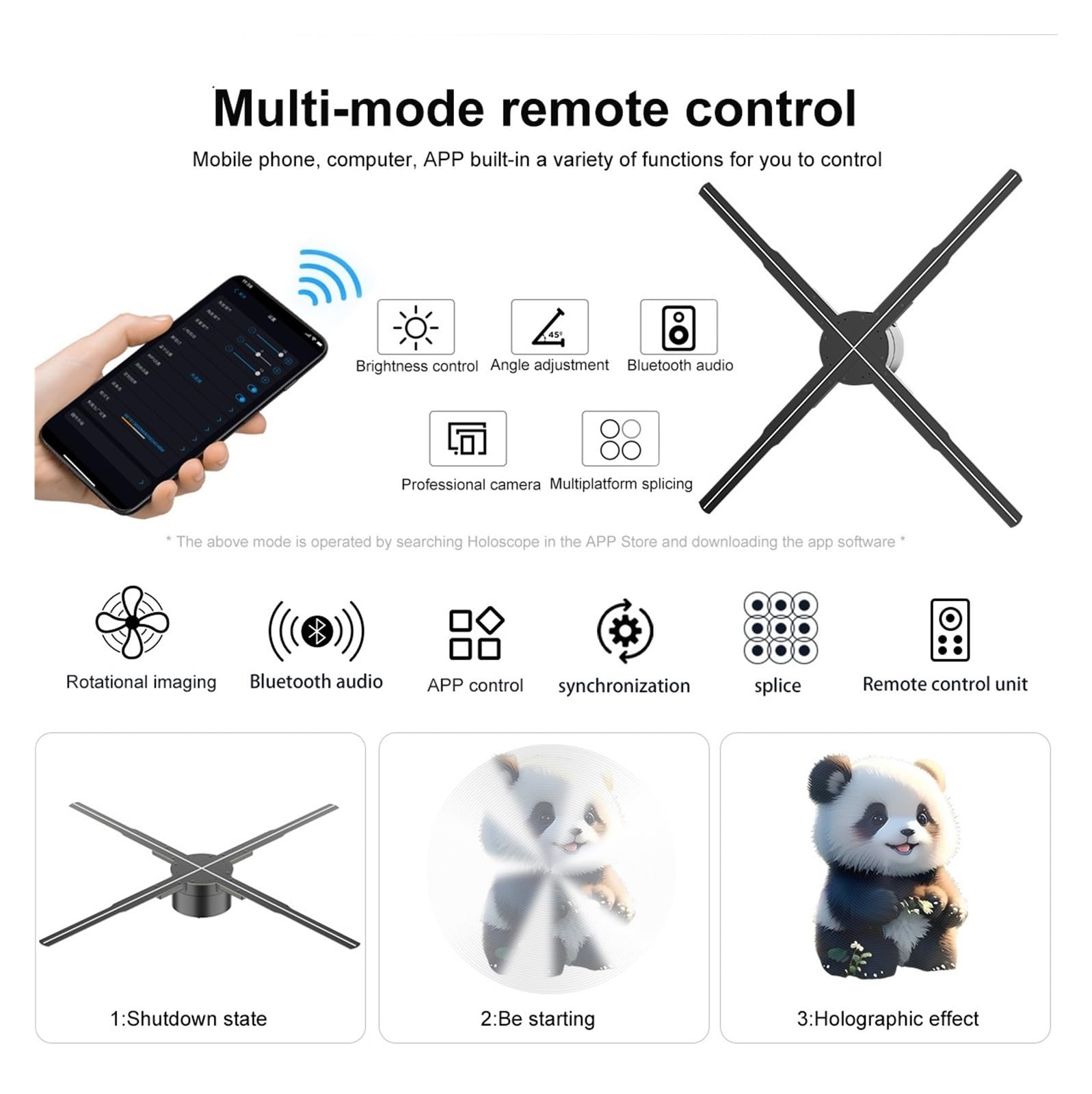
Image 8.1: Detailed product parameters for the VCHICS 3D Holographic Fan PD42-P65.
| Онцлог | Тодорхойлолт |
|---|---|
| Брэнд | VCHICS |
| Загвар | PD42-P65 |
| Дэлгэцийн хэмжээ | 56 x 56 см |
| Lamp Бөмбөлгүүдийг | 678 per piece |
| Шийдвэр | 2000 x 1356 |
| Viewing өнцөг | 170° |
| Bluetooth аудио | Дэмжигдсэн |
| Angular Brightness | Дэмжигдсэн |
| High Frame Rate Camera | Дэмжигдсэн |
| Multiplatform Splicing | Дэмжигдсэн |
| Санах ойн карт | 16 ГБ |
| Програм хангамжийн дэмжлэг | Mobile APP / Computer |
| Дэмжигдсэн форматууд | MP4, AVL, MVB, JPE, PNG |
| Багцын хэмжээ | 48.01 x 8 x 7.01 см |
| Зүйлийн жин | 4.5 кг |
9. Баталгаат хугацаа ба дэмжлэг
For warranty information and technical support, please refer to the documentation provided with your purchase or contact VCHICS customer service directly. Keep your purchase receipt as proof of purchase for warranty claims.
Харилцагчийн үйлчилгээ холбоо барих хаяг: Please refer to the contact details provided on the product packaging or the official VCHICS webсайт.