
1. гаруйview
The Roku Select Series HD TV provides a streamlined entertainment experience. This 32-inch 720p HD television integrates the Roku operating system for easy access to streaming content, live TV, and various applications. It features a voice remote for convenient control and includes technologies like Bluetooth Headphone Mode and Dolby Audio for enhanced sound.
Гол онцлогууд
- Тасралтгүй дамжуулалт: Fast Wi-Fi and quick app launches for immediate entertainment access.
- Өргөн хүрээний агуулга: Access to thousands of streaming apps, free movies, shows, and live TV channels.
- Тохируулж болох Нүүр хуудас: Organize apps and content for personalized viewing.
- Автомат програм хангамжийн шинэчлэлтүүд: Ensures access to the latest features and applications.
- Ухаалаг гэрийн интеграци: Compatible with Roku Voice, Siri, Alexa, and Google Assistant for voice control. Supports Apple AirPlay for content sharing.
- Clear HD Picture: 720p HD resolution with Roku Smart Picture technology for optimized visuals.
- Дуут удирдлага: Search, play, and control streaming with voice commands.
- Сайжруулсан аудио: Designed for clear speech and louder sound with Dolby Audio technology.
- Bluetooth чихэвчний горим: Private listening with wireless headphones.
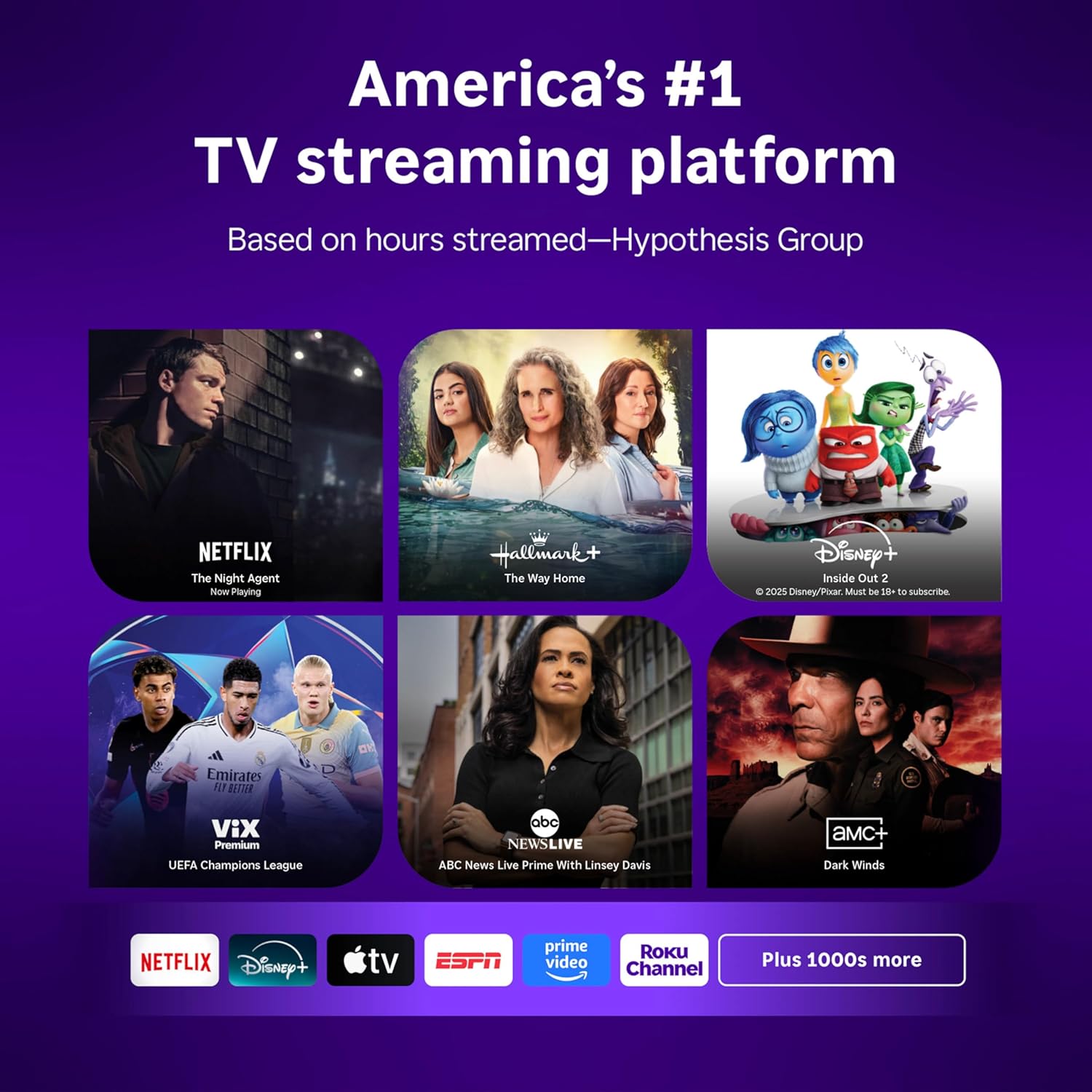
Image: Roku 32-inch Select Series HD Smart TV with included remote control.
2. Хайрцагт юу байна
Тохиргоог үргэлжлүүлэхийн өмнө бүх бүрэлдэхүүн хэсгүүд байгаа эсэхийг шалгаарай.
- Roku Select Series 32" HD TV
- Stands and screws
- Roku Voice Remote with batteries (2 AAA)
- Цахилгаан кабель
- Хэрэглэгчийн гарын авлага (энэ баримт бичиг)

Image: Contents of the Roku Select Series TV packaging.
3. Тохиргоо
3.1 Савлах
Зурагт болон бүх дагалдах хэрэгслийг савлагаанаас болгоомжтой салга. Ирээдүйн тээвэрлэлт эсвэл үйлчилгээний хэрэгцээнд зориулж савлагааг хадгал.
3.2 Тавиурыг бэхлэх
- Зурааснаас сэргийлэхийн тулд зурагтын дэлгэцийг зөөлөн, цэвэр гадаргуу дээр доош нь тавь.
- Телевизийн тавиурыг ТВ-ийн доод талын шурагны нүхтэй зэрэгцүүлнэ.
- Өгөгдсөн эрэг ашиглан тулгууруудыг бэхлэнэ. Тэдгээрийг сайтар чангалж байгаа эсэхийг шалгаарай.
3.3 Захын төхөөрөмжүүдийг холбох
Төхөөрөмжөө ТВ-ийн ар талд байгаа тохирох портуудад холбоно уу.
- HDMI: Connect up to three HDMI devices (e.g., cable box, gaming console, Blu-ray player) to the HDMI ports.
- USB: Use the USB port for media playback or connecting compatible accessories.
- Оптик (S/PDIF): Гадаад аудио системд холбогдоход зориулагдсан.
- Цахилгааны утас: Цахилгааны кабелийг зурагт, дараа нь ханын залгуурт холбоно.
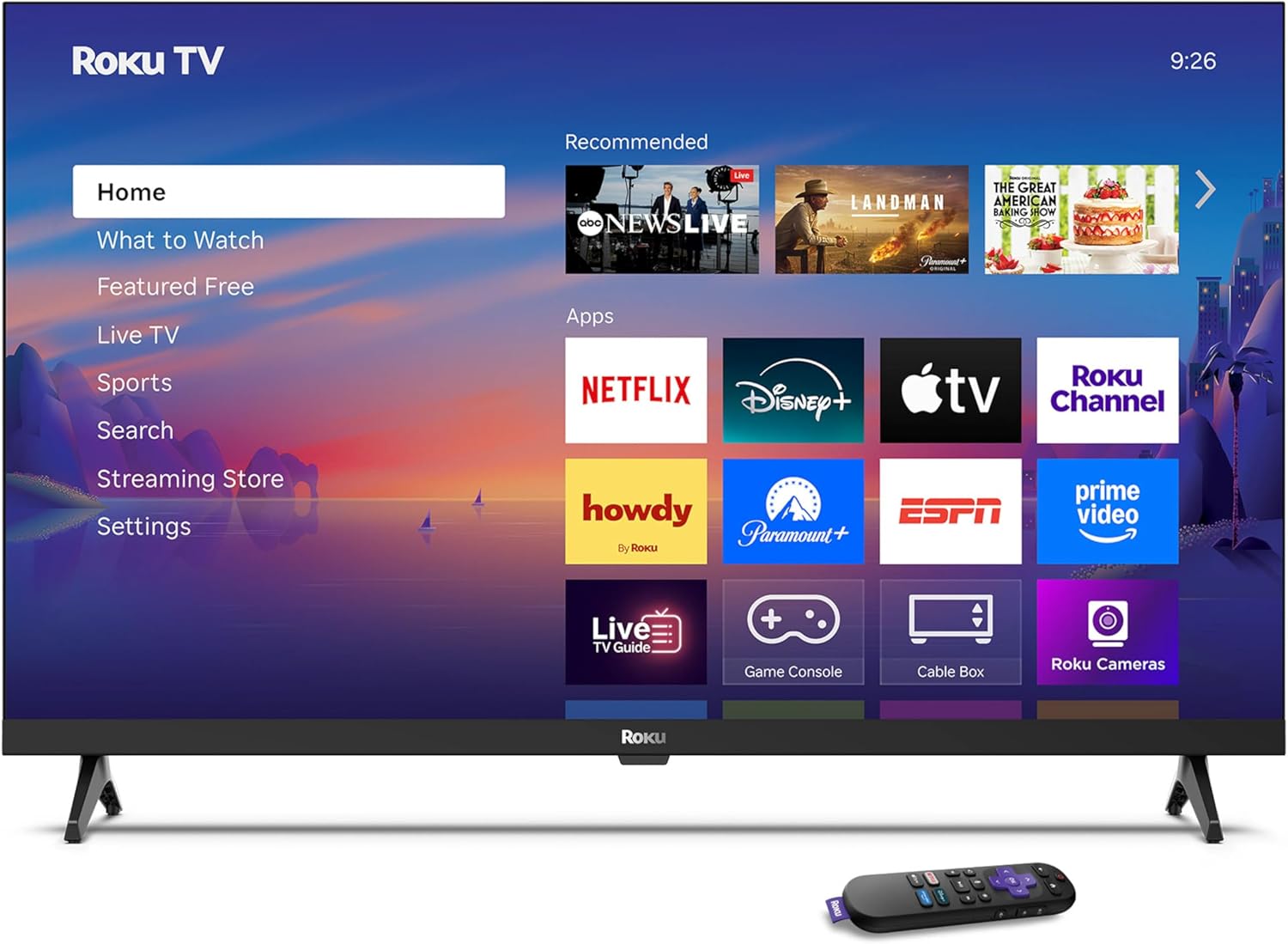
Image: Rear panel connections including HDMI, USB, and optical ports.
3.4 Анхдагч асаалт ба сүлжээний холболт
- Plug in the TV and press the power button on the remote or TV.
- Follow the on-screen instructions to select your language and connect to your Wi-Fi network.
- Activate your Roku account or create a new one.
Видео: Дууслааview of the Roku TV operating system, demonstrating its user interface and features. This video is provided by Roku, Inc.
4. Ашиглалтын заавар
4.1 Using the Voice Remote
The Roku Voice Remote allows for intuitive control of your TV and streaming content.
- Дуут хайлт: Press and hold the voice button and speak your command to search for content, launch apps, or control playback.
- Навигац: Цэсүүдээр гүйлгэж, зүйлсийг сонгохын тулд заагч самбарыг ашиглана уу.
- Програмын товчлол: Тусгай товчлуурууд нь алдартай стрийминг үйлчилгээнд хурдан хандах боломжийг олгодог.

Image: Features of the Roku Voice Remote, highlighting voice control and shortcut buttons.
4.2 Үндсэн дэлгэц рүү шилжих
The Roku Home Screen provides access to all your installed apps, inputs, and settings.
- Нүүр хуудас: Returns you to the main home screen.
- Юу үзэх вэ: Discover recommended content.
- Шууд ТВ: Access free live television channels.
- Дамжуулах дэлгүүр: Browse and add new streaming channels.
- Тохиргоо: Adjust TV and system preferences.

Image: The Roku TV home screen interface.
4.3 Зураг болон дууны тохиргоог тохируулах
Өөртөө тохируулаарай viewing and listening experience through the settings menu.
- Зургийн горим: Select from predefined modes like Standard, Vivid, Sports, or Movie. Roku Smart Picture automatically optimizes settings.
- Дууны горим: sound pro-г сонгоfiles or enable features like Night Mode for reduced volume fluctuations.
- Bluetooth чихэвчний горим: Pair your wireless headphones for private audio.

Image: Picture mode settings on the Roku TV.

Image: Bluetooth Headphone Mode in use.

Image: Dolby Audio technology for clear sound.
5. Засвар үйлчилгээ
5.1 Дэлгэц цэвэрлэх
Зурагтын дэлгэцийг цэвэрлэхийн тулд зөөлөн, хуурай, хөвөнгүй даавуугаар зөөлөн арчина. Зөрүүд толботой бол зөөлөн арчина.ampАлчуурыг ус эсвэл дэлгэцэнд тэсвэртэй цэвэрлэгээний уусмалаар арчина. Хүчтэй химийн бодис эсвэл зүлгүүрийн материал хэрэглэхээс зайлсхий.
5.2 Програм хангамжийн шинэчлэлтүүд
Your Roku TV automatically receives software updates when connected to the internet. These updates provide new features, performance improvements, and bug fixes. Ensure your TV remains connected to the internet for optimal performance.
6. Алдаа засах
If you encounter issues with your Roku TV, refer to the following common solutions:
- Эрчим хүчгүй: Цахилгааны кабелийг ТВ болон ажиллаж байгаа цахилгааны залгуурт найдвартай залгасан эсэхийг шалгаарай. Өөр залгуураар оролдоно уу.
- Зураг/дуу чимээ байхгүй: Verify that the correct input source is selected. Check all cable connections (HDMI, audio). Restart the TV by unplugging it for 30 seconds and plugging it back in.
- Алсын удирдлага ажиллахгүй байна: Replace the AAA batteries in the remote. Ensure there are no obstructions between the remote and the TV. For voice remote issues, re-pair the remote if necessary (refer to Roku support for specific steps).
- Сүлжээний холболтын асуудлууд: Restart your Wi-Fi router and modem. Go to the TV's settings menu, then Network, and try reconnecting to your Wi-Fi network.
- Апп ачаалахгүй/гацаж байна: Try restarting the app. If the issue persists, remove the app from the home screen, restart the TV, and then re-add the app from the Streaming Store.
7. Техникийн үзүүлэлтүүд
| Онцлог | Дэлгэрэнгүй |
|---|---|
| Дэлгэцийн хэмжээ | 32 инч |
| Дэлгэцийн технологи | LED |
| Шийдвэр | 720p |
| Сэргээх хурд | 60 Гц |
| Онцлог шинж чанарууд | Bluetooth Headphone Mode, Dolby Audio, Voice Remote |
| Холболтын технологи | Bluetooth, WiFi |
| Нийт HDMI портууд | 3 |
| Нийт USB портууд | 1 |
| Аудио оролт | HDMI |
| Үйлдлийн систем | Roku үйлдлийн систем |
| Суурилуулах төрөл | Ширээнд суурилуулах, хананд суурилуулах |
| VESA холбох стандарт | 200 х 200 мм |
| Бүтээгдэхүүний хэмжээ (D x W x H) | 7"D x 28.3"W x 18.3"H |
| Зүйлийн жин | 7.5 фунт |
| Загварын дугаар | 32R2D5 |
| UPC | 829610008974 |
8. Баталгаат хугацааны мэдээлэл
8.1 Хязгаарлагдмал баталгаат хугацаа
Roku warrants the hardware against defects in materials and workmanship under normal use for a period of one (1) year from the date of purchase ("Warranty Period"). If Roku determines that the device’s hardware is defective during the Warranty Period, Roku’s sole obligation, and your exclusive remedy, will be to either repair or replace the unit with either a new or rebuilt device, at its option. This warranty applies if the product is used in accordance with the provided documentation.
8.2 Буцаах бодлого
You may return a device for any reason:
- Within thirty (30) days from the date of purchase from Roku.
- Within the applicable return period if purchased from an authorized reseller or distributor.
Additional details regarding product returns can be found on the Roku support site.
9. Дэмжлэг
For further assistance, troubleshooting guides, and frequently asked questions, please visit the official Roku support webсайт: