
Танилцуулга
Thank you for choosing the Invengo MeowServe B10 Automatic Pet Feeder. This device is designed to provide scheduled and portion-controlled meals for your cat, ensuring consistent feeding habits and convenience for pet owners. Please read this manual thoroughly before operating the feeder to ensure proper use and maintenance.
For optimal performance and longevity of your feeder, adhere to the instructions provided herein. Keep this manual for future reference.
Бүтээгдэхүүн дууссанview
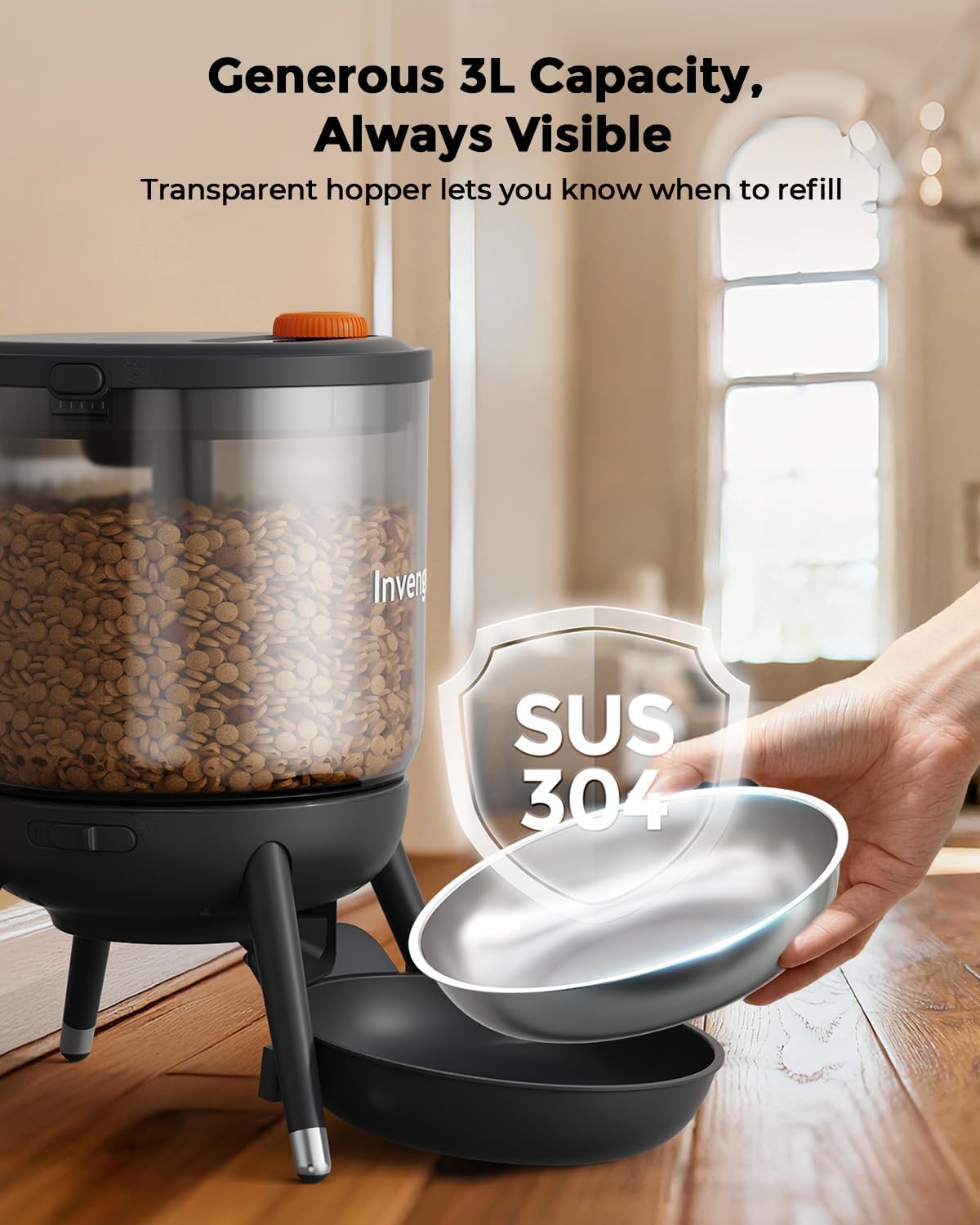
The Invengo MeowServe B10 is an automatic pet feeder with a 3-liter capacity, designed for cats. It features a transparent food hopper, a stainless steel feeding bowl, and a control panel for programming feeding schedules.
Гол бүрэлдэхүүн хэсгүүд:
- Хоолны сав: Transparent container for storing dry pet food (3-liter capacity).
- Таг: Seals the food hopper to maintain freshness and prevent pests. Features a top-mounted button for instant feeding.
- Хяналтын самбар: Digital display and buttons for setting time, feeding plans, and manual feeding.
- Үндсэн нэгж: Houses the motor, power input, and battery compartment.
- Хооллох аяга: Removable SUS 304 stainless steel bowl for serving food.
- Эрчим хүчний адаптер: Тасралтгүй цахилгаан хангамжийн зориулалттай.

Image: The Invengo MeowServe B10 feeder showcasing its transparent 3-liter food hopper and removable SUS 304 stainless steel feeding bowl.

Зураг: Ойролцоогоор view illustrating the feeder's design to prevent food pile-ups and deter pests, ensuring clean and hygienic feeding.
Тохиргоо
- Баглаа задлах: Carefully remove all components from the packaging. Ensure all parts listed in the Product Overview байдаг.
- Угсрах:
- Place the food hopper onto the base unit, ensuring it is securely seated.
- Insert the SUS 304 stainless steel bowl into the designated slot on the base.
- Эрчим хүчний хангамж: Тэжээгчийг хоёр аргаар тэжээж болно:
- Plug-In Mode: Connect the power adapter to the feeder's power input port and then to a standard wall outlet.
- Батерейны нөөцлөлт (заавал биш): Эрчим хүчний үед тасралтгүй хооллоход зориулагдсан utages, install 4xAA batteries (included) into the battery compartment located at the bottom of the base unit. Ensure correct polarity.

Image: Illustration of the feeder's dual power options, showing both the plug-in cable and the battery compartment for 4xAA batteries.
- Fill Food Hopper: Open the lid and pour dry pet food into the hopper. Ensure the food is of an appropriate size for the feeder's dispensing mechanism. Close the lid securely.
Ашиглалтын заавар
Setting a Feeding Schedule
The MeowServe B10 allows you to program up to 6 meals per day, with adjustable portion sizes for each meal.
- Одоогийн цагийг тохируулах: Press the "TIME SET" button. Use the up/down arrows to adjust the hour and minute. Press "TIME SET" again to confirm.
- Хоолны хөтөлбөрийн цаг: Press the "FEED PLAN" button. The display will show "MEAL 1". Use the up/down arrows to set the desired feeding time for Meal 1. Press "FEED PLAN" to confirm and move to setting the portion size.
- Set Portion Size: While "MEAL 1" is displayed, use the up/down arrows to select the number of portions for this meal. Each portion dispenses a specific amount of food. Press "FEED PLAN" to confirm and move to Meal 2, or to save if you are done.
- Repeat step 2 and 3 for additional meals (up to 6). To disable a meal, set its time to "00:00" or its portion size to "0".
- The feeder will automatically dispense food at the programmed times and portion sizes.

Image: The feeder's digital display showing a programmed feeding schedule with specific times and portion sizes for multiple meals.
Гараар хооллох
To dispense food instantly outside of the programmed schedule:
- Press the top-mounted button on the lid once. The feeder will dispense one portion of food.
- You can press the button multiple times to dispense additional portions as needed.
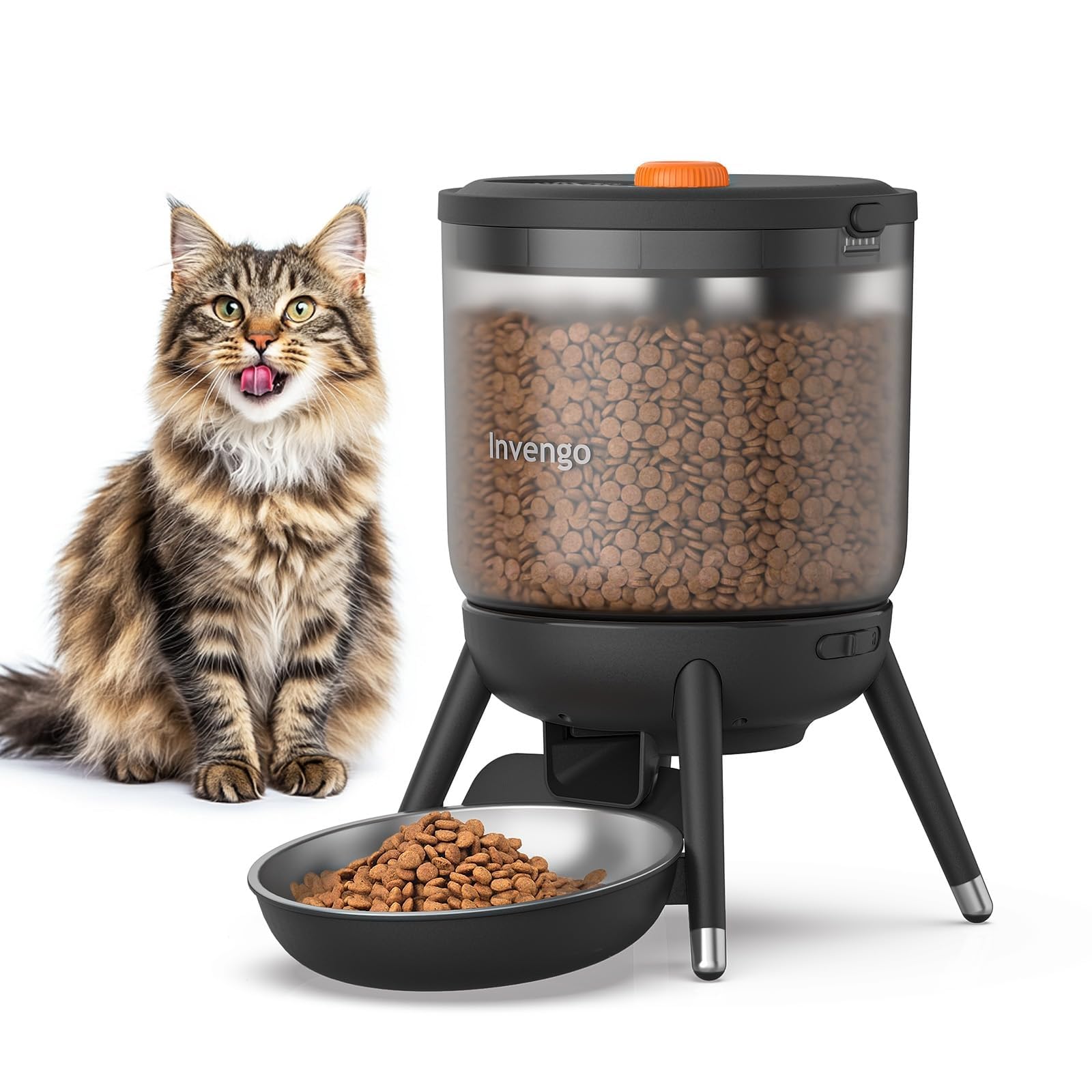
Image: A user pressing the top-mounted button on the feeder's lid to instantly dispense food, with the digital display showing current time and portion settings.
Засвар үйлчилгээ, цэвэрлэгээ
Regular cleaning ensures hygiene and extends the life of your feeder. The MeowServe B10 is designed for easy disassembly for cleaning.
- Салгах:
- Ensure the feeder is unplugged and batteries are removed before cleaning.
- Remove the food hopper from the base.
- Remove the stainless steel feeding bowl.
- Carefully detach any other removable components as shown in the image below.
- Цэвэрлэгээний бүрэлдэхүүн хэсгүүд:
- The stainless steel bowl and food hopper can be washed with mild soap and water. Rinse thoroughly and dry completely before reassembly.
- Wipe the base unit and control panel with a clean, damp cloth. Do not submerge the base unit in water.
- Чухал тэмдэглэл: The sealed lid and internal electronic components are not waterproof. Do not rinse or submerge these parts in water. Wipe them clean with a dry or slightly damp даавуу.
- Дахин угсрах: Once all parts are clean and completely dry, reassemble the feeder in reverse order of disassembly. Ensure all connections are secure.
Зураг: Тэсэрсэн view of the Invengo MeowServe B10 feeder, showing its various components detached for easy cleaning and maintenance.
Алдааг олж засварлах
| Асуудал | Боломжит шалтгаан | Шийдэл |
|---|---|---|
| Feeder does not power on. | No power supply; batteries depleted or incorrectly installed. | Check if the power adapter is securely plugged in. If using batteries, ensure they are fresh and inserted with correct polarity. |
| Хоол хүнс тараахгүй байна. | Hopper empty; food jammed; dispensing mechanism blocked; incorrect schedule. | Refill the food hopper. Check for food jams or blockages in the dispensing chute. Ensure the feeding schedule is correctly programmed and enabled. |
| Incorrect portion size dispensed. | Portion size set incorrectly; food type/size issue. | Verify the portion size setting in the "FEED PLAN". Ensure the dry food is suitable for the feeder and not too large or small, which can affect dispensing accuracy. |
| Дэлгэц ажиллахгүй эсвэл анивчдаг. | Low battery; power connection issue. | Replace batteries or ensure the power adapter is providing stable power. |
Үзүүлэлтүүд
- Загвар: PTM-40A3
- Брэнд: Инвенго
- Бүтээгдэхүүний нэр: MeowServe B10
- Хүчин чадал: 3 литр
- Зорилтот төрөл зүйл: Муур
- Хэмжээ (L x W x H): 19 см х 36 см х 21 см
- Жин: 1.42 кг
- Эрчим хүчний хангамж: DC 5V Power Adapter (included), 4xAA Batteries (included, for backup)
- Материал: Food-grade ABS, SUS 304 Stainless Steel (bowl)
- Онцлог шинж чанарууд: Adjustable portions, programmable feeding, manual feed button, pest-resistant design, transparent hopper.
Баталгаат болон дэмжлэг
Invengo products are manufactured to high-quality standards. For information regarding warranty coverage, please refer to the warranty card included with your purchase or visit the official Invengo webсайт.
If you encounter any issues or have questions about your MeowServe B10 Automatic Pet Feeder that are not addressed in this manual, please contact Invengo Customer Support for assistance. Contact details can typically be found on the product packaging or the official webсайт.
Онлайн дэмжлэг: www.invengo.com/support