
1. Танилцуулга
This manual provides essential information for the proper setup, operation, and maintenance of your Piegricdiat SF3000 Portable Handheld HD Gaming Set. Please read this manual thoroughly before using the device to ensure optimal performance and user safety. The SF3000 is a versatile handheld device designed for gaming, multimedia playback, and emergency charging.
2. Бүтээгдэхүүн дууссанview
The SF3000 features a compact design with a 4.5-inch IPS HD display, dual-core processor, and a 3000 mAh battery. It supports multiple emulators for a wide range of retro games and offers additional functionalities such as an e-book reader, video player, and emergency power bank.
2.1 Төхөөрөмжийн бүрэлдэхүүн хэсгүүд

Зураг 1: Урд view of the SF3000 Handheld Gaming Set.
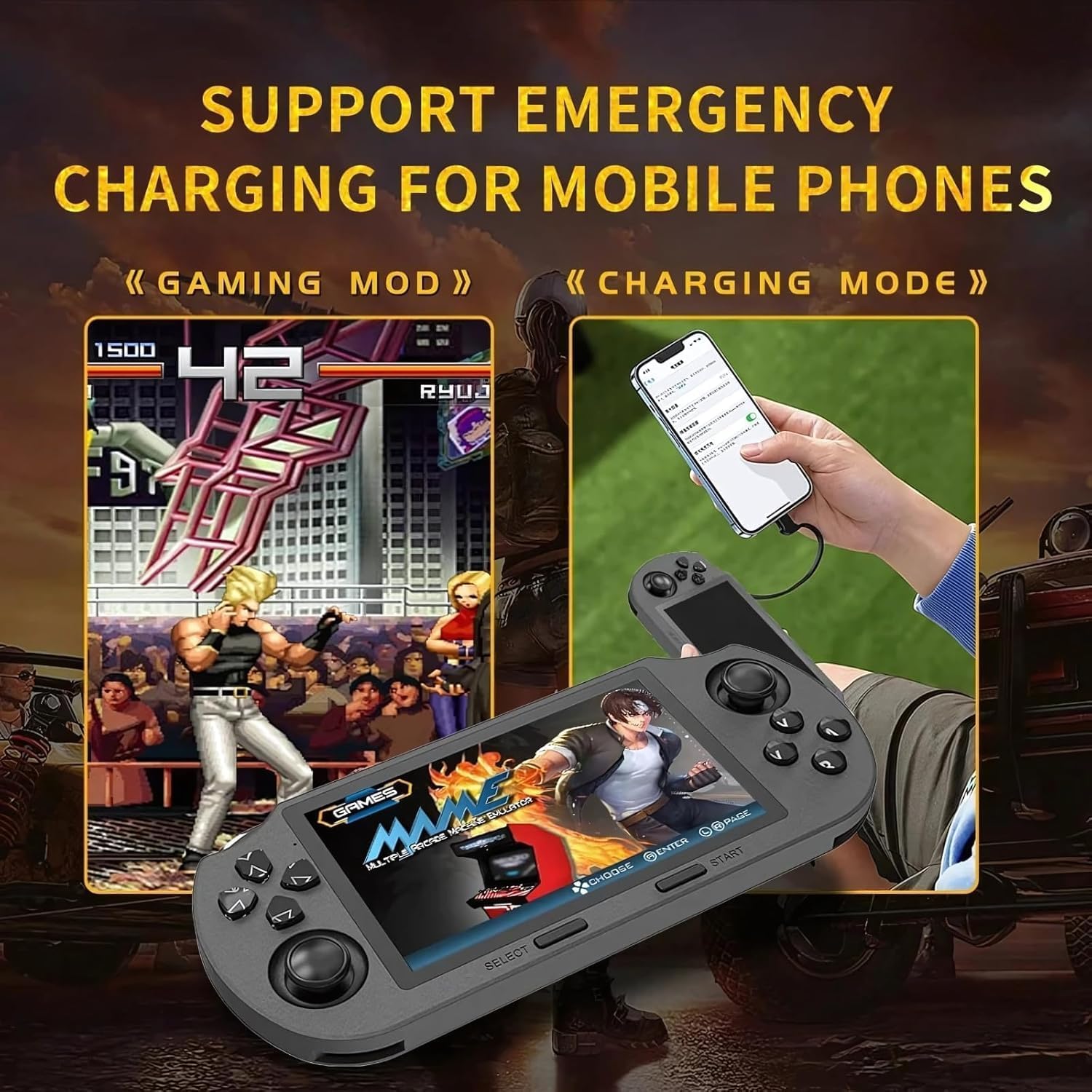
Figure 2: Labeled controls and ports on the SF3000.
- D-Pad: Directional input for navigation and gameplay.
- Аналог саваа: Two analog sticks for precise movement in games.
- Function Buttons (A, B, X, Y): Primary action buttons for gameplay.
- Сонгох товч: Used for menu selections and in-game functions.
- Эхлэх товч: Used to start games and pause.
- Bumper Buttons (L, R): Located on the top edge for additional controls.
- Цахилгаан товч: Төхөөрөмжийг асаах / унтраахын тулд.
- TF картын оролт: For inserting the 64GB TF card containing games.
- Төрөл-C порт: Цэнэглэх, өгөгдөл дамжуулах зориулалттай.
- Чихэвчний Жак: 3.5mm port for audio output.
- Эзлэхүүн +/-: Buttons to adjust audio volume.

Зураг 3: Буцах view of the SF3000, showing the integrated stand.
- Нэгдсэн стенд: Located on the back for hands-free viewing.
- L2/R2 товчлуурууд: Additional shoulder buttons on the back for extended control.
3. Тохиргоо
3.1 Анхны цэнэглэлт
Before first use, fully charge the SF3000. Connect the included USB Type-C cable to the device's Type-C port and the other end to a compatible USB power adapter (not included) or a computer's USB port. The charging indicator will show the charging status. A full charge typically takes 3-4 hours.
3.2 Асаах/унтраах
- Асаахын тулд: Slide the 'ON' switch located on the top edge of the device. The screen will illuminate, displaying the welcome screen.
- Унтраахын тулд: Slide the 'OFF' switch. The device will shut down.
4. Ашиглалтын заавар
4.1 Цэсээр шилжих
Use the D-Pad or the left analog stick to navigate through the main menu and game lists. Press the 'A' button (or 'Enter' as indicated on-screen) to select an option or launch a game. Use the 'B' button (or 'Return') to go back to the previous menu.
4.2 Тоглоом тоглох
The SF3000 supports various emulators including MAME, PS1, FC, SFC, and GBC. To play a game:
- From the main menu, select the desired emulator (e.g., 'PlayStation', 'Family Computer').
- Browse the list of available games using the D-Pad or analog stick.
- Select a game by pressing the 'A' button. The game will begin to load.
- Once loaded, use the D-Pad, analog sticks, and function buttons (A, B, X, Y, L, R, L2, R2) for gameplay. Refer to the specific game's controls for detailed instructions.
- To exit a game or access in-game menus (if available), press the 'Start' button.
4.3 Дууны тохируулга
Adjust the game volume using the Volume +/- buttons located on the top edge of the device.
5. Мультимедиа онцлогууд
Beyond gaming, the SF3000 offers additional multimedia functionalities:

Figure 4: Icons representing multimedia features including video playback, digital photo album, and e-book reading.
- Цахим ном уншигч: Access and read e-books directly on the device.
- Видео тоглуулагч: Play compatible video files.
- Digital Photo Album: View хадгалсан зургууд.
- Яаралтай утасны цэнэглэгч: The device can function as an emergency power bank for mobile phones. Connect your mobile phone to the SF3000 using a compatible USB cable via the Type-C port.

Figure 5: The SF3000 being used to emergency charge a mobile phone.
6. Засвар үйлчилгээ
- Цэвэрлэгээ: Төхөөрөмжийг цэвэрлэхийн тулд зөөлөн, хуурай даавуу ашиглана уу. Шингэн цэвэрлэгч, зүлгүүрийн материал ашиглахаас зайлсхий.
- Хадгалах: Төхөөрөмжийг нарны шууд тусгал, хэт температураас хол, сэрүүн, хуурай газар хадгална.
- Батерейны арчилгаа: To prolong battery life, avoid fully discharging the device frequently. Charge the device regularly, even if not in use for extended periods.
7. Алдаа засах
- Төхөөрөмж асахгүй байна: Ensure the device is fully charged. Check the power switch position.
- Тоглоомууд ачаалагдахгүй байна: Verify that the TF card is properly inserted. Some games may require specific emulator settings (not user-adjustable in this manual).
- Дэлгэцийн асуудлууд: If the screen is unresponsive or displays abnormalities, try restarting the device.
- Цэнэглэх асуудал: Ensure the Type-C cable and power adapter are functioning correctly.
8. Техникийн үзүүлэлтүүд
| Онцлог | Тодорхойлолт |
|---|---|
| Дэлгэцийн хэмжээ | 4.5 инч |
| Дэлгэцийн төрөл | IPS HD LCD |
| CPU | Хоёр цөмт 1.2 GHz |
| Санах ойн хадгалах багтаамж | 64 GB (TF Card) |
| Зайны багтаамж | 3000 мАч |
| Ажлын цаг | 5-7 цаг |
| Эрчим хүчний эх үүсвэр | Батерейгаар ажилладаг |
| Интерфэйс | C төрөл |
| Материал | Хуванцар |
| Бүтээгдэхүүний хэмжээс | 7.4 x 3.6 x 3.6 инч |
| Дэмжигдсэн эмуляторууд | MAME, PS1, FC, SFC, GBC (and more) |
9. Аюулгүй байдлын мэдээлэл
Хүүхдүүд энэ төхөөрөмжийг насанд хүрэгчдийн хяналтан дор ашиглах ёстой.
10. Бүтээгдэхүүний албан ёсны видеонууд
SF3000 Portable Handheld HD Gaming Set Overview
Энэ видео нь ерөнхий мэдээллийг өгдөгview of the SF3000 Portable Handheld HD Gaming Set, demonstrating its features and functionality. It highlights the device's design, screen quality, and game selection interface.