
1. Танилцуулга
This manual provides detailed instructions for the installation, operation, and maintenance of your Osram SMART+ WiFi LED Ceiling Fan, Cylinder 550mm model. This innovative device combines an LED light fixture with an integrated fan, designed to provide both illumination and air circulation in various indoor environments.
The fan features adjustable speed settings, while the integrated LED light offers a customizable color temperature range from warm white (3000 K) to daylight white (6500 K) and is fully dimmable. Control options include a dedicated remote control, a smartphone application, and voice assistants for a seamless user experience.
2. Аюулгүй байдлын мэдээлэл
Суурилуулах болон ашиглахын өмнө бүх аюулгүй байдлын зааврыг анхааралтай уншина уу. Эдгээр зааврыг дагаж мөрдөөгүй тохиолдолд цахилгаанд цохиулах, гал түймэр гарах, эсвэл хүний биед гэмтэл учруулж болзошгүй.
- Бүх цахилгааны холболтыг мэргэшсэн цахилгаанчин хийх ёстой.
- Always disconnect power at the circuit breaker before beginning any installation, maintenance, or cleaning procedures.
- Verify the suitability and structural integrity of the ceiling and wall before mounting the fan. If in doubt, consult a professional.
- Энэ бүтээгдэхүүн нь зөвхөн дотор ашиглах зориулалттай.
- Ensure all components are securely fastened before restoring power.

3. Багцын агуулга
Carefully unpack the box and ensure all items are present and undamaged. If any parts are missing or damaged, contact customer support.
- 1x Osram SMART+ WiFi LED Ceiling Fan Cylinder 550mm
- 1x Алсын удирдлага
- Mounting accessories (screws, dowels, bracket)
- Зааварчилгааны гарын авлага
4. Тохиргоо ба суурилуулалт
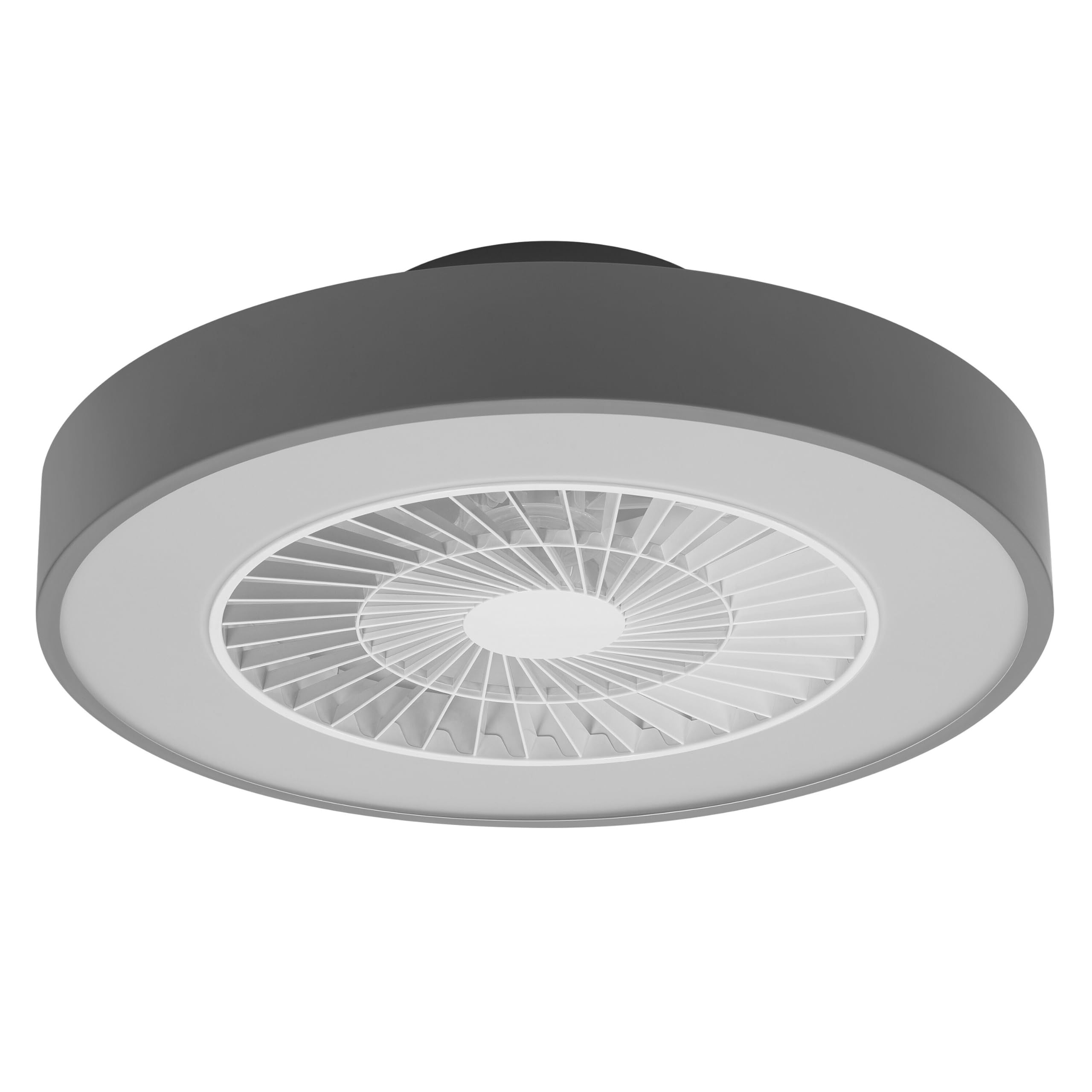
The Osram SMART+ WiFi LED Ceiling Fan is designed for simple assembly. Complete accessories are included for installation. The fan has dimensions of 60 x 60 cm, making it suitable for standard ceiling covers.
Суулгах алхамууд:
- Эрчим хүчийг таслах: Before starting any work, ensure the main power supply to the installation area is switched off at the circuit breaker.
- Суурилуулалтыг бэлтгэх: Mark and drill holes for the mounting bracket on the ceiling. Ensure the holes are correctly spaced and sized for the provided dowels and screws.
- Fix the Support: Securely attach the mounting bracket to the ceiling using the provided dowels and screws.
- Кабельуудыг холбоно уу: Connect the electrical cables according to the wiring diagram provided in the manual. Ensure all connections are tight and secure.
- Сэнсийг суурилуулах: Attach the ceiling fan unit to the mounted bracket, ensuring it is securely locked in place.
- Эрчим хүчийг сэргээх: Once the installation is complete and all connections are secure, restore power at the circuit breaker.


5. Ашиглалтын заавар
Your Osram SMART+ WiFi LED Ceiling Fan can be operated using the included remote control, the SMART+ app, or voice commands.
5.1. Алсын удирдлагатай ажиллагаа
The remote control allows for direct adjustment of fan speed, light brightness, and color temperature without needing a network connection.

- Цахилгаан товч: Сэнс болон гэрлийг асааж, унтраадаг.
- Сэнсний хурдны товчлуурууд: Adjusts the fan speed (typically 3 levels).
- Гэрэл асаах/унтраах: Гэрлийг бие даан удирддаг.
- Гэрэлтүүлгийн тохируулга: Dims or brightens the light.
- Өнгөний температурын тохируулга: Changes the light color from warm white to daylight white.
- Зун/Өвлийн горим: Switches between airflow directions for cooling (summer) or circulating warm air (winter).


6. Smart Features (WiFi, App, Voice Control)
The Osram SMART+ WiFi LED Ceiling Fan integrates seamlessly into your smart home ecosystem, offering advanced control options via WiFi.
6.1. SMART+ App Control
Control your fan and light settings from anywhere using the SMART+ app on your smartphone or tablet. The app allows for precise adjustments of fan speed, light brightness, and color temperature, as well as scheduling and scene creation.
- Апп татаж авах: хайх "SMART+ App" in the App Store (iOS 14.0 or higher) or Google Play Store (Android 8.0 or higher). You can also scan the QR code or visit l.ead.me/SmartPlusWifi.
- Хослуулах: Follow the in-app instructions to pair your ceiling fan with the SMART+ app via your home WiFi network (2.4 GHz).
- Онцлогууд: Once paired, you can control individual fan and light functions, group multiple devices, create automated routines, and manage settings remotely.


6.2. Дуут удирдлага
Integrate your Osram SMART+ Ceiling Fan with compatible voice assistants like Google Home and Amazon Alexa for hands-free control.
- Тохиргоо: Link your SMART+ account with your preferred voice assistant app (e.g., Google Home, Amazon Alexa).
- Тушаалууд: Use simple voice commands to turn the fan or light on/off, adjust speed, brightness, or color temperature. For example, "Alexa, turn on the ceiling fan" or "Hey Google, set fan speed to medium."

7. Засвар үйлчилгээ
Тогтмол засвар үйлчилгээ нь таазны сэнсний оновчтой гүйцэтгэл, удаан эдэлгээтэй байдлыг баталгаажуулдаг.
- Цэвэрлэгээ: Before cleaning, ensure the power is disconnected. Wipe the fan and light surfaces with a soft, dry, or slightly damp даавуу. Зүлгүүрийн цэвэрлэгч, уусгагчийг бүү ашигла.
- Шалгалт: Бүх бэхэлгээний эрэг болон холболтууд чанга хэвээр байгаа эсэхийг үе үе шалгаж байгаарай.
- Гэрлийн эх үүсвэр: The integrated LED light source is designed for a long lifespan (30,000 hours) and is not user-replaceable.
8. Алдаа засах
If you encounter issues with your Osram SMART+ WiFi LED Ceiling Fan, refer to the following common problems and solutions:
| Асуудал | Боломжит шалтгаан | Шийдэл |
|---|---|---|
| Fan/Light does not turn on | Цахилгаан хангамж байхгүй; Сул утас; Алсын удирдлагын зай бага. | Check circuit breaker; Verify electrical connections (consult electrician); Replace remote control batteries. |
| Алсын удирдлага хариу өгөхгүй байна | Batteries depleted; Obstruction between remote and fan; Remote out of range. | Replace batteries; Ensure clear line of sight; Operate within closer range. |
| WiFi disconnection or app control issues | Weak WiFi signal; Router issues; Incorrect app pairing. | Ensure strong 2.4 GHz WiFi signal; Restart router; Re-pair device in SMART+ app. |
| Сэнс чимээ шуугиантай байна | Loose mounting; Obstruction in fan blades; Motor issue. | Check mounting screws; Ensure no obstructions; If noise persists, contact support. |
If the problem persists after attempting these solutions, please contact Osram customer support.
9. Техникийн үзүүлэлтүүд
| Онцлог | Тодорхойлолт |
|---|---|
| Брэнд | Осрам |
| Загварын нэр | SMART+ Wifi Ceiling Fan LED Cylinder 550mm + RC |
| Загварын дугаар | 4099854472800 |
| Өнгө | Саарал |
| Загвар | Цилиндр |
| Хэмжээ | 60 x 60 см |
| Жин | 4000 грамм |
| Материал | Акрилонитрил бутадиен стирол (ABS) |
| Эрчим хүчний эх үүсвэр | Хувьсах гүйдэл (Хувьсах гүйдэл) |
| Эрчим хүчний хэрэглээ | 78 ватт |
| Ботьtage | 6 Volts (Note: This may refer to a control circuit voltage; the main power supply is AC.) |
| Гэрлийн төрөл | LED |
| Гэрлийн гаралт | 2500 люмен |
| Өнгөний температур | 3000 K (Warm White) to 6500 K (Daylight White) |
| Багасгах боломжтой | Тиймээ |
| Амьдрах хугацаа | 30,000 цаг |
| Сэнсний хурдны түвшин | 3 |
| Моторын төрөл | Сойзгүй мотор |
| Хяналтын арга | App, Remote Control, Voice |
| Ухаалаг гэрийн нийцтэй байдал | Yes (via SMART+ App, Google Home, Amazon Alexa) |
| Сүлжээний протокол | WiFi (2.4 GHz) |
| Утасгүй ажиллагаа | No (Refers to main power supply, not control via WiFi) |
| Эрчим хүчний хэмнэлтийн ангилал | E |
| Суурилуулалтын төрөл | Өөрөө суурилуулах |
| Хэрэглээний орчин | Дотор |
10. Баталгаат хугацаа ба дэмжлэг
Osram products are manufactured to high-quality standards. This product comes with a standard manufacturer's warranty. Please refer to the warranty card included in your package or visit the official Osram webнарийвчилсан баталгаат нөхцөлийг сайтаас авна уу.
For technical support, troubleshooting assistance, or warranty claims, please contact Osram customer service through their official webсайт эсвэл таны бүтээгдэхүүний баримт бичигт заасан холбоо барих мэдээлэл.
Osram Official Webсайт: www.osram.com