
Танилцуулга ба аюулгүй байдлын мэдээлэл
Thank you for choosing the CREATE WIND CALM SLIM LIGHT Ceiling Fan with Light. This manual provides essential information for the safe installation, operation, and maintenance of your new ceiling fan. Please read these instructions carefully before installation and use, and retain them for future reference.
Аюулгүй байдлын чухал заавар:
- Суурилуулалт, засвар үйлчилгээ, цэвэрлэгээ хийхээс өмнө үндсэн хэлхээний таслагчийн хүчийг үргэлж салга.
- Installation must be performed by a qualified electrician and in accordance with all local electrical codes.
- Ensure the mounting structure can support the fan's weight.
- Сэнс ажиллаж байх үед сэнсний ирэнд ямар нэгэн зүйл оруулж болохгүй.
- Ашиглалтын явцад хүүхэд, тэжээвэр амьтдыг сэнсээс хол байлга.
- Энэхүү сэнс нь зөвхөн дотоод орчинд ашиглах зориулалттай.
- The light intensity is not adjustable.
Тохиргоо ба суурилуулалт
Carefully unpack all components and ensure all parts are present before beginning installation. Refer to the diagrams below for visual guidance.
Багцын агуулга:
- Ceiling Fan Unit (Motor, Blades, Integrated Light)
- Хаалт суурилуулах
- Алсын удирдлага
- Суурилуулах тоног төхөөрөмж (эрэг, зангуу)
Суулгах алхамууд:
- Эрчим хүчийг салгах: Цахилгаан цочролоос урьдчилан сэргийлэхийн тулд гол хэлхээний таслуурын цахилгааныг унтраа.
- Суурилуулах бэхэлгээ: Secure the mounting bracket to the ceiling joist or a suitable electrical junction box. Ensure the bracket is firmly attached and can support the fan's weight.
Жич: Some ceiling installations, particularly those with a DCL box or existing porthole-style light openings, may require additional modifications or drilling new holes in the mounting plate to ensure secure attachment. The provided mounting holes may not align with all existing ceiling setups. Consult a qualified electrician if you encounter difficulties.
- Утасны холболтууд: Сэнсний цахилгааны утсыг орон нутгийн цахилгааны дүрмийн дагуу айл өрхийн утастай холбоно уу. Бүх холболт найдвартай байгаа эсэхийг шалгаарай.
- Сэнсний угсралт: Attach the fan motor assembly to the mounting bracket. Follow the specific instructions provided in the detailed manual (if available) for blade attachment and securing the main unit.
- Хөнгөн суурилуулалт: The LED light is integrated into the fan's body. Ensure it is properly seated and connected.
- Эцсийн шалгалт: Verify all connections are secure and the fan is properly mounted before restoring power.
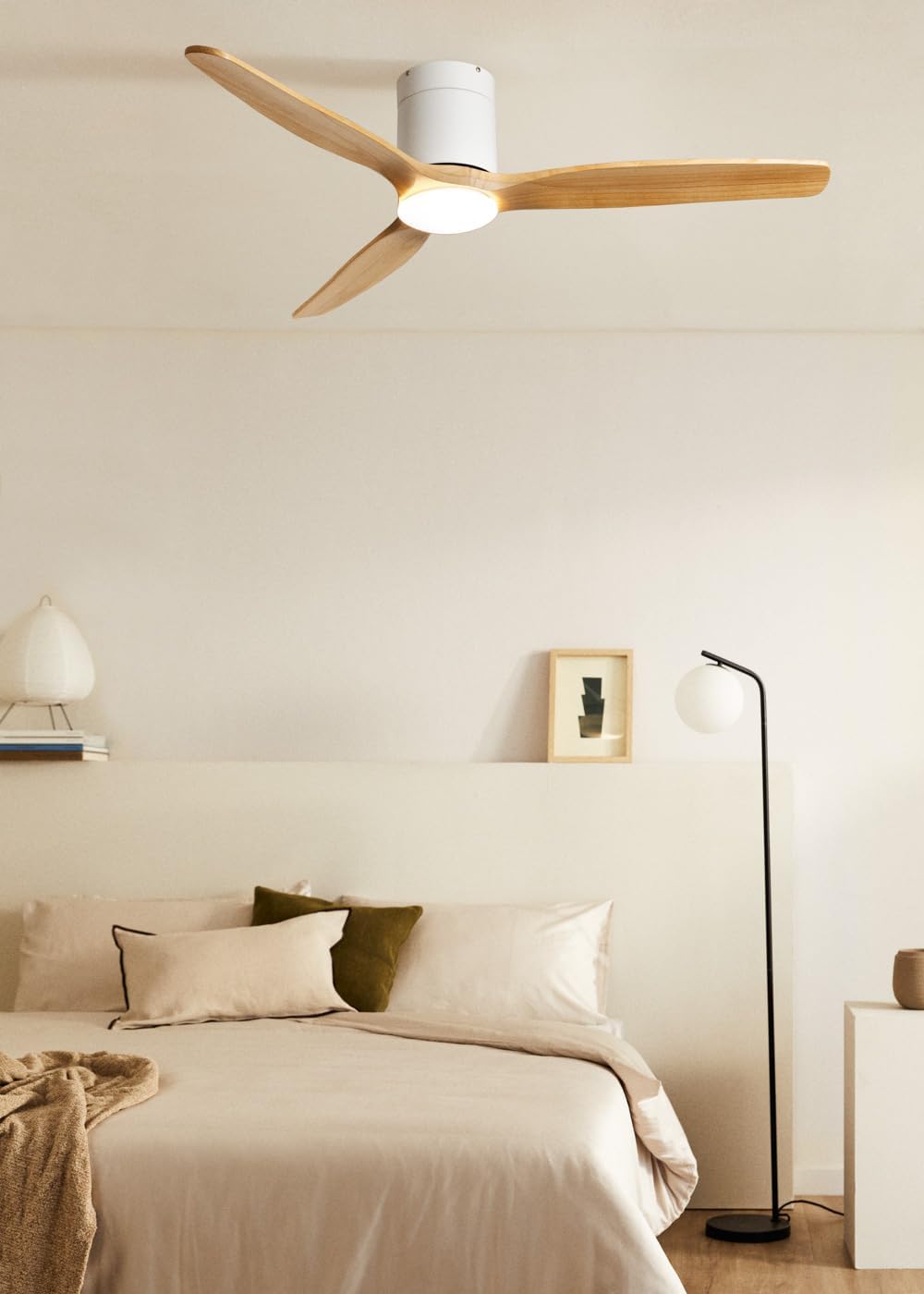
Image: The CREATE WIND CALM SLIM LIGHT ceiling fan with light wood blades and a white body, installed in a modern bedroom setting.

Image: Technical diagram illustrating the top-down dimensions of the fan, showing a total diameter of 132 cm.

Image: Technical diagram illustrating the side dimensions of the fan, showing a height of 27 cm from ceiling to blade tip.
Ашиглалтын заавар
Your CREATE WIND CALM SLIM LIGHT ceiling fan is controlled via the included remote control. Ensure the remote has working batteries.
Алсын удирдлагын функцууд:
- Асаах/унтраах: Сэнс болон гэрлийг асааж, унтраадаг.
- Сэнсний хурдны хяналт: Сэнсний хурдыг 6 боломжит тохиргоогоор тохируулна.
- Гэрэл асаах/унтраах: Controls the integrated LED light independently.
- Light Temperature Adjustment: Cycles through 3 color temperatures: warm (2700K), neutral (3300K), and cool (4000K). Note: Light intensity is not adjustable.
- Таймер функц: Sets the fan to automatically turn off after 1, 2, 3, or 4 hours.
- Зун/Өвлийн горим: Хутганы эргэлтийн чиглэлийг өөрчилдөг.
Summer/Winter Function:
This feature optimizes air circulation for different seasons:
- Зуны горим (цагийн зүүний эсрэг эргүүлэх): Доош чиглэсэн агаарын урсгалыг бий болгож, сэрүүцүүлэх салхи үүсгэдэг.
- Өвлийн горим (цагийн зүүний дагуу эргүүлэх): Creates an upward airflow, circulating warm air accumulated near the ceiling throughout the room, improving heating efficiency.

Image: Diagram illustrating the airflow patterns for Winter mode (upward circulation of warm air) and Summer mode (downward cooling breeze).
LED Light Features:
The integrated LED light offers three distinct color temperatures to suit your preference:
- Халуун цагаан (2700K): Тав тухтай, тайван уур амьсгалын төлөө.
- Төвийг сахисан цагаан (3300K): Ерөнхий гэрэлтүүлгийн зориулалттай.
- Хүйтэн цагаан (4000К): For bright, task-oriented lighting.

Зураг: Ойрын зураг view of the integrated LED light module at the center of the fan, emitting a bright white light.

Image: Diagram illustrating the three available LED light temperatures: warm (2700K), neutral (3300K), and cool (4000K).
Audible Feedback (Beep):
The fan emits an audible "beep" sound with each command from the remote control or when power is restored. This beep can be muted via the remote control settings. However, if the main power supply to the fan is cut (e.g., by a wall switch), the mute setting may reset, and the beep will return upon power restoration.
Засвар үйлчилгээ
Тогтмол засвар үйлчилгээ нь таазны сэнсний оновчтой гүйцэтгэл, удаан эдэлгээтэй байдлыг баталгаажуулдаг.
- Цэвэрлэгээ: Сэнсийг цэвэрлэхийн тулд ир болон моторын их биеийг зөөлөн, d-ээр арчина.amp даавуу. Зүлгүүрийн цэвэрлэгч, уусгагчийг бүү ашигла, учир нь эдгээр нь өнгөлгөөг гэмтээж болно.
- Тоос арилгах: Periodically dust the fan blades and light fixture to prevent dust buildup, which can affect performance and light output.
- Хутганы тэнцвэр: If the fan wobbles, check that all blade screws are tight. Minor wobbling can sometimes be corrected using a blade balancing kit (not included).
- Эрчим хүчийг салгах: Always ensure the power is disconnected at the circuit breaker before performing any cleaning or maintenance.
Алдааг олж засварлах
| Асуудал | Боломжит шалтгаан | Шийдэл |
|---|---|---|
| Сэнс ажиллахгүй байна. | No power supply; Remote control batteries are dead; Incorrect wiring. | Check circuit breaker and wall switch. Replace remote control batteries. Verify wiring connections are secure (consult an electrician if unsure). |
| Гэрэл асдаггүй. | No power supply; Light function not activated on remote; LED module fault. | Check power. Ensure light button on remote is pressed. If problem persists, contact support. |
| Сэнс хэт их хөдөлдөг. | Loose mounting screws; Unbalanced blades; Improper installation. | Ensure mounting bracket and fan screws are tight. Check for bent blades. Use a blade balancing kit if necessary. Re-check installation steps. |
| Сэнс ер бусын чимээ гаргадаг. | Loose screws; Obstruction; Motor issue. | Check all screws. Ensure nothing is touching the blades or motor housing. If noise persists, contact support. |
| Алсын удирдлага хариу өгөхгүй байна. | Dead batteries; Remote not paired (unlikely for this model but general); Obstruction. | Replace batteries. Ensure clear line of sight to the fan's receiver. |
| Audible "beep" sound persists after muting. | Main power supply was cut. | The mute setting may reset if the fan's main power is disconnected. Re-apply the mute setting using the remote control. |
Техникийн үзүүлэлтүүд
| Брэнд | БҮТЭЭХ |
| Загварын нэр | WIND CALM SLIM LIGHT |
| Загварын дугаар | 198506_515822 |
| Өнгө | Хөнгөн мод |
| Фен дизайн | Таазны сэнс |
| Эрчим хүчний эх үүсвэр | Цахилгаан кабель |
| Загвар | Тааз |
| Хэмжээ (диаметр x өндөр) | 132 см х 29 см |
| Тусгай функцууд | LED Light, Timer, Summer-Winter Function, Remote Control |
| Суурилуулах төрөл | Таазны бэхэлгээ |
| Хянагчийн төрөл | Алсын удирдлага |
| Хурдны тоо | 6 |
| Дуу чимээний түвшин | 40 децибел |
| Хүч | 40 ватт |
| Хутганы тоо | 3 |
| Агаарын урсгалын багтаамж | Минутанд 180 куб метр |
| Ботьtage | 240 вольт |
| Хэрэглээний орчин | Дотор |
| Моторын төрөл | DC Motor with Brushes |
| Хутганы материал | Мод |
Баталгаат хугацааны мэдээлэл
Specific warranty details for the CREATE WIND CALM SLIM LIGHT Ceiling Fan are not provided in this manual. For information regarding warranty coverage, terms, and conditions, please refer to the documentation included with your purchase or contact CREATE customer support directly.
Хэрэглэгчийн дэмжлэг
If you have any questions, require technical assistance, or need to report an issue with your CREATE WIND CALM SLIM LIGHT Ceiling Fan, please contact CREATE customer support. Contact information can typically be found on the manufacturer's webсайт эсвэл бүтээгдэхүүний сав баглаа боодол дээр.
Manufacturer: CREATE