
1. Танилцуулга
The NiTHO NEXUS DARK OPS is a versatile wireless controller designed for multi-platform gaming. It offers compatibility with PC (Windows), Nintendo Switch, Switch Lite, Switch OLED, Android, and iOS devices. This controller features a precise 6-axis gyro, four levels of vibration, and magnetic Hall Effect triggers for enhanced gaming accuracy and responsiveness. Customizable RGB lighting and a programmable turbo function further enrich the gaming experience. This manual provides essential information for setting up, operating, maintaining, and troubleshooting your controller.

The NiTHO NEXUS DARK OPS controller features an ergonomic design for comfortable extended gameplay sessions.
2. Багцын агуулга
- NiTHO NEXUS DARK OPS Wireless Controller
- USB-C цэнэглэгч кабель
- Хэрэглэгчийн гарын авлага (энэ баримт бичиг)
3. Хянагчийн зохион байгуулалт

Нарийвчилсан view of the controller's components and their labels.
- Left Rocker: Analog joystick for movement and camera control.
- - Key: Системийн функцийн товчлуур.
- Хослуулах товч: Bluetooth хослуулах горимыг эхлүүлэхэд ашигладаг.
- Cross Arrow Key (D-Pad): Directional input for navigation and specific game actions.
- TURBO товч: Activates and adjusts the turbo function.
- HOME товчлуур: Системийн үндсэн дэлгэц рүү буцна.
- Дэлгэцийн зураг авах түлхүүр: Captures screenshots during gameplay.
- + Түлхүүр: Системийн функцийн товчлуур.
- A/B/X/Y товчлуурууд: Стандарт үйлдлийн товчлуурууд.
- Right Rocker: Analog joystick for movement and camera control.
- Горим заагч гэрэл: Displays current connection mode and battery status.
- R1/L1 (Shoulder Buttons): Top trigger buttons.
- R2/L2 (Trigger Buttons): Bottom trigger buttons with Hall Effect technology.
- TYPE-C цэнэглэх порт: Хянагчийг цэнэглэх зориулалттай.
- Force Online Button: For specific connection scenarios.
4. Тохиргоо ба холболт
The NiTHO NEXUS DARK OPS controller supports wireless connection via Bluetooth to various platforms.

The controller is compatible with Nintendo Switch, PC, Android, and iOS devices.
4.1 General Pairing Instructions
- Хянагч хангалттай цэнэглэгдсэн эсэхийг шалгаарай.
- -г удаан дар Хослуулах товч on the controller until the Mode Indicator Light begins to flash rapidly, indicating it is in pairing mode.
- On your device (Switch, PC, Android, iOS), navigate to the Bluetooth settings.
- хайх available Bluetooth devices and select "NEXUS DARK OPS" or a similar name.
- Once connected, the Mode Indicator Light will become solid.
4.2 Nintendo Switch руу холбогдох нь
- HOME цэснээс сонгоно уу Хянагч нар > Бариул/Захиалга өөрчлөх.
- Энэ дэлгэцэн дээр байх үед товчийг дараад барина уу Хослуулах товч on the NEXUS DARK OPS controller.
- The controller will pair with the Switch, and the player indicator lights will illuminate.
4.3 Компьютерт холбогдох (Windows)
- руу оч Тохиргоо > Төхөөрөмжүүд > Bluetooth болон бусад төхөөрөмж.
- Bluetooth асаалттай байгаа эсэхийг шалгаарай On.
- дарна уу Bluetooth эсвэл өөр төхөөрөмж нэмнэ үү > Bluetooth.
- -г удаан дар Хослуулах товч хянагч дээр.
- Select "NEXUS DARK OPS" from the list of devices to pair.
4.4 Андройд/iOS төхөөрөмжүүд рүү холбогдох
- Android эсвэл iOS төхөөрөмж дээрээ Bluetooth-г идэвхжүүлнэ үү.
- Bluetooth тохиргоо руу очно уу.
- -г удаан дар Хослуулах товч хянагч дээр.
- Select "NEXUS DARK OPS" from the list of available devices to connect.
5. Ашиглалтын заавар
5.1 RGB гэрэлтүүлэг
The controller features customizable RGB lighting with 7 vibrant colors and 4 dynamic lighting modes.

Explore 7 colors and 4 lighting modes including Jumping, Colorful Constant, Rainbow Mixing, and Breathing effects.
To cycle through the lighting modes or colors, refer to the specific button combination in the quick start guide included with your product. Typically, a dedicated button or a combination with the TURBO button controls RGB effects.
5.2 Чичиргээний хариу үйлдэл
The controller includes dual motors for vibration feedback with 4 adjustable levels: Off, Low, Medium, and High.

Adjust vibration intensity from 0% to 100% for personalized feedback.
To adjust vibration intensity, consult the quick start guide for the specific button sequence, often involving the TURBO button and a directional input.
5.3 Турбо функц
The programmable turbo function allows for rapid-fire actions with three speed settings: 5, 10, or 15 shots per second.

Set your turbo speed to 5, 10, or 15 shots per second for competitive advantage.
To activate turbo for a button, press and hold the ТУРБО button, then press the desired action button. Repeat the process to adjust speed or deactivate turbo for that button.
5.4 Magnetic Hall Effect Triggers
The controller is equipped with magnetic Hall Effect triggers. This technology provides smooth, accurate trigger response and helps prevent common issues like analog stick drift, ensuring long-lasting precision.

Magnetic Hall Effect triggers offer precise and durable input.
5.5 6-Axis Gyro Motion Sensor
A precise 6-axis gyro sensor is integrated into the controller, allowing for responsive motion control in games that support it. This feature captures tilts and rotations, enhancing gameplay in racing, action, and adventure titles.
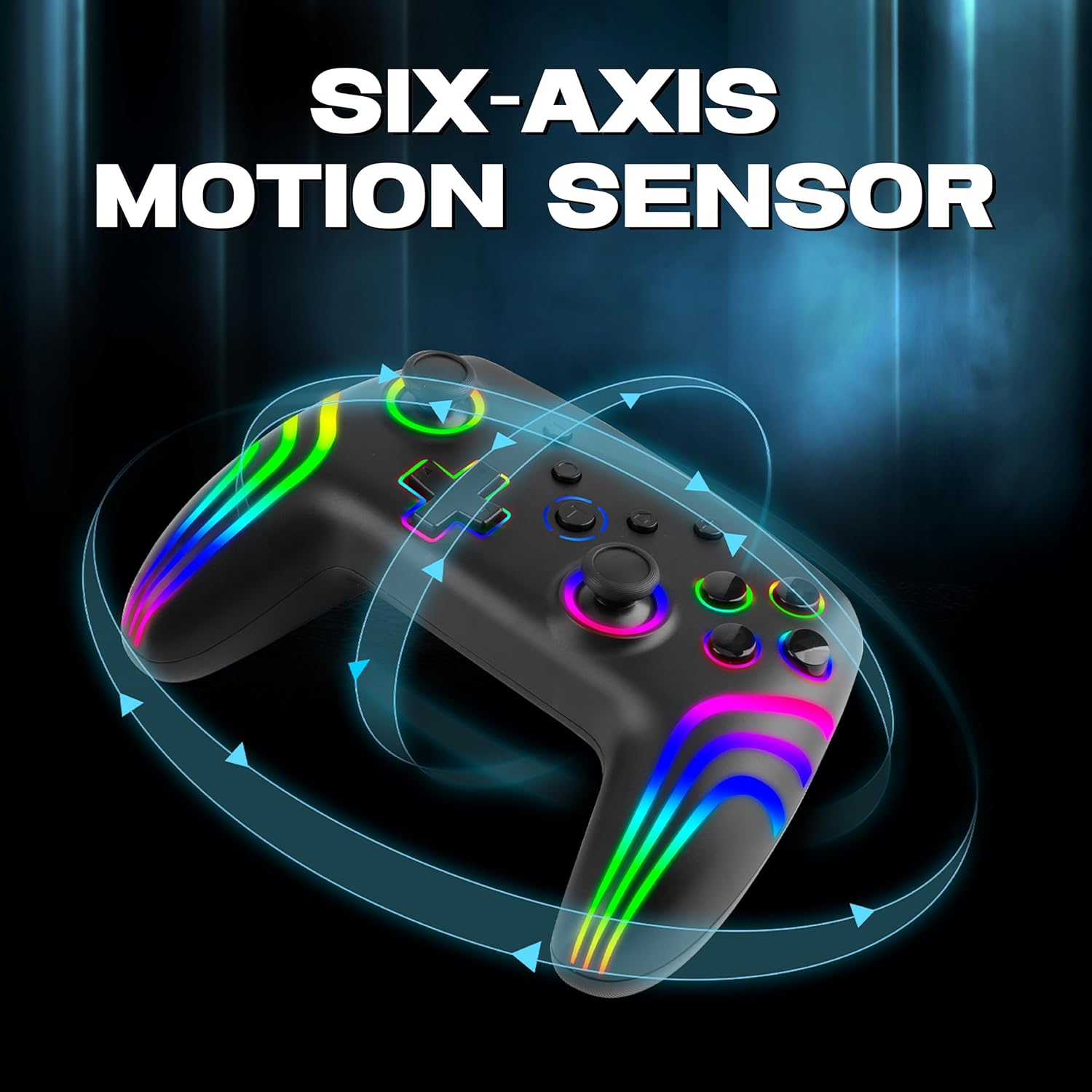
The 6-axis gyro provides accurate motion sensing for immersive gameplay.
6. Хянагчийг цэнэглэж байна
The NiTHO NEXUS DARK OPS controller is equipped with a built-in 800mAh rechargeable battery.

The 800mAh battery offers up to 9 hours of gameplay on a 2.5-hour charge.
- Connect the supplied USB-C charging cable to the TYPE-C charging port on the controller.
- Connect the other end of the cable to a USB power source (e.g., console, PC, USB wall adapter).
- The Mode Indicator Light will typically show charging status (e.g., blinking while charging, solid when fully charged).
- A full charge takes approximately 2.5 hours and provides up to 9 hours of continuous gameplay.
7. Засвар үйлчилгээ
- Цэвэрлэгээ: Удирдагчийг цэвэрлэхийн тулд зөөлөн, хуурай даавуу ашиглана уу. Химийн хатуу бодис, зүлгүүрийн материал ашиглахаас зайлсхий.
- Хадгалах: Удирдагчийг нарны шууд тусгал, хэт температураас хол, сэрүүн, хуурай газар хадгална.
- Батерейны арчилгаа: Зайны ашиглалтын хугацааг уртасгахын тулд хянагчийг ойр ойрхон бүрэн цэнэглэхээс зайлсхий. Удаан хугацаагаар ашиглаагүй байсан ч тогтмол цэнэглээрэй.
- Дусалаас зайлсхийх: Удирдагчийг уналт, нөлөөллөөс хамгаалж, дотоод эд ангиудыг гэмтээж болно.
8. Алдаа засах
- Controller does not power on:
- Ensure the controller is fully charged. Connect it to a power source and wait for the charging indicator.
- If the battery is completely drained, it may take a few minutes of charging before the controller responds.
- Unable to pair the controller:
- Make sure the controller is in pairing mode (Mode Indicator Light flashing rapidly).
- Ensure Bluetooth is enabled on your device and it is discoverable.
- Move the controller closer to your device.
- Remove any previous pairings of the controller from your device's Bluetooth settings and try pairing again.
- Хянагч болон төхөөрөмжөө хоёуланг нь дахин эхлүүлнэ үү.
- Хянагч байнга салдаг:
- Ensure there are no obstructions or sources of interference (e.g., Wi-Fi routers, other Bluetooth devices) between the controller and your device.
- Keep the controller within the effective Bluetooth range (typically up to 10 meters).
- Check the controller's battery level. Low battery can affect connection stability.
- Товчлуур эсвэл joystick хариу өгөхгүй байна:
- Ensure the controller is properly connected to your device.
- Test the controller on another device or game to determine if the issue is specific to one setup.
- Perform a factory reset if available (refer to the quick start guide for specific instructions, often involves a small reset button).
- Motion sensor (gyro) not working:
- Verify that the game you are playing supports motion controls.
- Ensure the controller is properly calibrated. Some systems or games may require manual calibration.
- If connected to PC, ensure necessary drivers or software are installed and updated.
9. Техникийн үзүүлэлтүүд
| Загварын дугаар | NEXUS DARK OPS |
| Холболт | Утасгүй (Bluetooth) |
| Тохиромжтой байдал | PC (Windows), Nintendo Switch / Lite / OLED / Switch 2, Android, iOS |
| Зайны төрөл | Built-in Rechargeable Nonstandard Battery |
| Зайны багтаамж | 800 мАч |
| Тоглоомын цаг | 9 цаг хүртэл |
| Цэнэглэх хугацаа | Ойролцоогоор 2.5 цаг |
| Цэнэглэх порт | USB Type-C |
| Хэмжээ (LxWxH) | 16.1 x 6.5 x 11.1 см |
| Жин | 270 гр |
| Онцлогууд | RGB Lighting, Hall Effect Triggers, 6-Axis Gyro, Dual Motor Vibration, Turbo Function, Programmable Buttons |
10. Баталгаат хугацаа ба дэмжлэг
For warranty information, please refer to the documentation provided at the time of purchase or contact your retailer. Specific warranty terms may vary by region and retailer.
10.1 Техникийн дэмжлэг
If you encounter issues not covered in the troubleshooting section or require further assistance, please contact NiTHO customer support:
- Manufacturer Support Email: nithoamazonin@mtm-t.com
- Importer Support Email (India): marketgateindia@gmail.com