
Xbox EP2-29563
Xbox Wireless Controller Storm Breaker Special Edition
Загвар: EP2-29563
Брэнд: Xbox
Танилцуулга
The Xbox Wireless Controller Storm Breaker Special Edition is designed to provide an enhanced gaming experience across multiple platforms. This controller features a unique aesthetic with classic grays and blacks, offset with whites, along with textured grips for improved handling. It offers seamless connectivity and customizable controls to optimize your gameplay.
Гол онцлогууд
- Storm Breaker Special Edition Design: Features a distinctive gray, black, and white pattern.
- Textured Triggers: Provides enhanced grip and control during gameplay.
- Rubberized Grips: Located on the back cases for secure handling.
- Wireless & Bluetooth Connectivity: Easily pairs with Xbox consoles, PCs, and mobile devices.
- Хуваалцах товч: Seamlessly capture and share screenshots and game recordings.
- Тохируулж болох товчлуурын зураглал: Personalize controls using the Xbox Accessories app.
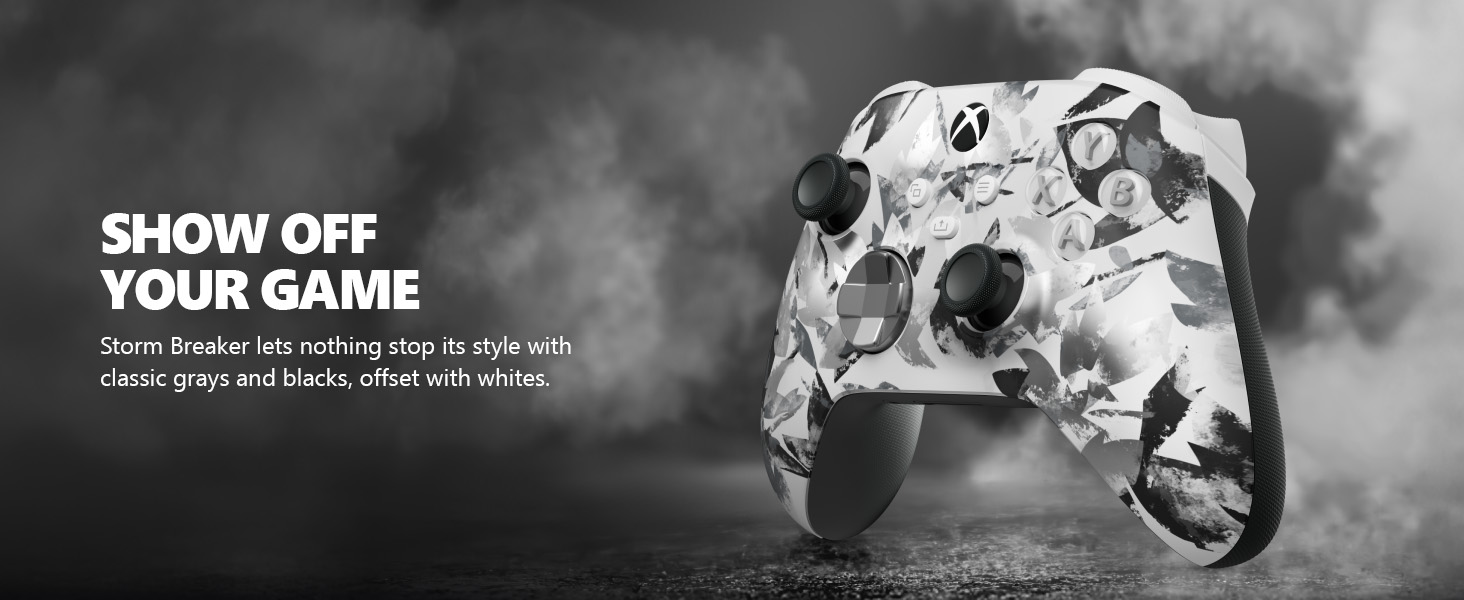
Image: The Xbox Wireless Controller Storm Breaker Special Edition showcasing its distinctive color scheme.
Тохиргоо
1. Зай суурилуулах
The controller requires two AA batteries (included). To install:
- Хянагчийн ар талд батерейны тасалгааг олоорой.
- Press the small tab and lift the battery cover.
- Insert the two AA batteries, ensuring correct polarity (+ and -).
- Зайны тагийг товших хүртэл нь солино.
2. Төхөөрөмжүүдтэй хослуулах
The controller supports both Xbox Wireless and Bluetooth for versatile connectivity.
- For Xbox Console:
- Xbox консолоо асаана уу.
- Press the Xbox button on your controller to turn it on.
- Хослуулах товчийг удаан дар (⏚) on the top of the controller until the Xbox button flashes rapidly.
- Press the Pair button on your Xbox console (usually near the USB port or on the front).
- The Xbox button on the controller will become solid when connected.
- For PC (Windows 10/11) via Bluetooth:
- Таны компьютер Bluetooth асаалттай байгаа эсэхийг шалгаарай.
- Press the Xbox button on your controller to turn it on.
- Хослуулах товчийг удаан дар (⏚) on the top of the controller until the Xbox button flashes rapidly.
- Компьютер дээрээ Тохиргоо > Төхөөрөмжүүд > Bluetooth болон бусад төхөөрөмж рүү очно уу.
- "Bluetooth эсвэл бусад төхөөрөмж нэмэх" гэснийг сонгоод дараа нь "Bluetooth" гэснийг сонгоно уу.
- Choose "Xbox Wireless Controller" from the list and follow on-screen prompts.
- For Mobile Devices (Android/iOS):
- Мобайл төхөөрөмж дээрээ Bluetooth-г идэвхжүүлнэ үү.
- Press the Xbox button on your controller to turn it on.
- Хослуулах товчийг удаан дар (⏚) on the top of the controller until the Xbox button flashes rapidly.
- On your mobile device, search for Bluetooth devices and select "Xbox Wireless Controller" to pair.
Видео: Дууслааview of the Xbox Wireless Controller, demonstrating its physical features and ports, useful for understanding setup.
Хянагчийг ажиллуулах
1. Үндсэн удирдлага
- Эрхий хуруу: Use for movement and camera control.
- D-Pad: Ideal for precise directional input in games and menu navigation.
- A, B, X, Y товчлуурууд: Primary action buttons for in-game commands.
- Triggers (LT/RT) & Bumpers (LB/RB): Used for various actions like shooting, accelerating, or menu selection.
2. Хуваалцах товчлуур
The dedicated Share button (⤓) allows you to quickly capture and share your gaming moments:
- Press once to take a screenshot.
- Press and hold to record the last 30 seconds of gameplay.
3. Чихэвчний залгуур
A 3.5mm audio jack is located at the bottom of the controller, allowing you to connect compatible headsets for in-game audio and chat.
4. Customization with Xbox Accessories App
Download the Xbox Accessories app on your Xbox console or Windows PC to customize button mapping and create personalized controller profiles.
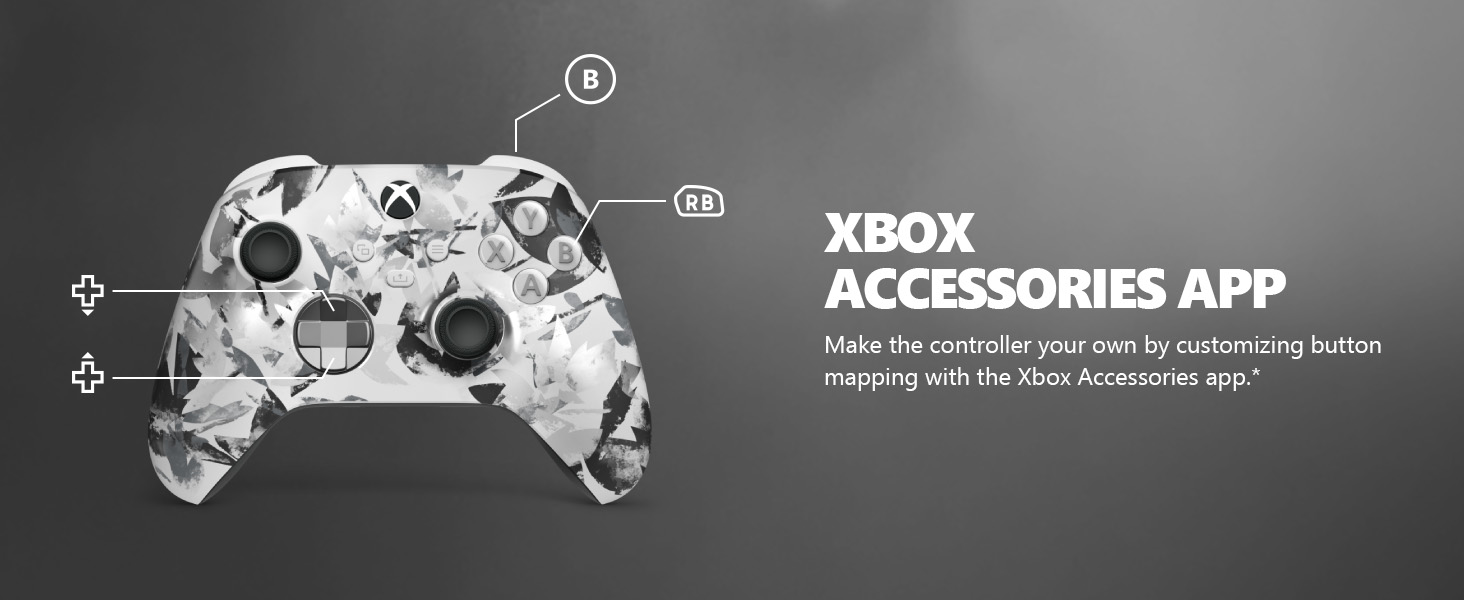
Image: The Share button and an illustration of button mapping customization via the Xbox Accessories app.
Засвар үйлчилгээ
- Цэвэрлэгээ: Хянагчийг цэвэрлэхдээ зөөлөн, хуурай даавуу ашиглаарай. Зүлгүүрийн цэвэрлэгч эсвэл уусгагч бодисоос зайлсхий.
- Батерейны арчилгаа: Remove batteries if the controller will not be used for an extended period to prevent leakage.
- Хадгалах: Удирдагчийг нарны шууд тусгал, хэт температураас хол, сэрүүн, хуурай газар хадгална.
Алдааг олж засварлах
- Хянагч холбогдоогүй байна:
- Батерейг зөв суулгаж, цэнэглэсэн эсэхийг шалгаарай.
- Тохиргоо хэсэгт тайлбарласны дагуу хослуулах процессыг дахин оролдоно уу.
- Бусад утасгүй төхөөрөмжүүдээс ямар нэгэн хөндлөнгийн оролцоо байгаа эсэхийг шалгана уу.
- Update controller firmware via the Xbox Accessories app.
- Товчнууд хариу өгөхгүй байна:
- Аливаа хог хаягдлыг арилгахын тулд товчлууруудыг тойруулан цэвэрлэ.
- Test the controller with another device or game to isolate the issue.
- Батерейны богино хугацаа:
- Шинэ, өндөр чанартай АА батерейг ашигла.
- Consider using a rechargeable battery pack (sold separately) for extended play.
Үзүүлэлтүүд
| Онцлог | Дэлгэрэнгүй |
|---|---|
| Загварын дугаар | EP2-29563 дугаартай |
| Холболт | Xbox Wireless, Bluetooth |
| Тохиромжтой байдал | Xbox Series X|S, Xbox One, Windows 10/11, Android, iOS |
| Эрчим хүчний эх үүсвэр | 2 АА батерей (дагсан) |
| Аудио порт | 3.5 мм чихэвчний үүр |
| Хэмжээ | 6.91 x 5.61 x 2.76 инч |
| Жин | 14.1 унц |
| Үйлдвэрлэгч | Microsoft |
Баталгаат болон дэмжлэг
For warranty information and technical support, please refer to the documentation included with your product or visit the official Xbox support webсайт. Баталгаат нэхэмжлэл гаргахын тулд худалдан авалтаа нотлох баримтаа хадгалаарай.
Онлайн дэмжлэг: support.xbox.com
Ask a question about this manual
Ask about setup, troubleshooting, compatibility, parts, safety, or missing instructions. Manuals+ will review the question and use this page’s manual context to help answer it.