
Aninerel ANJ-HHS-11000W-48V-WIFI
Aninerel 11000W 48V Hybrid Solar Inverter User Manual
Model: ANJ-HHS-11000W-48V-WIFI
1. Танилцуулга
This manual provides essential information for the safe and efficient operation of your Aninerel 11000W 48V Hybrid Solar Inverter. This device is designed to convert 48V DC power from solar panels or batteries into 220V/230V AC power, suitable for various household and office applications. It features a built-in 160A MPPT solar controller and supports grid-tie functionality, allowing power to be fed into the mains. Please read this manual thoroughly before installation and use.

Зураг 1: Aninerel 11000W 48V Hybrid Solar Inverter with WiFi module.
2. Аюулгүй ажиллагааны заавар
Инвертерт гэмтэл учруулах эсвэл гэмтэх эрсдэлийг бууруулахын тулд дараах аюулгүй байдлын урьдчилан сэргийлэх арга хэмжээг үргэлж дагаж мөрдөөрэй.
- Суурилуулалтыг мэргэшсэн боловсон хүчин хийх ёстой.
- Бүх утаснууд зөв хэмжээтэй, зөв холбогдсон эсэхийг шалгаарай.
- Инвертерийг задалж болохгүй. Дотор нь хэрэглэгчийн засварлах боломжтой эд анги байхгүй.
- Инвертерийг шатамхай материал, чийг, нарны шууд тусгалаас хол байлга.
- Хэт халалтаас урьдчилан сэргийлэхийн тулд инвертерийн эргэн тойронд хангалттай агааржуулалт хийх хэрэгтэй.
- Always disconnect all power sources (PV, battery, AC grid) before performing any maintenance or wiring.
3. Бүтээгдэхүүн дууссанview
3.1 Гол онцлогууд
- Өндөр чадлын гаралт: 11000W hybrid solar inverter, 48V DC to 220V/230V AC.
- Dual MPPT Controllers: Built-in 2 MPPT trackers (160A total charging current) for connecting two independent PV systems, each up to 5500W.
- Battery-Optional Operation: Can operate with or without batteries, powering loads directly from PV or AC grid.
- Цэвэр синус долгионы гаралт: Мэдрэмтгий электроникт тохиромжтой өндөр чанартай хувьсах гүйдлийн тэжээлийг хангадаг.
- Grid-Tie Capability: Can feed excess solar power into the mains grid.
- Integrated BMS Communication: Supports communication with compatible 48V 200AH/100AH batteries for optimized battery management.
- Иж бүрэн хамгаалалт: Includes short circuit, over-current, over-voltage, undervoltage, overload, charging, and over-temperature protection.
- Бодит цагийн хяналт: LCD display and 3 LED indicators for system status, plus built-in WiFi for mobile app monitoring.
- Flexible Charging & Output Modes: Multiple configurable modes for power priority (PV, grid, battery).

Зураг 2: Key specifications including 11000W rated power, 230Vac output, 50/60Hz frequency, 5500W*2 Max. PV array power, 60-500Vdc PV array MPPT voltage range, and 160A Max. charge current.
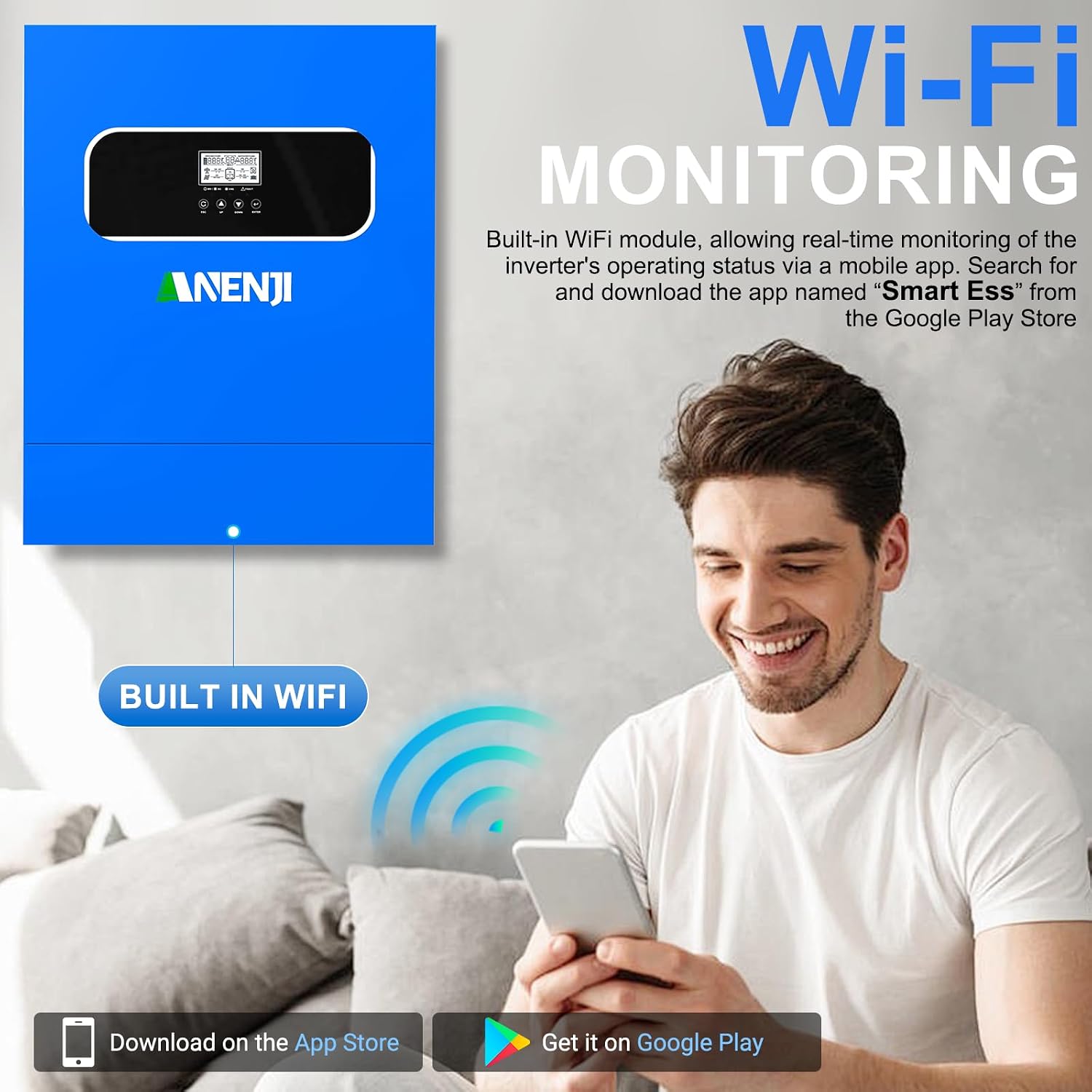
Зураг 3: The inverter features built-in WiFi for real-time monitoring via a mobile application, available on Google Play and App Store.

Зураг 4: The inverter provides a pure sine wave output, ensuring high-quality AC power for sensitive devices like computers, refrigerators, TVs, and water heaters.
3.2 Бүрэлдэхүүн хэсгүүд ба үзүүлэлтүүд
Familiarize yourself with the inverter's external components, display, and indicators for proper operation.

Зураг 5: Front panel features an LCD display, status indicator, charging indicator, fault indicator, and function buttons (ESC, UP, DOWN, ENTER). The rear panel includes PV1 input, PV2 input, AC input, Main out, Second out, RS485 port, WiFi antenna port, dry contact port, grounding terminal, battery negative/positive outlet holes, and a power on/off switch.
- LCD дэлгэц: Shows real-time system data and operating status.
- Статусын үзүүлэлт: Indicates the inverter's operational status.
- Цэнэглэх үзүүлэлт: Батерейны цэнэглэлтийн төлөвийг харуулна.
- Гэмтлийн үзүүлэлт: Illuminates when an error occurs, often accompanied by an error code on the LCD.
- Функцийн товчлуурууд: Used for navigating menus and configuring settings.
- PV Inputs (PV1, PV2): Нарны хавтангийн массивуудын холболтууд.
- Хувьсах гүйдлийн оролт: Connection for grid power.
- Main Out / Second Out: AC output connections for loads.
- Зайны терминалууд: Connections for the 48V battery bank.
- WiFi Antenna Port: For wireless monitoring.
- RS485 порт: For communication with external devices, including BMS.
- Хуурай холбоо барих порт: Гадаад хяналтын дохионы хувьд.
4. Тохиргоо ба суурилуулалт
Proper installation is crucial for the inverter's performance and safety. Consult a qualified electrician for installation.
4.1 Холбох байршил
- Mount the inverter vertically on a solid surface.
- Ensure sufficient clearance (at least 20 cm) around the inverter for proper airflow.
- Avoid direct sunlight, high temperatures, and high humidity.
- The installation environment should be free from corrosive gases and dust.
4.2 утас холболт
Follow the wiring diagram carefully. All connections must be secure and correctly polarized.

Зураг 6: Detailed wiring diagram showing connections for solar panels (PV array), utility grid, generator, 48V battery, 230V household load, and 220V household appliances. Note the maximum AC input voltage, AC output power, and maximum PV array power specifications.
- Фото зургийн массивын холболт: Connect solar panels to PV1 and PV2 inputs. Ensure the PV array voltage is within the 60-500V DC MPPT range and the open circuit voltage нь 500V DC-ээс хэтрэхгүй.
- Зайны холболт: Connect the 48V battery bank to the battery terminals. The inverter is compatible with various battery types including AGM, GEL, FLD, LI, SLD, and USER-defined settings.
- Хувьсах гүйдлийн оролтын холболт: Connect the utility grid or a generator to the AC input.
- AC гаралтын холболт: Connect your household loads to the Main Out and Second Out terminals.
- Газардуулга: Инвертер зөв газардуулсан эсэхийг шалгаарай.

Зураг 7: The inverter is compatible with multiple battery types, including AGM, GEL, FLD, LI (Lithium), SLD, and user-defined settings, with a maximum battery charging current of 100A (AC + DC).
5. Үйлдлийн горимууд
The Aninerel hybrid inverter offers flexible configuration options for charging and load priority.
5.1 Charging Priority Modes
These settings control how the battery bank is charged from different power sources.
- Нарны эрчим хүчний тэргүүлэх чиглэл: The inverter prioritizes solar power for charging. AC input will only charge the battery bank when solar power is no longer available.
- Нарны болон AC оролт: The inverter will charge the battery bank from both solar and AC power simultaneously.
- Зөвхөн нарны: The inverter will only charge the battery bank from available solar power.
5.2 Load Priority Modes
These settings determine how your appliances receive power.
- PV Output Priority: The inverter will prioritize solar power to supply the loads first. If solar input is not enough, it will compensate from the AC input.
- National Network Output Priority (AC Priority): The inverter will redirect the AC input to power all loads and will only use DC inputs (battery/PV) when AC input power is not available.
- Battery Output Priority (DC Priority): The inverter will prioritize inverting from solar first. If solar is not enough, it will invert from battery power. Only when battery power is low will it switch to AC input.
Зураг 8: Visual representation of charging priority (Solar Priority, Solar and AC input, Solar Only) and load priority (Solar Priority, AC Priority, DC Priority) settings, which can be configured via the inverter's display.
6. Засвар үйлчилгээ
Тогтмол засвар үйлчилгээ нь таны инвертерийн урт наслалт, оновчтой ажиллагааг баталгаажуулдаг.
- Цэвэрлэгээ: Periodically clean the inverter's exterior with a dry cloth. Ensure ventilation openings are free from dust and debris.
- Холболтууд: Жил бүр бүх цахилгаан холболтыг нягтрал болон зэврэлтийн шинж тэмдэг байгаа эсэхийг шалгана уу.
- Байгаль орчин: Ашиглалтын орчин нь тогтоосон температур, чийгшлийн хязгаарт байгаа эсэхийг шалгаарай.
- Батерейны эрүүл мэнд: If using batteries, monitor their health and ensure they are properly maintained according to their manufacturer's guidelines.
7. Алдаа засах
The inverter's LCD display will show error codes if a fault occurs. Refer to the specific error code in the full product manual (if available) for detailed troubleshooting steps. General troubleshooting tips include:
- Эрчим хүчгүй: Check all power connections (PV, battery, AC input). Ensure the power switch is ON.
- Хэт ачаалал: Reduce the connected load. The inverter has overload protection and may shut down.
- Хэт халалт: Ensure adequate ventilation. Clean any dust from vents.
- Батерейны асуудал: Зайны хэмжээг шалгана ууtage and connections. Ensure battery type settings are correct.
- Фотоэлектрик оролтын асуудлууд: Verify solar panel connections and ensure sufficient sunlight. Check PV array voltage.
If the problem persists after basic troubleshooting, contact Aninerel customer support or a qualified technician.
8. Техникийн үзүүлэлтүүд
| Онцлог | Тодорхойлолт |
|---|---|
| Загварын нэр | ANJ-HHS-11000W-48V-WIFI |
| Гаралтын хүч | 11000 ватт |
| Оролтын хэмжээtage (DC) | 48 В |
| Гаралтын ботьtage (AC) | 220 В / 230 В |
| Макс. PV оролтын хүч | 11000 Вт |
| Хамгийн их PV массивын хүч | 5500 В х 2 |
| PV массив MPPT ботьtage Хамрах хүрээ | 60 ~ 500 В тогтмол гүйдэл |
| Хамгийн их Нээлттэй хэлхээ Voltage (PV) | 500 В DC |
| Макс. Цэнэглэх гүйдэл | 160 А |
| Макс. Нарны оролтын гүйдэл | 18 А х 2 |
| Бүтээгдэхүүний хэмжээс | 52L x 41.5W x 12.2H сантиметр |
| Зүйлийн жин | 17 кг |
| Дэлгэцийн төрөл | LCD |
| Зөвлөмж болгож буй хэрэглээ | Гэр, Оффис, Тээврийн хэрэгсэл |
9. Баталгаат хугацаа ба дэмжлэг
For warranty information, technical support, or service inquiries, please contact your retailer or the manufacturer, Aninerel. Keep your purchase receipt and product model number (ANJ-HHS-11000W-48V-WIFI) readily available when seeking support.
Ask a question about this manual
Ask about setup, troubleshooting, compatibility, parts, safety, or missing instructions. Manuals+ will review the question and use this page’s manual context to help answer it.