
1. Танилцуулга
This manual provides detailed instructions for the Luoran M4Pro MP3 Player, a smart audio and media device designed for children and teenagers. It features a 4.0" IPS touchscreen, parental controls, and access to various streaming applications. Please read this manual thoroughly to ensure proper use and maintenance of your device.
2. Хайрцагт юу байна
- Luoran M4Pro MP3 Player
- 64GB memory card (pre-installed)
- USB-C кабель
- Утастай чихэвч
- Силикон хайрцаг
- Instruction of use (this manual)
3. Бүтээгдэхүүн дууссанview
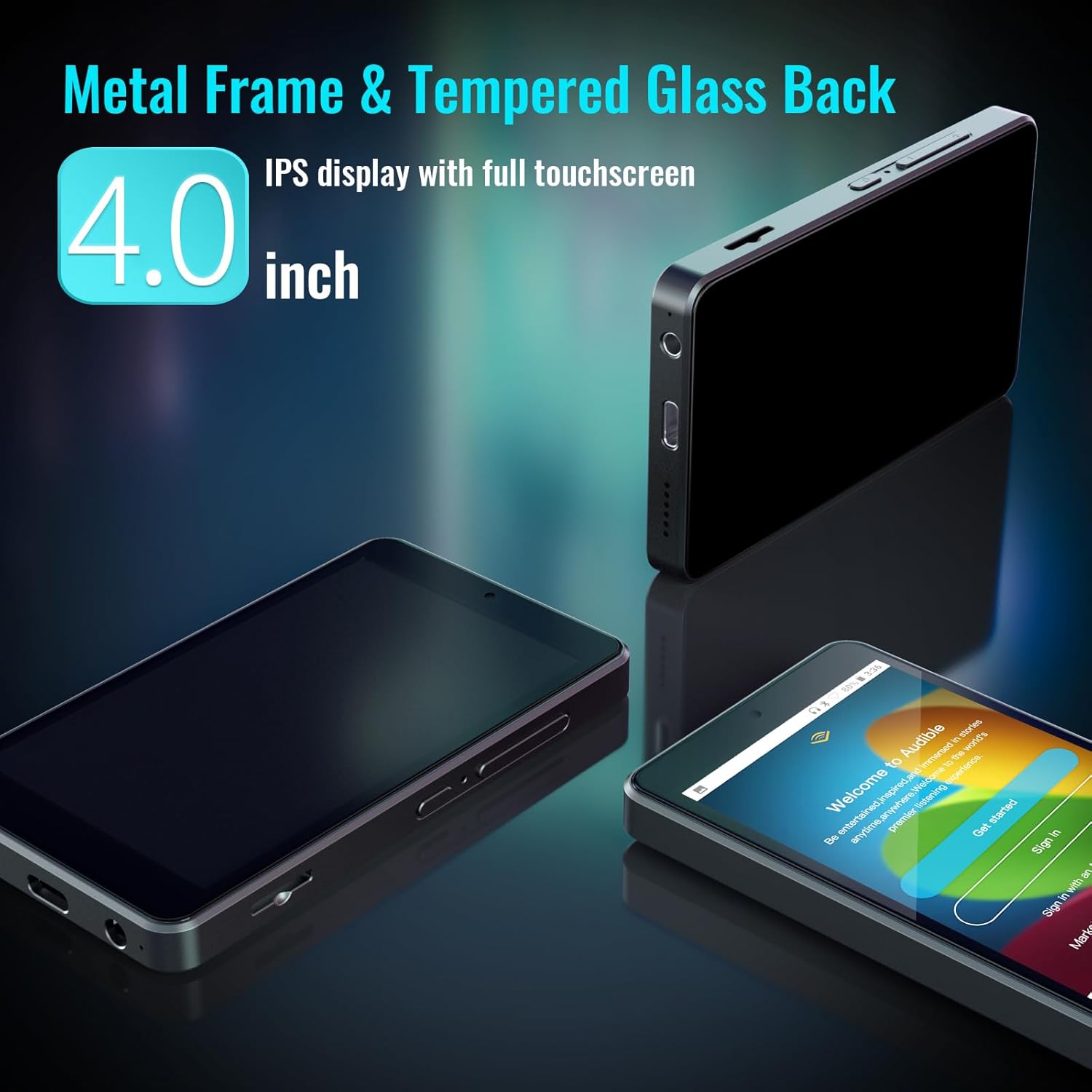
The Luoran M4Pro is a compact and durable MP3 player with a 4.0-inch IPS full-touchscreen display. It runs on Android 10, offering a smooth user experience.

The device features a metal frame and a tempered glass back for enhanced durability. It includes physical buttons for power and volume control, along with a USB-C charging port and a 3.5mm headphone jack.
4. Тохиргоо
- Анхны асаалт: Дэлгэц гэрэлтэх хүртэл төхөөрөмжийн хажуу талд байрлах цахилгаан товчийг удаан дар.
- Parental Management PIN: For first-time use, navigate to "Parental Management" in the settings. Set a PIN code and ensure you write it down and remember it. This PIN is crucial for accessing parental control functions and preventing unauthorized changes.
- Wi-Fi-д холбогдох: Go to Settings > Network & Internet > Wi-Fi and connect to your preferred wireless network to enable streaming and app downloads.
- Санах ойн карт оруулах: The 64GB memory card is pre-installed. If you wish to expand storage further, insert a compatible micro SD card (up to 1TB) into the designated slot on the side of the device.
5. Ашиглалтын заавар
The Luoran M4Pro operates on an Android-based system, providing a familiar and intuitive interface. Navigate through applications by swiping the touchscreen and tapping on icons.
- Цахилгаан товч: Press and hold to power on/off. Short press to wake/sleep the screen.
- Дууны товчлуурууд: Adjust audio volume using the dedicated buttons on the side.
- Навигац: Use the on-screen navigation buttons (Home, Back, Recent Apps) to move between screens and applications.
6. Эцэг эхийн хяналт
The M4Pro includes a robust parental control system to manage your child's usage. Access these settings via the "Parental Management" app on the device's home screen.
- App Blocking: Block or unblock any application, including the Google Play Store, to control access to content.
- Цагийн хязгаарлалт: Set automatic ON/OFF times to control daily playing duration.
- Шөнийн гэрлийн горим: Supported for eye care, adjustable in settings.


7. Хэвлэл мэдээллийн интеграцчлал
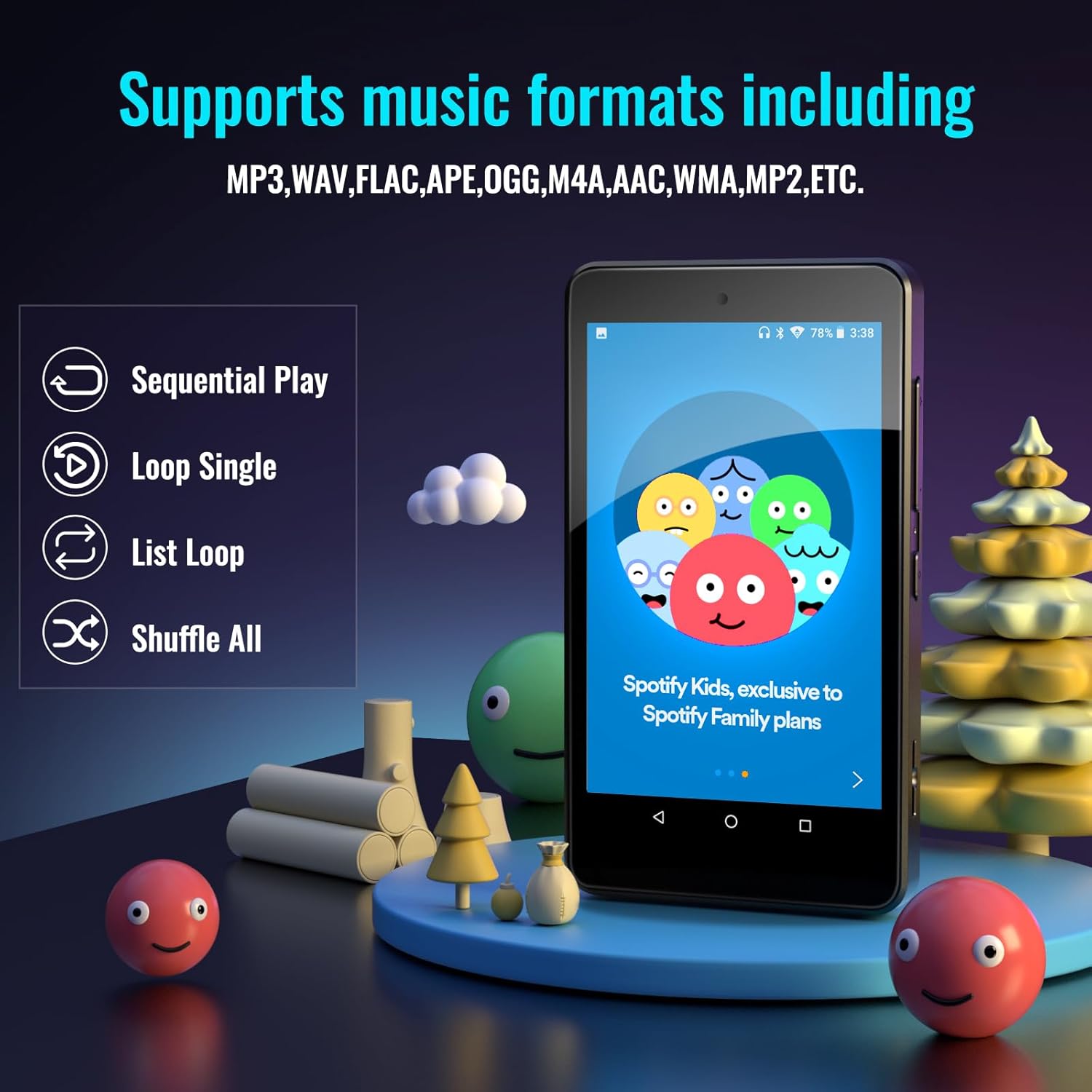
The M4Pro comes pre-installed with popular apps and supports various media formats.
- Урьдчилан суулгасан програмууд: Spotify Kids, Spotify, Amazon Music, Audible, Pandora, YouTube, Libby, and HiBy Music.
- Google Play Store: Download any additional music, audiobook, or entertainment apps.
- Дэмжигдсэн аудио форматууд: MP3, WAV, FLAC, APE, OGG, M4A, AAC, WMA, MP2 гэх мэт.

8. Хадгалалт ба холболт
- Дотоод санах ой: 32GB ROM with 3GB RAM.
- Өргөтгөх боломжтой хадгалах сан: Comes with a 64GB memory card pre-installed (total 96GB). Supports external memory expansion up to 1TB via SDXC/SDHC cards.
- Хос зурвасын WiFi: Enjoy stable and fast wireless connections with 2.4GHz & 5GHz Wi-Fi.
- Bluetooth 5.0: Ensures seamless connectivity with headphones, speakers, and car stereos for a smooth audio experience.

9. Battery Life and Portability
- Зай: Built-in 2000mAh LCO battery.
- Хөгжим тоглуулах: Up to 70 hours of continuous music playback on a 2-hour charge.
- Цэнэглэж байна: USB-C цэнэглэгч порт.
- Дизайн: Lightweight and portable, ideal for travel, exercise, and on-the-go use.
10. Засвар үйлчилгээ
- Цэвэрлэгээ: Дэлгэц болон төхөөрөмжийн их биеийг цэвэрлэхдээ зөөлөн, хуурай даавуу ашиглаарай. Зүлгүүрийн цэвэрлэгч болон уусгагч бодисоос зайлсхий.
- Хамгаалалт: Always use the provided silicone case to protect the device from drops and impacts.
- Хадгалах: Төхөөрөмжийг нарны шууд тусгал, хэт температураас хол, сэрүүн, хуурай газар хадгална.
- Батерейны арчилгаа: To prolong battery life, avoid fully discharging the device frequently. Charge regularly.
11. Алдаа засах
- Төхөөрөмж асахгүй байна: Ensure the device is charged. Connect to the USB-C charger and wait a few minutes before attempting to power on again.
- Forgotten Parental PIN: If you forget your parental management PIN, you may lose access to certain functions. Refer to the device's support documentation or contact Luoran customer service for assistance.
- App Issues (e.g., frequent updates, not opening): Ensure the device is connected to Wi-Fi. Check for system updates in Settings > System > System update. For specific app issues, try clearing the app's cache or reinstalling it via the Google Play Store.
- Дууны асуудал: Check headphone connection. Ensure volume is not muted or too low. Test with different headphones or Bluetooth speakers.
12. Техникийн үзүүлэлтүүд
| Онцлог | Дэлгэрэнгүй |
|---|---|
| Бүтээгдэхүүний хэмжээс | 4.25 x 2.4 x 0.39 инч |
| Зүйлийн жин | 4.9 унц |
| Үйлдвэрлэгч | Луоран |
| Загварын дугаар | M4Pro-6750 |
| Батерей | Built-in 2000mAh LCO battery |
| Брэнд | Луоран |
| Загварын нэр | M4Pro-6750 |
| Онцлог шинж чанар | Bluetooth and WiFi, Google Play Store, Parental Controls |
| Холболтын технологи | Bluetooth, WiFi |
| Санах ойн хадгалах багтаамж | 96 GB (32GB ROM + 64GB SD card) |
| Өнгө | Хар |
| Дэлгэцийн хэмжээ | 4 инч |
| Тохиромжтой төхөөрөмжүүд | Earphone, Headphone |
| Хэвлэл мэдээллийн төрөл | Memory Card, SDHC, SDXC |
13. Баталгаат хугацаа ба дэмжлэг
Luoran stands behind its products. If you encounter any unexpected issues or have questions, the Luoran support team is available 24/7 to assist you.
For support, please refer to the contact information provided in the "Instruction of use" booklet included in your product packaging or visit the official Luoran webсайт.