
TIDRADIO TD-G100
TIDRADIO TD-G100 Nationwide 4G PoC Walkie Talkie Instruction Manual
Загвар: TD-G100
1. Танилцуулга
The TIDRADIO TD-G100 is a state-of-the-art 4G PoC (Push-to-Talk over Cellular) walkie talkie designed for nationwide communication. Utilizing cellular networks, it offers unlimited range wherever AT&T signal is available, providing clear and instant communication. This manual will guide you through the setup, operation, and maintenance of your TD-G100 device.
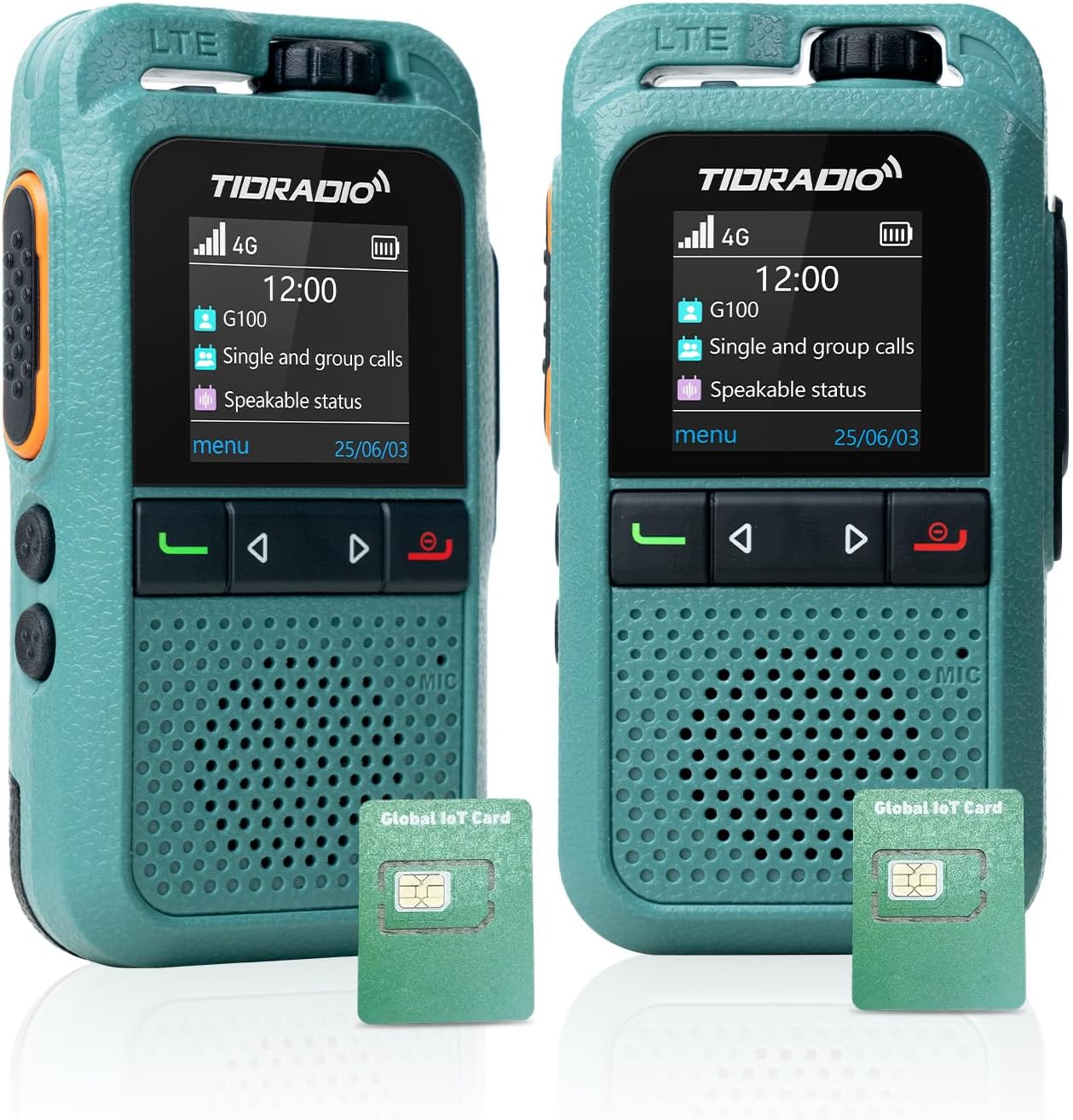
Зураг: Урд view of the TIDRADIO TD-G100 walkie talkie, showcasing түүний авсаархан дизайн, дэлгэц.
2. Хайрцагт юу байна
Your TIDRADIO TD-G100 package includes the following items:
- TIDRADIO TD-G100 Walkie Talkie Unit(s)
- C төрлийн цэнэглэгч кабель
- 2 x 12V Batteries (included)
- AT&T SIM Card (pre-installed, with 12 months complimentary data)
- Хэрэглэгчийн гарын авлага (энэ баримт бичиг)
3. Бүтээгдэхүүн дууссанview болон Хяналтууд
Familiarize yourself with the physical components and controls of your TD-G100 walkie talkie.

Image: Diagram highlighting the key controls of the TD-G100, including Volume Control, PTT Button, Menu/Confirm, Groups list, Single Call, Power on/EXIT Button, Microphone, and Speaker.
- Дууны хяналт: Аудио гаралтын түвшинг тохируулахын тулд эргүүлнэ үү.
- PTT товчлуур (Ярих товчийг дарах): Press and hold to transmit your voice. Release to listen.
- Цэсийн товчлуур: Төхөөрөмжийн цэс рүү нэвтрэх.
- EXIT товч: Exit current menu or function.
- Навигацийн товчлуурууд: Use to select menu options.
- Groups List Button: Quickly access your configured talk groups.
- Single Call Button: Initiate a private call with a specific contact.
- Микрофон: Speak into the microphone for clear transmission.
- Илтгэгч: Audio output for incoming transmissions.
- Далд антен: The device features an internal antenna for a compact design.
- Shock-Resistant Protection Bar: Provides enhanced durability.
4. Тохируулах гарын авлага
4.1 SIM карт болон батерей суурилуулах
The TD-G100 comes with a pre-installed AT&T SIM card. If you need to access or re-install the SIM card or battery, follow these steps:

Image: Illustration showing the pre-installed SIM cards in the TD-G100, highlighting the 1-year free data plan.
- Open the Lock Buckle: Gently push the SIM card slot latch downward to open it.
- SIM карт оруулах: Place the SIM card into the designated slot. Ensure correct orientation.
- Close the Lock Buckle: Close the latch and gently push it upward to secure the SIM card.
- Батерейг суулгах: Insert the provided 12V battery into its compartment.
- Батерейны хамгаалалт: Зайны тагийг сольж, найдвартай бэхэлсэн эсэхийг шалгаарай.
4.2 Odmaster App Download and Account Registration
The Odmaster app is essential for managing your TD-G100, including adding friends, creating groups, and managing your data plan. You can download the app by scanning the QR codes below or searching in your device's app market.

Image: Screenshot of the Odmaster app activation tutorial, showing QR codes for Android and iOS app downloads.
- Апп татаж авах: Scan the QR code for your device's operating system (Android or iOS) or visit odmaster.tid-china.com/odmasterAppDownload.
- Бүртгэл бүртгүүлэх: Open the Odmaster app and register a new account using your phone number or email. You can log in without verification if using email.
- Найзуудаа нэмэх: From the app's main interface, you can add friends by scanning their QR code or entering their Odmaster ID.
- Бүлэг үүсгэх: Create new talk groups within the app. You can name your group and invite friends to join.
4.3 Binding TD-G100 to Odmaster App
To link your TD-G100 walkie talkie to your Odmaster account:

Image: Visual guide for binding the TD-G100 to the Odmaster app, showing the steps to scan the device's QR code.
- Open Odmaster App: Navigate to the "Program" interface and click "Add Poc Radio".
- QR кодыг скан хийх: On your TD-G100, power it on and locate the QR code displayed on the screen. Use the Odmaster app to scan this QR code.
- Confirm Binding: Follow the on-screen prompts to confirm the binding. Once successful, your device will be listed in the app.
- Add Groups to Device: From the app, select your bound TD-G100 and add the desired talk groups to it. This will enable communication through these groups on your device.
5. Operating Your TD-G100
5.1 Үндсэн харилцаа холбоо
The TD-G100 supports Full Call, Single Call, and Group Call functions.
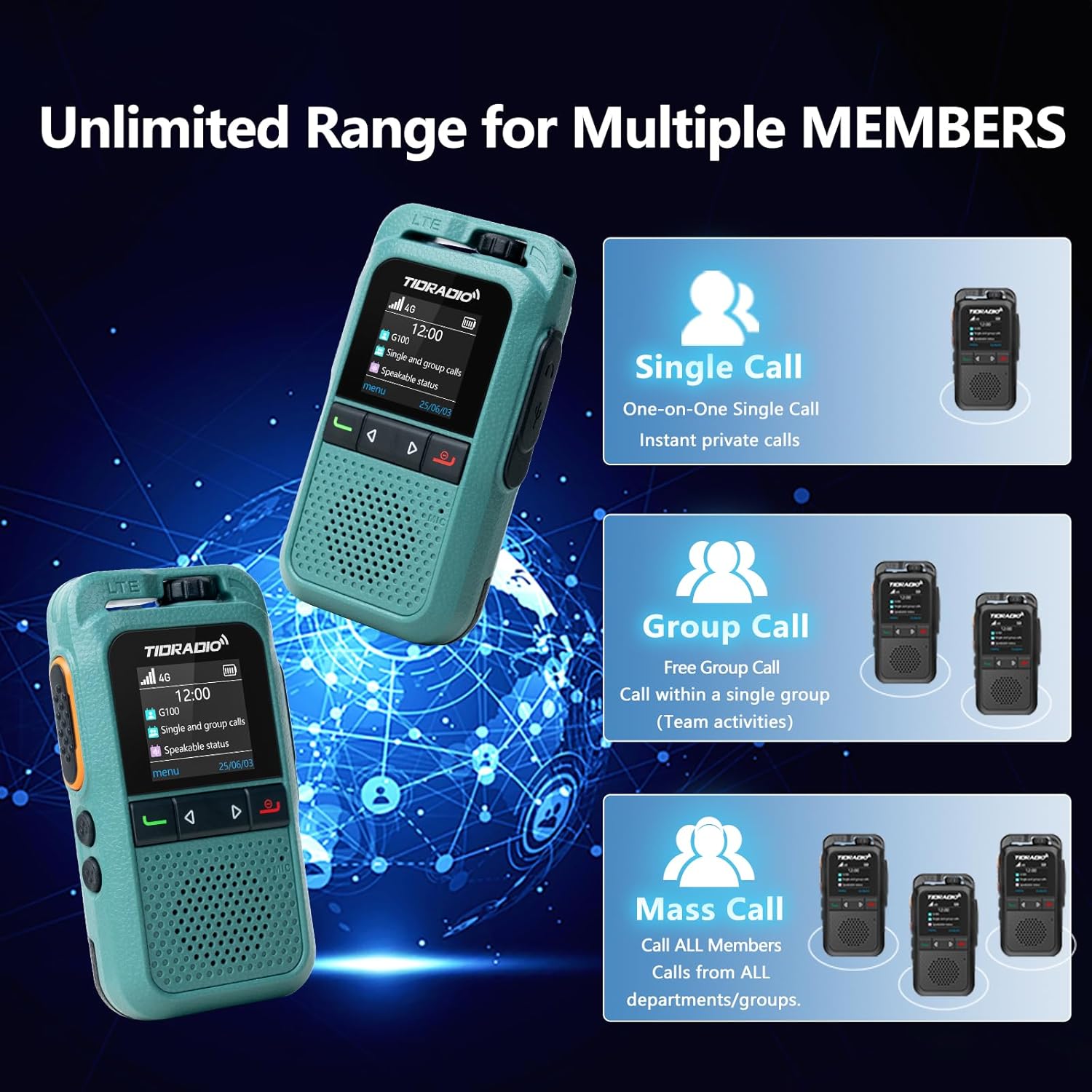
Image: Diagram illustrating the Single Call, Group Call, and Mass Call capabilities of the TD-G100.
- Full Call: To initiate a full call to all members in your current group, select the group using the Groups List button, then press and hold the PTT button to speak. Release to listen.
- Ганц дуудлага: To make a private call, press the Single Call button, select the desired member from your contacts, then short press the PTT key to confirm. Press and hold the PTT key to speak.
- Бүлгийн дуудлага: To communicate within a specific group, press the Groups List button, select the desired group, then press and hold the PTT button to speak.
5.2 Auto-Recording Function
The TD-G100 features an auto-recording function that captures all conversations within your groups. This ensures no important calls are missed and allows for reviewing chat history at any time.

Image: Visual representation of the auto-recording function, showing a walkie-talkie and a smartphone displaying chat history.
5.3 One-Click Auto-Update (OTA)
Your TD-G100 supports Over-The-Air (OTA) updates, allowing for seamless firmware optimizations and access to new features without needing a physical connection to a computer. This feature helps extend the device's life and ensures real-time parameter tuning.

Image: Graphic illustrating the OTA update process, emphasizing no computer is needed for effortless upgrades.
6. Засвар үйлчилгээ
- Батерейны арчилгаа: The 3000mAh battery provides approximately 24 hours of average use. Charge the device using the provided Type-C charging cable. Avoid overcharging or fully discharging the battery for extended periods to prolong its lifespan.
- Цэвэрлэгээ: Төхөөрөмжийг цэвэрлэхийн тулд зөөлөн, хуурай даавуу ашиглана уу. Химийн хүчтэй бодис, зүлгүүрийн цэвэрлэгч хэрэглэж болохгүй.
- Усны эсэргүүцэл: The TD-G100 has an IP54 waterproof rating, meaning it is protected from dust and splashing water. Avoid submerging the device in water.
- Програм хангамжийн шинэчлэлтүүд: Regularly check for OTA updates through the Odmaster app to ensure your device has the latest features and performance improvements.
7. Алдаа засах
| Асуудал | Боломжит шалтгаан | Шийдэл |
|---|---|---|
| No signal / Cannot communicate | Out of AT&T network coverage; SIM card not properly installed; Data plan expired. | Move to an area with AT&T coverage; Re-install SIM card; Renew data plan via Odmaster App. |
| Төхөөрөмж апп-д холбогдоогүй байна | Incorrect QR code scanned; App not updated; Device offline. | Ensure correct QR code is scanned; Update Odmaster app; Check device power and network status. |
| Дууны чанар муу | Weak signal; Obstructions; Volume too low. | Move to an open area; Adjust volume control. |
| Батерейг цэнэглэхгүй байна | Faulty cable/charger; Incorrect connection. | Ensure Type-C cable is properly connected; Try a different charging cable or adapter. |
8. Техникийн үзүүлэлтүүд
| Онцлог | Дэлгэрэнгүй |
|---|---|
| Брэнд | ТИДРАДИО |
| Загварын дугаар | TD-G100 |
| Холболтын протокол | 4G PoC LTE |
| Хамгийн их ярих хүрээ | 10000 Miles (Network Dependent) |
| Сувгийн тоо | 200 |
| Зайны багтаамж | 3000 мАч |
| Батерейны дундаж наслалт | 24 цаг |
| Цэнэглэх интерфейс | Төрөл-C |
| Усны эсэргүүцлийн түвшин | IP54 (Усны хамгаалалттай) |
| Онцлог шинж чанарууд | 3W Loud Audio Speaker, Auto-recording Conversation, One-Click Auto-Update (OTA), Odmaster APP Support |
9. Баталгаат хугацаа ба дэмжлэг
TIDRADIO is committed to providing the best communication experience. For any inquiries or support, please contact us.
- Баталгаат хугацаа:
- 30-day free return or replacement
- 90 хоногийн чанарын баталгаа
- Lifetime after-sales service & OTA updates
- Дэмжлэгийн имэйл: support@tidradio.com

Image: A thank you message from TIDRADIO with their support email address.
10. Видео заавар
For visual guidance on setting up and using your TD-G100, please refer to the official video tutorials below:
How to Use the G100 4G PoC Walkie-Talkie
Video: A comprehensive guide demonstrating the setup and operational procedures for the TIDRADIO TD-G100 4G PoC Walkie-Talkie.
Walkie Talkies Long Range Overview
Видео: Дууслааview of the long-range capabilities and general use of TIDRADIO walkie talkies, including the TD-G100 model.
Ask a question about this manual
Ask about setup, troubleshooting, compatibility, parts, safety, or missing instructions. Manuals+ will review the question and use this page’s manual context to help answer it.