JONR T5 Pro Gen 2 Robot Vacuum Cleaner and Mop User Manual
Model: T5 Pro Gen2
1. Танилцуулга
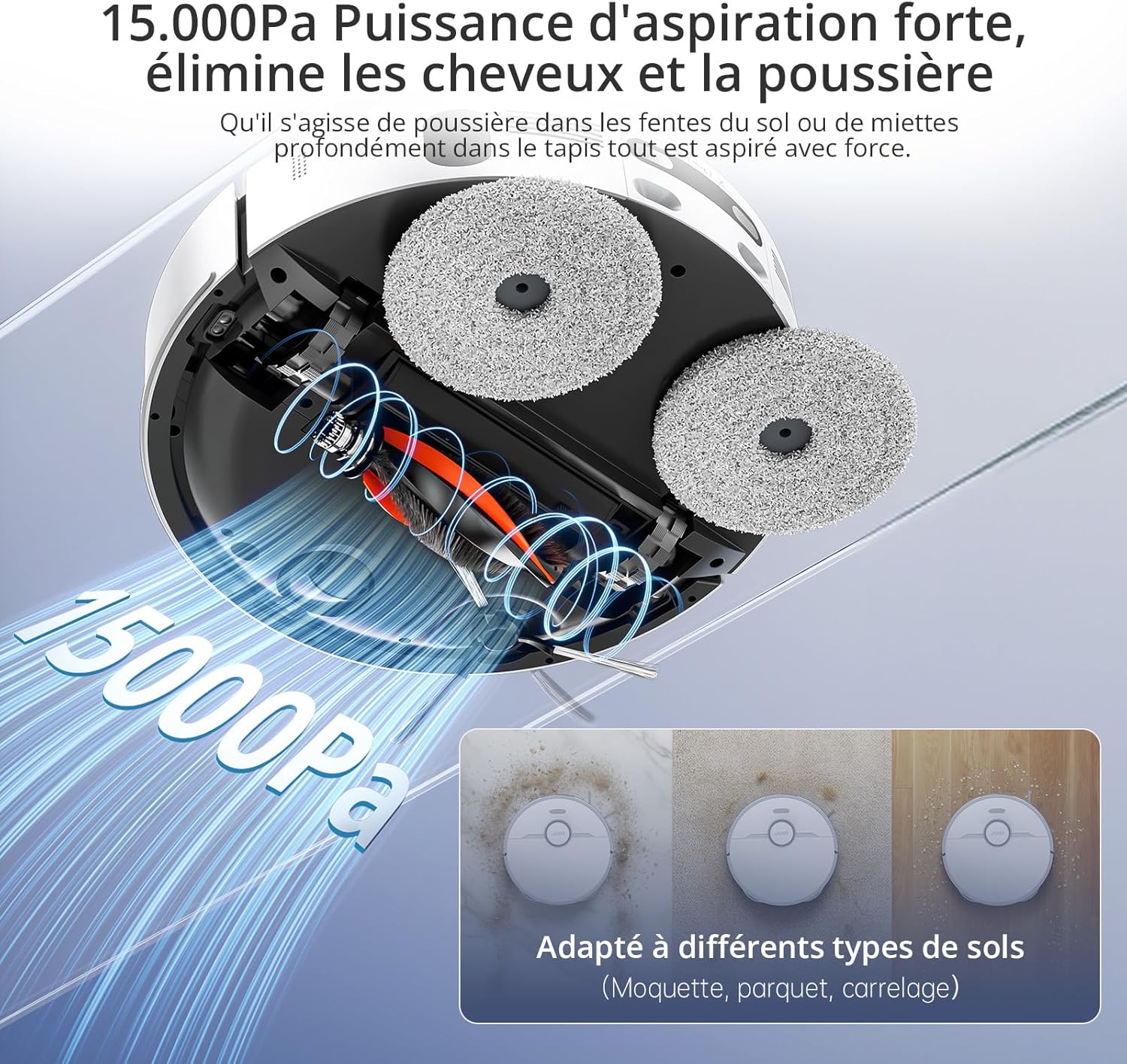
This manual provides essential instructions for the safe and efficient operation of your JONR T5 Pro Gen 2 Robot Vacuum Cleaner and Mop. Please read this manual thoroughly before using the product and retain it for future reference. The JONR T5 Pro Gen 2 is designed to provide comprehensive floor cleaning with powerful suction, mopping capabilities, automatic dust collection, and hot air mop drying.
2. Аюулгүй байдлын мэдээлэл
Before using the JONR T5 Pro Gen 2, please observe the following safety precautions:
Position the Base Station: Place the base station against a wall with at least 0.26ft (8cm) clear space on both sides and 3.94ft (1.2m) in front. Ensure it is near a power outlet.
R хавсарганаamp Extension Plate: r-г аюулгүй болгоamp extension plate to the front of the base station.
Install Water Tanks: Insert the clean and dirty water tanks into their respective slots in the base station.
Хажуугийн сойз суулгах: Snap the side brush onto the designated post on the underside of the robot.
Attach Mopping Pads: Securely attach the mopping pads to the bottom of the robot.
Цэвэр усны савыг дүүргэх: Open the clean water tank and fill it with clean tap water.
Эрчим хүчийг холбох: Plug the base station into a power outlet.
Video: Step-by-step guide on unboxing, assembling, and connecting the JONR T5 Pro Gen 2 robot vacuum to the mobile application.
6. Ашиглалтын заавар
6.1 Цэвэрлэгээний мөчлөгийг эхлүүлэх
Аппликешнээр дамжуулан: Open the Xiaomi Home app, select your JONR T5 Pro Gen 2, and tap "Clean" to start a cleaning cycle. You can choose between different cleaning modes (e.g., whole home, room, zone).
Робот товчлуураар дамжуулан: Press the Power/Clean button on the robot once to start a full cleaning cycle.
Дуут удирдлага: The robot supports voice commands via Alexa and Google Home. For example, say "Alexa, start cleaning" (if integrated).
Image: The JONR T5 Pro Gen 2 robot vacuum being controlled via the mobile application, showing mapping and zone selection.
6.2 Ухаалаг онцлог
LiDAR Navigation: The robot uses LiDAR to create a precise map of your home, ensuring efficient and thorough cleaning without repetition. It can map up to 4 floors.
Саад тотгороос зайлсхийх: Advanced sensors allow the robot to recognize and bypass obstacles like furniture, cables, and pet bowls.
Хориотой бүсүүд: Use the app to define specific areas the robot should avoid, such as pet feeding areas or delicate zones.
Хивс илрүүлэх: The robot automatically detects carpets and adjusts suction power. During mopping, it intelligently lifts the mop pads by 10mm to avoid wetting carpets.
Ирмэг цэвэрлэх: An extendable side mop ensures thorough cleaning along walls and into corners.
Image: Illustration of the JONR T5 Pro Gen 2 using LiDAR navigation to map a home environment.
Image: The JONR T5 Pro Gen 2 robot vacuum demonstrating its obstacle avoidance capabilities.
Цэвэр бохир усны сав: Regularly empty and clean the dirty water tank to prevent odors and bacterial growth.
Clean Dustbin and Filter: Remove the robot's dustbin, empty it, and clean the HEPA filter under running water. Allow the filter to dry completely before reinserting.
Хажуугийн сойз цэвэрлэх: Remove any tangled hair or debris from the side brush.
Үндсэн сойз цэвэрлэх: Remove the main brush and clear any tangled hair or debris. The anti-tangle design minimizes hair entanglement.
Цэвэр мэдрэгч: Wipe all sensors (cliff sensors, obstacle avoidance sensors, charging contacts) with a clean, dry cloth.
Тоосны уутыг солих: When the dust bag in the base station is full (indicated by the app or indicator light), replace it with a new one.
Цэвэр цэвэрлэгч дэвсгэр: The base station automatically cleans and hot-air dries the mop pads after each cleaning cycle. Periodically remove and hand-wash the mop pads for deeper cleaning.
Video: Demonstrates routine maintenance tasks including cleaning the dirty water tank, dustbin, filter, side brush, and replacing the dust bag.
8. Алдаа засах
Асуудал
Боломжит шалтгаан
Шийдэл
Робот асахгүй байна.
Low battery; not properly docked.
Ensure the robot is fully charged on the base station. Press and hold the power button for 3 seconds.
Ensure correct 2.4GHz Wi-Fi password. Move robot closer to router. Reset Wi-Fi on robot (hold power and recharge buttons for 3s).
Цэвэрлэгээний гүйцэтгэл муу.
Full dustbin; dirty filters/brushes; clogged sensors.
Empty dustbin, clean/replace filters, clean main/side brushes, wipe all sensors.
Робот байнга гацдаг.
Obstacles; loose cables; narrow spaces.
Clear obstacles. Use the app to set no-go zones for problematic areas.
Mop pads are not cleaning effectively.
Dirty water tank full; clean water tank empty; worn mop pads.
Empty dirty water tank, refill clean water tank. Replace worn mop pads.
9. Техникийн үзүүлэлтүүд
Онцлог
Дэлгэрэнгүй
Брэнд
JONR
Загварын дугаар
T5 Pro Gen2
Сорох хүч
15000 Па
Зайны ашиглалт
2.5 цаг хүртэл
Цэвэр усны савны багтаамж
4.0 литр
Бохир усны савны багтаамж
3.5 литр
Тоосны уутны багтаамж
2.5 Liters (up to 75 days maintenance-free)
Навигацийн төрөл
ЛиДАР
Моп өргөх өндөр
10 mm (for carpets)
Саадыг гатлах өндөр
20 мм хүртэл
Дуу чимээний түвшин
<60 дБ
Шүүлтүүрийн төрөл
HEPA
Холболт
Wi-Fi (2.4GHz), Mobile App (Xiaomi Home), Voice Control (Alexa, Google Home)
Хэмжээ (Робот)
33L x 33W x 10H см
Dimensions (Base Station)
40L x 34W x 56H cm (approximate, derived from product dimensions)
Жин
12 Kilograms (total item weight)
10. Баталгаат хугацаа ба дэмжлэг
JONR provides 365-day support for the T5 Pro Gen 2 Robot Vacuum Cleaner and Mop. For any issues or inquiries, please contact JONR customer service. We aim to resolve all problems within 24 hours.
For spare parts availability, please refer to the product's official website or authorized retailers. Spare parts are generally available for 5 years.
Ask a question about this manual
Ask about setup, troubleshooting, compatibility, parts, safety, or missing instructions. Manuals+ will review the question and use this page’s manual context to help answer it.