Танилцуулга
The NUBWO HG04 Wireless Gaming Headset is designed to provide a versatile audio experience for gaming, music, and movies across multiple platforms. Featuring dual 2.4GHz wireless and Bluetooth 5.3 connectivity, three custom EQ sound modes, a noise-canceling microphone, and a comfortable foldable design with a 50-hour battery life, this headset is engineered for extended use and clear communication.
Багцын агуулга
Please ensure all items are present in your NUBWO HG04 package:
- NUBWO HG04 Wireless Gaming Headset
- USB-A/C 2.4GHz Wireless Dongle
- Салгаж болдог дуу чимээг намсгадаг микрофон
- USB-C цэнэглэгч кабель
- 3.5 мм аудио кабель
- Хэрэглэгчийн гарын авлага
- Extended Warranty Activation Card (as shown in some product videos)
Бүтээгдэхүүн дууссанview болон Хяналтууд
Familiarize yourself with the headset's components and controls for optimal use.
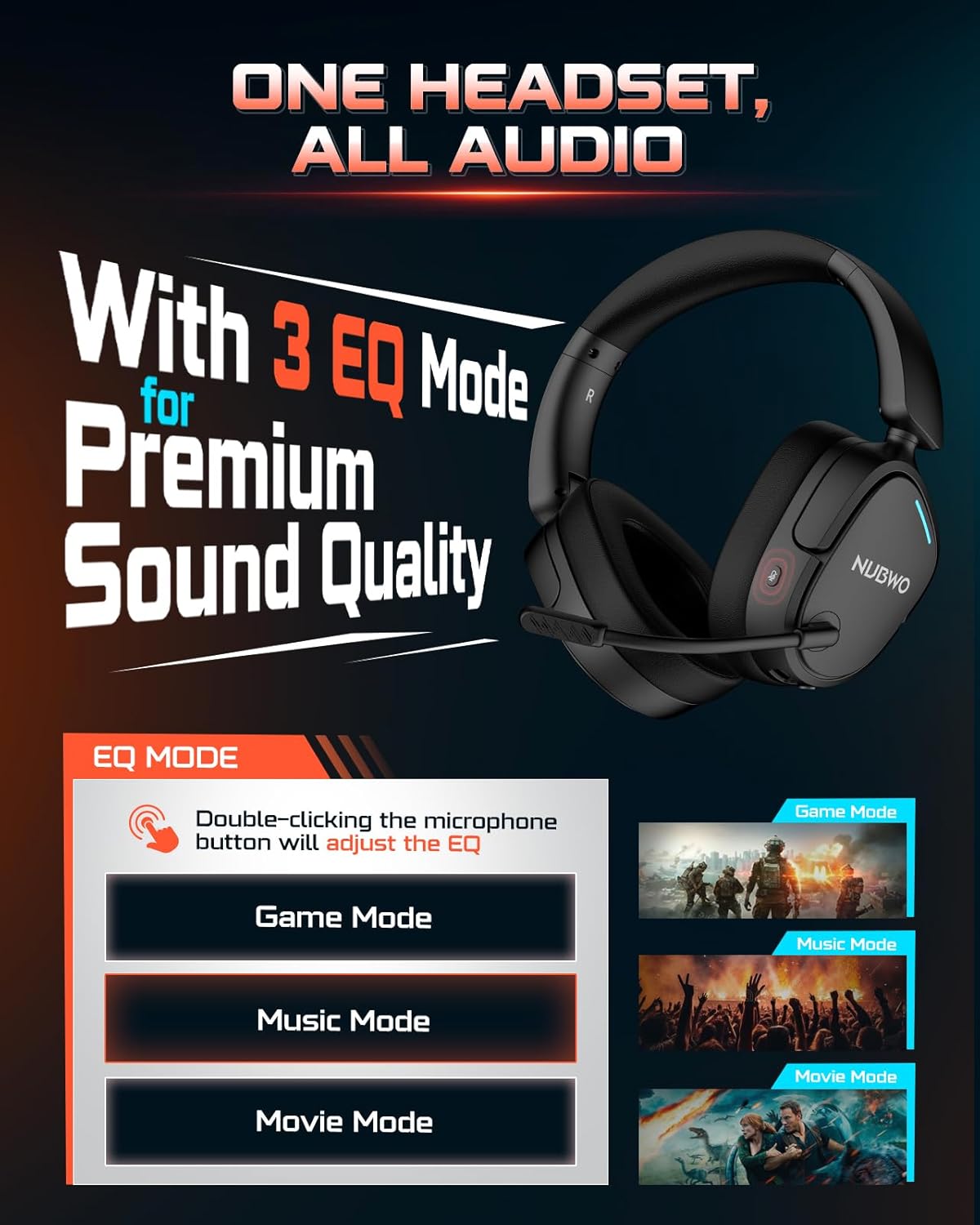
Image: NUBWO HG04 Wireless Gaming Headset highlighting its three EQ modes (Game, Music, Movie) and the microphone button for switching between them.
Чихэвчний удирдлага:
- Цахилгаан товч: Located on the left earcup. Long press to power on/off.
- Эзлэхүүний хүрд: Аудио гаралтын түвшинг тохируулна.
- Микрофоны дууг хаах товчлуур: Toggles microphone mute. Double-click to cycle through EQ modes.
- EQ Mode Indicator: Visual feedback for selected sound mode (Game, Music, Movie).
- USB-C цэнэглэх порт: Чихэвчийг цэнэглэхэд зориулагдсан.
- 3.5 мм аудио залгуур: Утастай холболтын хувьд.
- Detachable Microphone Port: Connects the boom microphone.
Тав тухтай байдал ба дизайн:
The NUBWO HG04 features lightweight construction (270g) with rotating memory foam earcups for extended comfort during long gaming sessions. Its foldable design allows for easy storage and portability.

Image: Close-up of the NUBWO HG04 headset's memory foam earcups, emphasizing comfort for prolonged use.

Image: Comparison showing the NUBWO HG04 headset in its foldable state for travel versus a non-foldable headset.
Тохиргоо ба холболт
The NUBWO HG04 offers multiple connectivity options for various devices.

Image: Diagram illustrating the headset's 4-in-1 multi-platform connectivity, including 3.5mm wired, Bluetooth, USB-A, and USB-C options for various devices.
1. 2.4GHz Wireless Connection (PC, PS5, PS4, Nintendo Switch)
- Insert the USB-A/C wireless dongle into an available USB port on your PC, PS5, PS4, or Nintendo Switch.
- Чихэвчийг асаах товчийг удаан дарж асаана уу. Чихэвч автоматаар донглтой холбогдоно.
- Системийн тохиргоондоо чихэвчийг аудио гаралт/оролтын төхөөрөмж болгон сонгосон эсэхээ шалгаарай.
- Жич: Microphone functionality is not supported on Nintendo Switch via 2.4GHz wireless.
Видео: Дууслааview of the NUBWO HG04 Wireless Gaming Headset, demonstrating its features and connectivity options, including the 2.4GHz dongle.
2. Bluetooth 5.3 Connection (Mobile Devices)
- Чихэвчний хүч.
- Activate Bluetooth pairing mode on the headset (refer to the specific button combination in the quick start guide, usually a long press on the Bluetooth button or mode button).
- On your mobile device, search for Bluetooth devices and select "NUBWO HG04" to pair.
- The headset supports dual-channel simultaneous connection, allowing you to game via 2.4GHz and maintain a Bluetooth link to your phone for calls and notifications.

Image: Illustration of the NUBWO HG04 headset simultaneously connected to a PS5 via 2.4GHz and a phone via Bluetooth, enabling seamless game and call management.
3. 3.5mm Wired Connection (Xbox Series X|S, Nintendo Switch, PC, PS4)
- Connect the 3.5mm audio cable from the headset's 3.5mm jack to your device's audio port (e.g., Xbox controller, Nintendo Switch, PC).
- Жич: For Xbox Series X|S, only wired connection is supported. Microphone functionality is not supported on Nintendo Switch in wired mode.
Ашиглалтын заавар
EQ дууны горимууд:
The NUBWO HG04 features three custom EQ modes to optimize your audio experience:
- Тоглоомын горим: Enhanced treble for clear footsteps and in-game audio cues.
- Хөгжмийн горим: Deep bass and balanced tones for full immersion.
- Киноны горим: Clear voices and cinematic immersion.
To switch between EQ modes, double-click the Microphone Mute button.
Микрофоны хэрэглээ:
The detachable directional microphone focuses on your voice, reducing background noise through passive noise reduction. It also features real-time mic monitoring, allowing you to hear your own voice clearly through the headset.

Image: A gamer wearing the NUBWO HG04 headset, showcasing the crystal clear noise-canceling microphone in action, designed to block background noise and highlight the user's voice.
- Хавсаргах/Салгах: Align the microphone's 3.5mm plug with the port on the left earcup and insert until it clicks. To remove, gently pull it out.
- Дууг хаах: Use the Microphone Mute button on the headset to quickly mute or unmute your voice.
- Байршил: For optimal clarity, position the microphone 1-2 cm away from your mouth, ensuring it is not tilted upwards.
Дууны тохируулга:
Use the volume wheel on the headset to adjust the audio output to your preferred level.
Цэнэглэх ба батерей
The NUBWO HG04 headset is equipped with a long-lasting battery for extended usage.
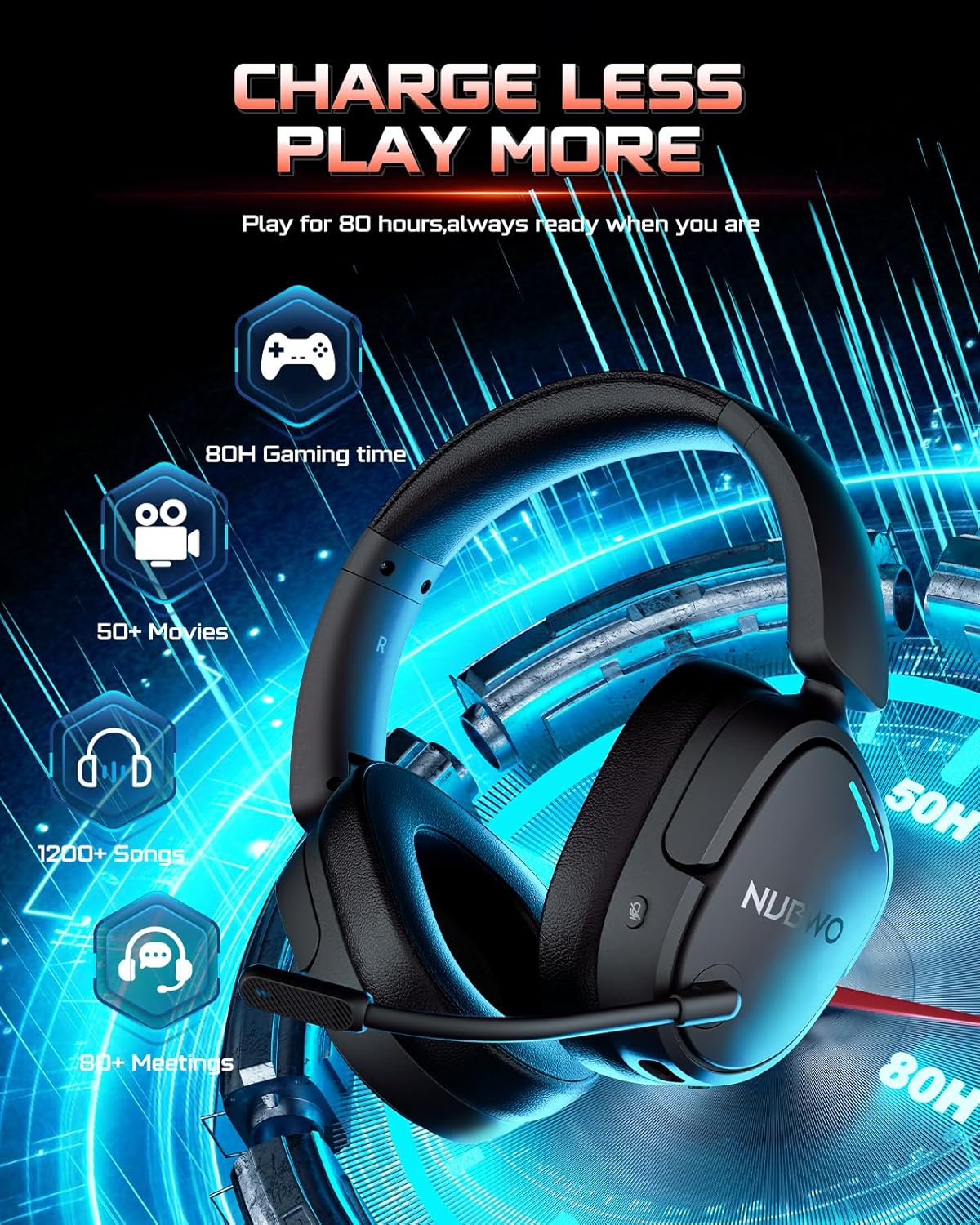
Image: The NUBWO HG04 headset with graphics indicating a 50-hour battery life, suitable for extended gaming, movies, music, and meetings.
- Зайны хугацаа: Нэг цэнэглэлтээр 50 цаг хүртэл тасралтгүй ашиглах боломжтой.
- Цэнэглэж байна: Connect the supplied USB-C charging cable to the headset's USB-C port and a power source (e.g., computer USB port, USB wall adapter).
- Цэнэглэх үзүүлэлт: An LED indicator on the headset will show the charging status.
Засвар үйлчилгээ, арчилгаа
To ensure the longevity and optimal performance of your NUBWO HG04 headset, follow these care guidelines:
- Цэвэрлэгээ: Чихэвчийг цэвэрлэхдээ зөөлөн, хуурай даавуу ашиглаарай. Хүчтэй химийн бодис эсвэл зүлгүүрийн материалаас зайлсхий.
- Хадгалах: When not in use, store the headset in a cool, dry place. The foldable design helps protect it during travel.
- Онцгой нөхцөл байдлаас зайлсхийх: Do not expose the headset to extreme temperatures, humidity, or direct sunlight.
- Болгоомжтой харьцах: Чихэвчийг унагаах эсвэл хүчтэй цохилтод өртөхөөс зайлсхий.
Алдааг олж засварлах
If you encounter any issues with your NUBWO HG04 headset, please refer to the following common solutions:
- Дуу байхгүй/Бага хэмжээ:
- Check the headset's volume wheel and your device's volume settings.
- Ensure the headset is properly connected (dongle inserted, Bluetooth paired, or 3.5mm cable fully plugged in).
- Verify the correct audio output device is selected in your system settings.
- Микрофон ажиллахгүй байна:
- Микрофоныг найдвартай холбож, дууг нь хаагаагүй эсэхийг шалгаарай.
- Чихэвчний микрофоныг сонгосон эсэхийг шалгахын тулд төхөөрөмжийнхөө аудио оролтын тохиргоог шалгана уу.
- Remember, microphone is not supported on Nintendo Switch (2.4GHz or wired) and Xbox Series X|S (wired only).
- Холболтын асуудал:
- For 2.4GHz, ensure the dongle is fully inserted and the headset is powered on and within range.
- Блютүүт холболтын хувьд чихэвч хослох горимд байгаа бөгөөд төхөөрөмжийнхөө Блютүүт идэвхжсэн эсэхийг шалгана уу. Хослуулахаа болиод дахин хослуулахыг оролдоно уу.
- Чихэвч болон холбогдсон төхөөрөмжөө дахин асаана уу.
Үзүүлэлтүүд
| Онцлог | Тодорхойлолт |
|---|---|
| Загварын нэр | HG04 |
| Брэнд | NUBWO |
| Холболтын технологи | Wireless (2.4GHz, Bluetooth 5.3), Wired (3.5mm Jack) |
| Утасгүй холбооны технологи | 2.4GHZ, Bluetooth 5.3 |
| Bluetooth хүрээ | 33 фут |
| Аудио хоцролт | 20 миллисекунд |
| Аудио драйверын хэмжээ | 40 миллиметр |
| Давтамжийн хариу үйлдэл | 20000 Гц |
| Мэдрэмж | 90 дБ |
| Дуу чимээний хяналт | Идэвхгүй дуу чимээг арилгах |
| Зүйлийн жин | 6.1 унц (0.38 фунт) |
| Бүтээгдэхүүний хэмжээс | 7.13 x 6.2 x 2.46 инч |
| Зайны ашиглалт | 50 цаг хүртэл |
| Материал | Хуванцар |
| Тохиромжтой төхөөрөмжүүд | Cellphones, Desktops, Gaming Consoles, Laptops, PS5/PS4, Xbox Series X|S (wired only) |
Баталгаат болон дэмжлэг
Your NUBWO HG04 Wireless Gaming Headset comes with a manufacturer's warranty. Please refer to the included Extended Warranty Activation Card for details on how to register your product and activate your warranty.
For further assistance, troubleshooting, or product inquiries, please visit the official NUBWO support webсайт эсвэл харилцагчийн үйлчилгээтэй холбогдоно уу.


