
1. Танилцуулга
The T-WOLF G520 is a high-performance wired gaming mouse designed for precision and comfort. It features a USB2.0 wired connection, 7 customizable buttons, and dynamic RGB lighting. This manual provides essential information for setting up, operating, and maintaining your G520 gaming mouse.
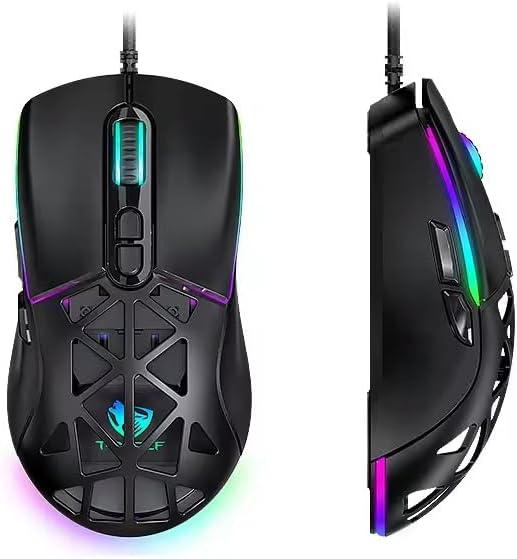
Figure 1: T-WOLF G520 Gaming Mouse (Front and Side View)
2. Бүтээгдэхүүний онцлог
- Холболт: Wired USB2.0 for stable and responsive performance.
- Мэдрэгчийн төрөл: Optical sensor for accurate tracking.
- DPI тохиргоо: Adjustable DPI from 800 to 12800 (800 / 1600 / 3200 / 4800 / 6400 / 12800).
- Санал хураалтын хувь: 1000Hz for rapid response times.
- Товчлуур: 7 programmable buttons (Left, Right, Middle, Forward, Back, DPI+, DPI-).
- RGB гэрэлтүүлэг: 13 dynamic RGB lighting modes.
- Бат бөх чанар: 10 million click lifespan for micro switches.
- Кабель: 1.5m braided cable for enhanced durability and tangle resistance.
- Дизайн: Lightweight honeycomb structure and ergonomic shape for comfortable grip and ventilation.
- Тохируулга: Magnetic interchangeable back cover.

Зураг 2: Гол онцлогуудview
3. Багцын агуулга
- T-WOLF G520 Gaming Mouse Unit
- Interchangeable Magnetic Back Covers (2 types)

Figure 3: G520 Mouse with Interchangeable Back Covers
4. Тохируулах заавар
- Connect the USB connector of the T-WOLF G520 gaming mouse to an available USB 2.0 port on your computer.
- The mouse is Plug & Play compatible and does not require additional drivers for basic functionality. Your operating system will automatically detect and install the necessary drivers.
- Once detected, the mouse will be ready for use.
5. Ашиглалтын заавар
5.1 Товчлуурын функцууд
The T-WOLF G520 mouse features 7 buttons with the following default functions:
- Зүүн товчлуур: Үндсэн товшилтын функц.
- Баруун товчлуур: Хоёрдогч товшилтын функц (контекст цэс).
- Middle Button / Scroll Wheel: Scroll up/down, click for universal scroll or other functions.
- Урагшаа товч: Урагшаа дотогш чиглүүлнэ web хөтөч эсвэл file судлаачид.
- Буцах товчлуур: Буцаж дотогш шилжинэ web хөтөч эсвэл file судлаачид.
- DPI+ Button: DPI мэдрэмжийг нэмэгдүүлдэг.
- DPI- Button: DPI-ийн мэдрэг чанарыг бууруулдаг.
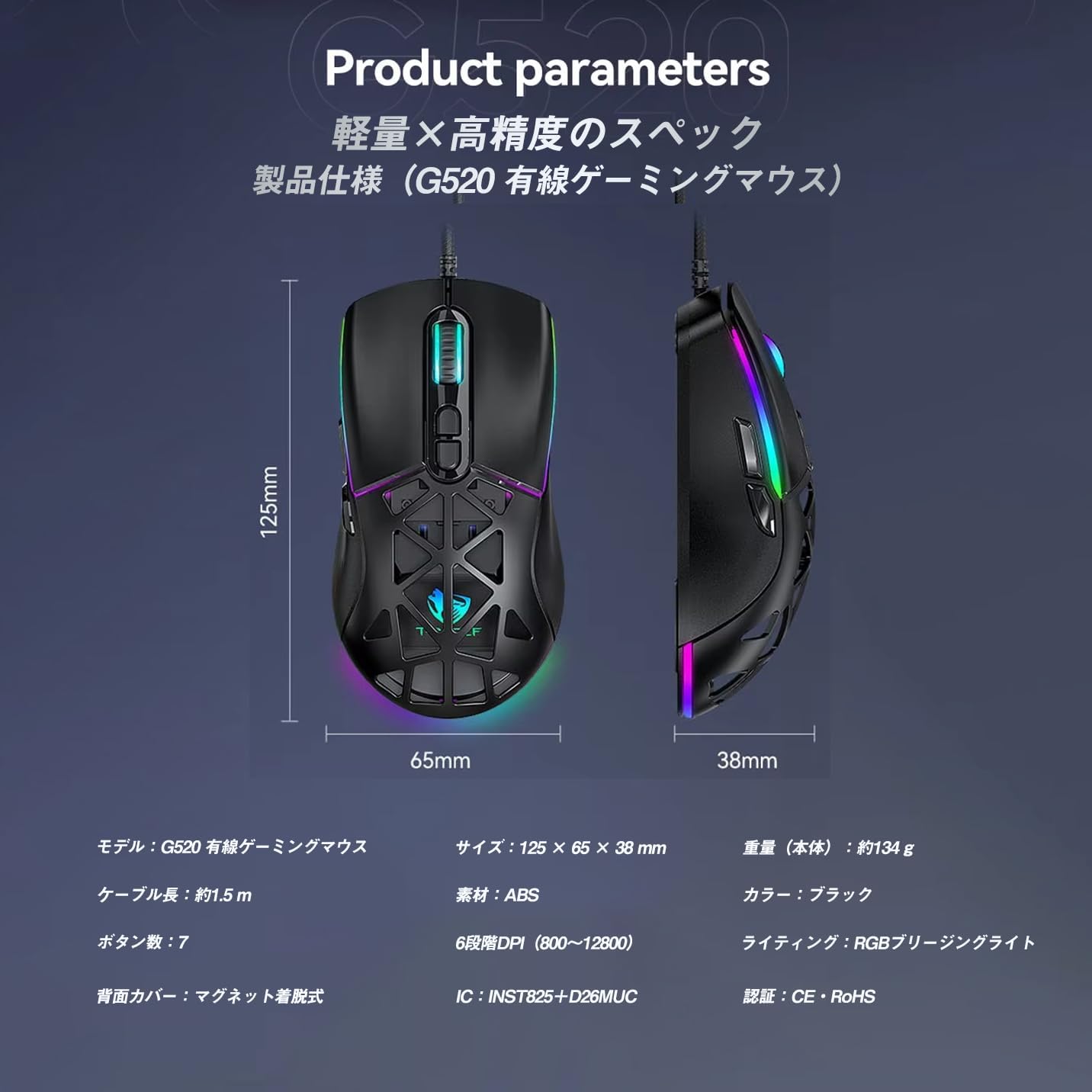
Figure 4: G520 Button Layout
5.2 DPI тохируулга
The mouse supports 6 adjustable DPI levels. To change the DPI, press the DPI+ or DPI- buttons located on the top of the mouse. Each press will cycle through the available DPI settings: 800, 1600, 3200, 4800, 6400, and 12800.

Зураг 5: DPI тохируулгын түвшин
5.3 RGB гэрэлтүүлгийн удирдлага
The T-WOLF G520 features 13 RGB lighting modes. To change the RGB lighting mode, press and hold the Буцах товчлуур болон DPI - товчлуур simultaneously for approximately 3 seconds. Repeat this action to cycle through the different lighting effects.
5.4 Magnetic Back Cover
The mouse comes with two types of magnetic back covers that can be easily interchanged. To remove a cover, gently lift it from the back of the mouse. To attach a cover, align it with the mouse body and allow the magnets to secure it in place.

Figure 6: Magnetic Back Cover Exchange
6. Засвар үйлчилгээ
- Цэвэрлэгээ: Хулганыг цэвэрлэхийн тулд зөөлөн, хуурай даавуу ашиглана уу. Зөрүүд шороонд бага зэрэг damp Хулганад шингэн орохгүй байхын тулд даавуу ашиглаж болно.
- Шингэнээс зайлсхийх: Do not immerse the mouse in water or expose it to excessive moisture.
- Хадгалах: Хулганыг сэрүүн, хуурай газар, нарны шууд тусгал болон хэт өндөр температураас хол хадгална уу.
- Кабель арчилгаа: Avoid bending or twisting the braided cable excessively to prevent damage.
7. Алдаа засах
- Хулгана хариу өгөхгүй байна:
- USB кабель таны компьютерын USB портод найдвартай холбогдсон эсэхийг шалгаарай.
- Хулганаа өөр USB порт руу холбож үзээрэй.
- Компьютерээ дахин эхлүүлнэ үү.
- DPI өөрчлөгдөхгүй байна:
- Ensure you are pressing the correct DPI+ or DPI- buttons.
- The mouse cycles through 6 fixed DPI levels; there is no software adjustment.
- RGB Lighting Not Working/Changing:
- Хулгана зөв холбогдсон эсэхийг шалгаарай.
- -г удаан дар Буцах товчлуур болон DPI - товчлуур simultaneously for 3 seconds to cycle through modes.
- Хяналтын асуудлууд:
- Хулганы доод талд байрлах оптик мэдрэгчийг цэвэрлэ.
- Хулганаа цэвэрхэн, жигд гадаргуу эсвэл хулганы дэвсгэр дээр ашиглаарай.
8. Техникийн үзүүлэлтүүд
| Онцлог | Тодорхойлолт |
|---|---|
| Загвар | G520 |
| Холболтын төрөл | Wired USB2.0 |
| Мэдрэгчийн төрөл | Оптик |
| DPI тохиргоо | 800/1600/3200/4800/6400/12800 |
| Санал хураалтын хувь | 1000 Гц |
| Товчлуурын тоо | 7 |
| Кабелийн урт | 1.5m (Braided) |
| Хэмжээ (L×W×H) | 124 × 65 × 40 мм |
| Жин | Ойролцоогоор 132 гр |
| Үйл ажиллагааны ботьtagд/Одоогийн | 5V / 150mA |
| Гэрэлтүүлэг | RGB (13 Modes) |
| Материал | Хуванцар (ABS) |
| Тохиромжтой үйлдлийн систем | Windows 10, Windows 11, Mac OS, Linux (OS standard, no driver required) |

Зураг 7: Бүтээгдэхүүний техникийн үзүүлэлтүүдийн диаграмм
9. Баталгаат хугацаа ба дэмжлэг
This product is covered by a standard manufacturer's warranty. Please refer to your purchase documentation for specific warranty terms and conditions. For technical support or warranty claims, please contact the retailer or the manufacturer's customer service.