
1. Танилцуулга
Thank you for choosing the Goshyda USB Noise Cancelling Microphone. This device is designed for high-fidelity audio capture with intelligent noise reduction, suitable for various computer and laptop applications. This manual provides essential information for setup, operation, and maintenance to ensure optimal performance.
1.1 Хайрцагт юу байгаа вэ
- 1 x Goshyda USB Noise Cancelling Microphone
- 1 x USB кабель
- 1 х хэрэглэгчийн гарын авлага

Image 1.1: The Goshyda USB Noise Cancelling Microphone and its included USB cable.
2. Бүтээгдэхүүний онцлог
The Goshyda USB Noise Cancelling Microphone offers advanced features for superior audio performance:
- 360° чиглэлтэй дуу авиа хүлээн авах: Captures sound from all directions with a pickup distance of up to 3 meters (9.8 ft).
- Intelligent AI Noise Reduction: Built-in DSP chip isolates environmental noise for clear voice capture.
- 192 кГц Sampханш: Dual-channel design provides high-fidelity sound reproduction, four times denser than regular microphones.
- Авсаархан, зөөврийн дизайн: Features magnetic absorption for easy storage and transport.
- Залгаад тоглуулах холболт: Simple USB connection for immediate use with compatible devices.
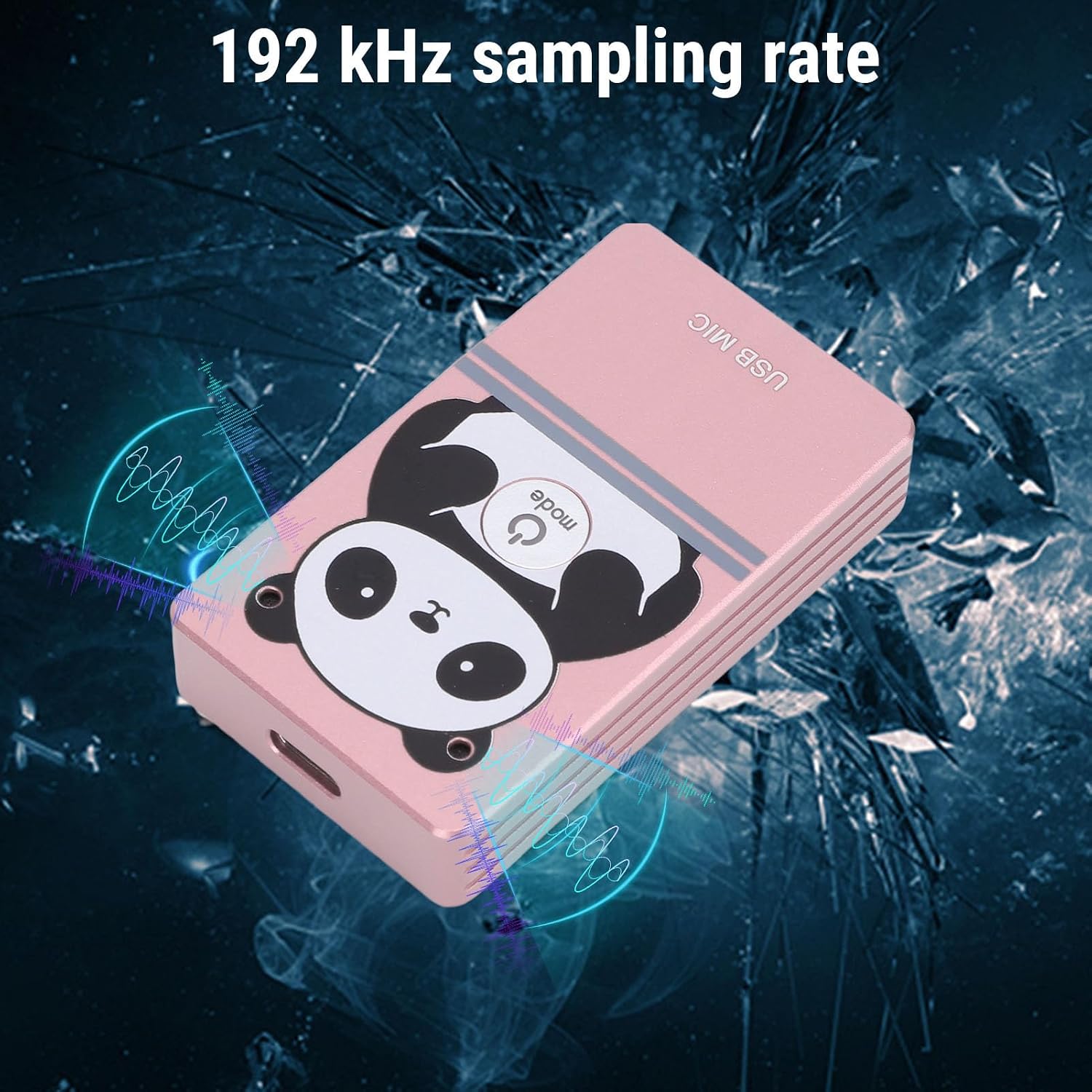
Image 2.1: The microphone's compact design with magnetic absorption for easy portability and storage.

Image 2.2: The microphone's compact and flexible design makes it suitable for travel, business trips, and live streaming.

Image 2.3: The microphone features 360-degree omnidirectional sound pickup for comprehensive audio capture.

Image 2.4: The microphone supports a 192 kHz sampling rate for high-fidelity audio recording.
3. Тохиргоо
3.1 Системийн шаардлага
The microphone is compatible with the following operating systems:
- Windows
- macOS (OS X)
- Линукс
- Android
3.2 Холболт
- Locate an available USB port on your computer, laptop, or compatible Android device.
- Connect the provided USB cable to the microphone and then to the USB port on your device.
- The device should automatically recognize the microphone as a USB audio input device. No driver installation is typically required.
- Verify the microphone is detected in your device's sound settings.
4. Ашиглалтын заавар
4.1 Үндсэн үйл ажиллагаа
Once connected, the microphone is ready for use. It functions as a standard USB audio input device. You can select it as your primary microphone in communication applications (e.g., video conferencing software, voice chat) or recording software.
4.2 Дуу чимээг арилгах
The microphone features an intelligent AI noise reduction mode. This function is automatically active to filter out ambient noise, ensuring your voice is clear and distinct during calls or recordings.
4.3 Sound Pickup
Position the microphone centrally within your desired pickup area. Its 360° omnidirectional design allows it to capture sound effectively from all directions within a 3-meter radius. For optimal voice clarity, ensure the microphone is not obstructed.

Image 4.1: The microphone's effective sound pickup in a typical desktop environment.

Image 4.2: Application scenarios include collaborative work, consultations, online teaching, live streaming, karaoke, and game voiceovers.
5. Засвар үйлчилгээ
- Микрофоныг зөөлөн, хуурай даавуугаар арчиж цэвэр байлгаарай.
- Микрофоныг хэт өндөр температур, чийгшил эсвэл нарны шууд тусгалд өртүүлэхээс зайлсхий.
- Do not attempt to disassemble the microphone, as this may void any potential warranty and cause damage.
- Store the microphone in a safe place when not in use, utilizing its magnetic absorption feature for secure placement on metal surfaces.
6. Алдаа засах
| Асуудал | Боломжит шалтгаан | Шийдэл |
|---|---|---|
| Микрофон илрээгүй | Loose USB connection, faulty USB port, incorrect system settings. | Ensure USB cable is securely connected. Try a different USB port. Check your device's sound settings to ensure the microphone is selected as the input device. |
| Low or no sound output | Microphone volume too low, application settings, distance from microphone. | Adjust microphone volume in your device's sound settings. Check microphone input levels in your application. Ensure you are within the 3-meter pickup range. |
| Дууны чанар муу эсвэл гажуудсан | High background noise, incorrect placement, software issues. | Ensure the AI noise reduction is functioning. Avoid placing the microphone near noisy sources. Update audio drivers if necessary. |
7. Техникийн үзүүлэлтүүд
| Онцлог | Дэлгэрэнгүй |
|---|---|
| Загварын дугаар | Goshydagn0bfcogim-13 |
| Материал | Хөнгөн цагааны хайлш |
| Дуу чимээг бууруулах горим | AI (хиймэл оюун ухаан) |
| Давтамжийн хүрээ | 20Гц-40кГц |
| Татаж авах зай | Ойролцоогоор 3 метр (9.8 фут) |
| Дуу авиа авах | 360° Бүх чиглэлтэй |
| Sampling Rate | 192kHz (Dual Channel) |
| Холболтын технологи | USB 2.0 |
| Тохиромжтой системүүд | Windows, macOS, Linux, Android |
| Онцлог шинж чанар | Adjustable, Magnetic Absorption |
| Зүйлийн жин | 5.1 унц |
| Багцын хэмжээ | 6.3 x 3.54 x 1.97 инч |
8. Баталгаат хугацаа ба дэмжлэг
Баталгаат хугацааны мэдээлэл болон техникийн дэмжлэг авахыг хүсвэл худалдан авалтынхаа хамт өгсөн баримт бичгийг үзэх эсвэл худалдагчтай шууд холбогдоно уу. Баталгаат хугацааны нэхэмжлэлийн талаар худалдан авалтын баримтаа хадгална уу.