
Thunderobot Zero 16
Thunderobot Zero 16 Gaming Laptop User Manual
Model: Zero 16
1. Танилцуулга
This manual provides essential information for setting up, operating, and maintaining your Thunderobot Zero 16 Gaming Laptop. Please read this guide thoroughly to ensure optimal performance and longevity of your device.
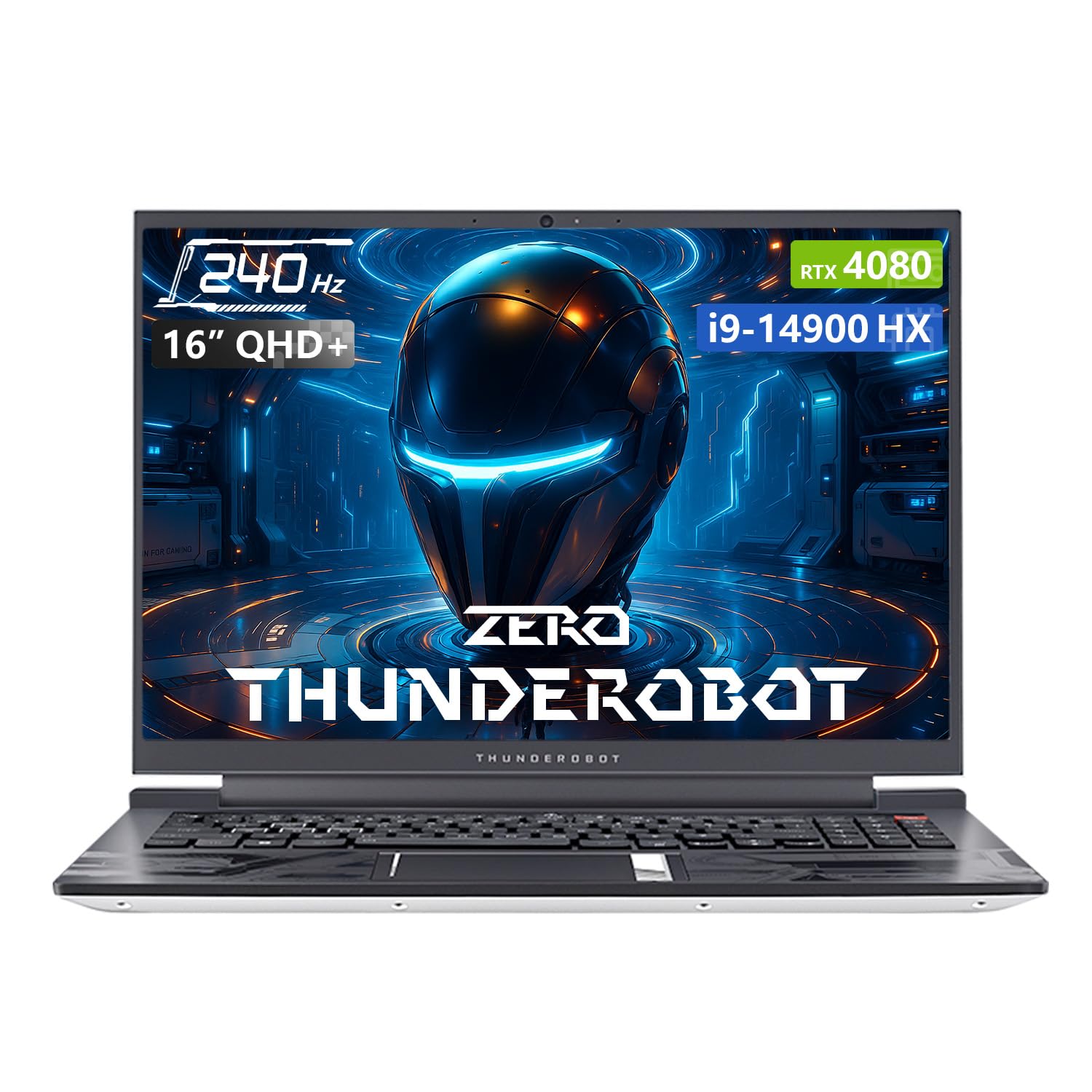
Image: The Thunderobot Zero 16 Gaming Laptop, showcasing түүний гоёмсог дизайн, дэлгэц.
2. Тохиргоо
2.1 Сав баглаа боодол, анхны үзлэг
Carefully remove the laptop and all accessories from the packaging. Verify that all components are present and undamaged. The box should contain:
- Thunderobot Zero 16 Laptop
- Цахилгаан адаптер ба кабель
- Хэрэглэгчийн гарын авлага (энэ баримт бичиг)
2.2 Цахилгааныг холбох
- Цахилгаан адаптерийг зөөврийн компьютерын тэжээлийн оролтын порт руу холбоно уу.
- Цахилгааны кабелийг ханын залгуурт холбоно уу.
- The laptop is designed to operate on AC power and will charge the battery automatically.
2.3 Эхний ачаалалт болон үйлдлийн системийн тохиргоо
Upon first startup, the Windows 11 Home operating system will guide you through the initial setup process. Follow the on-screen instructions to configure language, region, network settings, and user accounts.
3. Зөөврийн компьютерээ ажиллуулах
3.1 Дэлгэцийн онцлог
Your laptop features a 16-inch QHD+ (2560x1600) display with a 240Hz refresh rate, offering crisp visuals and smooth motion. It supports a 16:10 aspect ratio and high color accuracy.

Image: Close-up of the laptop display highlighting QHD+ resolution, 240Hz refresh rate, and color accuracy.
3.2 Гар ба мэдрэгчтэй самбар
The laptop is equipped with an RGB backlit keyboard featuring an independent numeric keypad. The keys have a 1.8mm travel distance for comfortable typing and gaming. The touchpad provides precise cursor control.

Зураг: View of the laptop's RGB backlit keyboard and touchpad, showing the numeric keypad and key travel.
3.3 Control Center Software
The Thunderobot Control Center software allows you to customize performance modes, fan speeds, and RGB lighting. It offers three main performance modes:
- Berserk Mode: Full performance release for demanding tasks.
- Тоглоомын горим: Optimized for smooth gaming experiences.
- Audio and Office Mode: Balances performance with power efficiency for everyday use and extended battery life.
Note: System mode switching in Control Center requires the device to be connected to a power source.
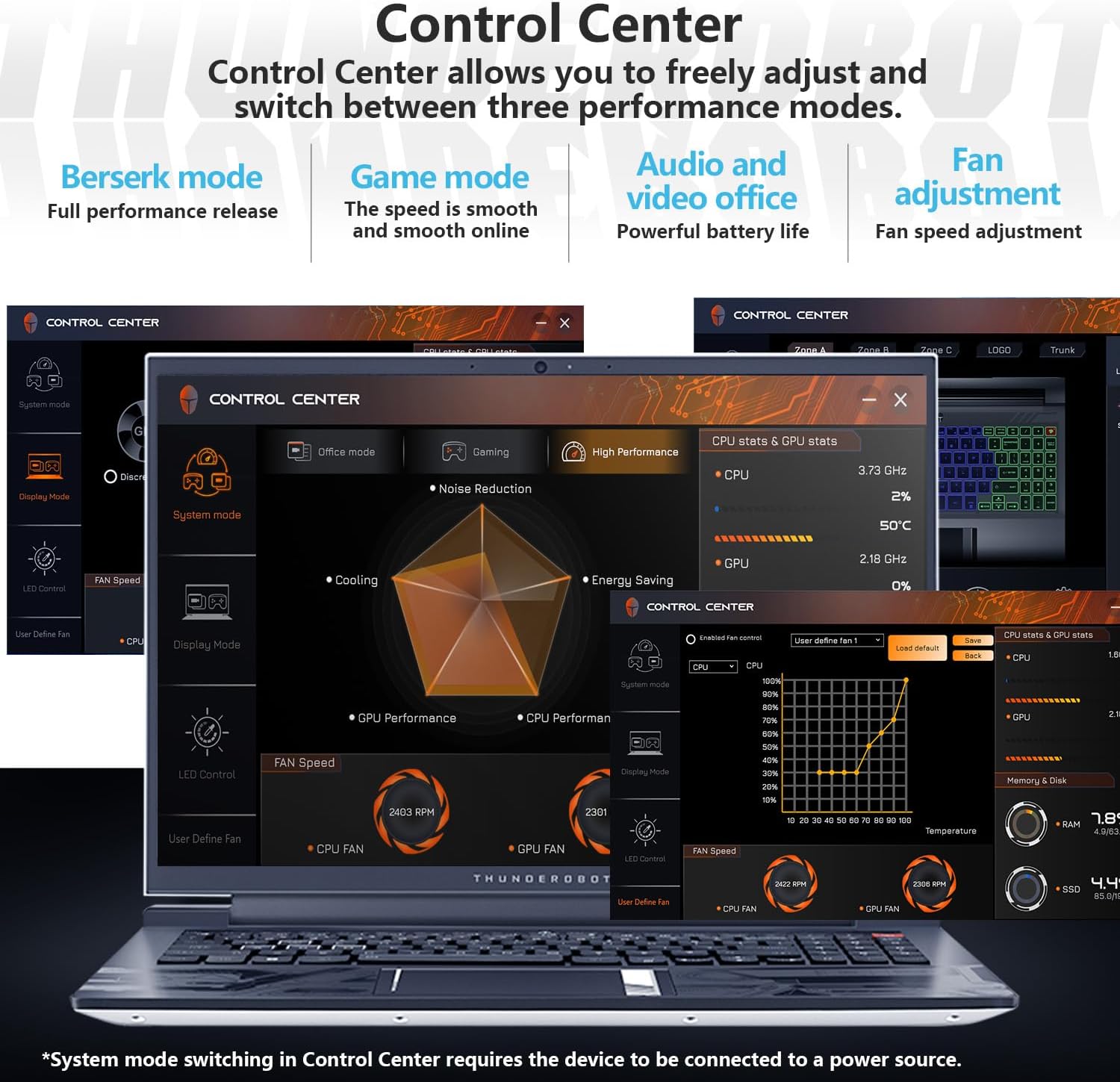
Image: Screenshots of the Thunderobot Control Center interface, showing options for performance modes, fan control, and system monitoring.
3.4 Холболт ба портууд
The laptop provides extensive connectivity options:
- 3 x USB 3.0 Type-A порт
- 1 x USB Type-C порт
- 1 x HDMI 2.1 порт
- 1 x RJ45 Ethernet port
- 1 x Headphone/Microphone combo jack
- 1 x Mini DP 1.4 port
- Integrated Wi-Fi 6 for fast wireless networking
- Bluetooth for connecting wireless peripherals

Image: Diagram illustrating the various ports available on the Thunderobot Zero 16 laptop, including USB, HDMI, RJ45, and Mini DP.
3.5 Аудио систем
Equipped with Nahimic sound effects, the audio system delivers immersive sound quality with 3D surround, treble stabilization, and noise reduction features for an enhanced listening experience.

Image: Visual representation of the laptop's audio capabilities, highlighting Nahimic sound features like 3D surround and noise reduction.
4. Засвар үйлчилгээ
4.1 Хөргөх систем
The Thunderobot Zero 16 features an advanced direct-flow cooling technology with a wind tunnel structure, dual fans, four air outlets, and six air channels. This system includes 5*3D composite heat pipes and ultra-thin heat sink fins for efficient heat dissipation. Regular cleaning of air vents is recommended to maintain optimal cooling performance.

Image: Diagram illustrating the laptop's omnidirectional four air outlets and internal cooling components like heat pipes and dual turbo fans.
4.2 Ерөнхий арчилгаа
- Зөөврийн компьютерээ цэвэр, хуурай орчинд байлга.
- Зөөврийн компьютерээ хэт өндөр температур эсвэл нарны шууд тусгалд оруулахаас зайлсхий.
- Clean the screen with a soft, lint-free cloth and a screen-safe cleaning solution.
- Use compressed air to clear dust from keyboard and ventilation openings.
- Зөөврийн компьютер дээр хүнд зүйл байрлуулахаас зайлсхий.
5. Алдаа засах
| Асуудал | Боломжит шалтгаан | Шийдэл |
|---|---|---|
| Зөөврийн компьютер асахгүй байна. | Эрчим хүчгүй, зай цэнэггүй, тэжээлийн адаптер буруу байна. | Ensure power adapter is securely connected and plugged into a working outlet. Check battery charge level. |
| Дэлгэц хоосон байна. | Laptop in sleep mode, external display connected, display driver issue. | Press any key or move the mouse to wake. Disconnect external displays. Restart the laptop. |
| Poor performance or overheating. | Dust in vents, background applications, incorrect power mode. | Clean air vents. Close unnecessary applications. Switch to a higher performance mode in Control Center (ensure power adapter is connected). |
| Wi-Fi холболтын асуудал. | Wi-Fi disabled, driver issue, router problem. | Ensure Wi-Fi is enabled. Restart router. Update Wi-Fi drivers. |
6. Техникийн үзүүлэлтүүд
| Онцлог | Дэлгэрэнгүй |
|---|---|
| Брэнд | Thunderobot |
| Загварын нэр | Тэг 16 |
| Процессор | Intel Core i9-14900HX (24 Cores, 32 Threads, up to 5.8 GHz) |
| График карт | NVIDIA GeForce RTX 4080 зөөврийн компьютер GPU (12 GB GDDR6) |
| RAM | 64 ГБ DDR5 SDRAM (4800 МГц) |
| Хадгалах | 2 TB PCIe M.2 SSD |
| Дэлгэц | 16-inch QHD+ (2560x1600) LCD, 240 Hz Refresh Rate |
| Үйлдлийн систем | Windows 11 Нүүр хуудас |
| Холболт | Wi-Fi 6 (802.11ax), Bluetooth, Ethernet |
| Портууд | 3x USB 3.0 Type-A, 1x USB Type-C, 1x HDMI 2.1, 1x RJ45, 1x Headphone/Mic Combo, 1x Mini DP 1.4 |
| Гар | RGB Backlit, Numeric Keypad |
| Webкамер | Тиймээ |
| Хэмжээ (Урт x Өргөн x Пүрэв) | 14.09" x 10" x 0.82" |
| Өнгө | Цагаан |
7. Баталгаат хугацаа ба дэмжлэг
Every Thunderobot laptop includes a 12 сарын баталгаат хугацаа. This warranty provides expert support, thorough diagnostics, and genuine parts if a repair is needed. Additionally, a 90 хоногийн баталгаат хугацаа is provided on all warranty replacement parts, ensuring hassle-free repairs.
For technical assistance or warranty claims, please contact Thunderobot customer support through their official channels. Refer to the product packaging or the Thunderobot webхолбоо барих мэдээлэл авах сайт.

Image: Information regarding Thunderobot's warranty and support services.
Ask a question about this manual
Ask about setup, troubleshooting, compatibility, parts, safety, or missing instructions. Manuals+ will review the question and use this page’s manual context to help answer it.