
Танилцуулга
The UltraPro 800 Series Z-Wave On/Off Switch (Model 76601) is designed to provide smart control over your lights, fans, and other fixtures. This in-wall smart switch integrates with compatible Z-Wave hubs, allowing for remote operation, scheduling, and automation. Featuring Z-Wave Plus Long Range technology, it offers extended wireless coverage and enhanced security for your smart home system. This manual provides detailed instructions for installation, operation, and troubleshooting to ensure optimal performance of your device.
Аюулгүй байдлын мэдээлэл
RISK OF FIRE, ELECTRIC SHOCK, OR PHYSICAL INJURY
- Энэхүү төхөөрөмж нь Үндэсний цахилгааны дүрэм болон орон нутгийн дүрэм журмын дагуу суурилуулах зориулалттай.
- Always turn OFF power at the circuit breaker or fuse box before installation or servicing.
- Богино холболтоос урьдчилан сэргийлэхийн тулд бүх холболтууд найдвартай, зохих ёсоор тусгаарлагдсан эсэхийг шалгаарай.
- Do not exceed the maximum load ratings for this switch (15A resistive, 1800W incandescent, 1/2 HP motor).
- Холболтын хувьд зөвхөн зэс утсыг ашиглана.
- Хэрэв та эдгээр зааврын аль нэг хэсэгт эргэлзэж байвал мэргэжлийн цахилгаанчинтай зөвлөлдөөрэй.
Багцын агуулга
- 1 x UltraPro 800 Series Z-Wave On/Off Switch (Model 76601)
- 1 x Wallplate (optional, may be sold separately)
Онцлогууд
- Дуут удирдлага: Compatible with Amazon Alexa and Google Assistant when connected to a Z-Wave certified hub.
- DIY Design (QuickFit): Reduced housing depth and elimination of heat tabs for easier installation in crowded electrical boxes. Color-coded flying leads simplify wiring.
- Multi-Switch Capable: Supports single-pole or multi-switch configurations. Works with up to four compatible add-on switches for full functionality from multiple locations, or one standard three-way switch for ON/OFF control.
- Нийтэд нийцтэй байдал: Supports Z-Wave Plus Long Range (up to 1,300ft.) and Z-Wave Classic (up to 150ft.) for flexible network integration.
- Хувийн тохиргооны сонголтууд: Features a customizable LED indicator with eight colors and four operation modes.
Тохиргоо ба суурилуулалт
Суулгахын өмнөх чухал тэмдэглэл:
- Суулгахад төвийг сахисан утас шаардлагатай.
- This switch is designed for use with permanently installed fixtures only.
- Ensure the electrical box has sufficient space for the switch and wiring.
Холболтын схем ба холболтууд:
The UltraPro 76601 switch features color-coded flying leads for easy identification and connection. Refer to the image below for a visual guide to the wiring connections.

Зураг: Буцах view of the UltraPro Z-Wave switch showing the pre-stripped, color-coded wires for Line, Load, Neutral, Ground, and Traveler connections.
- Цахилгааныг унтраах: Locate the circuit breaker controlling the switch location and turn it OFF. Verify power is off by toggling the light switch.
- Хуучин шилжүүлэгчийг устгах: Unscrew and carefully pull the existing switch from the wall box. Disconnect all wires from the old switch.
- Утас таних: Identify the following wires in your wall box:
- LINE (Халуун): Black wire, typically coming from the circuit breaker.
- АЧАА: Black wire, going to the light fixture or appliance.
- саармаг: White wire, usually bundled with other white wires. (Required)
- ГАЗАР: Green or bare copper wire.
- TRAVELER (for 3-way/4-way setups): Red or other color wire, used to connect to an add-on switch or another standard 3-way switch.
- Шинэ шилжүүлэгчийг холбох: Using wire nuts, connect the corresponding wires from the wall box to the UltraPro switch's flying leads:
- -г холбоно уу black LINE wire хананы хайрцагнаас эхлээд хар утас унтраалга дээр.
- -г холбоно уу black LOAD wire хананы хайрцагнаас эхлээд улаан утас унтраалга дээр.
- -г холбоно уу white NEUTRAL wire хананы хайрцагнаас эхлээд цагаан утас унтраалга дээр.
- -г холбоно уу bare/green GROUND wire хананы хайрцагнаас эхлээд ногоон утас унтраалга дээр.
- For 3-way/4-way installations, connect the TRAVELER wire хананы хайрцагнаас эхлээд шар утас on the switch. If not using a multi-switch setup, cap off the yellow wire with a wire nut.
- Secure Switch: Carefully fold the wires and push the switch into the electrical box. Secure it with the provided screws.
- Ханын хавтанг суулгах: Ханын хавтанг (дагалдаж ирээгүй) унтраалга дээр бэхлэнэ үү.
- Эрчим хүчийг сэргээх: Хэлхээ таслагч дээр цахилгааныг дахин асаана уу.
Хэмжээ:
The QuickFit design of the UltraPro switch features a reduced housing depth for easier installation. Refer to the dimensions below:

Image: Diagram showing the physical dimensions of the UltraPro Z-Wave switch, including housing depth (1.13 inches) and overall faceplate dimensions (1.69 x 4.14 inches).
Ашиглалтын заавар
Гарын авлагын хяналт:
The UltraPro Z-Wave switch can be operated manually using the paddle switch:
- Press the top of the paddle: To turn the connected light or appliance ON.
- Press the bottom of the paddle: To turn the connected light or appliance OFF.
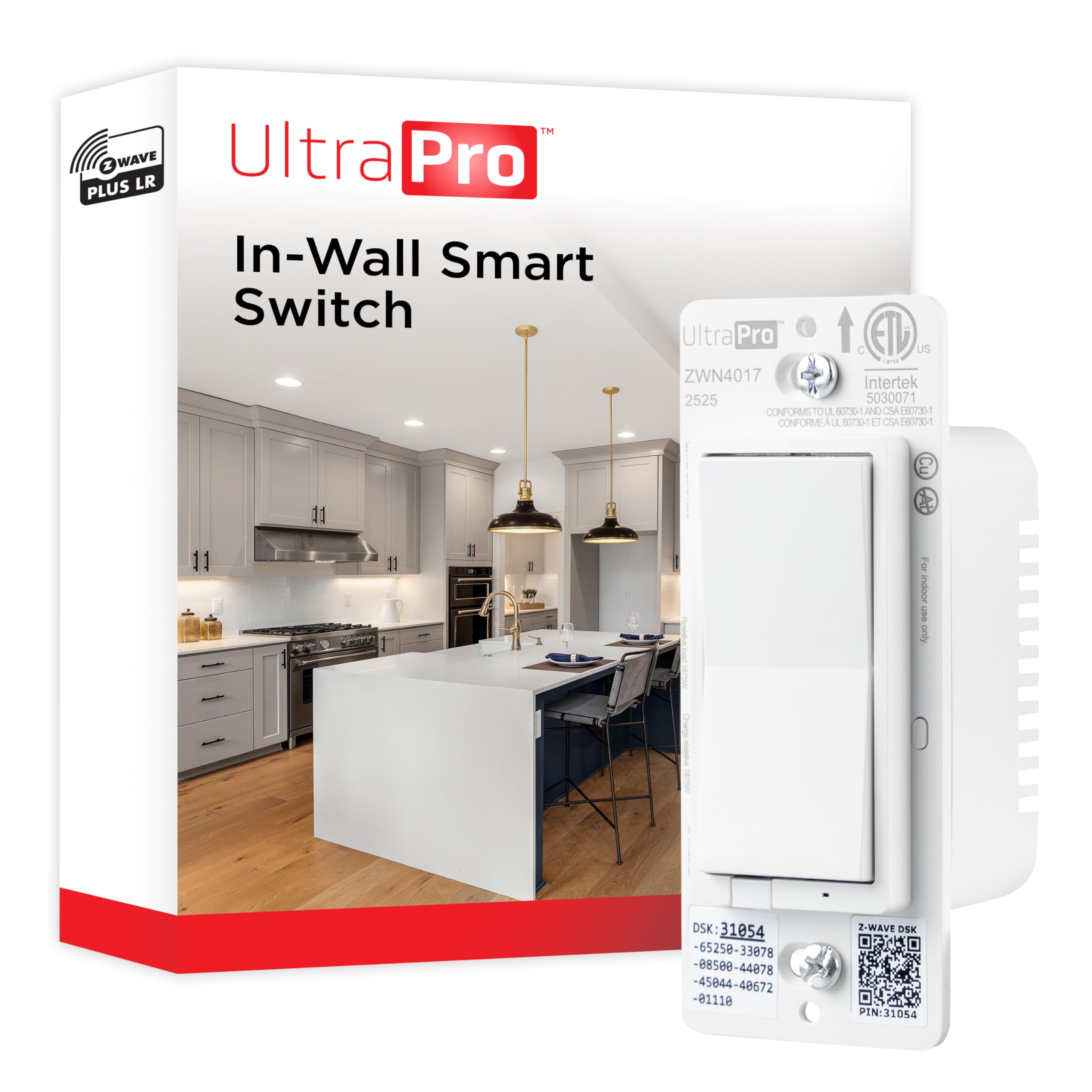
Зураг: Урд view of the UltraPro Z-Wave On/Off Switch, showing the large paddle for manual control.
Z долгионы удирдлага:
Once paired with a Z-Wave certified hub, you can control the switch remotely through your hub's application or interface. This allows for scheduling, scene creation, and integration with other smart devices.
Дуут удирдлага:
When connected to a compatible Z-Wave hub that supports Amazon Alexa or Google Assistant integration, you can control the switch using voice commands. For example, say "Alexa, turn on the kitchen light" or "Hey Google, turn off the living room fan."
Multi-Switch Configuration
The UltraPro 76601 switch supports both traditional 3-way wiring and multi-location control with UltraPro add-on switches. For 3-way or 4-way installations, ensure the traveler wire is correctly connected as described in the installation section.
- With UltraPro Add-on Switches: Connect up to four compatible UltraPro add-on switches to maintain full smart functionality from all control points.
- With Standard 3-Way Switch: The UltraPro 76601 can also be used with one standard 3-way switch for basic ON/OFF control from two locations.
Z-Wave Pairing (Inclusion)
Follow these steps to add your UltraPro Z-Wave switch to your Z-Wave network:
- Place your Z-Wave controller/hub into inclusion (pairing) mode. Refer to your hub's instruction manual for specific steps.
- On the UltraPro switch, press the top or bottom of the paddle нэг удаа. The LED indicator will begin to flash.
- The hub will confirm successful inclusion. The switch's LED will stop flashing and return to its normal state.
- If prompted by your hub, enter the 5-digit Device Specific Key (DSK) or scan the QR code located on the switch or its packaging for S2 security pairing.
The switch supports both Z-Wave Plus Long Range and Z-Wave Classic inclusion. The type of inclusion will depend on your gateway's capabilities.
Z-долгионы хасалт
To remove your UltraPro Z-Wave switch from a Z-Wave network:
- Place your Z-Wave controller/hub into exclusion (unpairing) mode. Refer to your hub's instruction manual for specific steps.
- On the UltraPro switch, press the top or bottom of the paddle нэг удаа. The LED indicator will begin to flash.
- The hub will confirm successful exclusion. The switch's LED will stop flashing.
Z-Wave Reset (Factory Reset)
A factory reset will restore the switch to its default settings and remove it from any Z-Wave network. This should only be used when the primary controller is missing or inoperable.
- Press the top of the paddle three (3) times quickly.
- Then, press the bottom of the paddle three (3) times quickly.
- Finally, press the top of the paddle once more and hold it for at least 10 seconds.
- The LED indicator will flash rapidly to confirm the reset.
LED Indicator Customization
The UltraPro 76601 switch features a customizable LED indicator. You can configure its color and operation mode through your Z-Wave hub's advanced settings or by following specific manual button press sequences (refer to the manufacturer's website or your hub's documentation for detailed instructions).
- Eight Colors: Choose from a range of colors to suit your preference or indicate status.
- Four Operation Modes: Customize how the LED behaves (e.g., ON when load is OFF, OFF when load is ON, always ON, always OFF).
Алдааг олж засварлах
If you experience issues with your UltraPro Z-Wave switch, consider the following:
- Шилжүүлэгч хариу өгөхгүй байна: Ensure power is ON at the circuit breaker. Check all wiring connections for tightness and correctness.
- Cannot Pair with Hub: Ensure your hub is in inclusion mode. Try performing a Z-Wave exclusion first, then attempt inclusion again. Ensure the switch is within range of your Z-Wave network.
- Light Flickering or Not Turning On/Off: Verify the load connected to the switch does not exceed its maximum wattage or current rating. Ensure the neutral wire is properly connected.
- хөндлөнгийн оролцоо: Z-Wave LR is designed to penetrate walls, but large metal objects or other wireless devices can still cause interference. Try repositioning your Z-Wave hub or adding Z-Wave repeaters.
- Consult Hub Documentation: For specific Z-Wave network issues, refer to the user manual of your Z-Wave certified hub.
Үзүүлэлтүүд
| Тодорхойлолт | Үнэ цэнэ |
|---|---|
| Загвар | 76601 |
| Үйлдлийн горим | АСААХ, УНТРААХ |
| Одоогийн үнэлгээ | 15 Amps |
| Үйл ажиллагааны ботьtage | 120 вольт |
| Ватtage | 1800 ватт |
| Холболтын протокол | Z-долгион |
| Хяналтын арга | Voice, Manual |
| Хянагчийн төрөл | Amazon Alexa, Google Assistant, SmartThings (via Z-Wave hub) |
| Хэмжээ (L x W x H) | 1.75 x 1.75 x 4.25 инч |
| Орон сууцны гүн | 1.13 инч |
| Хэлхээний төрөл | 3-way (with add-on switch or standard 3-way) |
| Суурилуулах төрөл | Ханын бэхэлгээ |
| Доод температурын үнэлгээ | Фаренгейтийн 32 хэм (0 хэм) |
| Дээд температурын үнэлгээ | Фаренгейтийн 104 хэм (40 хэм) |
| Материал | Металл (дотоод эд анги), Хуванцар (орон сууц) |
| Баталгаажуулалт | ETL |
| UPC | 030878766012 |
Баталгаат болон дэмжлэг
UltraPro products are manufactured by Jasco Products Company, LLC. For warranty information, technical support, or to register your product, please visit the official UltraPro website or contact Jasco customer service. Keep your proof of purchase for warranty claims.