
1. Танилцуулга
This manual provides detailed instructions for the installation, operation, and maintenance of the Generic JR1927M-12V and JR1927M-Z 24V Central Control Switch for children's electric cars. This multi-functional unit integrates music playback, storytelling, power display, and speed adjustment capabilities, enhancing the user experience of the electric car.
Суулгах, ашиглахаасаа өмнө энэ гарын авлагыг сайтар уншиж, зөв ажиллагаа, аюулгүй байдлыг хангана уу.
2. Бүтээгдэхүүн дууссанview
The Central Control Switch is a replacement part designed for various children's electric car models. It features an intuitive interface with clearly labeled buttons for various functions.

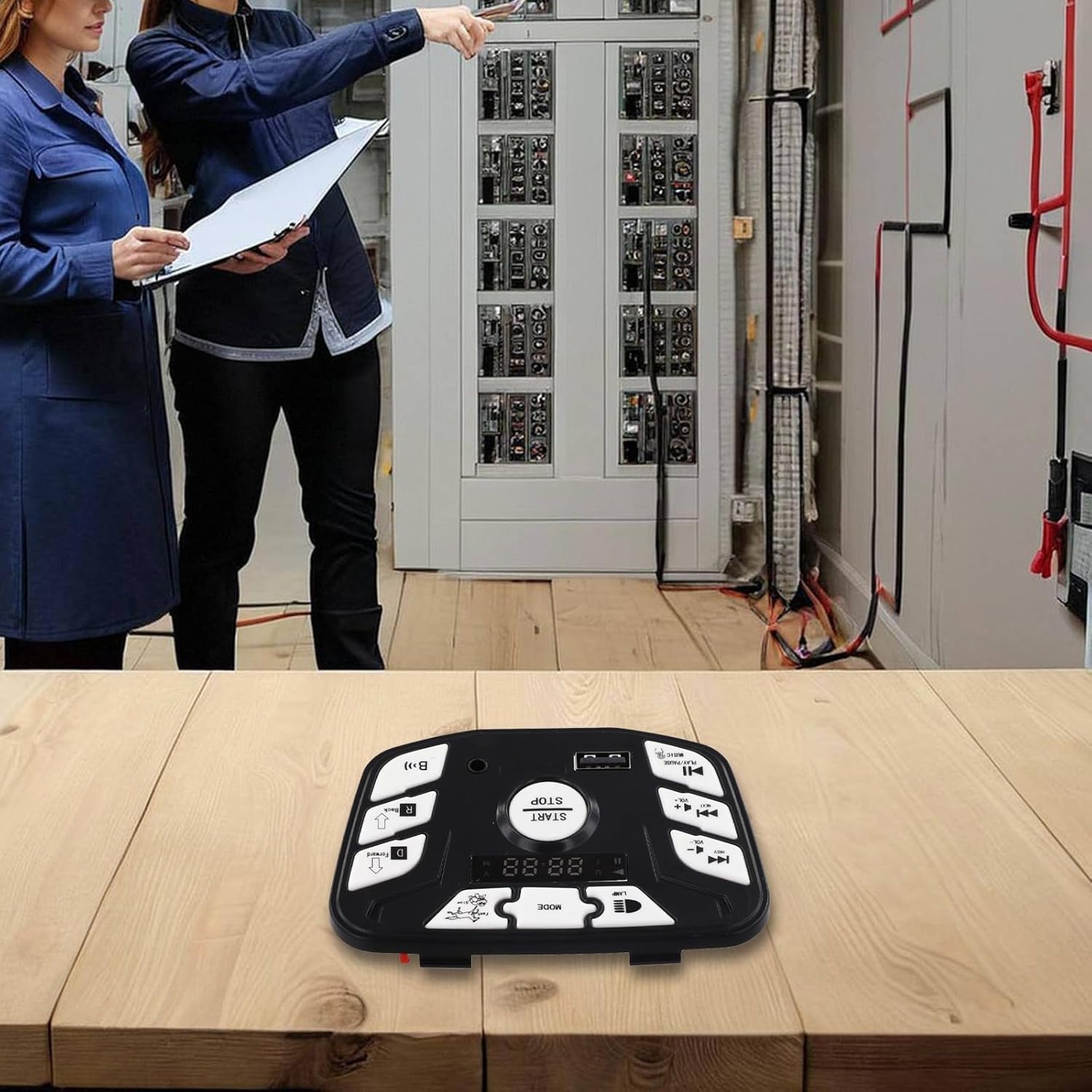
Зураг 2.1: Урд view of the JR1927M Central Control Switch, showing buttons for lamp, mode, speed, start/stop, music controls, and directional controls.

Figure 2.2: Different versions of the JR1927M Central Control Switch, highlighting potential variations in design or voltage (12V and 24V models).
2.1 Гол онцлогууд:
- Хөгжим тоглох: Integrated audio player for entertainment.
- Өгүүлэх: Pre-loaded or expandable storytelling functions.
- Эрчим хүчний дэлгэц: Digital display indicating battery level.
- Хурдны тохируулга: Controls for varying the electric car's speed (Fast/Slow).
- Forward/Backward Functions: Directional controls for driving.
- Lamp Хяналт: Button to operate the car's lights.
- USB порт: For media input (e.g., USB flash drive for music).
3. Суурилуулалт
Before beginning installation, ensure the electric car's power is completely off and the battery is disconnected. This central control switch is designed as a replacement part. Verify that the appearance and connector sockets of the new unit match your original part exactly to ensure compatibility.
3.1 Тохиромжтой байдлын шалгалт:
- Visually compare the new control switch with the original unit.
- Carefully examine the sockets and connectors on the back of the central control switch. They must be identical to your existing setup.
- Номыг баталгаажуулна ууtage (12V or 24V) of the new unit matches your electric car's system.
Зураг 3.1: Нарийвчилсан view of the control switch, showing the front panel and the internal circuit board with various connectors. Ensure these connectors match your vehicle's wiring.
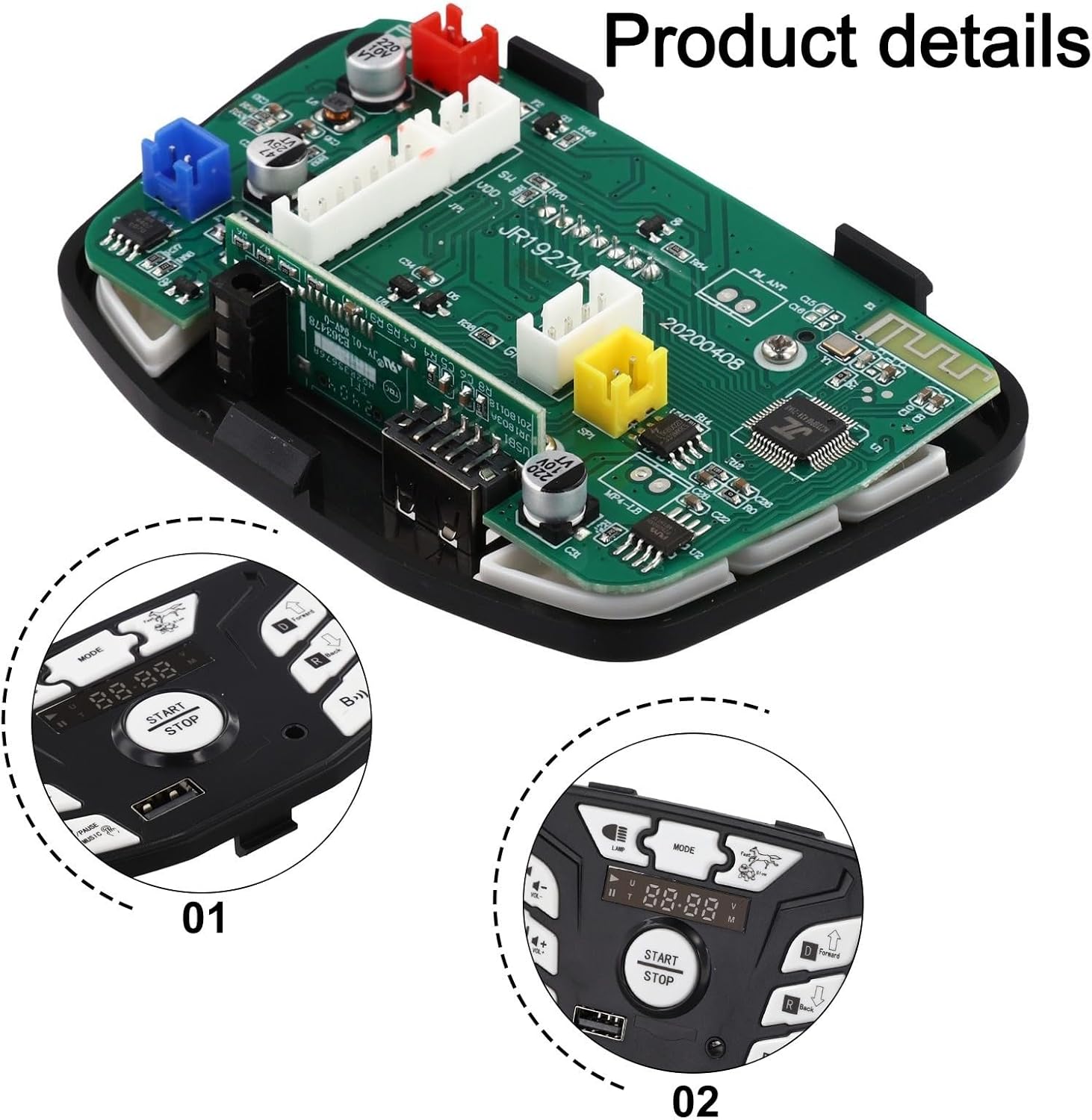
Зураг 3.2: Ар талд view of the circuit board, highlighting the various connection points and their layout. This view is crucial for verifying compatibility with existing wiring harnesses.
3.2 Суулгах алхамууд:
- Цахилгааныг салгах: Ensure the electric car's battery is disconnected to prevent electrical shorts or damage.
- Хуучин нэгжийг устгах: Carefully detach the old central control switch from its mounting location. Note the position and connection of all wires.
- Connect New Unit: Connect the wiring harness from the electric car to the corresponding sockets on the new JR1927M control switch. Ensure all connections are secure and correctly oriented. Refer to Figure 3.1 and 3.2 for connector locations.
- Шинэ нэгж суурилуулах: Securely place the new control switch into its designated slot in the electric car.
- Цахилгааныг дахин холбох: Reconnect the electric car's battery.
- Туршилтын функц: Turn on the electric car and test all functions of the control switch (power, music, lights, speed, forward/backward) to ensure proper operation.
4. Ашиглалтын заавар
Once installed, the central control switch provides intuitive control over various functions of the electric car.
Figure 4.1: Front panel layout of the control switch, indicating the position of each button and its primary function.
4.1 Үндсэн хяналтууд:
- START/STOP товч: Press the central button to turn the electric car's power on or off.
- LAMP Товчлуур: Press to toggle the electric car's lights on or off.
- MODE товчлуур: Cycles through different operational modes, such as music, storytelling, or radio (if available).
- Speed Control (Fast/Slow): Adjusts the driving speed of the electric car.
- D (Forward) Button: Engages forward drive.
- R (Back) Button: Engages reverse drive.
4.2 Media Playback:
- PLAY/PAUSE MUSIC Button: Starts or pauses audio playback.
- PREV / VOL- Button: Short press for previous track; long press to decrease volume.
- NEXT / VOL+ Button: Short press for next track; long press to increase volume.
- USB порт: MP3 аудио агуулсан USB флаш дискийг оруулна уу files for playback. The system will automatically detect and play compatible files.
4.3 Power Display:
The integrated digital display shows the current battery voltage or charge level, allowing you to monitor the remaining power of the electric car.
5. Засвар үйлчилгээ
To ensure the longevity and optimal performance of your central control switch, follow these maintenance guidelines:
- Цэвэрлэгээ: Wipe the surface of the control switch with a soft, dry cloth. Avoid using abrasive cleaners or solvents, which can damage the plastic and electronic components.
- Чийгийн хамгаалалт: Keep the unit dry. Exposure to water or excessive moisture can cause damage to the internal electronics.
- Холболт шалгах: Бүх утас холболтыг найдвартай, зэврэлтээс ангид байлгахын тулд үе үе шалгана.
- Хадгалах: If the electric car is stored for an extended period, ensure the battery is disconnected, and the control switch is kept in a dry, temperate environment.
6. Алдаа засах
If you encounter issues with your central control switch, refer to the following common problems and solutions:
| Асуудал | Боломжит шалтгаан | Шийдэл |
|---|---|---|
| Төхөөрөмж асахгүй байна. |
|
|
| Music/audio not playing. |
|
|
| Car does not move (forward/backward). |
|
|
If the issue persists after attempting these solutions, it is recommended to consult a qualified technician or contact the product supplier for further assistance.
7. Техникийн үзүүлэлтүүд
| Онцлог | Дэлгэрэнгүй |
|---|---|
| Загварын дугаар | JR1927M-12V, JR1927M-Z 24V |
| Хэсгийн нэр | Children's Electric Car Central Control Switch |
| Материал | ABS Plastic, Metal Components |
| Хэмжээ (L x W x H) | Approximately 11 x 6 x 3 Centimetres |
| Зүйлийн жин | Ойролцоогоор 39 грамм |
| Функцүүд | Music playing, Storytelling, Power display, Speed adjustment, Forward/Backward, Lamp хяналт |
| Холболт | USB port for media input |
| Багцын агуулга | 1 x Children's Electric Car Central Control Switch |
8. Баталгаат хугацаа ба дэмжлэг
For warranty information or technical support, please refer to the retailer or manufacturer's specific policies at the time of purchase. Keep your purchase receipt as proof of purchase.
If you require assistance with installation or troubleshooting beyond the scope of this manual, please contact the customer service department of your product supplier.