
1. Танилцуулга
This manual provides essential information for the safe and efficient use of your HP 17.3 Inch FHD Business Laptop. Please read this guide thoroughly before operating your device to ensure optimal performance and longevity. This laptop is designed for business and everyday computing tasks, offering a large display, robust performance, and portability.
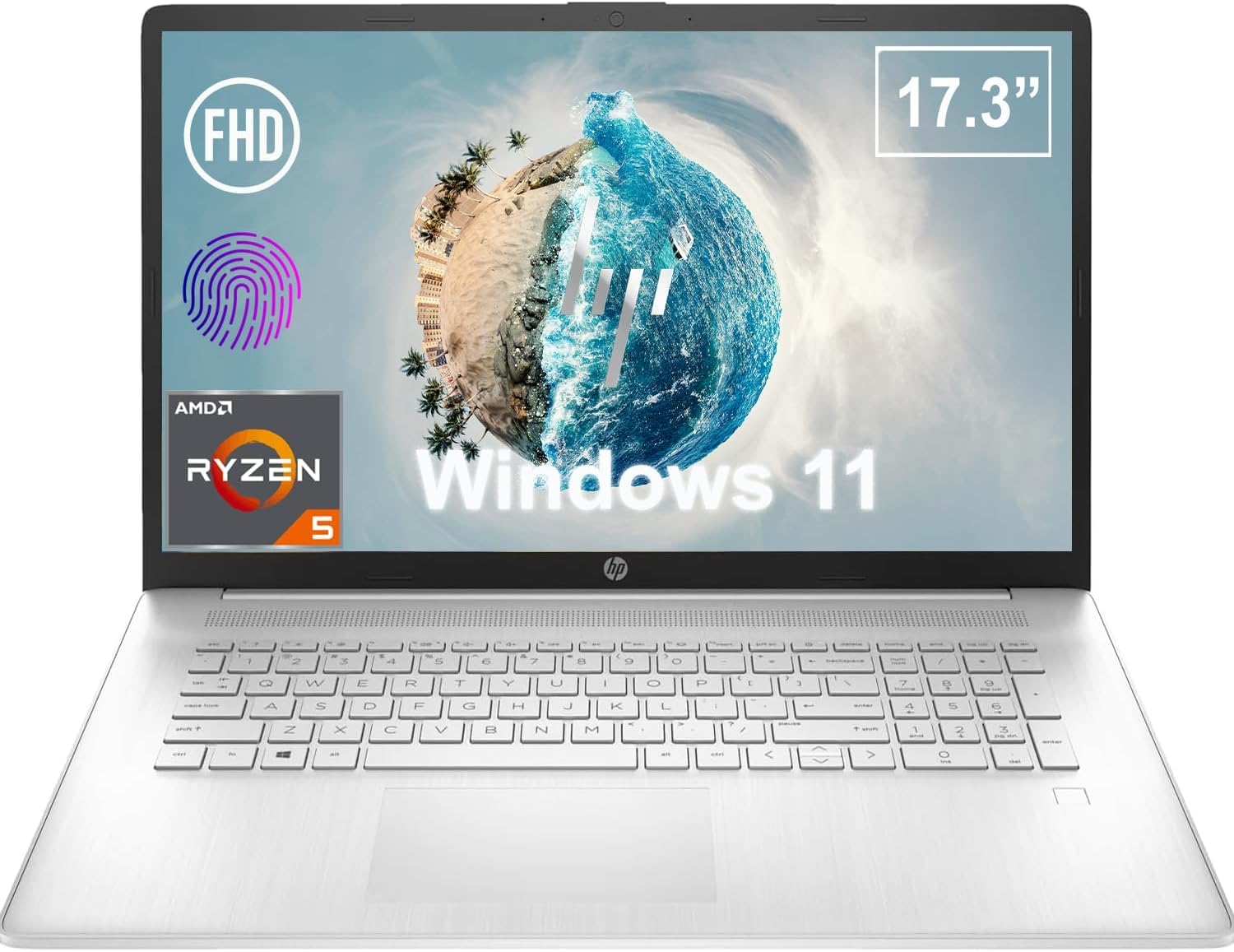
Зураг 1.1: Урд view of the HP 17.3 Inch FHD Business Laptop, showcasing том дэлгэц болон гар.
2. Тохиргоо
2.1 Хайрцагнаас задлах, анхны үзлэг
Сав баглаа боодолоос бүх бүрэлдэхүүн хэсгүүдийг болгоомжтой арилгана. Дараахь зүйлс байгаа эсэхийг шалгана уу.
- HP 17.3 Inch FHD Business Laptop
- Power Adapter (45 W Smart AC Power Adapter)
- Баримт бичиг (энэ гарын авлага, баталгаат мэдээлэл)
Inspect the laptop and accessories for any signs of damage. If any items are missing or damaged, contact your retailer or HP support immediately.
2.2 Цахилгаан хувиргагчийг холбох
Before first use, ensure the laptop is fully charged. Connect the power adapter to the AC smart pin port on the side of the laptop and then plug the adapter into a power outlet.
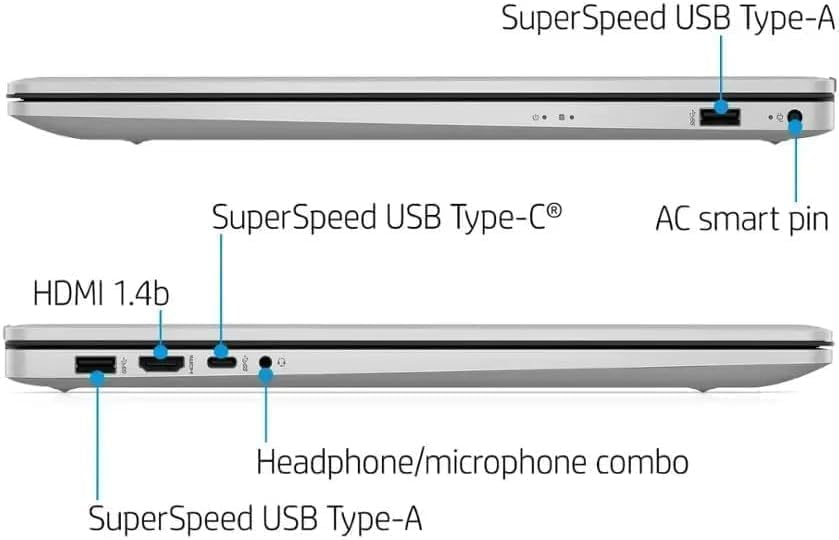
Зураг 2.1: Хажуу тал view illustrating the location of the AC smart pin and other ports.
2.3 Анх асаах болон Windows тохиргоо
Press the power button to turn on the laptop. Follow the on-screen instructions to complete the Windows 11 Home setup process. This includes setting up your user account, network connection, and initial preferences.
3. Зөөврийн компьютерийг ажиллуулах
3.1 Гар ба мэдрэгчтэй самбар
The laptop features a full-size QWERTY keyboard with a 10-key number pad for efficient data entry. The integrated touchpad provides precise cursor control. Refer to the operating system's settings for customizing touchpad gestures and keyboard shortcuts.
3.2 хурууны хээ уншигч
For enhanced security and convenient login, utilize the integrated fingerprint reader. Set up your fingerprints through Windows Hello in the Windows 11 settings.
3.3 Webcam and Microphones
The HP True Vision 720p HD Camera and integrated dual array digital microphones are located at the top of the display. These are suitable for video conferencing and online communication.
3.4 Холболт
- Wi-Fi: The laptop supports 802.11a/b/g/n/ac Wi-Fi for wireless internet access. Connect to available networks via the Windows network settings.
- Bluetooth: Bluetooth 5 allows for wireless connection to compatible devices such as headphones, mice, and keyboards. Enable and manage Bluetooth devices through Windows settings.
3.5 Ports and External Devices
Зөөврийн компьютер нь гадаад төхөөрөмжүүдийг холбох янз бүрийн портоор тоноглогдсон:
- 1 x USB Type-C (5Gbps, Data Only): For connecting USB-C compatible devices and data transfer.
- 2 x USB Type-A (5Gbps): For connecting standard USB devices like external drives, mice, or keyboards.
- 1 x HDMI 1.4b: For connecting to external displays or projectors.
- 1 x Headphone/Microphone Combo: For connecting a headset with a single 3.5mm jack.
- 1 x AC Smart Pin: For connecting the power adapter.

Зураг 3.1: Нээлттэй view of the laptop, highlighting the keyboard and touchpad area.
3.6 Батерейны удирдлага
The laptop is powered by a 3-Cell, 41 Wh Li-ion battery, offering up to 8 hours and 30 minutes of video playback. Use the provided 45 W Smart AC Power Adapter for charging. HP Fast Charge technology allows for quicker charging times.
4. Засвар үйлчилгээ
4.1 Зөөврийн компьютер цэвэрлэх
To maintain the laptop's appearance and functionality:
- Зөөлөн, хөвөнгүй даавуу хэрэглэх dampДэлгэцэнд зориулж ус эсвэл тусгай дэлгэц цэвэрлэгчээр дүүргэсэн.
- Гар болон явах эд ангиудыг зөөлөн, хуурай даавуугаар арчина. Хүчтэй химийн бодис эсвэл зүлгүүрийн материалаас зайлсхий.
- Зөөврийн компьютерээ цэвэрлэхийн өмнө унтрааж, залгуураас нь салгасан эсэхээ шалгаарай.
4.2 Програм хангамжийн шинэчлэлтүүд
Regularly update your Windows operating system and drivers to ensure optimal performance, security, and compatibility. Windows Update can be accessed through the Settings menu.
4.3 Security Software
The laptop comes preloaded with McAfee LiveSafe for security. Ensure this software is active and updated to protect against viruses and other threats.
5. Алдаа засах
Энэ хэсэгт таны HP зөөврийн компьютерт тулгарч болох нийтлэг асуудлуудыг авч үзэх болно.
5.1 Эрчим хүчний асуудал
- Зөөврийн компьютер асахгүй байна: Цахилгаан адаптер нь зөөврийн компьютер болон ажиллаж байгаа цахилгаан залгуурт найдвартай холбогдсон эсэхийг шалгаарай. Батерей цэнэглэгдсэн эсэхийг шалгана уу.
- Зай цэнэглэгдэхгүй байна: Цахилгаан адаптер болон кабелийг гэмтсэн эсэхийг шалгана уу. Өөр залгуурыг туршаад үзээрэй.
5.2 Дэлгэцийн асуудал
- Дэлгэц дээр зураг байхгүй: Connect an external monitor to check if the issue is with the laptop's display. Restart the laptop.
- Анивчих эсвэл гажуудсан зураг: График драйверуудыг шинэчлэх. Windows тохиргоонд дэлгэцийн нягтрал болон шинэчлэлтийн хурдыг тохируулна уу.
5.3 Холболтын асуудал
- Wi-Fi холбогдоогүй байна: Ensure Wi-Fi is enabled. Restart your router and the laptop. Check network settings for correct password and configuration.
- Bluetooth төхөөрөмжийг холбохгүй байна: Ensure Bluetooth is enabled on both devices. Make sure the device is in pairing mode and within range.
Илүү төвөгтэй асуудлуудын талаар HP дэмжлэгээс лавлана уу webсайт эсвэл харилцагчийн үйлчилгээтэй холбоо барина уу.
6. Техникийн үзүүлэлтүүд
| Онцлог | Дэлгэрэнгүй |
|---|---|
| Брэнд | HP |
| Загварын нэр | HP17 |
| Загварын дугаар | i5-1135G7 |
| Дэлгэцийн хэмжээ | 17.3 инч |
| Дэлгэцийн төрөл | IPS, Anti-Glare, LED |
| Шийдвэр | 1920 x 1080 (FHD) |
| Сэргээх хурд | 60 Гц |
| Процессор | AMD Ryzen 5 5500U (6 Cores, 12 Threads, up to 4.0 GHz Max Boost Clock) |
| График | Нэгдсэн AMD Radeon график |
| RAM санах ой | 32 GB DDR4-3200 MHz (Max 64 GB) |
| Хадгалах | 1 ТБ PCIe NVMe M.2 SSD |
| Үйлдлийн систем | Windows 11 Home, 64-bit, English |
| Утасгүй холболт | 802.11a/b/g/n/ac Wi-Fi, Bluetooth 5 |
| Портууд | 1x USB Type-C (5Gbps), 2x USB Type-A (5Gbps), 1x HDMI 1.4b, 1x Headphone/Microphone Combo, 1x AC Smart Pin |
| Webкамер | HP True Vision 720p HD камер |
| Аудио | Dual Speakers, Integrated Dual Array Digital Microphones |
| Батерей | 3-Cell, 41 Wh Li-ion (Up to 8.5 hours video playback) |
| Эрчим хүчний адаптер | 45 W Smart AC Power Adapter |
| Хэмжээ (W x D x H) | 40.07 x 25.78 x 2.06 см (14.14"Урт x 9.31"Өргөн x 0.78"Пүрэв) |
| Жин | 2.07 кг-аас эхлэн |
| Онцлог шинж чанарууд | Fingerprint Reader, Lightweight Design, HP Fast Charge |
7. Баталгаат хугацаа ба дэмжлэг
7.1 Баталгаат хугацааны мэдээлэл
This HP laptop comes with a 1-year manufacturer's limited warranty. For detailed terms and conditions, please refer to the warranty documentation included with your product or visit the official HP support webсайт.
7.2 Хэрэглэгчийн дэмжлэг
If you encounter issues that cannot be resolved using the troubleshooting steps in this manual, please contact HP customer support. You can find contact information and additional resources on the official HP webсайт:
- HP дэмжлэг Webсайт: support.hp.com
- HP дэлгүүр: Амазон дээрх HP дэлгүүр