
1. Бүтээгдэхүүн дууссанview
The plplaaoo FS8233 is an ultra-thin, full-screen intelligent automatic digital multimeter designed for electricians, engineers, and technicians. It features intelligent auto-ranging technology for precise detection of voltage, current, resistance, and continuity without manual adjustments. Built with durable ABS and silicone materials, it offers reliable performance in various environments.
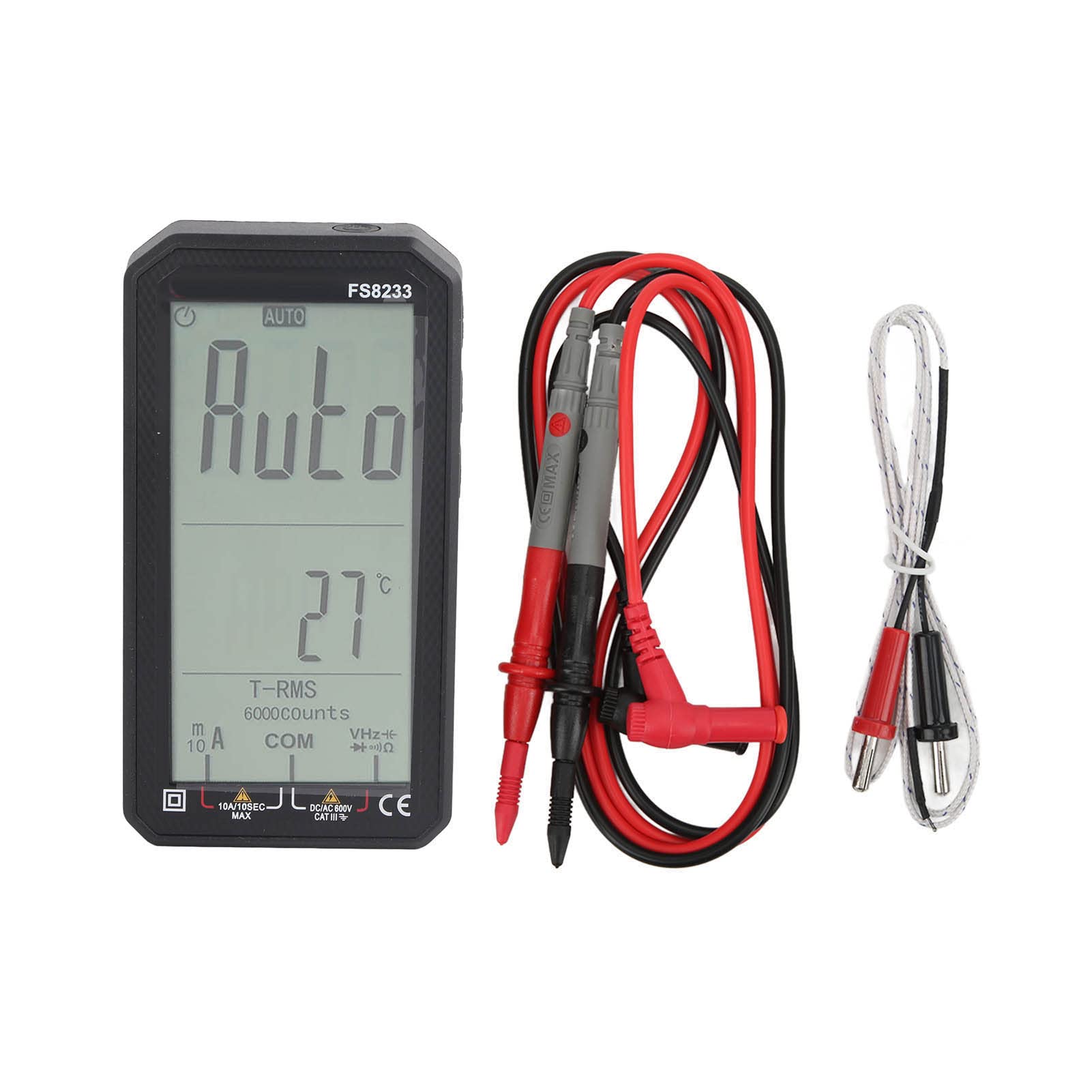
Зураг 1.1: Урд view of the plplaaoo FS8233 Digital Multimeter, showcasing нь бүтэн дэлгэцээр харагдана.
Гол онцлогууд:
- Automatic Testing: Intelligent auto-ranging for voltage, гүйдэл, эсэргүүцэл, тасралтгүй байдал.
- Өндөр нарийвчлал: Advanced chip ensures ±0.5% DC voltage нарийвчлал.
- Удаан эдэлгээтэй барилга: Made from premium ABS and wear-resistant silicone for industrial-grade durability.
- Олон үйлдэлт: AC/DC боть хэмждэгtage (up to 600V), current (10A max), resistance (60MΩ), capacitance (60mF), and temperature.
- Аюулгүй байдлын онцлогууд: Anti-burn protection and 600V CAT III safety rating.
- Хэрэглэгчдэд ээлтэй дизайн: Large backlit screen for clear readings in low-light conditions.
2. Аюулгүй байдлын мэдээлэл
Always adhere to safety precautions when using electrical testing equipment. Failure to do so may result in injury or damage to the device or equipment being tested.
- Ашиглахын өмнө мультиметр сайн ажиллаж байгаа эсэхийг шалгаарай.
- Функц бүрийн хувьд заасан хамгийн их оролтын утгыг хэтрүүлж болохгүй.
- Verify the correct function and range are selected before making measurements.
- Use appropriate personal protective equipment (PPE) such as insulated gloves and safety glasses.
- Avoid touching exposed conductors or circuit components during measurements.
- Батерей бага байгаагийн дохио гарч ирэхэд нарийвчлалтай уншихын тулд батерейг нэн даруй солино уу.
- The device has a 600V CAT III safety rating. Always respect this rating and do not use it in circuits exceeding this category.
3. Тохиргоо
3.1 Батерей суурилуулах
The FS8233 multimeter requires two 1.5V AAA batteries (not included) for operation.
- Мультиметрийн арын хэсэгт зайны тасалгааны тагийг олоорой.
- Зайны тасалгааг нээхийн тулд халив ашиглана уу.
- Хоёр AAA батерейг оруулаад зөв туйлшралыг (+ ба -) баталгаажуулна уу.
- Зайны тасалгааны тагийг найдвартай хаа.
3.2 Туршилтын утсыг холбох
The multimeter comes with two test leads. Connect them to the appropriate input jacks:
- -г оруулна уу хар туршилтын хар тугалга руу COM (common) jack.
- -г оруулна уу улаан туршилтын хар тугалга руу VHzΩmA jack for most voltage, resistance, frequency, capacitance, and current measurements (up to 600mA).
- For high current measurements (up to 10A), insert the улаан туршилтын хар тугалга руу 10 А Жак.

Зураг 3.2: Доод талд view of the multimeter, illustrating the input jacks for test lead connection.
4. Ашиглалтын заавар
The FS8233 features intelligent auto-ranging, simplifying most measurements. Power on the device and it will automatically detect the measurement type.
4.1 Асаах/унтраах
- Press the power button (usually marked with a circle and a vertical line) to turn the multimeter on.
- Press and hold the power button to turn the multimeter off.

Image 4.1: The multimeter display indicating 'AUTO' mode, ready for automatic measurement.
4.2 Automatic Measurement
In auto mode, the multimeter will automatically identify and measure AC/DC voltage, resistance, and continuity. Simply connect the test leads to the circuit or component you wish to measure.
4.3 Тодорхой хэмжилтүүд
While the device is largely auto-ranging, it supports specific measurements:
- Ботьtage (AC/DC): Connect test leads in parallel to the circuit. The multimeter will automatically detect AC or DC voltage.
- Гүйдэл (AC/DC): Connect test leads in series with the circuit. Ensure the red lead is in the correct current jack (mA or 10A).
- Эсэргүүцэл: Connect test leads across the component. Ensure the component is de-energized.
- Багтаамж: Connect test leads across the capacitor. Ensure the capacitor is discharged before testing.
- Температур: Connect the included temperature probe to the appropriate jacks (usually VΩmA and COM) and place the probe tip on the object to be measured.

Image 4.3: An electrician using the FS8233 multimeter to perform tests on an electrical panel, demonstrating practical application.
4.4 Дэлгэцийг унших
The large backlit screen displays readings clearly. The unit of measurement (V, A, Ω, F, °C) will be shown alongside the numerical value. The 'AUTO' indicator confirms auto-ranging is active.

Зураг 4.4: Ойролцоогоор view of the multimeter's display, showing a clear numerical reading and measurement units.
5. Засвар үйлчилгээ
5.1 Цэвэрлэгээ
To maintain the multimeter's performance and appearance:
- c-г арчинаasing зартайamp даавуу, зөөлөн угаалгын нунтаг. Зүлгүүрийн цэвэрлэгч, уусгагчийг бүү ашигла.
- Ensure no moisture enters the device through the input jacks or seams.
5.2 Батерейг солих
When the low battery indicator appears on the display, replace the batteries as described in Section 3.1. Always use fresh 1.5V AAA batteries.
5.3 Хадгалалт
Store the multimeter in a cool, dry place away from direct sunlight and extreme temperatures. If storing for an extended period, remove the batteries to prevent leakage.
6. Алдаа засах
If you encounter issues with your FS8233 Digital Multimeter, refer to the following common troubleshooting steps:
- Дэлгэц байхгүй/Төхөөрөмж асахгүй байна:
- Батерейг зөв суурилуулсан, хангалттай цэнэгтэй эсэхийг шалгана уу. Шаардлагатай бол солино.
- Цахилгаан товчийг чанга дарсан эсэхийг шалгаарай.
- Буруу эсвэл тогтворгүй уншилтууд:
- Verify that the test leads are securely connected to the correct input jacks.
- Ensure good contact between the test probes and the circuit/component being measured.
- Check for damaged test leads and replace if necessary.
- Ensure the component being measured is within the multimeter's specified range.
- 'OL' or Overload Indication:
- This indicates the measured value exceeds the current range. Ensure the red test lead is in the appropriate high-current jack (10A) if measuring high current, or that the voltage/resistance is within the device's maximum limits.
7. Техникийн үзүүлэлтүүд
| Параметр | Тодорхойлолт |
|---|---|
| Загвар | FS8233 |
| Материал | ABS + Силикон |
| Батерей | 2 x 1.5V AAA Battery (Not Included) |
| AC гүйдлийн хүрээ | 6000mA (1mA, ±(1.0% + 8 digits)), 10A (0.01A) |
| DC гүйдлийн хүрээ | 6000mA (1mA, ±(1.0% + 5 digits)), 10A (0.01A) |
| DC ботьtage Хамрах хүрээ | 6V (0.001V, ±(0.5% + 3 digits)), 60V (0.01V), 600V (0.1V) |
| Эсэргүүцлийн хүрээ | 60MΩ хүртэл |
| Хүчин чадлын хүрээ | 60мФ хүртэл |
| Аюулгүй байдлын үнэлгээ | 600В CAT III |
| Оруулсан бүрэлдэхүүн хэсгүүд | 2 Test Leads, 1 Temperature Probe, User Manual |