
1. Танилцуулга
The JONR X1 Max is an advanced robot vacuum and mop cleaner designed to provide comprehensive floor cleaning. It features powerful suction, intelligent navigation, and an all-in-one self-cleaning station for a hands-free cleaning experience. This manual will guide you through the setup, operation, and maintenance of your device.
Гол онцлогууд:
- 20000 Па Сорох Хүч: Effectively removes hair, dust, and debris from various floor types.
- TroboWave DuoBrush System: Anti-tangle design to minimize hair entanglement and maintenance.
- 30 mm Obstacle Climbing: Easily navigates over thresholds and carpets.
- 3D LiDAR Navigation with RGB Technology: Precise room mapping and intelligent obstacle avoidance.
- Бүгдийг нэгээр нь авах станц: Automatic dust collection, hot water mop washing (75°C), and hot air mop drying (45°C).
- Ухаалаг хяналт: App control and voice command compatibility (Alexa, Google Home).
- Батерейны урт наслалт: Up to 150 minutes of cleaning, covering over 200 m².
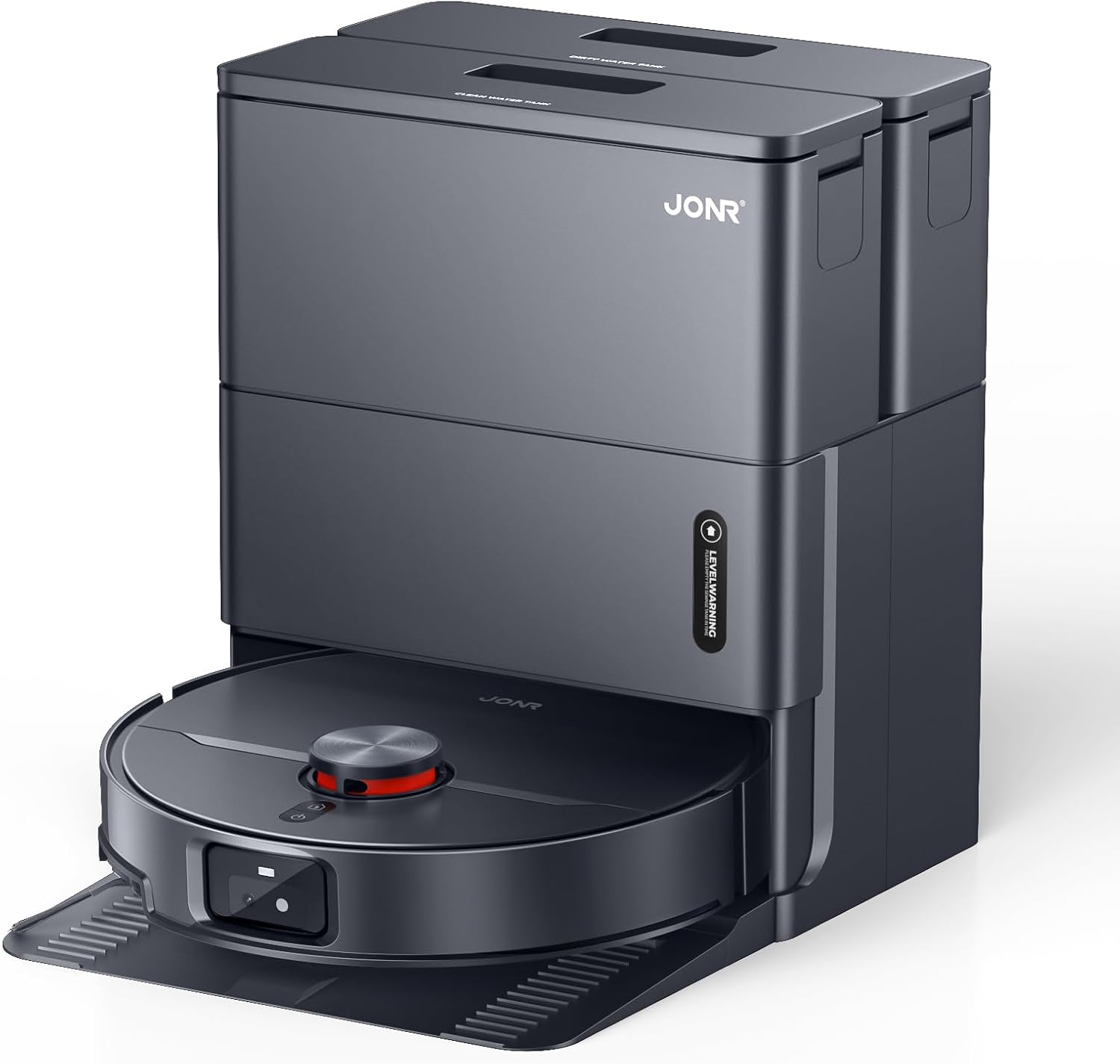
Image: The JONR X1 Max robot vacuum demonstrating its powerful 20000 Pa suction, effectively lifting dust and pet hair from various surfaces.
2. Тохиргоо
2.1 Савлах, эд ангиудыг шалгах
Сав баглаа боодолоос бүх бүрэлдэхүүн хэсгүүдийг болгоомжтой арилгана. Доор жагсаасан бүх зүйл байгаа эсэхийг шалгаарай.
- JONR X1 Max Robot Vacuum and Mop Cleaner
- All-in-One Docking Station
- Эрчим хүчний адаптер
- Mop Pads (pre-installed or separate)
- Хэрэглэх заавар (энэ баримт бичиг)
- Dust Bag (pre-installed in station or separate)
- Clean Water Tank (4.2 L)
- Dirty Water Tank (3.8 L)
2.2 Docking Station Placement
Place the docking station on a hard, level surface against a wall. Ensure there is at least 0.5 meters of clear space on both sides and 1.5 meters in front of the station for the robot to navigate freely. Connect the power adapter to the station and plug it into a wall outlet.

Image: The JONR X1 Max robot vacuum and its all-in-one docking station. The station is designed for automatic dust collection, mop washing, and drying.
2.3 Анхны цэнэглэлт
Place the robot onto the docking station. Ensure the charging contacts on the robot align with those on the station. The robot will automatically begin charging. For first-time use, fully charge the robot before operation (approximately 2.5 hours).
2.4 Програм суулгах, холбох
- Download the "JONR" app from your smartphone's app store (iOS or Android).
- Програмаа нээгээд бүртгэл үүсгэ эсвэл нэвтэрнэ үү.
- Follow the in-app instructions to add your JONR X1 Max device. This typically involves connecting to the robot's Wi-Fi hotspot temporarily and then connecting the robot to your home Wi-Fi network.
- Once paired, you can control the robot, set cleaning schedules, and view maps from the app.
3. Ашиглалтын заавар
3.1 Цэвэрлэгээний мөчлөгийг эхлүүлэх
You can start a cleaning cycle using one of the following methods:
- Robot Button: Ерөнхий цэвэрлэгээний мөчлөгийг эхлүүлэхийн тулд робот дээрх асаах товчийг нэг удаа дарна уу.
- JONR App: Open the app, select your device, and tap "Start Cleaning." You can choose specific cleaning modes (Vacuum, Mop, Vacuum & Mop) and areas.
- Дуут удирдлага: If integrated with Amazon Alexa or Google Home, use commands like "Alexa, start JONR robot" or "Hey Google, tell JONR to clean."
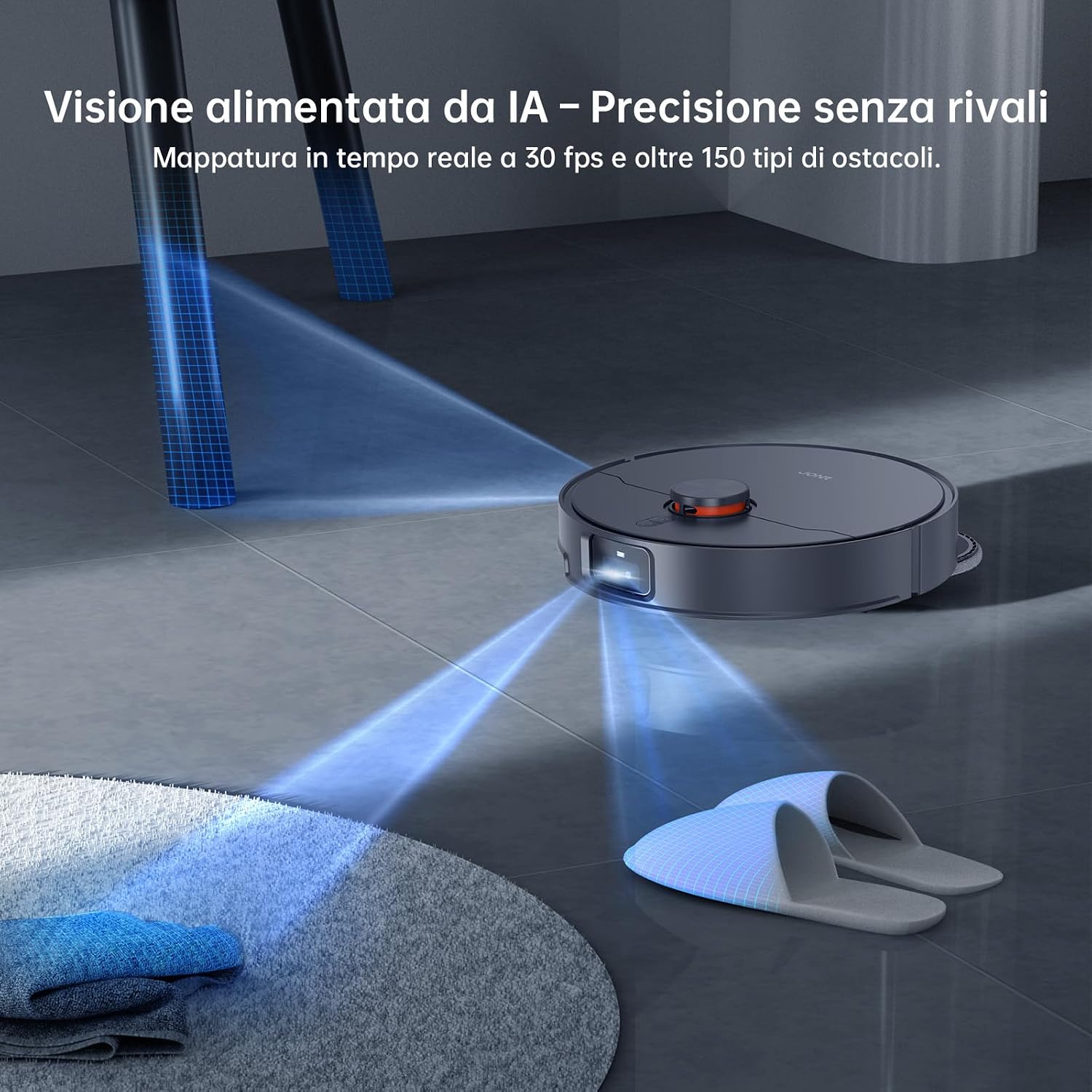
Image: The JONR X1 Max robot vacuum navigating a room, demonstrating its AI-powered obstacle avoidance system to detect and bypass objects like slippers.
3.2 цэвэрлэх горим
- Вакуум горим: The robot will only vacuum, suitable for carpets or dry debris.
- Шүүр авах горим: The robot will only mop, suitable for hard floors. Ensure water tanks are filled.
- Тоос сорогч, цэвэрлэх горим: The robot will vacuum and mop simultaneously. This is the default and recommended mode for most hard floors.
- Бүсийн цэвэрлэгээ: Роботын цэвэрлэх тодорхой хэсгийг тодорхойлохын тулд програмыг ашиглана уу.
- Толбо цэвэрлэх: Direct the robot to a specific spot for intensive cleaning.

Image: The JONR X1 Max robot vacuum demonstrating its edge-to-edge cleaning capability, with extendable mop pads ensuring thorough coverage near walls and furniture.
3.3 Саадыг чиглүүлэх
The JONR X1 Max is equipped with a lifting roller design, allowing it to overcome obstacles up to 30 mm, such as door thresholds and thick carpets. Its 3D LiDAR navigation and RGB technology enable precise mapping and real-time obstacle avoidance.

Image: The JONR X1 Max robot vacuum demonstrating its ability to climb over obstacles up to 30mm high, such as floor transitions or rugs, compared to a standard robot's 8mm capability.
3.4 All-in-One Station Functions
The docking station provides automated maintenance for the robot:
- Автомат тоос сорогч: After each cleaning cycle, the robot's dustbin is automatically emptied into a 3L dust bag within the station.
- Халуун усаар угаах: The mop pads are washed with 75°C hot water to remove dirt and grime effectively.
- Hot Air Mop Drying: After washing, the mop pads are dried with 45°C hot air to prevent mildew and odors.
- Automatic Water Refill/Drain: The station manages the clean and dirty water tanks, refilling the robot's water tank and draining dirty water as needed.

Image: The JONR X1 Max docking station actively cleaning the robot's mop pads with 75°C hot water, ensuring thorough sanitation and removal of stubborn stains.
4. Засвар үйлчилгээ
Regular maintenance ensures the optimal performance and longevity of your JONR X1 Max.
4.1 Dust Bag Replacement (Docking Station)
- The 3L dust bag in the docking station typically lasts up to 2.5 months, depending on usage.
- When the app indicates the dust bag is full, open the station's top cover, remove the full bag, and replace it with a new one.
4.2 Water Tank Maintenance (Docking Station)
- Clean Water Tank (4.2 L): Refill with clean tap water as needed. Do not add detergents or cleaning solutions unless specifically designed for robot vacuums and approved by JONR.
- Dirty Water Tank (3.8 L): Empty the dirty water tank regularly to prevent odors and ensure proper mop washing. Clean the tank with water if necessary.
4.3 Шүүрний дэвсгэр цэвэрлэх болон солих
- The docking station automatically washes and dries the mop pads.
- Periodically inspect the mop pads for wear and tear. Replace them when they become excessively worn or no longer clean effectively.
4.4 Main Brush and Side Brush Cleaning
- Үндсэн сойз: The TroboWave DuoBrush system is designed to reduce hair entanglement. However, periodically remove the main brush and clean any accumulated hair or debris using the cleaning tool provided.
- Хажуугийн сойз: Check side brushes for tangled hair or damage. Remove and clean them. Replace if bristles are bent or broken.

Зураг: Ойрын зураг view of the JONR X1 Max's patented helical blade design, illustrating its anti-tangle technology that significantly reduces hair obstructions and minimizes maintenance requirements.
4.5 Шүүлтүүрийг цэвэрлэх
- The robot uses a sponge filter. Remove the filter from the dustbin (after automatic emptying) and tap it gently to remove dust. Do not wash the filter with water unless specified.
- Шүүлтүүрийг ашиглалтаас хамааран 3-6 сар тутамд солино.
4.6 Мэдрэгчийг цэвэрлэх
- Wipe the cliff sensors, wall sensors, and charging contacts on the robot and docking station with a clean, dry cloth periodically to ensure proper navigation and charging.
5. Алдаа засах
| Асуудал | Боломжит шалтгаан | Шийдэл |
|---|---|---|
| Робот эхлэхгүй эсвэл хариу үйлдэл үзүүлэхгүй. | Батерей бага; Цахилгаан унтраах; Робот гацсан. | Роботыг цэнэглэ; Цахилгаан унтраалга асаалттай байгаа эсэхийг шалга; Аливаа саадыг арилгана. |
| Цэвэрлэгээний гүйцэтгэл муу. | Full dustbin; Clogged filter; Worn brushes/mop pads. | Empty dustbin/replace dust bag; Clean/replace filter; Clean/replace brushes/mop pads. |
| Robot cannot return to docking station. | Station obstructed; Robot too far; Charging contacts dirty. | Clear area around station; Manually place robot on station; Clean charging contacts. |
| Апп холболтын асуудал. | Incorrect Wi-Fi password; Router too far; Robot offline. | Verify Wi-Fi credentials; Move robot closer to router; Restart robot and app. |
| Шүүрний дэвсгэр үр дүнтэй цэвэрлэгдэхгүй байна. | Dirty water tank full; Clean water tank empty; Worn mop pads. | Empty dirty water tank; Refill clean water tank; Replace mop pads. |
6. Техникийн үзүүлэлтүүд
| Онцлог | Дэлгэрэнгүй |
|---|---|
| Брэнд | JONR |
| Загварын нэр | X1 MAX |
| Сорох хүч | 20,000 Па |
| Obstacle Climbing Capability | 30 мм |
| Hot Water Mop Washing Temperature | 75 ° C |
| Hot Air Mop Drying Temperature | 45 ° C |
| Зайны ашиглалт | Up to 2.5 Hours (150 minutes) |
| Батерейны найрлага | Лити полимер |
| Цэвэр усны савны багтаамж | 4.2 литр |
| Бохир усны савны багтаамж | 3.8 литр |
| Тоосны уутны багтаамж | 3 литр |
| Хяналтын төрөл | Товчлуурын удирдлага, Аппликейшний удирдлага, Дуут удирдлага |
| Тохиромжтой төхөөрөмжүүд | Amazon Echo, Google Home, Ухаалаг утаснууд |
| Шүүлтүүрийн төрөл | Хөвөн |
| Хэмжээ (L x W x H) | 33L x 34W x 55H см |
| Зүйлийн жин | 12 кг |
| Дуу чимээний түвшин | 70 децибел |
| Зөвлөмж болгож буй гадаргуу | Tiles, Hard Floors, Carpets |
7. Баталгаат хугацаа ба дэмжлэг
JONR provides 365-day customer service for the X1 Max robot vacuum and mop cleaner. For warranty claims, technical support, or any inquiries regarding your product, please contact JONR customer service through the official webсайт эсвэл таны худалдан авалтын баримт бичигт заасан холбоо барих мэдээлэл.
Баталгаат хугацаанд худалдаж авсан баримтаа хадгална уу.