
1. Танилцуулга
Thank you for choosing the Generic H100 WiFi Trail Camera. This manual provides detailed instructions for setting up, operating, and maintaining your camera. Designed for wildlife observation, hunting, home security, and farm monitoring, this camera captures high-quality images and videos with advanced features like WiFi connectivity, night vision, and a robust waterproof design.
2. Багцын агуулга
Бүх бүрэлдэхүүн хэсгүүд байгаа эсэхийг шалгахын тулд багцыг шалгана уу:
- H100 WiFi Trail Camera
- USB кабель
- Урсгалтай Tripod
- Холбох бүс
- Mounting Screws (and wall plugs)
- Хэрэглэгчийн гарын авлага

Image 2.1: Contents of the H100 Trail Camera package, including the camera, USB cable, threaded tripod, user manual, mounting belt, and screws.
3. Бүтээгдэхүүний онцлог
- Өндөр нарийвчлалтай дүрслэл: Captures 48MP photos and 1080P videos with audio.
- Хурдан триггерийн хурд: Ultra-fast 0.2s trigger speed with 3 PIR infrared sensors.
- Илрүүлэх өргөн хүрээ: 120° detection angle up to 65ft (20m).
- Нарийвчилсан шөнийн хараа: Low glow infrared LEDs for clear night recordings up to 10 meters.
- WiFi & Bluetooth Connectivity: Remote control and footage viewing via mobile app within 32.8 feet (10 meters).
- Бат бөх дизайн: IP66 waterproof rating for reliable outdoor use in various weather conditions.
- Олон зураг авах горимууд: Supports photo, video, and photo+video modes.

Зураг 3.1: Урд view of the H100 WiFi Trail Camera, highlighting its WiFi and Bluetooth capabilities.
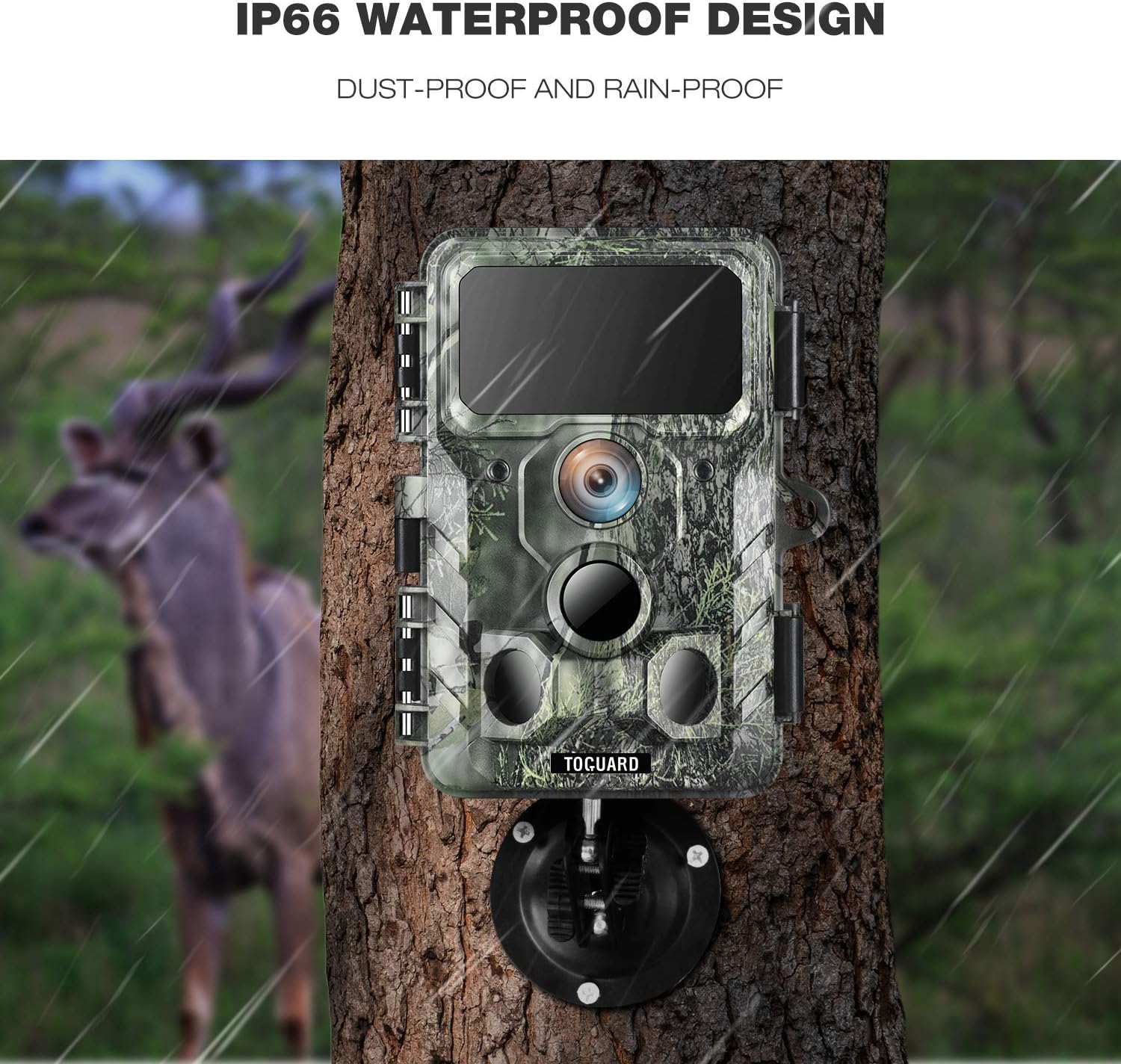
Image 3.2: The H100 Trail Camera mounted on a tree, illustrating its IP66 dust-proof and rain-proof design.

Image 3.3: A comparison showing the clarity of 30MP images captured by the camera versus lower resolution, depicting wildlife.

Image 3.4: Day and night vision examples from the H100 Trail Camera, demonstrating its 36PCS 850NM infrared LEDs for clear night recordings.
4. Тохиргоо
4.1 Battery and SD Card Installation
- Open the camera's latch and battery compartment.
- Insert 8 AA batteries (not included) into the battery compartment, ensuring correct polarity. The camera also supports solar power input.
- Insert a Class 10 or higher Micro SD card (up to 256GB, not included) into the SD card slot with the contacts facing up.
- Close the battery compartment and secure the latch to ensure the camera is waterproof.
4.2 Камер суурилуулах
The H100 Trail Camera can be mounted using the provided mounting belt, threaded tripod, or screws.
- Using the Mounting Belt: Thread the belt through the slots on the back of the camera and secure it around a tree or pole.
- Using the Threaded Tripod: Screw the camera onto the threaded tripod mount for flexible positioning on flat surfaces or ground.
- Суурилуулах эрэг ашиглах: Use the provided screws and wall plugs to attach the camera to a wall or other solid surface.
4.3 Програм татаж авах ба холболт
- Scan the QR code in the physical user manual to download the dedicated mobile application for your H100 camera.
- Ухаалаг утсан дээрээ Bluetooth болон Wi-Fi-г идэвхжүүлнэ үү.
- Open the app and follow the on-screen instructions to connect to the camera's hotspot. The camera's WiFi connection range is approximately 32.8 feet (10 meters).
- Холбогдсоны дараа та алсаас холбогдож болно view images/videos and adjust camera settings.
5. Ашиглалтын заавар
5.1 Асаах/унтраах
- To power on, slide the power switch to the 'ON' position. The indicator light will briefly illuminate.
- Унтраахын тулд цахилгаан шилжүүлэгчийг 'OFF' байрлалд гулсуулна уу.
5.2 горимын сонголт
The camera supports three capture modes:
- Зургийн горим: Идэвхжүүлсэн үед хөдөлгөөнгүй зураг авдаг.
- Видео горим: Идэвхжүүлсэн үед видео клипүүдийг бичдэг.
- Фото + Видео горим: Captures a photo followed by a video clip when triggered.
Select your desired mode through the mobile application settings.
5.3 Тохиргоог програмаар тохируулах
Once connected to the camera via the app, you can customize various settings:
- Image/Video Resolution
- Trigger Interval
- PIR мэдрэмж
- Time Lapse (if available)
- Огноо, цаг Stamp
- Нууц үгийн хамгаалалт
- SD картыг форматлах
5.4 Viewing Footage
Access the camera's gallery through the mobile app to view captured photos and videos. You can download files directly to your smartphone.
6. Засвар үйлчилгээ
- Цэвэрлэгээ: Gently wipe the camera lens and PIR sensors with a soft, dry cloth to remove dust or dirt. Avoid abrasive materials.
- Зай шалгах: Regularly check battery levels via the app or by physically inspecting the batteries. Replace all batteries simultaneously to ensure optimal performance.
- Ус нэвтрүүлдэггүй тамга: Ensure the camera's latch is securely closed and the rubber seal is free from debris to maintain its IP66 waterproof rating.
- SD картын менежмент: Periodically format the SD card through the camera settings to prevent data corruption and ensure sufficient storage space. Back up important footage форматлахын өмнө.
7. Алдаа засах
| Асуудал | Боломжит шалтгаан | Шийдэл |
|---|---|---|
| Камер асахгүй байна | Батерей бага эсвэл үхсэн; зайны буруу туйл. | Replace batteries with new ones; ensure correct polarity. |
| Зураг/видео аваагүй | SD card full or corrupted; PIR sensitivity too low; camera in wrong mode. | Format SD card; increase PIR sensitivity; check capture mode settings. |
| Зураг/видео чанар муу | Бохир линз; бага гэрлийн нөхцөл; нарийвчлалын буруу тохиргоо. | Clean the lens; ensure adequate lighting or use night vision; set higher resolution. |
| WiFi/Bluetooth холболтын асуудлууд | Too far from camera; app not updated; camera WiFi not activated. | Move closer to the camera (within 10m); update app; ensure camera is in connectable state. |
| Шөнийн хараа ажиллахгүй байна | IR LEDs blocked; insufficient power. | Clear any obstructions from IR LEDs; ensure batteries are fully charged. |
8. Техникийн үзүүлэлтүүд
| Онцлог | Тодорхойлолт |
|---|---|
| Зургийн нягтрал | 48 мегапиксел хүртэл |
| Видеоны нягтрал | 1080P with Audio |
| Триггерийн хурд | 0.2 секунд |
| Илрүүлэх хүрээ | 120° wide angle, up to 65ft (20m) |
| Шөнийн хараа | Low glow infrared LEDs, 10 meters range |
| Усны хамгаалалттай үнэлгээ | IP66 |
| Холболт | WiFi, Bluetooth (App Remote Control) |
| Эрчим хүчний эх үүсвэр | 8x AA Batteries (required), Solar Powered input |
| Хадгалах | Micro SD Card (up to 256GB, Class 10 or higher) |
| Хэмжээ | Ойролцоогоор 2 x 3 x 3 инч |
| Загварын нэр | H100 |
9. Баталгаат хугацаа ба дэмжлэг
For warranty information or technical support, please refer to the contact details provided with your purchase or visit the manufacturer's official webсайт. Худалдан авалтын баримтаа худалдан авалтын баталгаа болгон хадгалаарай.