
Танилцуулга
The Hunter ZenTech 44-inch smart ceiling fan combines modern design with advanced technology to provide efficient air circulation and adjustable lighting for indoor and covered outdoor spaces. This fan features a slim DC motor for quiet operation and energy efficiency, TrueLight LED technology for customizable lighting, and HunterSMART technology for seamless integration with smart home systems like Amazon Alexa, Google Assistant, and Apple HomeKit.
This manual provides detailed instructions for the safe installation, operation, and maintenance of your ZenTech ceiling fan. Please read all instructions carefully before beginning installation or use.
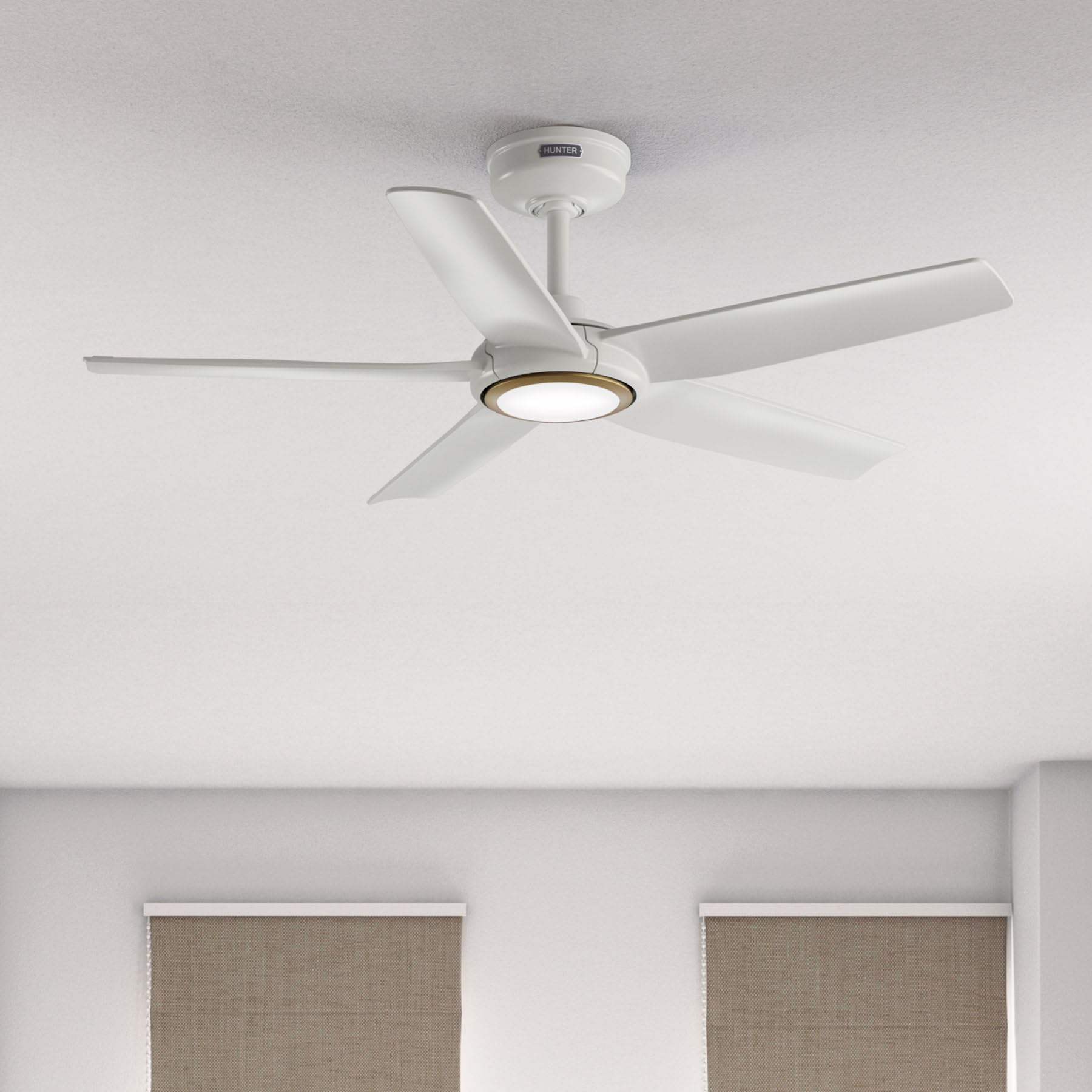
Image: Hunter ZenTech 44-inch ceiling fan in Fresh White, showcasing its sleek design and integrated LED light.
Аюулгүй байдлын мэдээлэл
To reduce the risk of electric shock, fire, or injury to persons, always follow these important safety precautions:
- Энэ сэнсийг суурилуулах эсвэл ашиглахаасаа өмнө бүх зааврыг уншина уу.
- Суурилуулалт, засвар үйлчилгээ хийхээс өмнө таслагчийн хүчийг унтраасан эсэхийг шалгаарай.
- Бүх утаснууд нь үндэсний болон орон нутгийн цахилгааны дүрэмд нийцсэн байх ёстой. Хэрэв та утаснуудын талаар сайн мэдэхгүй бол мэргэшсэн цахилгаанчинтай зөвлөлдөх хэрэгтэй.
- Сэнсийг ирний арын ирмэгээс шал хүртэл хамгийн багадаа 7 фут (2.1 метр) зайтай суурилуулах ёстой.
- Суурилуулалтын бүтэц нь сэнсний жинг (ойролцоогоор 13.45 фунт) дааж чадах эсэхийг шалгаарай.
- Гэмтсэн ир болон бусад гэмтсэн эд ангитай сэнсийг ажиллуулж болохгүй.
- Энэ фен нь damp-rated, suitable for indoor use and covered outdoor areas where exposure to moisture may occur. Do not expose to direct water spray.
Тохиргоо ба суурилуулалт
Proper installation is crucial for the performance and safety of your ceiling fan. It is recommended to have a qualified electrician perform the installation.
Суурилуулалтын өмнөх шалгалт
- Баглаа боодлын жагсаалтын дагуу бүх бүрэлдэхүүн хэсгүүд байгаа эсэхийг шалгана уу.
- Ensure the electrical box is securely mounted and capable of supporting a ceiling fan.
- Үндсэн хэлхээний таслагчийн хүчийг унтраа.
Сэнс суурилуулах
- Attach the mounting bracket to the ceiling electrical box using the provided screws.
- Assemble the downrod (6 inches included) to the motor housing. Factory-installed wiring and connectors are designed for downrods up to 24 inches. Do not extend or modify.
- Сэнсний угсралтыг болгоомжтой өргөж, бэхэлгээний бэхэлгээнээс өлгө.
Цахилгааны холболтууд
- Сэнсний цахилгааны утсыг бүрэн зааварчилгааны схемийн дагуу гэр ахуйн цахилгаан утас руу холбоно. Бүх холболт найдвартай эсэхийг шалгаарай.
- Бүх утсыг цахилгаан хайрцагт сайтар оруулаарай.
Attaching Blades and Light Kit
- Securely attach the five fan blades to the motor housing.
- Install the LED light kit module. The fan includes in-box accessories for a personalized finish, including an interchangeable LED module, a no-light cap, and two trim ring options (one matching the fan finish and one in Luxe Gold).

Image: Hunter ZenTech ceiling fan installed in a modern living room, demonstrating its aesthetic integration into a home environment.

Image: Hunter ZenTech ceiling fan installed on a covered outdoor patio, highlighting its damp-rated suitability for outdoor use.
Ашиглалтын заавар
Your ZenTech fan offers multiple control options for convenience.
Алсын удирдлага
A handheld remote control is included for basic fan and light functions:
- Сэнсний хурд: Adjust between 6 speeds.
- Фен чиглэл: Reverse the fan direction for summer (downward airflow) or winter (upward airflow) operation.
- Гэрэл асаах/унтраах: Turn the LED light on or off.
- Хөнгөн бүдэгрүүлэх: LED гэрлийн тод байдлыг тохируулна уу.
HunterSMART App Control
The HunterSMART app provides advanced control and customization options:
- Download the HunterSMART app from your device's app store.
- Follow the in-app instructions to connect your ZenTech fan to your home Wi-Fi network.
- Once connected, you can control fan speed, light brightness, and color temperature from your smartphone or tablet.
- Access additional features such as scheduling and custom settings.

Image: Diagram illustrating HunterSMART app interface and voice command examples for controlling the ceiling fan.
Дуут удирдлага
The ZenTech fan is compatible with leading smart home platforms:
- Amazon Alexa: Enable the Hunter skill in the Alexa app and link your HunterSMART account.
- Google Туслах: Link your HunterSMART account through the Google Home app.
- Apple HomeKit: Follow the pairing instructions in the Apple Home app.
Use voice commands such as "Alexa, turn on the living room fan" or "Hey Google, set the bedroom light to warm white."
TrueLight LED Lighting
The integrated TrueLight LED technology allows for fully adjustable lighting:
- Choose from 10 brightness levels to suit your needs.
- Adjust the color temperature between warm and cool tones to create the desired ambiance.

Image: Graphic illustrating the 'Clearly Brighter' TrueLight features, showing 10 levels of light and 10 color temperatures for adjustable LED lighting.
Засвар үйлчилгээ
Regular maintenance ensures the longevity and optimal performance of your ZenTech ceiling fan.
Цэвэрлэгээ
- Сэнс ир: Ирийг зөөлөн, d-ээр арчинаamp cloth. Do not use abrasive cleaners as they may damage the finish.
- Мотор орон сууц: Dust the motor housing with a soft, dry cloth.
- Гэрэл иж бүрдэл: Clean the light diffuser with a soft, lint-free cloth.
Always ensure the power is off at the circuit breaker before cleaning any part of the fan.
Ерөнхий арчилгаа
- Periodically check all screws and connections for tightness. Retighten as necessary.
- The fan's DC motor is designed for long-term, maintenance-free operation and does not require lubrication.
Алдааг олж засварлах
If you encounter issues with your ZenTech ceiling fan, refer to the following common problems and solutions:
| Асуудал | Боломжит шалтгаан | Шийдэл |
|---|---|---|
| Сэнс эхлэхгүй байна | Сэнсний цахилгаан байхгүй; Сул утас холболт; Алсын удирдлагын зай бага. | Хэлхээ таслагчийг шалгах; Бүх утасны холболтууд найдвартай эсэхийг шалгах; Алсын удирдлагын батерейг солих. |
| Гэрэл ажиллахгүй байна | Loose wire connection to light kit; LED module faulty. | Check light kit wiring; Contact customer support for LED module replacement if necessary. |
| Сэнс ганхаж байна | Суларсан ирний эрэг; Буруу тэнцвэржүүлсэн ир; Суларсан бэхэлгээний хаалт. | Tighten all blade screws; Use a blade balancing kit (not included); Ensure mounting bracket is secure. |
| Алсын удирдлага ажиллахгүй байна | Battery low or dead; Remote not paired with fan. | Replace battery; Refer to the full manual for remote pairing instructions. |
| Wi-Fi холболтын асуудал | Wi-Fi нууц үг буруу; Чиглүүлэгч хэт хол; Сүлжээний хөндлөнгийн оролцоо. | Verify Wi-Fi password; Move router closer or use a Wi-Fi extender; Reduce interference from other devices. |
For more complex issues or if troubleshooting steps do not resolve the problem, please contact Hunter customer support.
Үзүүлэлтүүд
| Онцлог | Дэлгэрэнгүй |
|---|---|
| Брэнд | Анчин |
| Загварын нэр | ZenTech |
| Загварын дугаар | 53641 |
| Хэмжээ | 44 инч |
| Өнгө | Шинэ цагаан |
| Бүтээгдэхүүний хэмжээс | 44"D x 44"W x 11.78"H |
| Зүйлийн жин | 13.45 фунт |
| Хутганы тоо | 5 |
| Моторын төрөл | DC Motor (43% slimmer) |
| Хурдны тоо | 6 |
| Гэрлийн төрөл | TrueLight LED (Adjustable Brightness & Color Temperature) |
| Хяналтын арга | App Control (HunterSMART), Remote Control, Voice Control |
| Ухаалаг гэрийн нийцтэй байдал | Amazon Alexa, Google Assistant, Apple HomeKit |
| Дотор/гадаа ашиглах | Дотор, Бүрхүүлтэй Гадаа (D)amp Үнэлгээ) |
| Ботьtage | 120 вольт |
| Ватtage | 14 ватт |
| Агаарын урсгалын хүчин чадал | Минутанд 4493.25 куб фут |
| Доод талын урт | 6 Inches (included), compatible up to 24 inches |
| Гэрчилгээ | ETL, Energy Star, FCC |
Баталгаат хугацаа
The Hunter ZenTech ceiling fan is backed by a limited lifetime motor warranty, reflecting Hunter's commitment to engineering and quality. This warranty covers defects in materials and workmanship of the fan motor for the lifetime of the original purchaser. Specific terms and conditions apply. Please refer to the warranty card included with your product or visit the official Hunter webдэлгэрэнгүй мэдээллийг сайт дээрээс авна уу.
Дэмжлэг
For technical assistance, warranty claims, or additional information regarding your Hunter ZenTech ceiling fan, please contact Hunter customer support:
- Онлайн дэмжлэг: Visit the Hunter Fan Company webТүгээмэл асуултууд, алдааг олж засварлах гарын авлага, холбоо барих маягтын сайт.
- Утасны дэмжлэг: Бүтээгдэхүүнийхээ сав баглаа боодол эсвэл Хантерыг үзнэ үү webхамгийн сүүлийн үеийн хэрэглэгчийн үйлчилгээний утасны дугаарын сайт.
Дэмжлэг үзүүлэх үйлчилгээтэй холбогдохдоо загварын дугаар (53641) болон худалдан авалтын баримтаа бэлэн байлгана уу.