
1. Танилцуулга
This manual provides essential instructions for the installation, operation, and maintenance of the Generic YDCC-B Wire Controller Display Control Panel. This device is designed to interface with compatible systems such as RHMYDCC-B-TH, WVH-02-GY, YORK-WCT-004-HL, SAP:1199118, and 025W46984-000, providing a user interface for system control and monitoring. Please read this manual thoroughly before installation and use to ensure proper function and safety.
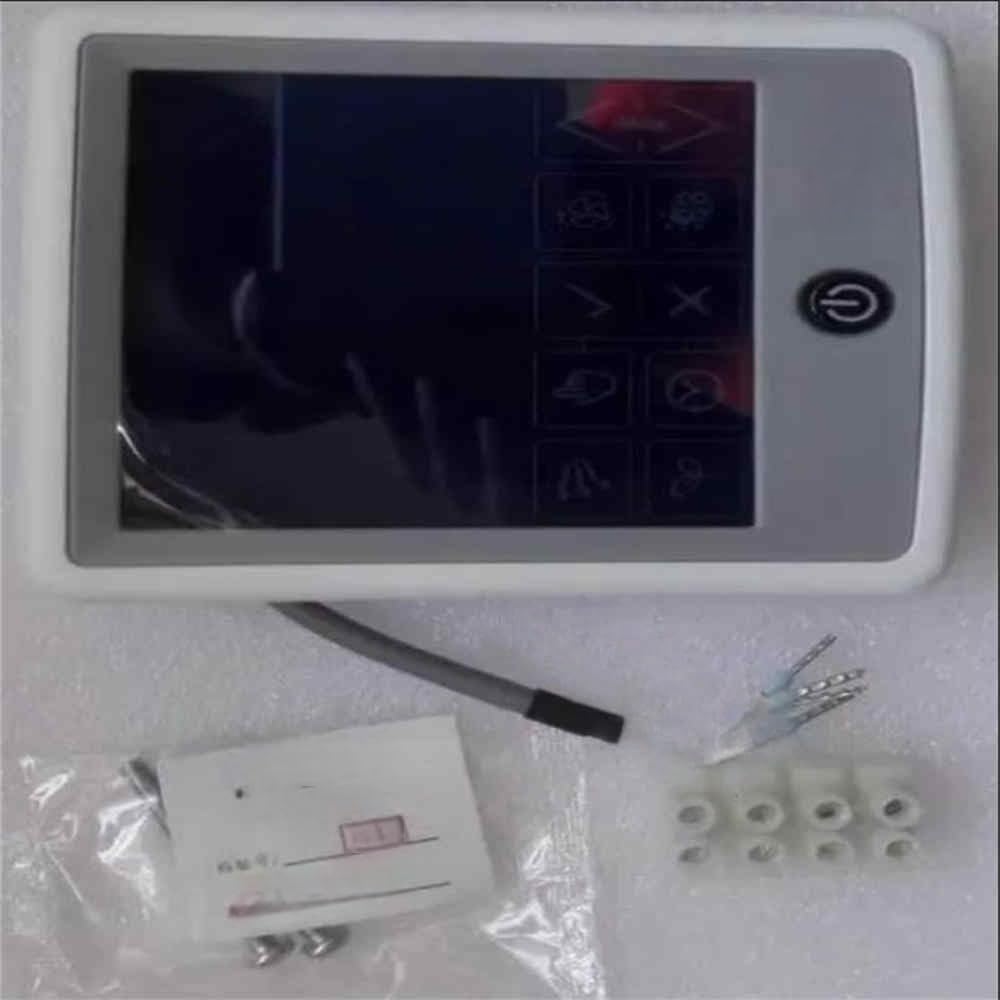
Figure 1: Generic YDCC-B Wire Controller Display Control Panel. This image shows the front view of the control panel, featuring a display screen and several control buttons.
2. Аюулгүй байдлын мэдээлэл
- Always disconnect power to the system before installing or servicing the control panel.
- Суурилуулалтыг орон нутгийн цахилгааны дүрэм журмын дагуу мэргэшсэн техникч гүйцэтгэх ёстой.
- Do not expose the control panel to moisture, extreme temperatures, or direct sunlight.
- Avoid using abrasive cleaners or solvents on the display or casing.
- Цахилгааны аюулаас урьдчилан сэргийлэхийн тулд бүх холболтууд найдвартай, зохих ёсоор дулаалсан эсэхийг шалгаарай.
3. Багцын агуулга
Бүх зүйл багцад байгаа эсэхийг шалгана уу:
- 1 x Generic YDCC-B Wire Controller Display Control Panel (Model: 9514285429148)
- 1 х хэрэглэгчийн гарын авлага (энэ баримт бичиг)
4. Тохиргоо
- Эрчим хүчийг салгах: Before beginning installation, ensure that the main power supply to the system is completely disconnected.
- Суурилуулалт: Select a suitable location for the control panel, typically an indoor wall at an accessible height. Secure the control panel to the wall using appropriate fasteners (not included), ensuring it is level and stable.
- Утас: Connect the wire controller to the main system unit using the designated wiring terminals. Refer to the wiring diagram provided with your main system for specific connection points. Ensure correct polarity and secure all wire connections.
- Эрчим хүчний холболт: Once all wiring is complete and verified, restore power to the system. The control panel should power on and display its initial screen.
5. Ашиглалтын заавар
The YDCC-B Wire Controller Display Control Panel provides an interface for managing your connected system. Specific functions may vary based on the main system it is connected to.
- Асаах/унтраах: Press the designated power button (if available) to turn the display on or off.
- Навигац: Use the arrow buttons (Up, Down, Left, Right) to navigate through menu options on the display.
- Сонголт/Баталгаажуулалт: Сонголтыг сонгох эсвэл тохиргоог баталгаажуулахын тулд "Enter" эсвэл "OK" товчийг дарна уу.
- Горим сонгох: Access the 'Mode' menu to select operating modes (e.g., heating, cooling, fan only).
- Температурын тохируулга: Use the Up/Down arrows to adjust the desired temperature setting.
- Сэнсний хурд: Adjust fan speed settings through the appropriate menu.
- Цаг хэмжигч/Хуваарь: If supported by your system, set timers or operating schedules via the control panel interface.
6. Засвар үйлчилгээ
- Цэвэрлэгээ: Дэлгэцийг зөөлөн арчиж, дараа ньasinЗөөлөн, хуурай, хөвөнгүй даавуугаар арчина. Зөрүүд толбыг бага зэрэг арчинаampen the cloth with water. Do not use chemical cleaners.
- Шалгалт: Periodically check the wiring connections for any signs of wear or looseness. Ensure the control panel is securely mounted.
- Програм хангамжийн шинэчлэлтүүд: If your system supports software updates for the control panel, follow the manufacturer's instructions for performing these updates.
7. Алдаа засах
- Дэлгэц / хүч байхгүй:
- Check the main power supply to the system.
- Verify all wiring connections between the control panel and the main system.
- Ensure the control panel's power button (if applicable) is engaged.
- Incorrect Readings/Functionality:
- Ensure the control panel is correctly configured for your specific system.
- Restart the main system and the control panel by cycling the power.
- Consult the manual for your main system for compatibility and configuration details.
- Товчнууд хариу өгөхгүй байна:
- Gently clean around the buttons to ensure no debris is obstructing them.
- Perform a power cycle of the control panel.
If issues persist, contact your system installer or the manufacturer for further assistance.
8. Техникийн үзүүлэлтүүд
| Онцлог | Тодорхойлолт |
|---|---|
| Загварын дугаар | 9514285429148 |
| Брэнд | Ерөнхий |
| Тохиромжтой байдал | RHMYDCC-B-TH, WVH-02-GY, YORK-WCT-004-HL, SAP:1199118, 025W46984-000 |
| Зүйлүүдийн тоо | 1 |
| Батерей шаардлагатай | Үгүй |
| Гарал үүслийн улс/бүс нутаг | Хятад |
9. Баталгаат хугацаа ба дэмжлэг
For warranty information and technical support, please refer to the documentation provided with your purchase or contact the seller directly. The warranty period and terms are subject to the policies of the retailer or manufacturer at the time of purchase.