
Танилцуулга
The Roku Hiro 32-inch 720p HD Smart TV offers an integrated Roku streaming experience. This television features an HD display for clear picture quality and speakers with enhanced audio. It supports Bluetooth for private listening with headphones and includes Wi-Fi for internet connectivity. The Roku operating system provides a customizable home screen, access to numerous streaming channels, and automatic updates, making it suitable for various living spaces.
Хайрцагт юу байна
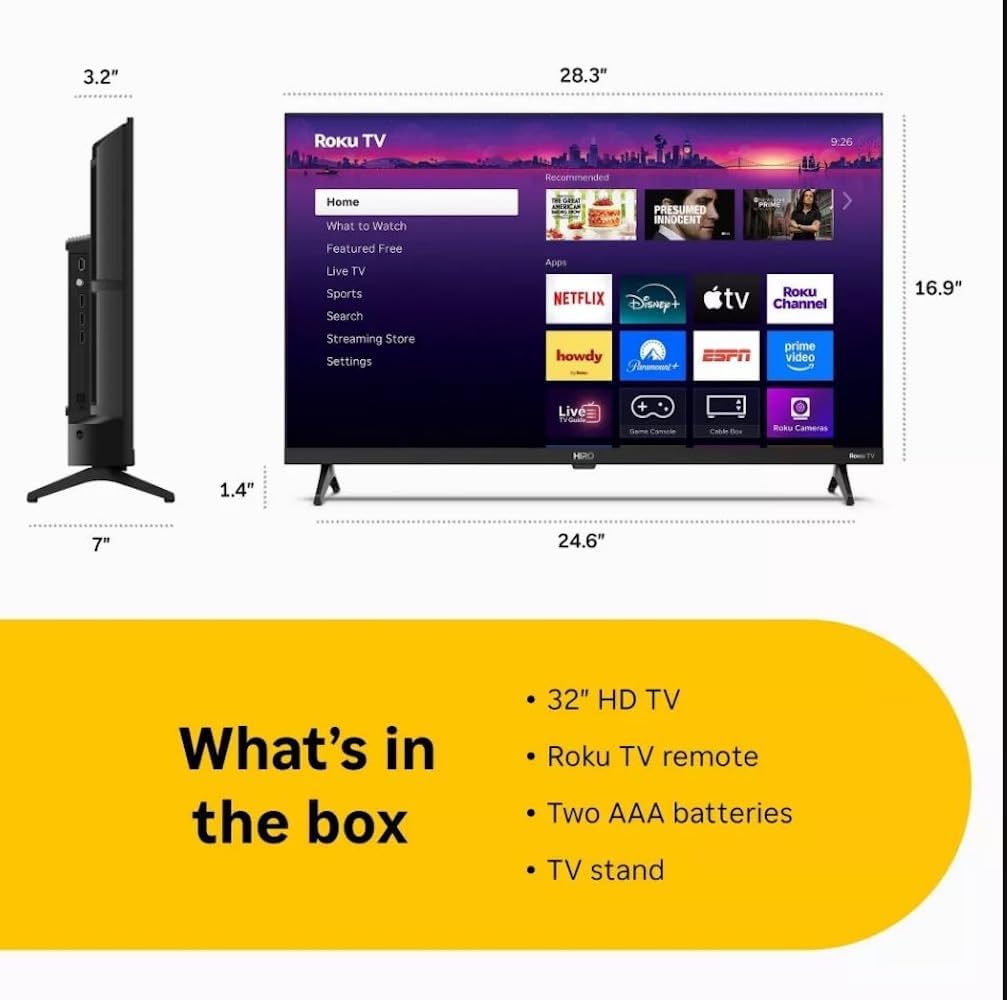
Diagram showing the dimensions of the Roku Hiro 32-inch TV and a list of included accessories: 32-inch HD TV, Roku TV remote, two AAA batteries, and TV stand.
- Hiro 32" 720p HD Smart TV Flat Screen LED Television with Roku TV
- Алсын удирдлага
- ТВ зогсож
- Цахилгаан кабель
- Хэрэглэгчийн гарын авлага
Тохиргоо
1. Тавиур суурилуулах
Carefully place the TV screen-down on a soft, clean surface to prevent damage. Align the TV stand with the designated slots on the bottom of the TV. Secure the stand using the provided screws. Ensure the stand is firmly attached before proceeding.
2. Төхөөрөмжүүдийг холбох

Арын view of the Roku Hiro TV, showing the input/output ports including USB, HDMI, and antenna connections.
- Эрчим хүч: Цахилгааны кабелийг ТВ-ийн тэжээлийн оролтод, дараа нь ханын залгуурт холбоно.
- HDMI: Connect external devices such as Blu-ray players, game consoles, or cable boxes to the HDMI ports. This TV features 3 HDMI ports.
- USB: USB хөтчөөс медиа тоглуулахын тулд USB портыг ашиглана уу.
- Оптик аудио: Connect an external sound system using an optical audio cable for enhanced sound.
- Антен/Кабель: Connect an antenna or cable TV feed to the RF input for over-the-air or cable channels.
3. Анхны тохиргоо
After connecting all necessary cables, power on the TV. Follow the on-screen instructions to:
- Хэлээ сонгоно уу.
- Wi-Fi сүлжээнд холбогдоно уу.
- Roku бүртгэлээ идэвхжүүлнэ үү (эсвэл шинээр үүсгэнэ үү).
- Scan for available channels if an antenna is connected.
Ашиглалтын заавар
Алсын удирдлагын функцууд

Close-up of the Roku TV remote control, highlighting buttons for TV power, volume, mute, sleep timer, instant replay, options, and app shortcuts.
- Цахилгаан товч: ТВ-г асаах эсвэл унтраана.
- Чиглэлийн дэвсгэр (D-Pad): Цэс рүү шилжиж, зүйлсийг сонгоно.
- OK товчлуур: Сонголтыг баталгаажуулна.
- Нүүр хуудас товч: Roku-н үндсэн дэлгэц рүү буцна.
- Буцах товчлуур: Өмнөх дэлгэц рүү буцна.
- Дууны хэмжээг нэмэгдүүлэх/доошруулах: ТВ-ийн дууны хэмжээг тохируулна.
- Дууг хаах товч: ТВ-ийн дууг хаадаг эсвэл нээдэг.
- Програмын товчлолын товчлуурууд: Direct access to popular streaming services (e.g., Netflix, Disney+, Apple TV+, Prime Video).
- Унтах цаг: Sets a timer for the TV to turn off automatically.
- Шууд дахин тоглуулах: Jumps back a few seconds in supported content.
- Сонголтууд: Accesses additional settings or information for the current content.
Navigating the Roku OS

The Roku TV home screen interface, showing recommended content and various streaming applications.
The Roku home screen provides access to all your streaming channels, inputs, and settings. Use the D-Pad on your remote to navigate through the menu options on the left and the app grid on the right. You can customize the order of your channels by highlighting an app, pressing the * (Options) button, and selecting 'Move channel'.
Дамжуулах контент
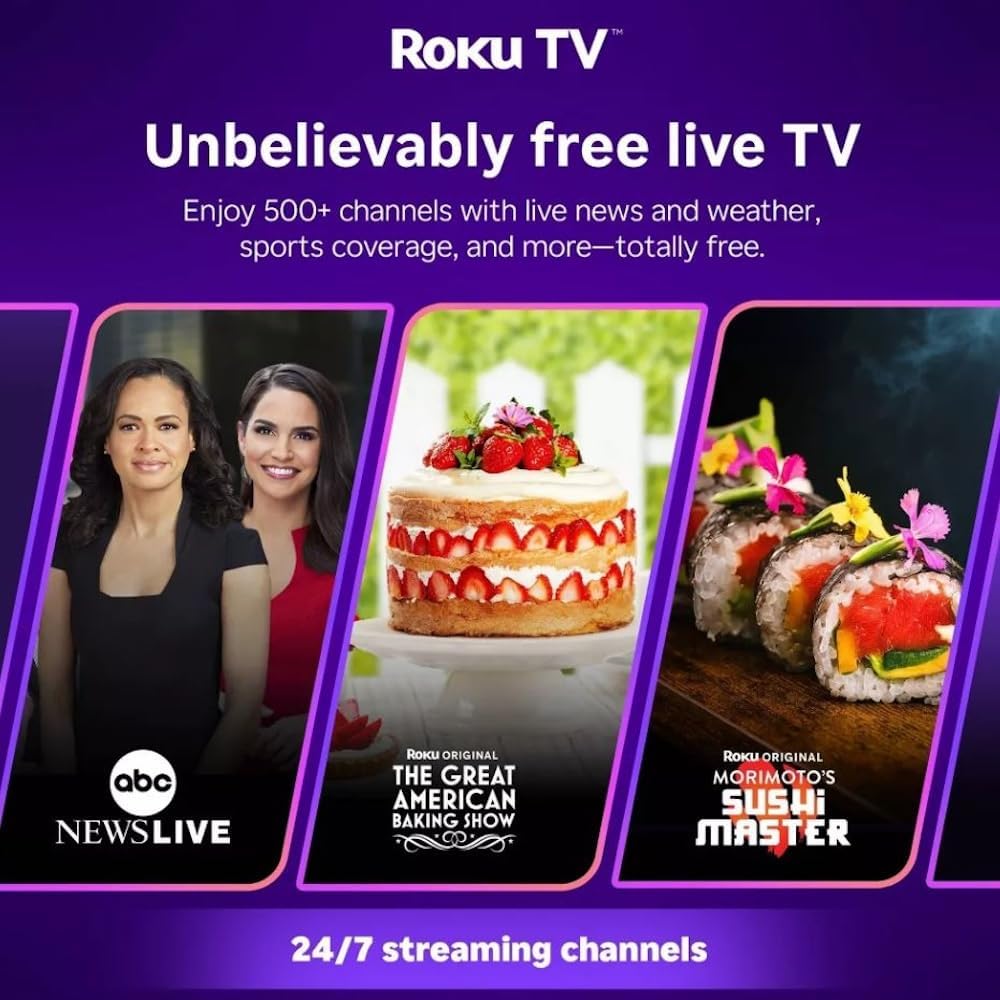
Roku TV interface promoting free live TV channels, featuring examples like ABC News Live, The Great American Baking Show, and Morimoto's Sushi Master.
Access a wide range of streaming services and free content through the Roku Channel Store. The Roku platform offers over 500 free channels, including live television, movies, and news. Use the 'Search' function on the home screen to find specific titles or channels.
Аудио онцлог

Roku Hiro TV displaying the home screen with various streaming apps, emphasizing enhanced audio quality.
The TV features enhanced audio quality. For private listening, you can pair Bluetooth headphones directly with the TV. Navigate to Settings > Remotes & devices > Bluetooth devices > Pair new device to connect your headphones.
Засвар үйлчилгээ
ТВ цэвэрлэх
- Цэвэрлэхийн өмнө ТВ-ээ үргэлж салга.
- Дэлгэц болон шүүгээг зөөлөн, хөвөнгүй даавуугаар арчина.
- Зөрүүд тэмдгийн хувьд хөнгөнөөр dampдаавуунд ус эсвэл зөөлөн, зүлгүүргүй дэлгэц цэвэрлэгчээр угаана. Цэвэрлэгч бодисыг дэлгэц рүү шууд цацаж болохгүй.
- Хүчтэй химийн бодис, зүлгүүрийн дэвсгэр, уусгагч хэрэглэхээс зайлсхий.
Програм хангамжийн шинэчлэлтүүд
The Roku TV automatically checks for and installs software updates when connected to the internet. To manually check for updates, go to Тохиргоо > Систем > Програм хангамжийн шинэчлэл.
Алдааг олж засварлах
| Асуудал | Шийдэл |
|---|---|
| Хүч чадалгүй | Цахилгааны кабель нь зурагт болон ажиллаж байгаа цахилгааны залгуурт найдвартай холбогдсон эсэхийг шалгаарай. Өөр залгуураар оролдоно уу. |
| Зураг байхгүй ч дуу чимээ байна | Оролтын эх үүсвэрийг шалгана уу. дээр дарна уу Гэр button on the remote and select the correct input. Ensure all HDMI cables are securely connected. |
| Дуу алга, гэхдээ зураг байна | Дууны түвшинг шалгаж, ТВ дуугүй болоогүй эсэхийг шалгаарай. Хэрэв гадаад аудио ашиглаж байгаа бол холболт болон тохиргоог шалгана уу. |
| Wi-Fi-д холбогдох боломжгүй байна | Wi-Fi нууц үгээ баталгаажуулна уу. Чиглүүлэгч болон модемоо дахин ачаална уу. Очих Тохиргоо > Сүлжээ > Холболт тохируулах to reconfigure. |
| Алсын удирдлага ажиллахгүй байна | Алсын удирдлага дахь батерейг солих. Алсын удирдлага болон ТВ-ийн IR мэдрэгчийн хооронд ямар ч саад бэрхшээл байхгүй эсэхийг шалгаарай. |
Үзүүлэлтүүд
| Загварын нэр | H32C2C4 |
| Дэлгэцийн хэмжээ | 32 инч |
| Дэлгэцийн технологи | LED |
| Шийдвэр | 720p |
| Сэргээх хурд | 60 Гц |
| Үйлдлийн систем | Roku үйлдлийн систем |
| Холболтын технологи | Bluetooth, HDMI, Optical Audio, USB, Wi-Fi |
| Total Number of HDMI Ports | 3 |
| Нийт USB портууд | 1 |
| Бүтээгдэхүүний хэмжээ (D x W x H) | 3.2"D x 28.3"W x 16.9"H |
| Зүйлийн жин | 7.5 фунт |
| Ботьtage | 120 вольт (AC) |
| Суурилуулах төрөл | Ширээний бэхэлгээ |
| Өнгө | Хар |
Баталгаат хугацааны мэдээлэл
This Roku Hiro TV is covered by a 90-day Replacement Warranty. Please retain your proof of purchase for any warranty claims. For detailed terms and conditions, refer to the warranty documentation included with your product or visit the official Roku support webсайт.
Дэмжлэг
For further assistance, troubleshooting guides, or to contact customer support, please visit the official Roku support website. You can find comprehensive FAQs and contact information there.