
1. Танилцуулга
Thank you for choosing the Ortis Above Ground Smart Pool Timer. This device is designed to automate the operation of your pool pump and salt system, enhancing energy efficiency and simplifying your pool maintenance routine. Featuring dual waterproof outlets, a clear LCD display, and flexible timing functions, this timer is built for reliable outdoor performance. Please read this manual thoroughly before installation and operation to ensure proper use and to maximize the lifespan of your product.
2. Аюулгүй байдлын мэдээлэл
- Цахилгааны аюулгүй байдал: Always ensure the timer is connected to a properly grounded outlet. Do not immerse the timer in water.
- Хамгийн их ачаалал: The total current for all connected appliances must not exceed 15 Amperes (15A). Overloading can cause damage to the timer and connected devices, and poses a fire hazard.
- Гадна хэрэглээ: This timer is designed for outdoor use and features waterproof outlets. However, ensure all connections are secure and protected from direct water spray.
- Салгах: Disconnect power before performing any maintenance or when the timer is not in use for extended periods.
- Хүүхдүүд: Хүүхэд хүрэхгүй газар хадгалах. Энэ бол тоглоом биш.
- Хохирол: Do not operate the timer if the cord, plug, or housing is damaged. Contact customer support for assistance.
3. Багцын агуулга
Дараах зүйлсийн багцад байгаа эсэхийг шалгана уу.
- Ortis Above Ground Smart Pool Timer (Model KJ-139)
- Зааварчилгааны гарын авлага
4. Бүтээгдэхүүн дууссанview
Familiarize yourself with the components of your Ortis Smart Pool Timer.
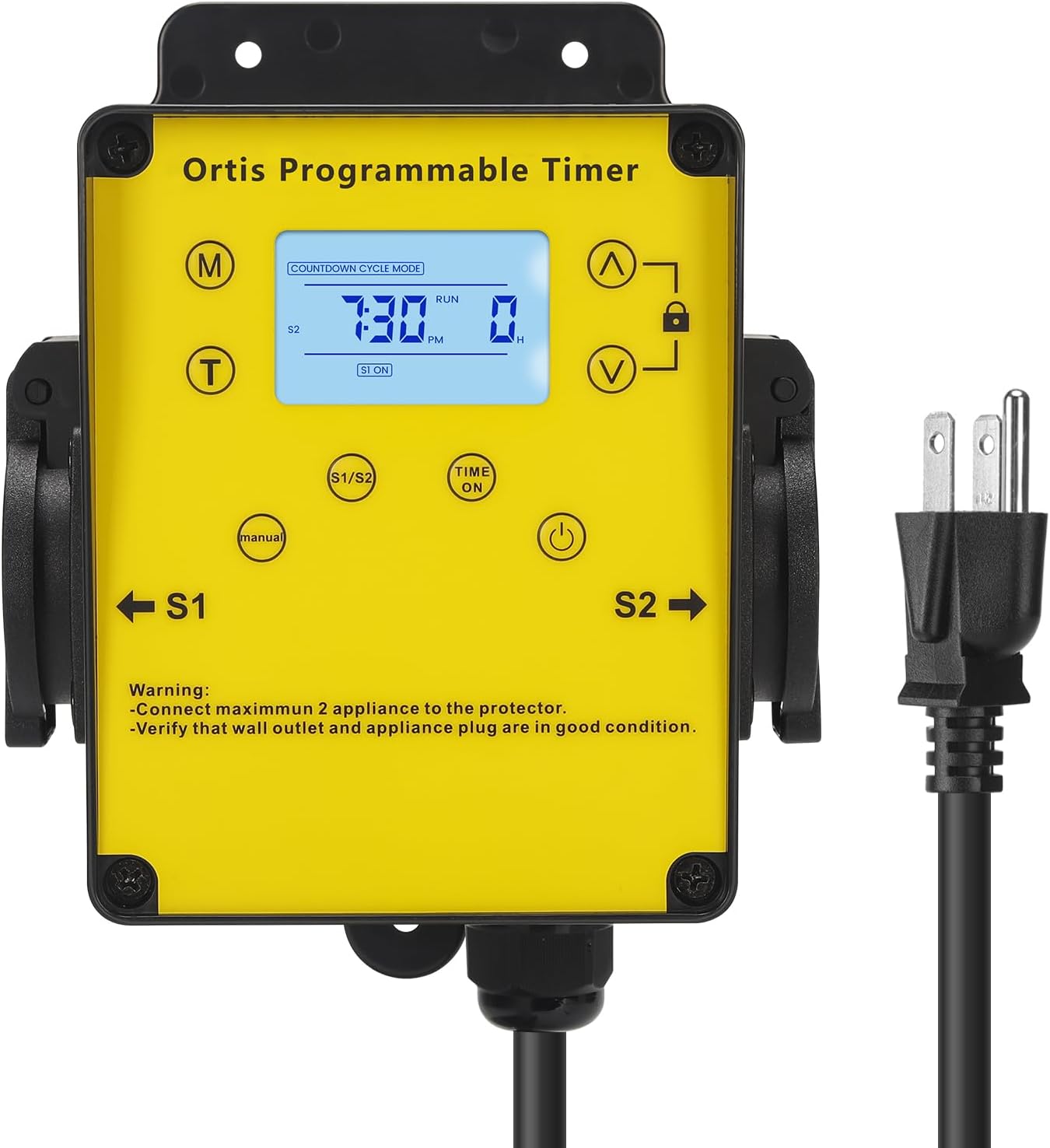
Зураг 4.1: Урд view of the Ortis Smart Pool Timer, showing the LCD display, control buttons, and dual outlets (S1 and S2).
4.1 дугаартай. Бүрэлдэхүүн хэсгүүд
- LCD дэлгэц: Shows current time, mode, and operational status.
- (M) Горимын Товч: Cycles through different operating modes (Countdown, 24H Auto Cycle).
- (T) Time Button: Одоогийн цагийг тохируулахад ашигладаг.
- (^) Up Button: Adjusts values upwards.
- (V) Down Button: Adjusts values downwards.
- Түгжих товчлуур: Locks/unlocks the display to prevent accidental changes.
- (Manual) Button: Manually turns outlets S1/S2 ON or OFF.
- (Time ON) Button: Used in 24H Auto Cycle mode to set ON times.
- (Асаах товч: Turns the timer unit ON/OFF.
- S1 & S2 Outlets: Dual waterproof outlets for connecting appliances.
- Цахилгааны утас: Connects the timer to a wall outlet.

Зураг 4.2: Нарийвчилсан view of the LCD screen, showing time, mode, and status indicators.

Зураг 4.3: View of the waterproof outlet covers, designed for outdoor protection.
5. Тохиргоо
5.1. Mounting the Timer
- Choose a suitable location near your pool or water feature, ensuring it is within reach of a grounded outdoor power outlet and your appliances.
- Mount the timer securely to a wall or sturdy post using appropriate screws (not included). Ensure it is at a height that allows for easy access to the display and buttons, and that the outlets face downwards to prevent water ingress.
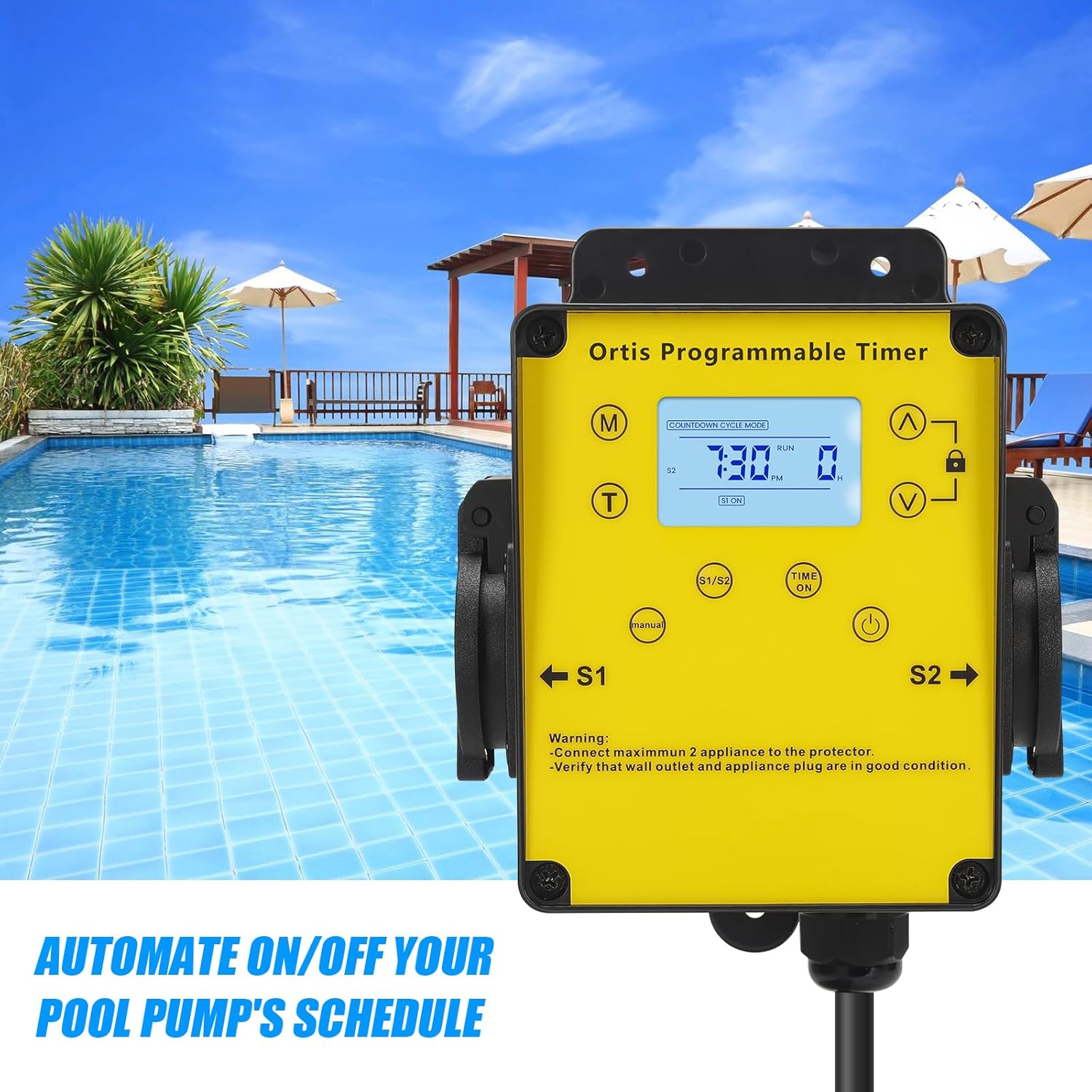
Зураг 5.1: The timer mounted on a wall, positioned for convenient access near a pool.
5.2. Цахилгаан тэжээлд холбогдох
- Plug the timer's power cord into a grounded 120V AC outdoor electrical outlet.
- The LCD display should illuminate. If not, press the Power button.
5.3. Цахилгаан хэрэгслийг холбох
- Open the waterproof covers for outlets S1 and S2.
- Plug your pool pump into one outlet (e.g., S1) and your salt system or other appliance into the other outlet (e.g., S2).
- Ensure the total current draw of all connected appliances does not exceed 15A.
- Close the waterproof covers securely around the appliance plugs to maintain weather resistance.

Зураг 5.2: The timer with a pool pump and salt chlorinator connected to its dual outlets.
6. Ашиглалтын заавар
6.1. Одоогийн цагийг тохируулах
- -г удаан дар (T) Time цагийн цифр анивчих хүртэл товчийг дарна уу.
- -г ашиглана уу (^) Up болон (V) Down buttons to adjust the hour. Pay attention to AM/PM.
- дээр дарна уу (T) Time button again to move to minute adjustment. Use (^) Up болон (V) Down минут тохируулах.
- дээр дарна уу (T) Time button one more time to confirm and exit time setting.
6.2. Тооцоолох горим
This mode allows you to set a specific duration for the connected appliances to run before automatically turning off.
- дээр дарна уу (M) Горим button until "COUNTDOWN CYCLE MODE" appears on the display.
- The hour digits for the countdown will flash. Use the (^) Up болон (V) Down buttons to set the desired running hours.
- дээр дарна уу (M) Горим button again to move to minute adjustment. Use (^) Up болон (V) Down to set the desired running minutes.
- дээр дарна уу (M) Горим button once more to confirm the countdown duration.
- The timer will now display the countdown. The connected appliances will turn ON and run for the set duration, then turn OFF automatically.
6.3. 24H Auto Cycle Mode
This mode allows you to program daily ON/OFF schedules for your appliances.
- дээр дарна уу (M) Горим button until "24H AUTO CYCLE MODE" appears on the display.
- дээр дарна уу (Time ON) button to enter program setting. The display will show "1 ON".
- -г ашиглана уу (^) Up болон (V) Down buttons to set the desired ON time (hour and minute). Press (Time ON) to switch between hour and minute.
- After setting the ON time, press (Time ON) дахин. Дэлгэц дээр "1 OFF" гэж гарч ирнэ.
- -г ашиглана уу (^) Up болон (V) Down buttons to set the desired OFF time (hour and minute). Press (Time ON) to switch between hour and minute.
- You can set multiple ON/OFF programs (e.g., 2 ON, 2 OFF, etc.) by repeating steps 3-5. The timer supports multiple programs.
- Once all programs are set, press the (M) Горим button to exit program setting and activate the 24H Auto Cycle mode. The timer will now follow your programmed schedule daily.
6.4. Гараар хүчингүй болгох
To manually turn the connected appliances ON or OFF, regardless of the programmed schedule:
- дээр дарна уу (Гарын авлага) button. Each press will cycle through ON, OFF, and AUTO modes for the outlets.
- In AUTO mode, the timer will follow the programmed schedule.
6.5. Түгжих функц
Тохиргоог санамсаргүйгээр өөрчлөхөөс урьдчилан сэргийлэхийн тулд:
- -г удаан дар Түгжих button for approximately 3 seconds to lock the keypad. A lock icon will appear on the display.
- Repeat the action to unlock the keypad. The lock icon will disappear.
7. Засвар үйлчилгээ
- Цэвэрлэгээ: Disconnect the timer from power before cleaning. Wipe the exterior with a soft, damp даавуу. Зүлгүүрийн цэвэрлэгч, уусгагчийг бүү ашигла.
- Шалгалт: Regularly inspect the power cord, plug, and outlets for any signs of damage or wear. Ensure waterproof covers are intact and properly sealed.
- Хадгалах: If storing the timer for an extended period, disconnect it from power, clean it, and store it in a dry, cool place away from direct sunlight.
8. Алдаа засах
| Асуудал | Боломжит шалтгаан | Шийдэл |
|---|---|---|
| Timer display is off or not responding. | No power; Timer is off; Internal battery low. | Ensure the timer is plugged into a live outlet. Press the Хүч button. If the problem persists, contact support. |
| Appliances not turning ON/OFF as programmed. | Incorrect program settings; Timer in Manual mode; Appliances not properly connected. | Verify program settings in 24H Auto Cycle mode. Ensure the timer is in AUTO mode (not Manual). Check appliance plugs are fully inserted into the timer outlets. |
| Appliances not receiving power in any mode. | Overload; Faulty appliance; Timer malfunction. | Check if the total load exceeds 15A. Test appliances directly in a wall outlet. If they work, the timer may be faulty. Contact support. |
| Товчлуур хариу өгөхгүй байна. | Товчлуур түгжигдсэн байна. | -г удаан дар Түгжих button for 3 seconds to unlock the keypad. |
9. Техникийн үзүүлэлтүүд
- Загвар: КЖ-139
- Оролтын хэмжээtage: 120V AC, 60Гц
- Хамгийн их ачаалал: 15А / 1800Вт
- Гаралтын цэгүүд: 2 газардуулгатай гаралтын цэг
- Үйлдлийн горимууд: Countdown, 24H Auto Cycle, Manual
- Дэлгэц: LCD
- Хэмжээ (H x W x D): Ойролцоогоор 4.9" x 3.3" x 3.9"
- Цахилгааны утаснуудын урт: Approximately 4.7 ft
- Байгаль орчны үнэлгээ: Outdoor Rated, Waterproof Outlets

Зураг 9.1: Product dimensions of the Ortis Smart Pool Timer.
10. Баталгаат хугацаа ба дэмжлэг
10.1. Баталгаат хугацааны мэдээлэл
Ortis products are manufactured to high-quality standards. This product is covered by a limited warranty against defects in materials and workmanship from the date of purchase. Please retain your proof of purchase for warranty claims. The warranty does not cover damage caused by misuse, improper installation, unauthorized repairs, or natural disasters.
10.2. Хэрэглэгчийн дэмжлэг
If you have any questions, require assistance with setup, or encounter any issues not covered in this manual, please contact Ortis customer support. Refer to the product packaging or the Ortis brand store on Amazon for contact details.