1. Танилцуулга
The FOSCAM BP4 is a 2K (4MP) wireless outdoor security camera designed for home surveillance. It features a built-in rechargeable battery and is powered by a high-efficiency solar panel, offering a truly wire-free installation. With advanced features like color night vision, PIR human detection, and sound and light alarms, the BP4 provides reliable and intelligent monitoring for your property. This manual will guide you through the setup, operation, and maintenance of your FOSCAM BP4 camera.
2. Багцын агуулга
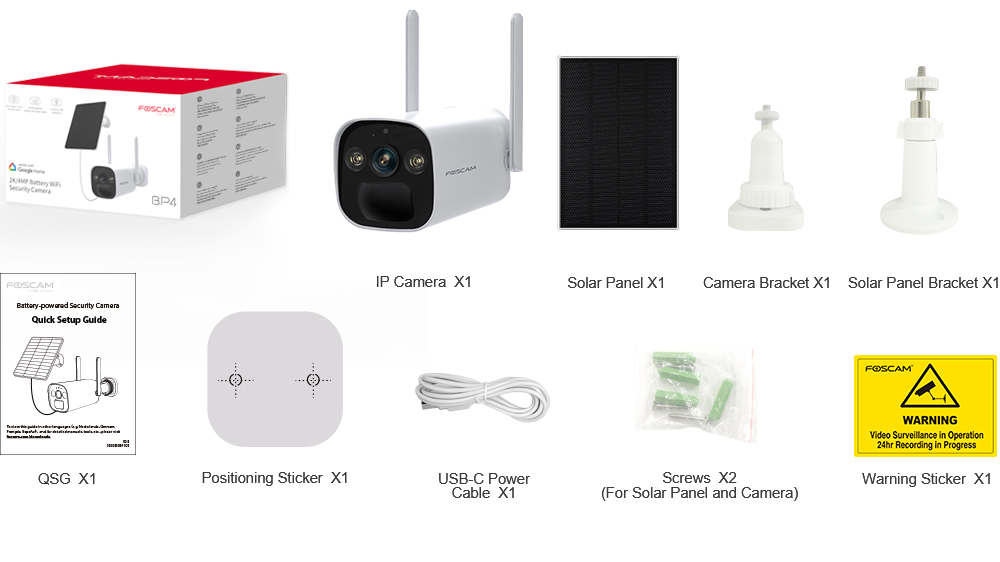
Please check the package carefully to ensure all items are present and in good condition. If anything is missing or damaged, please contact FOSCAM support.
- IP Camera (BP4) x1
- Нарны хавтан x1
- Камерын хаалт x1
- Нарны хавтангийн хаалт x1
- Quick Setup Guide (QSG) x1
- Байршлын наалт x1
- USB-C Power Cable x1
- Screws x2 (for Solar Panel and Camera)
- Анхааруулгын наалт x1
3. Үндсэн шинж чанарууд
- 2K (4MP) Quad HD Video: Хоол хүнсийг тодорхой, нарийвчилсан байдлаар буулгадагtage with a resolution of 2560 x 1440 pixels at 20 frames per second.
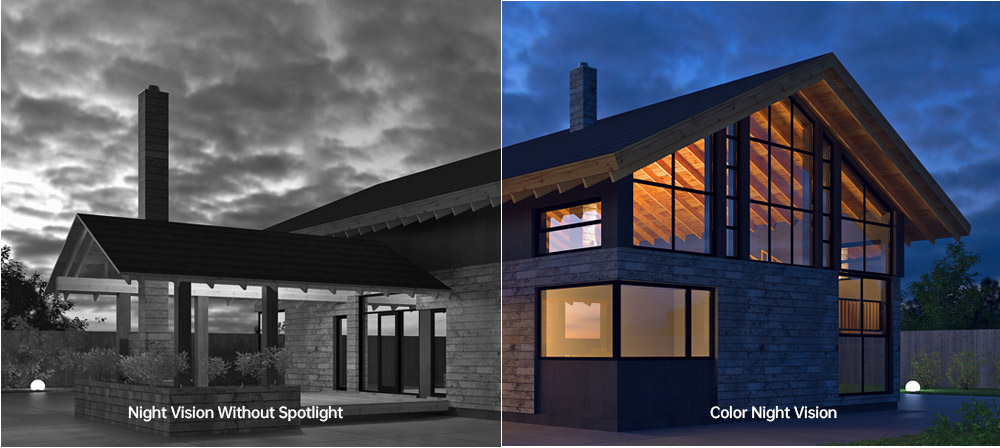
- Өнгөт шөнийн хараа: Equipped with 2pcs Spotlight IR LED, providing a night vision range up to 10m (33ft) and supporting full-color images even in low-light conditions.
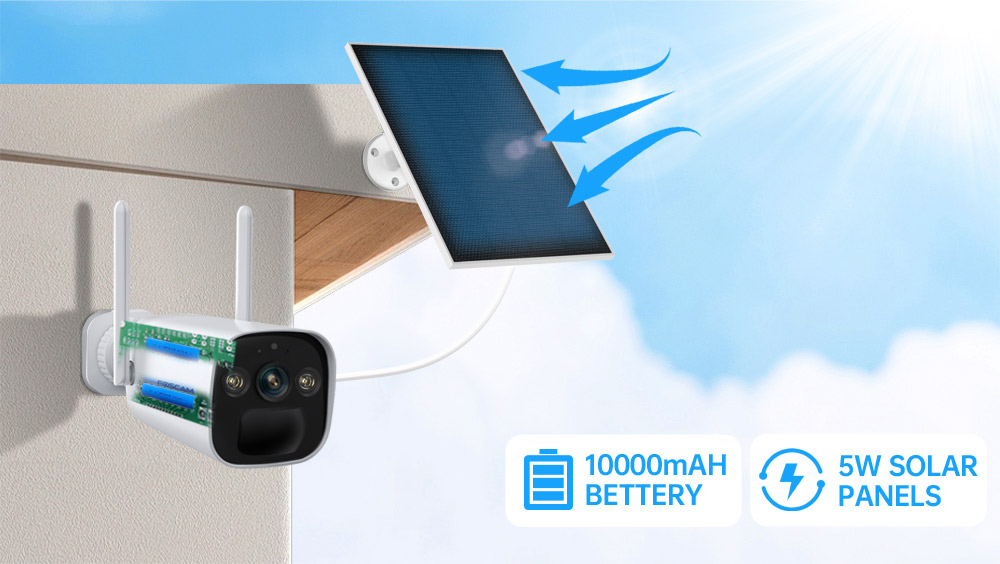
- Rechargeable Battery & Solar Panel: Features a 10000mAh rechargeable battery (4pcs 18650 battery included) and a 5W high-efficiency solar panel for continuous power, ensuring truly wire-free operation.
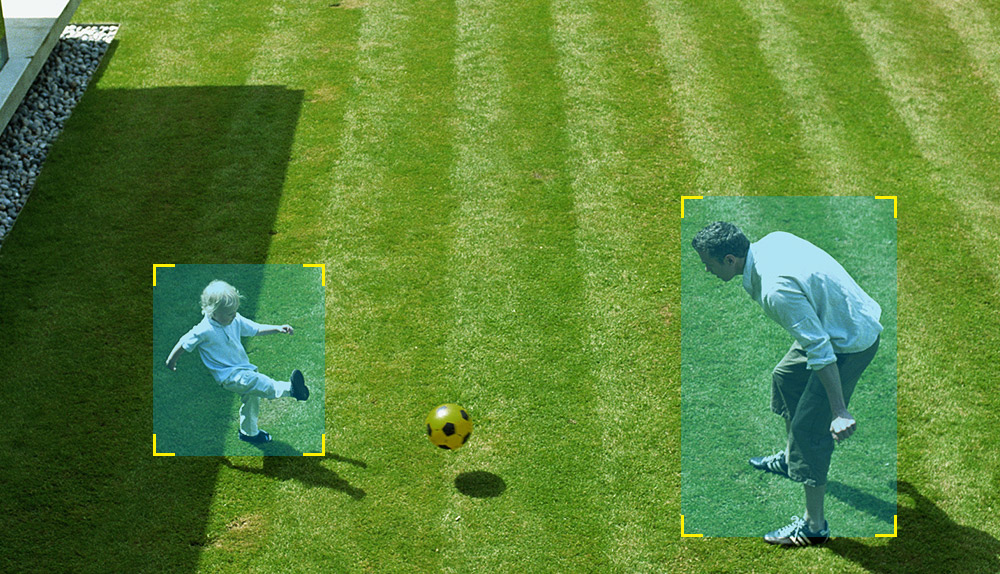
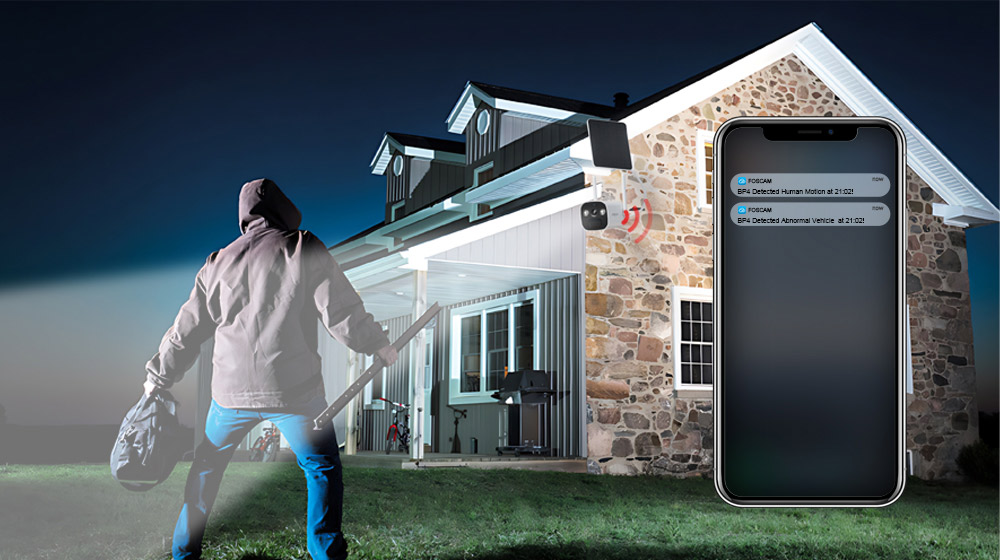
- PIR хүний илрүүлэлт: Advanced Passive Infrared (PIR) sensor distinguishes human movement from other objects, reducing false alarms and sending accurate alerts.
- Дуу болон гэрлийн дохиолол: Triggers a spotlight and a siren (up to 110dB) upon detection of an intruder, acting as a deterrent. Can also be manually activated.
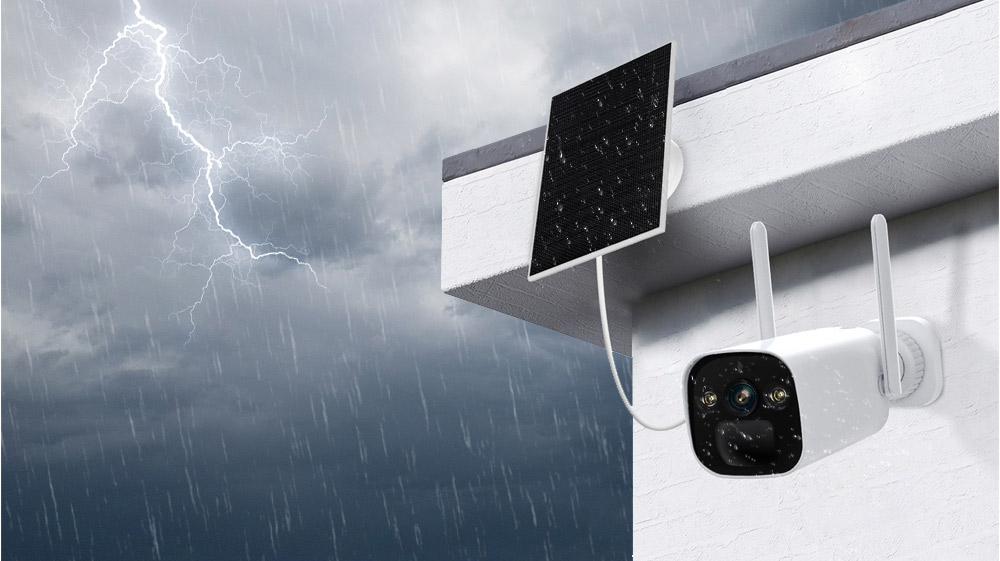
- IP66 Rated Weatherproof: Designed to withstand harsh outdoor weather conditions, operating reliably in temperatures from -20°C to 60°C (-4°F to 140°F).
- Хоёр талын аудио: Суурилуулсан микрофон болон чанга яригч нь зочид болон халдагчидтай бодит цагийн харилцаа холбоо тогтоох боломжийг олгодог.
- Ухаалаг гэрийн интеграци: Supports integration with Alexa and Google Home for convenient voice control and smart home automation.
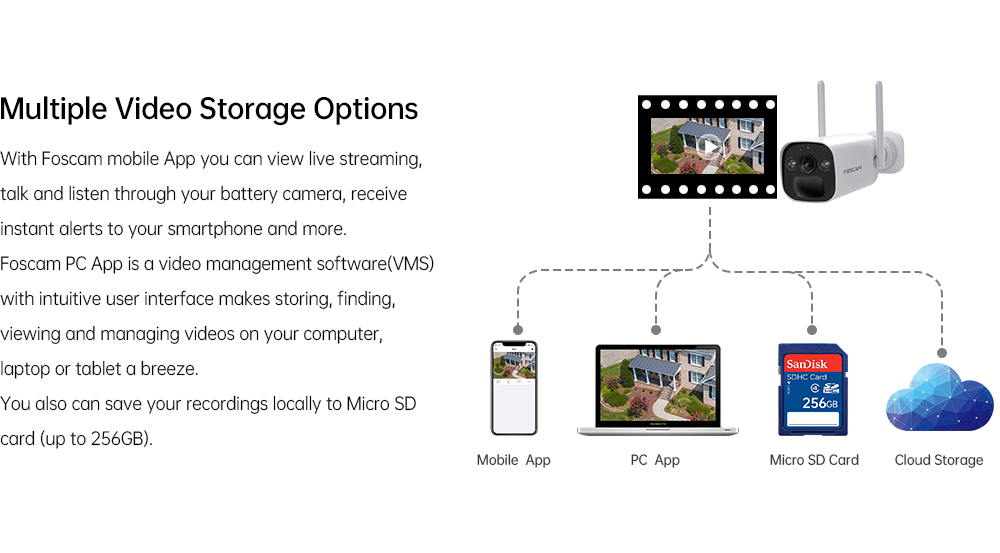
- Хадгалах олон сонголтууд: Supports local storage via Micro SD Card (up to 256GB) and Foscam cloud storage for flexible video recording and backup.
- H.264 видео шахалт: Efficient video compression technology to save storage space and bandwidth.
- P2P Feature: Enables easy remote access to your camera feed from anywhere.
- Mobile App & VMS Compatibility: Compatible with the free Foscam iOS and Android APP, as well as Foscam Video Management Software (VMS) for Windows and macOS.

4. Тохируулах гарын авлага
4.1 Физик суурилуулалт
- Байршил сонгоно уу: Хүссэн зүйлээ хангах гадаа байршлыг сонгоно уу viewөнцөг үүсгэх ба хүлээн авах ampНарны хавтанг нарны шууд тусгалаас хамгаална уу. Камер нь таны 2.4GHz Wi-Fi сүлжээний хүрээнд байгаа эсэхийг шалгаарай.
- Mount the Camera Bracket: Use the positioning sticker to mark drill holes. Drill holes and insert wall plugs if necessary. Secure the camera bracket to the wall using the provided screws.
- Mount the Solar Panel Bracket: Similarly, choose a location for the solar panel that maximizes sun exposure. Mount the solar panel bracket using the provided screws.
- Камер болон нарны хавтанг холбох: Attach the FOSCAM BP4 camera to the camera bracket and the solar panel to its bracket. Adjust their angles for optimal coverage and sun exposure.
- Нарны хавтанг холбох: Connect the USB-C cable from the solar panel to the USB-C port on the camera.
4.2 Апп суулгах болон анхны тохиргоо
- Foscam аппликейшнийг татаж авах: хайх 'Foscam' in the App Store (iOS) or Google Play Store (Android) and download the official Foscam app.
- Бүртгэл үүсгэх: Open the app and register for a new Foscam account if you don't have one.
- Камер нэмэх: Tap the '+' icon in the app to add a new device. Follow the on-screen instructions to scan the QR code on your camera or manually enter its details.
- Wi-Fi-д холбогдох: The app will guide you through connecting the camera to your 2.4GHz Wi-Fi network. Ensure your phone is connected to the same 2.4GHz network during this process.
- Тохиргоог тохируулах: Once connected, you can name your camera, set a password, and configure initial settings like time zone and recording preferences.
5. Ашиглалтын заавар
5.1 Амьд View
Open the Foscam app and select your BP4 camera from the device list. You will see the live video feed. From here, you can:
- Take Snapshots: Шууд хангамжаас хөдөлгөөнгүй зураг аваарай.
- Record Manually: Start and stop video recording manually.
- Use Two-Way Audio: Tap the microphone icon to speak through the camera's speaker, and listen through your phone.
- Дижитал томруулах: Pinch to zoom in on the live video feed.
5.2 Бичлэг хийх, тоглуулах
The FOSCAM BP4 supports event-triggered recording (motion/human detection) and continuous recording (with cloud subscription or local storage). Recorded footage can be accessed via the app or Foscam VMS.
- Бичлэгт хандах: In the app, navigate to the camera's settings or playback section to view хадгалсан видео.
- Filter Events: Use filters to quickly find recordings based on date, time, or event type (e.g., human detection).
5.3 Сэрүүлгийн тохиргоо
Configure the camera's detection and alarm features for optimal security.
- PIR хүний илрүүлэлт: Enable or disable human detection. Adjust sensitivity levels and detection zones to minimize false alarms.
- Дуу болон гэрлийн дохиолол: Set the camera to automatically trigger its spotlight and siren when an intruder is detected. You can also manually activate these alarms from the app.
- Мэдэгдэл: Ensure push notifications are enabled in the Foscam app and your phone's settings to receive instant alerts.
6. Засвар үйлчилгээ
- Зай цэнэглэх: The solar panel will continuously charge the internal battery. If the camera is in a shaded area or during prolonged cloudy weather, you may need to manually charge the battery using the USB-C power cable and a DC 5V/2A USB power adapter (not included).
- Цэвэрлэгээ: Periodically clean the camera lens and solar panel surface with a soft, damp cloth to ensure optimal performance. Avoid abrasive cleaners.
- Програм хангамжийн шинэчлэлтүүд: FOSCAM regularly releases firmware updates to improve performance and add new features. Check the Foscam app for available updates and follow the instructions to install them.
- Микро SD картын удирдлага: If using a Micro SD card, ensure it is formatted correctly (FAT32 recommended for cards over 32GB, check app for specific instructions). Regularly review мөн чухал хоол хүнсээ нөөцлөхtage, and consider setting up automatic overwriting for continuous recording.
7. Алдаа засах
7.1 Камер Wi-Fi-д холбогдоогүй байна
- Ensure your Wi-Fi network is 2.4GHz. The BP4 does not support 5GHz Wi-Fi.
- Камер таны Wi-Fi чиглүүлэгчийн хүрээнд байгаа эсэхийг шалгана уу.
- Аппликешнд оруулсан Wi-Fi нууц үг зөв эсэхийг шалгана уу.
- Чиглүүлэгч болон камераа дахин асаагаад дахин холбогдохыг оролдоно уу.
7.2 Видеоны чанар муу
- Wi-Fi дохионы хүчээ шалгана уу. Сул дохио нь видеоны чанарт нөлөөлж болзошгүй.
- Камерын линз цэвэр, саадгүй байгаа эсэхийг шалгаарай.
- Шууд хурц гэрэл эсвэл хүчтэй арын гэрэлтүүлэгээс зайлсхийхийн тулд камерын байрлалыг тохируулна уу.
7.3 Battery Not Charging / Draining Quickly
- Ensure the solar panel is receiving direct sunlight for several hours a day. Clear any obstructions.
- Нарны хавтан болон камерын хоорондох холболтыг шалгана уу.
- Хэт хүйтэн температур нь батерейны ажиллагаанд нөлөөлж болно.
- Байнга шууд дамжуулалт view access or excessive motion detections can drain the battery faster. Adjust detection sensitivity and recording schedules.
7.4 Хуурамч дохиолол
- Adjust the PIR detection sensitivity in the app.
- Define specific detection zones to exclude areas with frequent non-human movement (e.g., trees swaying, passing cars).
- Ensure the camera is not pointing directly at heat sources or reflective surfaces that could trigger the PIR sensor.
8. Техникийн үзүүлэлтүүд

| Ангилал | Зүйл | Тодорхойлолт |
|---|---|---|
| Анхаарал татахуйц | Өнгөний температур | 6500 мянга |
| Зургийн мэдрэгч | Мэдрэгчийн төрөл | Өндөр нарийвчлалтай өнгөт CMOS мэдрэгч |
| Дэлгэцийн нягтрал | 4.0 мегапиксел (2560*1440) | |
| Мин. Гэрэлтүүлэг | 0 Lux (IR гэрэлтүүлэгчтэй) | |
| Линз | Линзний төрөл | f: 3.3мм; F2.0 |
| Өнцөг view | Диагональ: 104°, Хэвтээ: 89°, Босоо: 48° | |
| Видео | Зураг шахах | H.264 |
| Шийдвэр | 2K (2560*1440) 20fps, VGA (640 x 360) | |
| Дамжуулах | Хос урсгал | |
| Зургийг эргүүлэх | Эргүүл, толин тусгал | |
| Дижитал томруулах | 20 × дижитал томруулалт | |
| Хэт улаан туяаны горим | Automatic / Color Night / Night Vision | |
| Шөнийн харагдац | With 2pcs Spotlight and IR LED, Night Vision Range up to 10m (33ft) | |
| Аудио | Оролт/гаралт | Full Duplex two-way audio |
| Сирен | Supports maximum 110dB alarm siren | |
| Сүлжээ | Утасгүй стандарт | IEEE802.11b/g/n |
| Утасгүй аюулгүй байдал | WPA, WPA2 | |
| Алсын хандалт | P2P | |
| Сүлжээний протокол | IP, TCP, UDP | |
| Системийн шаардлага | Үйлдлийн систем | Microsoft Windows (Foscam VMS), Mac OS (Foscam VMS), Android (Foscam app), iOS (Foscam app) |
| Бусад онцлог | PIR зайг илрүүлэх | 8 м (26.2 фут) хүртэл тохируулах боломжтой |
| PIR илрүүлэх өнцөг | 110 ° хэвтээ байна | |
| Ухаалаг дохиолол | PIR Detection/Human Detection | |
| Хадгалах | Support max 256G Micro SD card, Foscam cloud storage | |
| Нууцлалын блок | Тиймээ | |
| Ухаалаг туслах | Alexa, Google Home-г дэмждэг | |
| Хүч | Батерей | 10000mAh rechargeable battery (battery life varies based on settings, usage & temperature) |
| Нарны | 5W нарны хавтан | |
| DC хүч | DC 5V/2A USB power adapter (Not included) | |
| Физик | Хэмжээ (LxWxH) | 67мм*67мм*203мм |
| Цэвэр жин | 690 гр | |
| Байгаль орчин | Усны хамгаалалттай | IP66 |
| Ашиглалтын температур | -20°C ~ 60°C (-4°F ~ 140°F) | |
| Ашиглалтын чийгшил | 10% ~ 80% конденсацгүй | |
| Хадгалах температур | -20°C ~ 60°C (-4°F ~ 140°F) | |
| Хадгалах чийгшил | 0% ~ 90% конденсацгүй | |
| Батерейг цэнэглэх температур | 0°C ~ 45°C (32°F ~ 113°F) | |
| Баталгаажуулалт | Гэрчилгээ | FCC, CE, RoHS, WEEE, IP66 |
9. Хэрэглэгчийн зөвлөмж
- Нарны хавтанг оновчтой байрлуулах: For best battery performance, ensure the solar panel is installed in a location that receives at least 4-6 hours of direct sunlight daily. Avoid shaded areas.
- Wi-Fi дохионы хүч: Before final installation, use your smartphone to check the Wi-Fi signal strength at the camera's intended location to ensure a stable connection.
- Илрүүлэх бүсүүдийг тохируулах: To reduce unwanted notifications, utilize the Foscam app to draw specific detection zones, focusing on critical areas and excluding public pathways or moving foliage.
- Аппликейшнийг тогтмол шалгах: Periodically check the Foscam app for battery status, recording history, and any available firmware updates to keep your camera running smoothly.
10. Баталгаат хугацаа ба дэмжлэг
FOSCAM products come with a standard manufacturer's warranty. For detailed warranty information, technical support, or service inquiries, please visit the official FOSCAM webсайт эсвэл харилцагчийн үйлчилгээтэй шууд холбогдоно уу. Худалдан авалтын баримтаа баталгаат нэхэмжлэлд зориулж худалдан авалтын баталгаа болгон хадгална уу.


