1. Аюулгүй байдлын чухал мэдээлэл
Please read all instructions carefully before operating your Thomson RR 68 M clock. Keep this manual for future reference.
- Цагийг хэт өндөр температур, нарны шууд тусгал, өндөр чийгшилд бүү тавь.
- Цагийг унагах эсвэл хүчтэй цохилтонд оруулахаас зайлсхий.
- Do not attempt to disassemble or modify the clock. This will void the warranty.
- Зөвхөн заасан төрлийн батерейг ашиглаарай. Батерейг оруулахдаа зөв туйлшралыг шалгаарай.
- Хэрэв цагийг удаан хугацаагаар ашиглахгүй бол гоожихоос сэргийлж батерейг нь салгаж авна уу.
2. Бүтээгдэхүүн дууссанview
Familiarize yourself with the components of your Thomson RR 68 M clock.
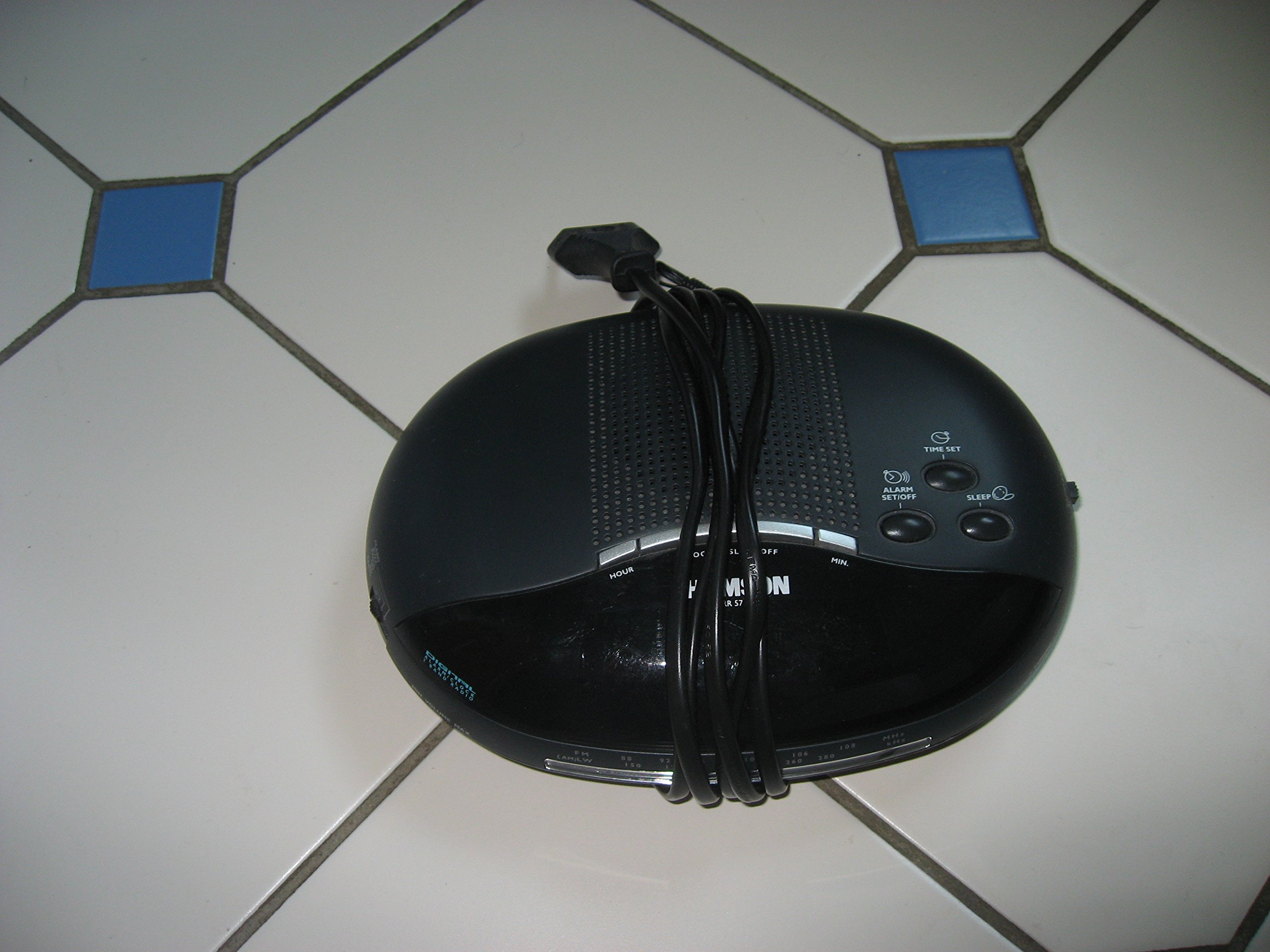
Зураг 1: Урд view of the Thomson RR 68 M clock, showing the digital display and control buttons. This image illustrates the compact design suitable for tabletop placement.
2.1 Багцын агуулга
- Thomson RR 68 M Clock Unit
- Хэрэглэгчийн гарын авлага (энэ баримт бичиг)
3. Тохиргоо
3.1 Цагийг асаах
The Thomson RR 68 M clock operates on batteries (not included). Ensure you have the correct type and quantity of batteries before proceeding.
- Locate the battery compartment cover on the back or bottom of the clock.
- Remove the battery compartment cover by sliding or unlatching it.
- Insert the required batteries, paying close attention to the polarity markings (+ and -) inside the compartment.
- Replace the battery compartment cover securely. The clock display should now illuminate.
4. Ашиглалтын заавар
4.1 Цагийг тохируулах
To set the current time on your Thomson RR 68 M clock:
- Locate the 'SET' or 'MODE' button, usually on the back or side of the clock. Press and hold this button for a few seconds until the hour digits begin to flash.
- Use the '+' or 'HOUR' button to adjust the hour. Press repeatedly to advance the hour.
- Press the 'SET' or 'MODE' button again. The minute digits will begin to flash.
- Use the '+' or 'MINUTE' button to adjust the minutes. Press repeatedly to advance the minutes.
- Press the 'SET' or 'MODE' button one last time to confirm the time setting and exit the setting mode. The display will stop flashing.
Note: This model does not feature an alarm function.
5. Засвар үйлчилгээ
5.1 Цэвэрлэгээ
To maintain the appearance of your clock:
- Цагны гадна талыг зөөлөн, хуурай даавуугаар арчина.
- Зүлгүүрийн цэвэрлэгч, уусгагч эсвэл химийн шүршигч хэрэглэж болохгүй, учир нь эдгээр нь өнгөлгөөг гэмтээж болзошгүй.
5.2 Батерейг солих
When the display dims or the clock stops functioning, it is time to replace the batteries. Follow the steps in Section 3.1 to replace the old batteries with new ones. Dispose of used batteries responsibly according to local regulations.
6. Алдаа засах
If you encounter issues with your Thomson RR 68 M clock, refer to the following common problems and solutions:
6.1 Clock Display is Blank or Dim
- Батерейг шалгах: Батерейг зөв туйлшралтайгаар зөв оруулсан эсэхээ шалгаарай. Шаардлагатай бол шинэ батерейгаар солино уу.
- Зайны тасалгаа: Зайны тасалгааны тагийг найдвартай хаагдсан эсэхийг шалгана уу.
6.2 Цаг буруу байна
- Дахин тохируулах цаг: Follow the instructions in Section 4.1 to manually set the time.
- Зайны хүч: If the time frequently resets or loses accuracy, the batteries may be low and require replacement.
7. Техникийн үзүүлэлтүүд
| Загварын дугаар | RR 68 M |
| Брэнд | Томсон |
| Суурилуулах төрөл | Ширээний тавцан |
| Эрчим хүчний эх үүсвэр | Батерей (оруулаагүй) |
| Сэрүүлгийн функц | Үгүй |
8. Баталгаат хугацааны мэдээлэл
Specific warranty details for the Thomson RR 68 M clock are not provided within this user manual. Please refer to the product packaging, the point of purchase, or the official Thomson webиж бүрэн баталгаат нөхцөл, болзлыг сайт.
9. Хэрэглэгчийн дэмжлэг
For further assistance, technical support, or inquiries regarding your Thomson RR 68 M clock, please visit the official Thomson webсайт руу орж үзэх эсвэл тэдний хэрэглэгчийн үйлчилгээний хэлтэстэй холбогдоно уу. Холбоо барих мэдээллийг ихэвчлэн үйлдвэрлэгчийн хаягаас авах боломжтой. webсайт эсвэл бүтээгдэхүүний сав баглаа боодол.


