1. Танилцуулга
This manual provides essential information for the safe and efficient use of your Nokia 8800 Unlocked Cell Phone. Please read this guide carefully before operating the device to ensure proper functionality and to understand its features.

Image: The Nokia 8800 phone in a partially slid-open position, revealing the keypad and screen.
2. Тохиргоо
2.1 SIM карт болон батерейг суурилуулах
- Remove the back cover of the phone by sliding it downwards or pressing the release button, if present.
- Insert your SIM card into the designated slot with the gold contacts facing down and the cut corner aligned correctly.
- Place the battery into the battery compartment, ensuring the contacts align with those on the phone.
- Арын тагийг байрандаа найдвартай тогших хүртэл нь буцааж тавь.

Image: The Nokia 8800 phone with its back cover removed, revealing the internal battery compartment and SIM card slot. A separate back cover is shown next to it.
2.2 Зайг цэнэглэх
Before first use, fully charge the phone's battery. Connect the charger to the phone's charging port and plug it into a power outlet. The battery indicator on the screen will show the charging status.

Image: The Nokia 8800 phone placed upright in a dedicated charging dock.
2.3 Асаах/унтраах
To power on, press and hold the power key (usually the red end call key) until the Nokia logo appears. To power off, press and hold the same key until the 'Power off' option appears, then select it.
3. Ашиглалтын заавар
3.1 Дуудлага хийх, хүлээн авах
- Дуудлага хийх: Enter the phone number using the keypad and press the green call key.
- Дуудлагад хариулах: Press the green call key when the phone rings.
- Дуудлага дуусгах: Press the red end call key.
3.2 Мессеж илгээх
Navigate to the 'Messages' menu. Select 'Create new message' or 'New SMS/MMS'. Enter your text, add multimedia content if sending an MMS, and then enter the recipient's number or select from contacts before sending.
3.3 Камер ашиглах
Access the camera from the main menu. Frame your shot using the display and press the dedicated camera key or the center navigation key to capture an image. The integrated SVGA camera supports still images and improved video recording quality (QCIF).
3.4 Интернетээр аялах
The Nokia 8800 features an integrated xHTML browser that connects over TCP/IP. Access the browser from the main menu to navigate web pages. Data transfer is supported via EDGE/E-GPRS (Class 8) and GPRS (Class 8).

Image: The Nokia 8800 phone with its screen displaying 'Telekom.de', indicating network or service provider information.
4. Онцлогууд
The Nokia 8800 is designed with a focus on premium materials and functionality:
- Дэлгэц: High-resolution TFT display with 256K colors and 208 x 208 pixel resolution.
- Дүрслэл: Integrated SVGA camera (0.5 megapixels) with improved video recording quality (QCIF).
- Мессеж: Supports text, audio, image, and video clips (MMS up to 300 KB). Email support for SMTP, POP3, and IMAP4 protocols. Predictive text input for major languages.
- Санах ой: 64MB internal NAND flash memory.
- Холболт: Bluetooth (Stereo, Plug & Play connector, SIM Access Profile), EDGE/E-GPRS, GPRS.
- Дуу хоолойн онцлогууд: Integrated handsfree speaker.
- Хэвлэл мэдээлэл: 64 polyphonic MIDI, AAC, MP3 ringing tones. Video recording and streaming. Digital music player and FM Radio.
- Хэрэглээ: Java MIDP 2.0 for applications and games.
- Онцлог шинж чанарууд: Exclusive 3D graphics and UI themes, Mobile Wallet 2.0 application, device-to-device synchronization.

Image: The Nokia 8800 phone in its closed, compact form, showcasing түүний гоёмсог дизайн.
5. Засвар үйлчилгээ
5.1 Төхөөрөмжийг цэвэрлэх
Use a soft, lint-free cloth to clean the phone's screen and body. Avoid using harsh chemicals or abrasive materials, as these can damage the finish and display.
5.2 Батерейны арчилгаа
To prolong battery life, avoid exposing the phone to extreme temperatures. Do not leave the battery fully discharged for extended periods. Use only Nokia-approved chargers and batteries.
5.3 Ерөнхий зохицуулалт
Protect your phone from drops, impacts, and moisture. Keep it away from magnetic fields and direct sunlight.
6. Алдаа засах
6.1 Нийтлэг асуудал ба шийдвэрлэх арга замууд
- Утас асахгүй байна: Ensure the battery is charged and correctly inserted. Try connecting the charger.
- Сүлжээний дохио байхгүй байна: Check if the SIM card is properly inserted. Move to an area with better network coverage. Contact your service provider if the issue persists.
- Зай цэнэглэгдэхгүй байна: Verify the charger connection. Ensure the charger is functional. Check for any damage to the charging port.
- Дэлгэц хариу өгөхгүй байна: Try restarting the phone. If the issue continues, contact support.
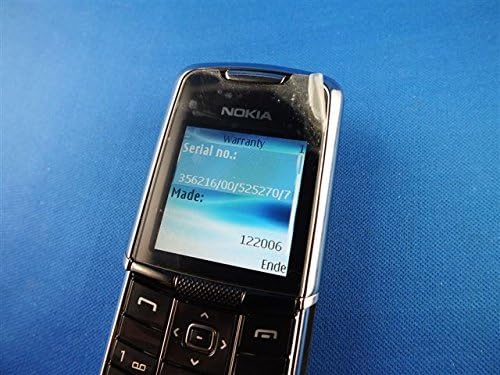
Image: The Nokia 8800 phone with its screen displaying 'Warranty' and 'Serial no.' information, useful for troubleshooting or support inquiries.
7. Техникийн үзүүлэлтүүд
| Онцлог | Дэлгэрэнгүй |
|---|---|
| Загварын нэр | Nokia 8800 |
| Үйлдлийн давтамж | Tri-band GSM 900/1800/1900 |
| Хэмжээ (L x W x T) | 107 mm x 45 mm x 15.0 - 16.5 mm |
| Жин | 134 гр (4.7 унц) |
| Дэлгэц | High-resolution TFT, 256K colors, 208 x 208 pixels, 2 inches |
| Камер | SVGA (0.5 megapixels), QCIF video recording |
| Дотоод санах ой | 64MB NAND флаш |
| Үйлдлийн систем | Java-based (proprietary) |
| Холболт | Bluetooth, EDGE/E-GPRS Class 8, GPRS Class 8 |
| Хөтөч | Integrated xHTML browser |
| Аудио залгуур | Чихэвчний залгуур байхгүй |
| Form Factor | Слайдер |
| Өнгө | Мөнгө |
| Эхний боломжтой огноо | 13 оны хоёрдугаар сарын 2007 |
8. Баталгаат хугацаа ба дэмжлэг
For warranty information and customer support, please refer to the documentation provided at the time of purchase or visit the official Nokia webсайт. Аливаа баталгаат нэхэмжлэлийн хувьд худалдан авалтаа нотлох баримтаа хадгалаарай.