1. Танилцуулга
Thank you for choosing the NEC LCD4215 42-inch MultiSync LCD Monitor. This manual provides essential information for the safe and efficient use of your new display. Please read these instructions thoroughly before installation and operation, and retain them for future reference.
2. Аюулгүй байдлын мэдээлэл
Мониторыг гэмтээхээс сэргийлж, хэрэглэгчийн аюулгүй байдлыг хангахын тулд дараах аюулгүй байдлын арга хэмжээг дагаж мөрдөнө.
- Эрчим хүчний эх үүсвэр: Connect the monitor only to a grounded power outlet with the correct voltagе бүтээгдэхүүний шошгон дээр заасны дагуу.
- Агааржуулалт: Мониторын эргэн тойронд хангалттай агааржуулалтыг хангах. Агааржуулалтын нүхийг хааж болохгүй.
- Шингэний нөлөөлөл: Avoid exposing the monitor to rain, moisture, or excessive humidity. Do not place liquid-filled objects on or near the monitor.
- Цэвэрлэгээ: Цэвэрлэхийн өмнө цахилгааны утсыг салга. Зөөлөн, хуурай даавуу хэрэглээрэй. Шингэн эсвэл аэрозол цэвэрлэгчээс зайлсхий.
- Үйлчилгээ: Энэ бүтээгдэхүүнд өөрөө үйлчлэх гэж бүү оролдоорой. Бүх засвар үйлчилгээг мэргэшсэн үйлчилгээний ажилтнуудад хандаарай.
- Байршил: Мониторыг унахаас сэргийлж тогтвортой, тэгш гадаргуу дээр байрлуул.
3. Багцын агуулга
Verify that all items are present in the package. If any items are missing or damaged, contact your dealer immediately.
- NEC LCD4215 42-inch MultiSync LCD Monitor
- Цахилгааны утас
- VGA кабель
- Батерейтай алсын удирдлага
- Хэрэглэгчийн гарын авлага (энэ баримт бичиг)
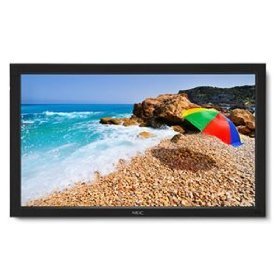
Image: The NEC LCD4215 42-inch MultiSync LCD Monitor, shown from the front with its stand. This image represents the primary display unit.
4. Тохиргоо
4.1 Савлах
- Carefully open the packaging and remove the monitor and accessories.
- Place the monitor face down on a soft, clean surface to avoid scratching the screen.
4.2 Stand/Mounting Installation
The monitor can be used with its included desktop stand or mounted using a VESA-compatible wall mount (sold separately).
4.2.1 Desktop Stand Installation
- Өгөгдсөн эрэг ашиглан тавиурын суурийг тавиурын хүзүүнд холбоно.
- Secure the assembled stand to the back of the monitor using the designated mounting points and screws.
- Carefully lift the monitor and place it on a stable, level surface.
4.2.2 Хананд суурилуулах (заавал биш)
If using a VESA-compatible wall mount, follow the instructions provided with your wall mount kit. Ensure the mount supports the weight and VESA pattern of the NEC LCD4215 monitor.
4.3 Холбох кабель
Before connecting any cables, ensure the monitor and all connected devices are powered off.
- Видео кабель: Connect one end of the appropriate video cable (VGA, DVI, HDMI, etc.) to the video output port of your computer or media device and the other end to the corresponding input port on the monitor.
- Audio Cable (Optional): If using the monitor's internal speakers or audio output, connect an audio cable from your source device to the monitor's audio input.
- Цахилгааны утас: Connect the power cord to the monitor's AC input and then plug the other end into a grounded electrical outlet.
5. Ашиглалтын заавар
5.1 Асаах/унтраах
- Press the power button on the front panel of the monitor or on the remote control to turn the monitor on. The power indicator light will illuminate.
- Дэлгэцийг унтраахын тулд цахилгаан товчийг дахин дарна уу.
5.2 Оролтын сонголт
The monitor can display content from multiple sources. To switch between inputs:
- Press the 'Input' or 'Source' button on the remote control or the monitor's control panel.
- Use the navigation buttons to select the desired input source (e.g., VGA, DVI, HDMI).
- Press 'Enter' or 'OK' to confirm your selection.
5.3 Дэлгэцийн үндсэн тохиргоо
Access the On-Screen Display (OSD) menu to adjust various settings:
- Press the 'Menu' button on the remote control or the monitor's control panel.
- Use the navigation buttons (Up/Down/Left/Right) to browse through menu options such as 'Brightness', 'Contrast', 'Color Temperature', and 'Aspect Ratio'.
- Press 'Enter' or 'OK' to select an option and adjust its value.
- Press 'Menu' again to exit the OSD menu.
6. Засвар үйлчилгээ
6.1 Дэлгэц цэвэрлэх
To maintain optimal display quality, clean the screen and casing regularly:
- Цэвэрлэхийн өмнө үргэлж унтрааж, мониторыг залгуураас нь салга.
- Зөөлөн, хөвөнгүй даавууг бага зэрэг хэрэглээрэй dampened with water or a non-abrasive, ammonia-free, and alcohol-free screen cleaner.
- Дэлгэцийг зөөлөн арчиж, casing. Do not apply excessive pressure.
- Дэлгэц рүү эсвэл нүх рүү шууд шингэн цацахаас зайлсхий.
6.2 Хадгалалт
If storing the monitor for an extended period, ensure it is powered off, unplugged, and stored in a cool, dry place away from direct sunlight and extreme temperatures. Use the original packaging if available for protection.
7. Алдаа засах
Before contacting customer support, refer to the following table for common issues and their solutions:
| Асуудал | Боломжит шалтгаан | Шийдэл |
|---|---|---|
| Дэлгэц дээр зураг алга | Монитор асаалттай биш байна; Видео кабель суларсан эсвэл салгагдсан байна; Буруу оролтын эх үүсвэр сонгогдсон байна. | Press the power button; Check video cable connections; Select the correct input source. |
| Зураг хэт бараан/тод байна | Гэрэлтүүлэг/Ялгарал тохиргоо буруу. | Adjust 'Brightness' and 'Contrast' in the OSD menu. |
| Аудио байхгүй | Аудио кабель салсан; Дууны түвшин хэт бага; Дууг нь хаасан. | Check audio cable connection; Increase volume; Unmute audio. |
| Анивчиж буй зураг | Video cable faulty; Resolution/Refresh rate mismatch. | Replace video cable; Adjust display settings on your computer. |
8. Техникийн үзүүлэлтүүд
Detailed technical specifications for the NEC LCD4215 MultiSync LCD Monitor:
| Онцлог | Тодорхойлолт |
|---|---|
| Загварын дугаар | LCD4215 |
| Дэлгэцийн хэмжээ | 42 инч |
| Хамгийн их дэлгэцийн нягтрал | 1366 x 768 |
| Харьцаа | 1.78:1 |
| Зүйлийн жин | 47 фунт |
| Бүтээгдэхүүний хэмжээ (LxWxH) | 44 x 27.5 x 9.25 инч |
| Өнгө | Хар |
| Үйлдвэрлэгч | Nec Computers |
| Эхний боломжтой огноо | 31 оны долдугаар сарын 2008 |
9. Баталгаат хугацаа ба дэмжлэг
9.1 Баталгаат хугацааны мэдээлэл
This NEC LCD4215 monitor comes with a standard manufacturer's warranty. Please refer to the separate warranty card included in your product packaging for specific terms, conditions, and duration of coverage. Keep your proof of purchase for warranty claims.
9.2 Хэрэглэгчийн дэмжлэг
For technical assistance, troubleshooting beyond this manual, or warranty service, please contact NEC customer support. Visit the official NEC webутасны дугаар болон онлайн дэмжлэгийн нөөц зэрэг хамгийн сүүлийн үеийн холбоо барих мэдээллийг авах сайт.
Webсайт: www.nec.com


